
Overview
Honeywell TC-CCR011 Migration-Ready Net Interface Module: Legacy System Retrofit & Compatibility Upgrade
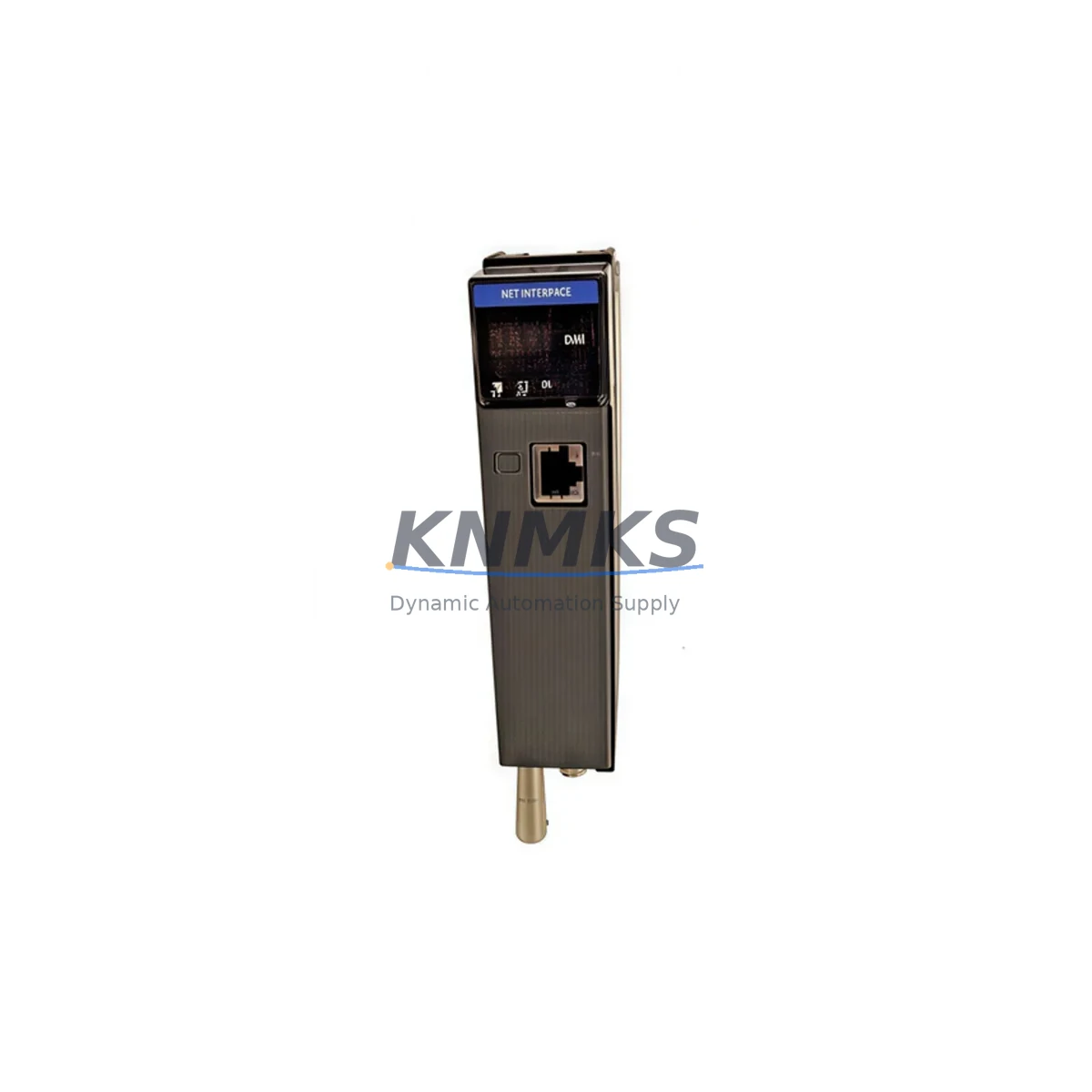
The Honeywell TC-CCR011 is a Net Interface Module designed for the TPS (TotalPlant Solution) Distributed Control System platform. As legacy Honeywell TPS installations approach end-of-life and original spare parts become increasingly scarce, the TC-CCR011 serves as a critical migration-ready replacement for aging LCN (Local Control Network) communication infrastructure. Whether you are executing a phased modernization of an existing control room, replacing a failed module in a live production environment, or building a retrofit inventory for long-term system continuity, the TC-CCR011 provides the interface reliability and protocol compatibility that legacy TPS architectures demand.
KNMKS maintains verified stock of the TC-CCR011 with full pre-shipment functional testing, ensuring that every unit shipped is ready for immediate installation. Each module is backed by a support terms confirmed by quotation and ships with documentation to support your engineering and commissioning teams.
Migration Compatibility Table
| Parameter | TC-CCR011 Specification | Retrofit / Migration Notes |
|---|---|---|
| Platform Compatibility | Honeywell TPS / TDC 3000 | Direct replacement for legacy LCN Net Interface modules in existing TPS cabinets |
| Communication Protocol | LCN (Local Control Network) | No protocol conversion required; maintains native LCN topology and addressing |
| Backplane Interface | TPS standard card cage backplane | Verify card cage slot assignment and backplane revision before installation |
| Power Requirements | Supplied via backplane (TPS standard) | Confirm power supply module (e.g., TC-PRS021 or equivalent) capacity before hot-swap |
| Installation Format | Card cage plug-in module | Confirm physical slot dimensions; no additional mounting hardware required |
| Firmware Compatibility | TPS firmware dependent | Verify system firmware version; consult Honeywell TPS release notes for module compatibility matrix |
| Module Addressing | Configured via TPS system software | Re-use existing node address from replaced module; no LCN reconfiguration required in most cases |
| HMI / Console Impact | Transparent to operator stations | No HMI screen changes required; operator displays remain unaffected during module swap |
| Commissioning | Online replacement supported | Coordinate with control room operator; confirm LCN link status post-insertion |
| Support terms | support terms confirmed by quotation — All units pre-tested before shipment | |
Retrofit Planning for Existing Automation Systems
Successful integration of the TC-CCR011 into a legacy TPS environment requires a structured pre-retrofit assessment. Before scheduling a maintenance window, engineering teams should audit the existing card cage configuration to confirm available slot positions and backplane revision compatibility. The TC-CCR011 occupies a standard TPS card slot, but installations with mixed-generation hardware — particularly those combining TDC 3000 and TPS-era components — may require additional verification of backplane signal integrity.
Power budget analysis is a frequently overlooked step in LCN module replacement projects. The existing TC-PRS021 power supply module or its equivalent must be confirmed to have sufficient headroom to support the TC-CCR011 alongside co-installed modules such as TC-FTE011 Fault Tolerant Ethernet Interface cards and TC-IAH161 analog input modules. In high-density card cages, total power draw across all installed modules should be calculated before any replacement is attempted.
For sites running extended LCN networks with multiple node segments, the TC-CCR011 replacement should be coordinated with a review of the overall LCN topology. Nodes connected through TC-CCR014 coax repeater modules or fiber-based LCN extenders may require link-level diagnostics before and after the swap to confirm network continuity. In parallel, any TC-FPCXX series process controller modules sharing the same LCN segment should be monitored during the replacement window to detect any transient communication interruptions.
Sites that have partially migrated to Experion PKS should also evaluate whether the TC-CCR011 replacement is part of a broader LCN-to-EHSA (Experion Hybrid System Architecture) migration. In such cases, the module swap may need to be sequenced alongside reconfiguration of C300 controller communication parameters and updates to the Experion server’s LCN gateway configuration. HMI displays built on the legacy GUS (Global User Station) or migrated to Experion Operator Station should be validated post-replacement to confirm that all process variable bindings remain intact.
For sites maintaining a parallel spare parts inventory, KNMKS recommends stocking at least one additional TC-CCR011 alongside related interface modules to minimize exposure during unplanned failures. Coordinating spare parts procurement with your planned maintenance cycles reduces the risk of extended downtime caused by single-point-of-failure LCN interface outages.
Downtime Control During System Migration
Minimizing production downtime during a TC-CCR011 replacement requires careful pre-staging and a clearly defined rollback plan. Before the maintenance window opens, the replacement module should be bench-tested using a TPS card cage test fixture or verified against a known-good system to confirm basic functionality. All existing LCN node configuration parameters — including node address, network segment assignment, and communication timeout settings — should be documented from the live system before the original module is removed.
Where the TPS system supports online module replacement, the TC-CCR011 can be inserted into a powered card cage with the LCN network active. However, this procedure should only be performed by qualified TPS engineers familiar with LCN hot-swap protocols. The control room operator should be notified in advance, and any automated control loops dependent on the affected LCN segment should be placed in manual mode as a precaution during the swap interval.
Post-installation, the LCN link status should be confirmed through the TPS system console before returning affected loops to automatic control. Any alarms generated during the module swap should be reviewed and cleared systematically. If the system is running a version of TPS software that logs module insertion events, these logs should be captured and retained as part of the maintenance record. For sites with active process safety systems, the safety instrumented system (SIS) interface should be verified independently to confirm that no spurious signals were generated during the LCN interruption.
KNMKS ships all TC-CCR011 units with pre-shipment functional test documentation, reducing the risk of receiving a non-functional module and eliminating one of the most common causes of extended retrofit downtime. Standard lead times from confirmed order to shipment are clearly communicated at the time of purchase, allowing maintenance planners to align procurement with scheduled outage windows.
Retrofit Support FAQ
Q: Is the TC-CCR011 a direct drop-in replacement for the original Honeywell LCN Net Interface module in a TPS system?
A: In most standard TPS card cage configurations, yes. The TC-CCR011 is designed to occupy the same physical slot and interface with the same backplane connections as the original module. However, sites with non-standard card cage configurations or mixed TDC 3000 / TPS hardware should verify slot and backplane compatibility before installation.
Q: What pre-installation checks are required before replacing the TC-CCR011 in a live system?
A: Engineering teams should confirm the existing node address configuration, verify power supply capacity, document current LCN link status, and notify the control room operator. For systems with active safety loops on the affected LCN segment, a formal management of change (MOC) review is recommended before proceeding.
Q: Does KNMKS provide functional testing documentation with each TC-CCR011 shipment?
A: Yes. Every TC-CCR011 unit shipped by KNMKS is pre-tested before dispatch, and test documentation is included with the shipment. All units are covered by a support terms confirmed by quotation from the date of shipment.
Q: What is the typical lead time and stock availability for the TC-CCR011?
A: KNMKS maintains inventory of the TC-CCR011 and can confirm current stock availability at the time of inquiry. For urgent replacement requirements, expedited shipment options are available. Contact our sales team directly to confirm lead time for your specific requirement.
© 2026 KNMKS. All rights reserved.
Original Source: https://knmks.com
Contact: admin@knmks.com | +86 18359268345
Product Identification
- Brand / Ecosystem
-
Honeywell
Honeywell - Model / Series
-
TC-CCR011
Experion PKS Series - Product Family
- PLCs & Controllers
- Availability Status
- Available on request after model and quantity confirmation
- Inquiry Type
- B2B RFQ, replacement inquiry and project spare-part request
- Pre-Quote Check
- Exact SKU, brand, series, quantity, nameplate photos and destination country are checked before quotation
System Path
Where this product fits in the KNMKS automation structure.
Specification & Inquiry Focus
- Control platform
- PLC, PAC and modular controllers
- Common needs
- CPU, rack, power and I/O expansion
- Project support
- Replacement, cabinet build and maintenance
Buyer Confirmation
Information KNMKS checks before replying.
- Exact model
- TC-CCR011
- Brand / ecosystem
- Honeywell
- Product family
- PLCs & Controllers
- Application note
- Replacement, maintenance, project build or spare-part list
- Useful photos
- Nameplate, installed unit, cabinet layout or connector side
- Delivery details
- Quantity, destination country and target schedule
Document Support
Files and notes can be confirmed during quotation.
- Product photos or nameplate confirmation when available
- Packing and delivery notes before quotation confirmation
- Support scope and delivery terms confirmed per inquiry
- Export document coordination for qualified B2B requests
Inquiry Support
- Model cross-checking before quotation
- CPU, power, rack and expansion module matching
- Support for replacement and project inquiry
What to Send Us
- Brand and exact model number: Honeywell TC-CCR011
- Quantity and required delivery time
- Application, replacement requirement or nameplate photo
- Destination country and shipping preference
RFQ Preparation
This is a product inquiry page built for RFQ communication.
Fast Model Check
Send this model to KNMKS for confirmation.
Include quantity, destination country and photos if this is a maintenance replacement. The inquiry will be saved with a reference number after submission.
Brand & Compatibility Note
KNMKS displays automation product information for well-known industrial brand ecosystems and compatible replacement references. Brand names are used for product identification and compatibility reference only; final availability and commercial terms are confirmed per quotation.
 Manufacturing
 Machine Tools
 Packaging
 Energy & Power



 HMI & Displays
 Servo Systems
 Variable Frequency Drives
 Sensors