
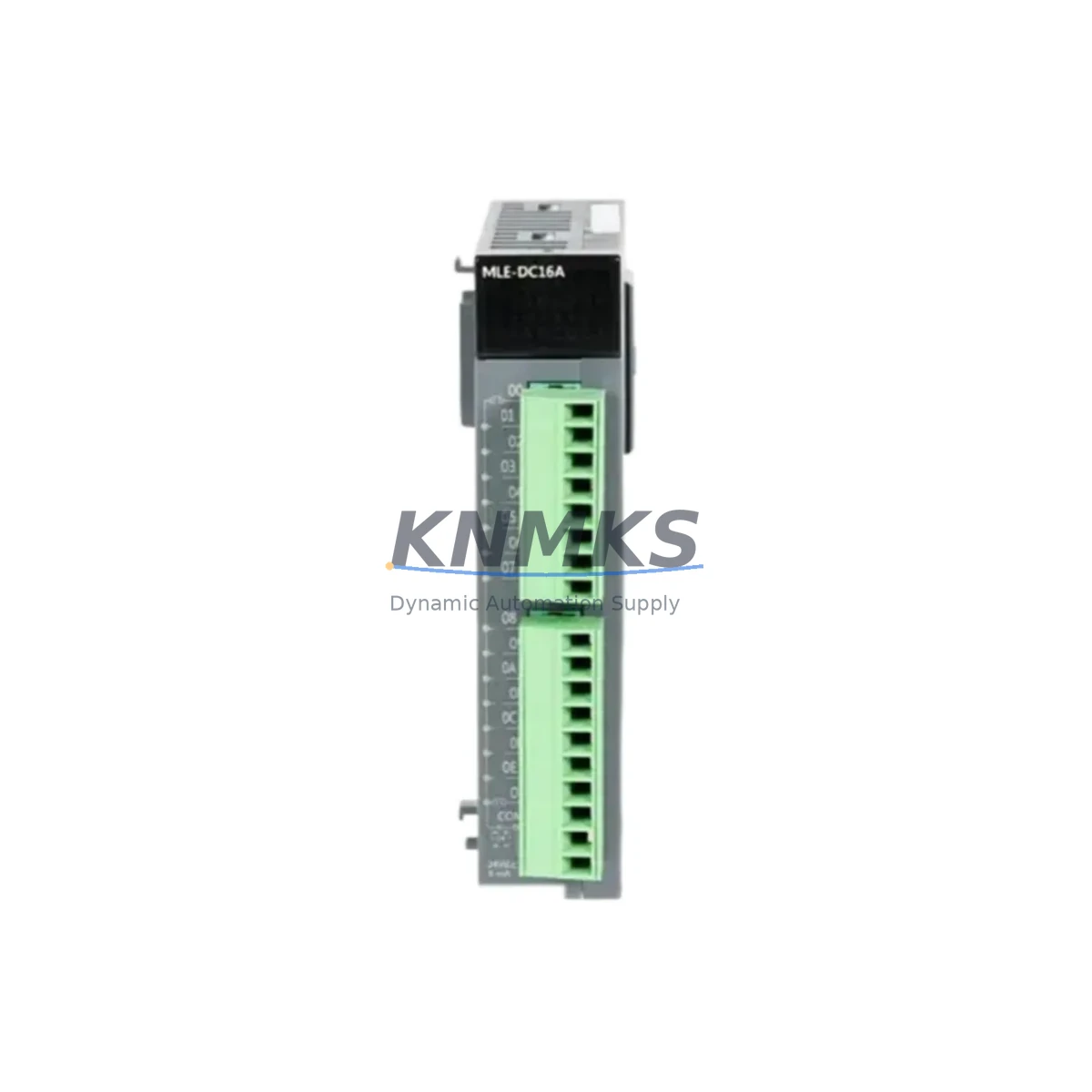
Overview
Honeywell MLEDC16A Migration-Ready DI Module: Legacy System Retrofit & Compatibility Upgrade
The Honeywell MLEDC16A is a 16-channel Digital Input (DI) module designed for the MasterLogic series within the Honeywell Experion PKS distributed control system platform. As legacy automation infrastructure reaches end-of-life, the MLEDC16A has become a critical spare part and direct replacement component for facilities managing aging control cabinets in energy, petrochemical, power generation, and continuous manufacturing environments. Whether you are executing a planned system migration, responding to an unplanned module failure, or extending the operational life of an existing Experion PKS installation, the MLEDC16A provides a verified, drop-in compatible solution that minimizes engineering risk and reduces total downtime exposure.
For sites operating legacy Honeywell MasterLogic racks, the MLEDC16A slots directly into the existing backplane without requiring rack replacement or controller reconfiguration. The module supports standard 24 VDC discrete input signals and is compatible with the MasterLogic ML200 and ML300 series controller platforms. Before installation, engineers should confirm the rack’s power supply capacity — particularly when adding modules to a partially populated chassis — and verify that the backplane slot addressing matches the existing I/O configuration in the controller program. Incorrect slot assignment will cause I/O mapping errors that require program modification in Honeywell Control Builder or the legacy MasterLogic programming environment.
Terminal wiring compatibility is a key consideration during replacement. Field wiring connected to the original module’s terminal block must be verified against the MLEDC16A’s pinout before reconnection. In most MasterLogic installations, field termination is handled through marshalling cabinets or directly wired terminal strips, and the signal polarity, common reference, and shielding practices must be preserved to avoid nuisance trips or missed input detection after commissioning. It is strongly recommended to photograph or document the existing wiring before removal of the legacy module.
Migration Compatibility Table
| Parameter | Specification / Recommendation |
|---|---|
| Compatible Platform | Honeywell Experion PKS, MasterLogic ML200 / ML300 |
| Module Type | 16-Channel Digital Input (DI), 24 VDC |
| Backplane Interface | MasterLogic standard backplane — direct slot replacement |
| Installation Requirement | Confirm rack slot address matches controller I/O configuration |
| Communication Compatibility | Compatible with Experion PKS FTE (Fault Tolerant Ethernet) network architecture |
| Power Supply Check | Verify rack PSU capacity before adding module to existing chassis |
| Replacement Recommendation | Direct drop-in for failed or end-of-life MLEDC16A units; no firmware reflash required in most cases |
| Commissioning Focus | I/O mapping verification, field wiring polarity, HMI tag binding, and loop check |
| Firmware Version | Confirm firmware revision compatibility with existing controller firmware before hot-swap |
| Support terms | support terms confirmed by quotation — covers manufacturing defects and functional failure under normal operating conditions |
Retrofit Planning for Existing Automation Systems
A successful MLEDC16A retrofit begins well before the module arrives on site. The engineering team should audit the existing MasterLogic rack configuration, documenting all installed modules including the MLCPU300 or MLCPU200 controller module, the MLPS24 or equivalent power supply module, and any co-installed MLEAC16A analog input modules or MLEDOC16A digital output modules sharing the same chassis. Understanding the full rack population is essential for calculating available power budget and confirming that the replacement DI module will not push the rack beyond its rated load.
Communication architecture must also be reviewed. In Experion PKS environments, the MasterLogic controller communicates over the Fault Tolerant Ethernet (FTE) network, and any changes to the I/O module configuration may require a controller download or partial program update. If the site uses redundant controller pairs, the migration plan should account for the synchronization window and ensure that the standby controller reflects the updated I/O map before the primary is taken offline. For sites that have integrated Honeywell MLSCM series safety modules or MLCM communication modules in the same cabinet, the impact on the safety network and communication bus must be assessed independently.
HMI screen updates are frequently overlooked during module replacement. If the original MLEDC16A was associated with specific Experion Station or HMIWeb display faceplates, the tag database should be verified to confirm that all point references remain valid after the replacement. In cases where the module address has changed — for example, when a module is relocated to a different slot during a cabinet reorganization — HMI tag rebinding will be required. Signal isolators or intrinsic safety barriers installed between the field device and the DI module input should also be inspected and tested as part of the commissioning process, as degraded isolator performance can cause intermittent input faults that are difficult to diagnose after the new module is installed.
For sites managing multiple simultaneous replacements across a production line, a phased approach is recommended: replace and commission one module at a time, perform a full loop check on each channel, and obtain operator sign-off before proceeding to the next module. This approach limits the scope of any single commissioning error and preserves overall system availability throughout the retrofit campaign.
Downtime Control During System Migration
Minimizing unplanned downtime during a DI module replacement requires a structured pre-outage preparation process. Before the maintenance window opens, the control engineer should export a backup of the current controller program from Honeywell Control Builder, including all I/O configuration files and tag databases. This backup serves as the rollback baseline if the replacement module introduces unexpected behavior during commissioning.
Where process conditions permit, the channels served by the MLEDC16A should be placed in manual mode or bypassed at the controller level before the module is removed. This prevents spurious alarms or interlock trips caused by the loss of input signals during the swap. In continuous process environments — such as refinery units or power plant auxiliary systems — the bypass strategy must be reviewed and approved by the operations team before execution, and a field operator should be stationed at the affected equipment to provide manual oversight during the transition period.
Physical installation of the replacement MLEDC16A is straightforward: the module is inserted into the vacated backplane slot, secured with the module locking mechanism, and the field wiring terminal block is reconnected. After power-up, the controller should automatically recognize the module and restore normal I/O scanning within the configured scan cycle. If the controller does not recognize the module — which can occur if the firmware revision of the replacement unit differs from the original — a firmware update may be required before the module will be accepted by the rack. This scenario should be anticipated in the migration plan, and the appropriate firmware file should be staged on the engineering workstation before the maintenance window begins.
Post-installation verification should include a channel-by-channel loop check, confirmation of correct signal state in the Experion Station operator display, and a review of the controller diagnostic log for any module fault codes. Once all channels are verified and the operator display reflects correct process states, the bypasses can be removed and the system returned to automatic control. Total downtime for a single MLEDC16A replacement in a well-prepared environment is typically 30 to 90 minutes, depending on the number of field wiring connections and the complexity of the HMI verification required.
Retrofit Support FAQ
Q: Is the MLEDC16A a direct replacement for the original module without program changes?
A: In most cases, yes. If the replacement module is installed in the same backplane slot with the same firmware revision, the controller will recognize it as an identical device and no program modification is required. However, if the slot address has changed or the firmware version differs, a partial controller download or firmware update may be necessary. Always verify the module address and firmware revision before closing the maintenance window.
Q: What pre-shipment testing is performed on the MLEDC16A?
A: Each unit undergoes functional verification prior to dispatch, including channel continuity checks and power-on self-test validation. Units are shipped with test documentation confirming operational status. The support terms confirmed by quotation cover manufacturing defects and functional failure under normal operating conditions from the date of receipt.
Q: How do I confirm wiring compatibility before installation?
A: Compare the terminal block pinout of the replacement MLEDC16A against the original module’s wiring diagram. Pay particular attention to the common reference terminal, input signal polarity, and any shielding connections. If the original wiring documentation is unavailable, the field wiring can be traced back to the marshalling cabinet and verified against the instrument loop drawings before reconnection.
Q: What is the lead time and stock availability?
A: The MLEDC16A is maintained availability confirmed by RFQ for immediate dispatch. Standard lead time for in-stock units is 3–7 business days for international shipments. For urgent requirements, expedited shipping options are available. Contact our sales team to confirm current stock levels and arrange priority dispatch for critical maintenance situations.
© 2026 KNMKS. All rights reserved.
Original Source: https://knmks.com
Contact: admin@knmks.com | +86 18359268345
Product Identification
- Brand / Ecosystem
-
Honeywell
Honeywell - Model / Series
-
MLEDC16A
Experion PKS Series - Product Family
- PLCs & Controllers
- Availability Status
- Available on request after model and quantity confirmation
- Inquiry Type
- B2B RFQ, replacement inquiry and project spare-part request
- Pre-Quote Check
- Exact SKU, brand, series, quantity, nameplate photos and destination country are checked before quotation
System Path
Where this product fits in the KNMKS automation structure.
Specification & Inquiry Focus
- Control platform
- PLC, PAC and modular controllers
- Common needs
- CPU, rack, power and I/O expansion
- Project support
- Replacement, cabinet build and maintenance
Buyer Confirmation
Information KNMKS checks before replying.
- Exact model
- MLEDC16A
- Brand / ecosystem
- Honeywell
- Product family
- PLCs & Controllers
- Application note
- Replacement, maintenance, project build or spare-part list
- Useful photos
- Nameplate, installed unit, cabinet layout or connector side
- Delivery details
- Quantity, destination country and target schedule
Document Support
Files and notes can be confirmed during quotation.
- Product photos or nameplate confirmation when available
- Packing and delivery notes before quotation confirmation
- Support scope and delivery terms confirmed per inquiry
- Export document coordination for qualified B2B requests
Inquiry Support
- Model cross-checking before quotation
- CPU, power, rack and expansion module matching
- Support for replacement and project inquiry
What to Send Us
- Brand and exact model number: Honeywell MLEDC16A
- Quantity and required delivery time
- Application, replacement requirement or nameplate photo
- Destination country and shipping preference
RFQ Preparation
This is a product inquiry page built for RFQ communication.
Fast Model Check
Send this model to KNMKS for confirmation.
Include quantity, destination country and photos if this is a maintenance replacement. The inquiry will be saved with a reference number after submission.
Brand & Compatibility Note
KNMKS displays automation product information for well-known industrial brand ecosystems and compatible replacement references. Brand names are used for product identification and compatibility reference only; final availability and commercial terms are confirmed per quotation.
 Manufacturing
 Machine Tools
 Packaging
 Energy & Power



 HMI & Displays
 Servo Systems
 Variable Frequency Drives
 Sensors