
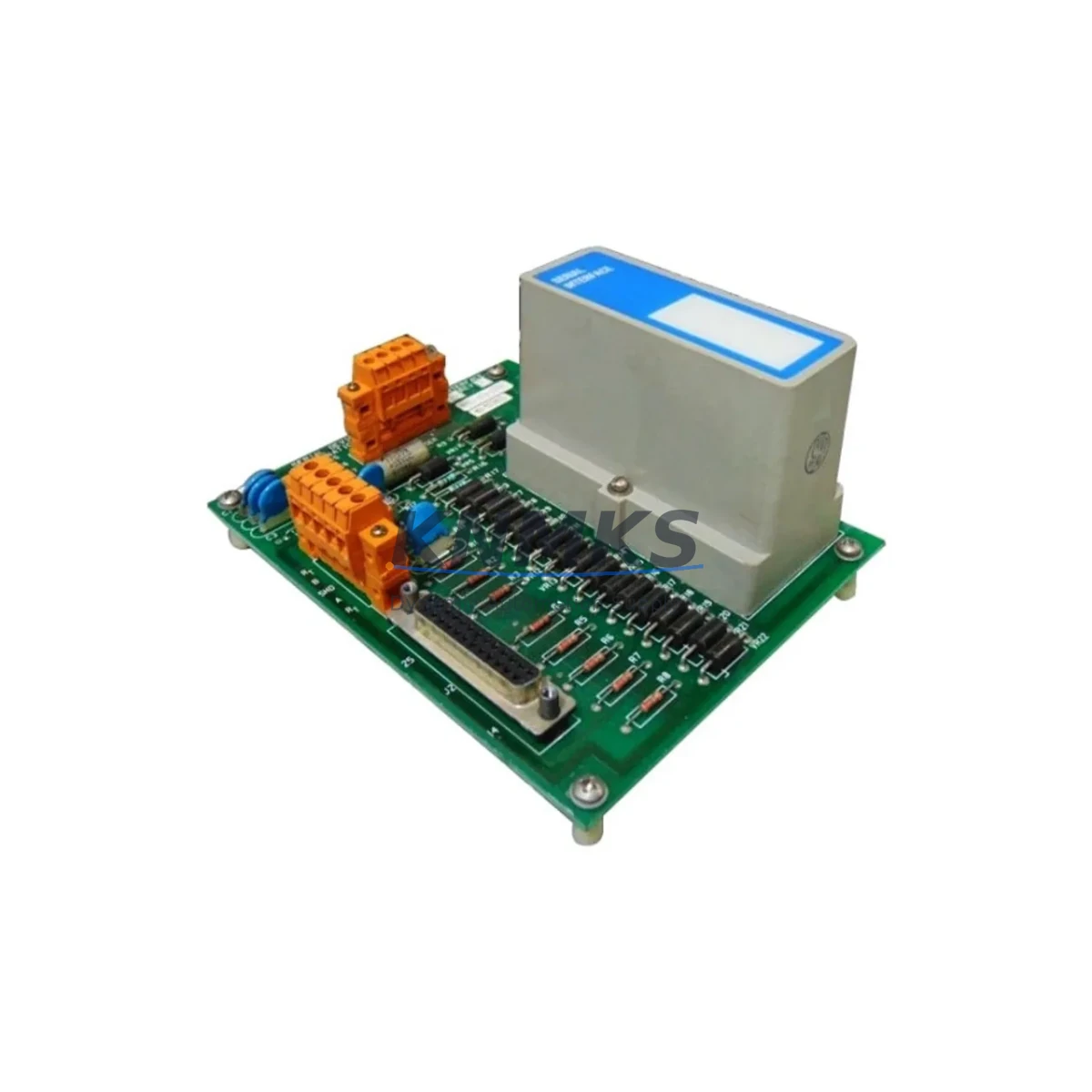
Overview
Honeywell MC-TSIM12 Migration-Ready Signal Interface Module: Legacy System Retrofit & Compatibility Upgrade
The Honeywell MC-TSIM12 is a 12-channel Signal Interface Termination Module engineered for the Experion PKS MC Series distributed control platform. Designed to serve as a direct, migration-ready replacement for aging or discontinued termination assemblies, the MC-TSIM12 enables control engineers and maintenance teams to extend the operational life of existing DCS installations without requiring a full system overhaul. Whether you are managing a planned upgrade cycle or responding to an unplanned failure of a legacy module, the MC-TSIM12 provides a verified, field-tested path to system continuity.
For facilities running Honeywell Experion PKS C200, C300, or earlier EPKS controller platforms, the MC-TSIM12 interfaces directly with the MC Series I/O subsystem. Its 12-channel signal termination architecture supports both analog and discrete field wiring configurations, making it suitable for a wide range of process control applications including temperature monitoring, pressure transmitter loops, valve positioner feedback, and motor control interlocks. When replacing a failed or end-of-life termination module, engineers must verify terminal block wiring assignments, confirm channel-to-channel signal mapping against the existing I/O configuration database, and validate that the replacement module’s firmware revision is compatible with the installed controller firmware. Mismatched firmware versions between the MC-TSIM12 and the associated MC-PDIO12 or MC-PAIH03 I/O modules can result in communication faults that require a controller reload to clear.
Backplane slot assignment is a critical step during installation. The MC-TSIM12 must be seated in the correct slot of the MC Series I/O carrier or FTA (Field Termination Assembly) rack. Slot addressing is typically defined in the Experion PKS Control Builder configuration, and any mismatch between the physical slot and the software-assigned module address will prevent the controller from recognizing the replacement module. Before powering down the affected I/O carrier, document the existing slot address, module tag, and associated channel assignments from the Control Builder project file. This documentation is essential for restoring the configuration after the physical swap.
Migration Compatibility Table
| Parameter | MC-TSIM12 Specification | Retrofit Notes |
|---|---|---|
| Compatible Platform | Honeywell Experion PKS MC Series | Verify controller firmware revision before installation |
| Channel Count | 12 Channels | Map all 12 channels against existing I/O database before swap |
| Signal Type | Analog / Discrete Signal Interface | Confirm field wiring polarity and shielding continuity |
| Backplane Interface | MC Series I/O Carrier / FTA Rack | Confirm slot address matches Control Builder configuration |
| Terminal Block Compatibility | Standard MC Series screw terminals | Re-torque all terminals after installation; verify loop resistance |
| Communication Protocol | Experion PKS internal I/O bus | No protocol conversion required for same-series replacement |
| Power Supply Requirement | Supplied via I/O carrier backplane | Verify carrier power budget before adding modules to existing rack |
| Installation Space | Standard MC Series module form factor | Confirm physical clearance in control cabinet before ordering |
| Firmware Compatibility | Matches current Experion PKS MC Series release | Cross-check firmware version with Honeywell compatibility matrix |
| Replacement Scope | Direct drop-in for discontinued MC-TSIM12 variants | No re-engineering of FTA wiring required for same-series swap |
| Commissioning Requirement | Controller reload may be required post-swap | Schedule reload during planned maintenance window |
| Support terms | support terms confirmed by quotation | Covered from date of shipment; includes DOA replacement |
Retrofit Planning for Existing Automation Systems
A successful MC-TSIM12 retrofit begins well before the physical module swap. The planning phase must account for the full scope of the I/O subsystem, including adjacent modules that share the same I/O carrier or FTA rack. In a typical Experion PKS MC Series cabinet, the MC-TSIM12 operates alongside modules such as the MC-PAIH03 analog input module, the MC-PDIO12 discrete I/O module, and the MC-TAMR04 analog output termination assembly. Each of these modules has its own slot address, wiring configuration, and firmware dependency. A retrofit plan that focuses only on the MC-TSIM12 without auditing the surrounding modules risks introducing new faults during the changeover.
Power budget verification is a mandatory step when adding or replacing modules in an existing I/O carrier. The MC Series I/O carrier provides a shared backplane power rail, and the total current draw of all installed modules must remain within the carrier’s rated capacity. If the existing carrier is already operating near its power limit — a common situation in legacy installations where modules have been added incrementally over many years — the addition of a replacement MC-TSIM12 may require a power supply upgrade or the redistribution of modules across multiple carriers. The MC-PSUP01 power supply module is the standard power source for MC Series I/O carriers, and its output capacity should be verified against the updated module load before commissioning.
For installations that include HMI integration, the retrofit plan must also address the Experion PKS Station or HMI display configuration. Channel tag names, engineering unit ranges, and alarm setpoints defined in the HMI are linked to the I/O database by module address and channel number. If the replacement MC-TSIM12 is assigned to the same slot and channel addresses as the original module, the HMI configuration will remain intact. However, if the slot address changes for any reason — such as a rack reorganization or a carrier replacement — the HMI display pages and alarm groups must be updated to reflect the new addressing. This work is typically performed in the Experion PKS Station Builder or the associated SCADA configuration tool.
Communication link integrity should be verified after the module swap. The MC Series I/O bus connects the I/O carrier to the C200 or C300 controller via a dedicated I/O link cable. Inspect the cable connectors and locking latches for wear or damage before reinstalling the replacement module. A degraded I/O link cable can cause intermittent communication faults that are difficult to distinguish from module-level failures. If the installation includes a redundant I/O link configuration, verify that both primary and secondary links are active and fault-free before returning the system to automatic control. Programming cable access via the MC-KFTA01 FTA programming cable may be required for firmware verification or module configuration during commissioning.
Downtime Control During System Migration
Minimizing unplanned downtime during an MC-TSIM12 replacement requires a structured approach to pre-swap preparation, execution, and post-swap verification. The most effective strategy is to treat the module replacement as a planned maintenance activity rather than an emergency repair, even when the trigger is an unplanned failure. This means preparing a replacement module in advance as part of a critical spare parts inventory, maintaining a current backup of the Experion PKS Control Builder project file, and documenting the existing I/O configuration before any physical work begins.
Before removing the failed or end-of-life MC-TSIM12, place the affected controller in manual mode or transfer control to a redundant controller if the system architecture supports it. This step protects the process from uncontrolled output changes during the module swap. For processes where manual mode is not acceptable — such as continuous chemical processes or safety-instrumented systems — coordinate the replacement with the process operations team to identify a suitable window where the affected loops can be placed in a safe state.
The physical swap itself should take no more than 15 to 30 minutes for a trained technician who has completed the pre-swap preparation steps. After seating the replacement MC-TSIM12 in the correct backplane slot, perform a visual inspection of all terminal block connections before applying power. Verify that the module’s status LEDs indicate normal operation before returning the controller to automatic mode. Conduct a loop check on all 12 channels to confirm that field signals are being received correctly and that the I/O database values match the expected process readings. Document the completion of each loop check in the maintenance record before closing the work order.
For facilities that require zero-unplanned-downtime performance, maintaining a minimum of one MC-TSIM12 as a certified spare — pre-tested and stored in an ESD-safe environment — is the most reliable risk mitigation strategy. Our stock is pre-tested prior to shipment, and all units are covered by a support terms confirmed by quotation from the date of delivery, including dead-on-arrival replacement at no additional cost.
Retrofit Support FAQ
Q1: Is the MC-TSIM12 a direct drop-in replacement for the original Honeywell MC-TSIM12 installed in my Experion PKS system?
Yes. The MC-TSIM12 is designed as a direct replacement for the original module within the Experion PKS MC Series I/O subsystem. No re-engineering of the FTA wiring or the Control Builder I/O configuration is required, provided the replacement module is installed in the same backplane slot as the original. Firmware compatibility should be verified against the installed controller revision before installation.
Q2: What commissioning steps are required after installing the replacement MC-TSIM12?
After physical installation, perform a controller reload if the system does not automatically recognize the replacement module. Conduct a 12-channel loop check to verify signal integrity on all field wiring connections. Confirm that HMI display values and alarm states are consistent with expected process conditions. Re-torque all terminal block connections and document the commissioning results in the maintenance record.
Q3: How do I verify that the replacement MC-TSIM12 is compatible with my existing Experion PKS firmware version?
Refer to the Honeywell Experion PKS compatibility matrix for the MC Series I/O subsystem. The firmware revision of the replacement MC-TSIM12 must be equal to or greater than the minimum revision required by the installed controller firmware. If you are unsure of the required firmware revision, contact our technical support team with your controller model number and current firmware version, and we will confirm compatibility before shipment.
Q4: What support terms coverage is provided, and what does it include?
All MC-TSIM12 units supplied by KNMKS are covered by a support terms confirmed by quotation from the date of shipment. Support terms coverage includes dead-on-arrival (DOA) replacement, manufacturing defects, and functional failures under normal operating conditions. Units are pre-tested prior to shipment to verify basic functionality. Support requests are processed within 5 business days of receiving the returned unit. Contact admin@knmks.com to initiate a support terms claim.
© 2026 KNMKS. All rights reserved.
Original Source: https://knmks.com
Contact: admin@knmks.com | +86 18359268345
Product Identification
- Brand / Ecosystem
-
Honeywell
Honeywell - Model / Series
-
MC-TSIM12
Experion PKS Series - Product Family
- PLCs & Controllers
- Availability Status
- Available on request after model and quantity confirmation
- Inquiry Type
- B2B RFQ, replacement inquiry and project spare-part request
- Pre-Quote Check
- Exact SKU, brand, series, quantity, nameplate photos and destination country are checked before quotation
System Path
Where this product fits in the KNMKS automation structure.
Specification & Inquiry Focus
- Control platform
- PLC, PAC and modular controllers
- Common needs
- CPU, rack, power and I/O expansion
- Project support
- Replacement, cabinet build and maintenance
Buyer Confirmation
Information KNMKS checks before replying.
- Exact model
- MC-TSIM12
- Brand / ecosystem
- Honeywell
- Product family
- PLCs & Controllers
- Application note
- Replacement, maintenance, project build or spare-part list
- Useful photos
- Nameplate, installed unit, cabinet layout or connector side
- Delivery details
- Quantity, destination country and target schedule
Document Support
Files and notes can be confirmed during quotation.
- Product photos or nameplate confirmation when available
- Packing and delivery notes before quotation confirmation
- Support scope and delivery terms confirmed per inquiry
- Export document coordination for qualified B2B requests
Inquiry Support
- Model cross-checking before quotation
- CPU, power, rack and expansion module matching
- Support for replacement and project inquiry
What to Send Us
- Brand and exact model number: Honeywell MC-TSIM12
- Quantity and required delivery time
- Application, replacement requirement or nameplate photo
- Destination country and shipping preference
RFQ Preparation
This is a product inquiry page built for RFQ communication.
Fast Model Check
Send this model to KNMKS for confirmation.
Include quantity, destination country and photos if this is a maintenance replacement. The inquiry will be saved with a reference number after submission.
Brand & Compatibility Note
KNMKS displays automation product information for well-known industrial brand ecosystems and compatible replacement references. Brand names are used for product identification and compatibility reference only; final availability and commercial terms are confirmed per quotation.
 Manufacturing
 Machine Tools
 Packaging
 Energy & Power



 HMI & Displays
 Servo Systems
 Variable Frequency Drives
 Sensors