
Overview
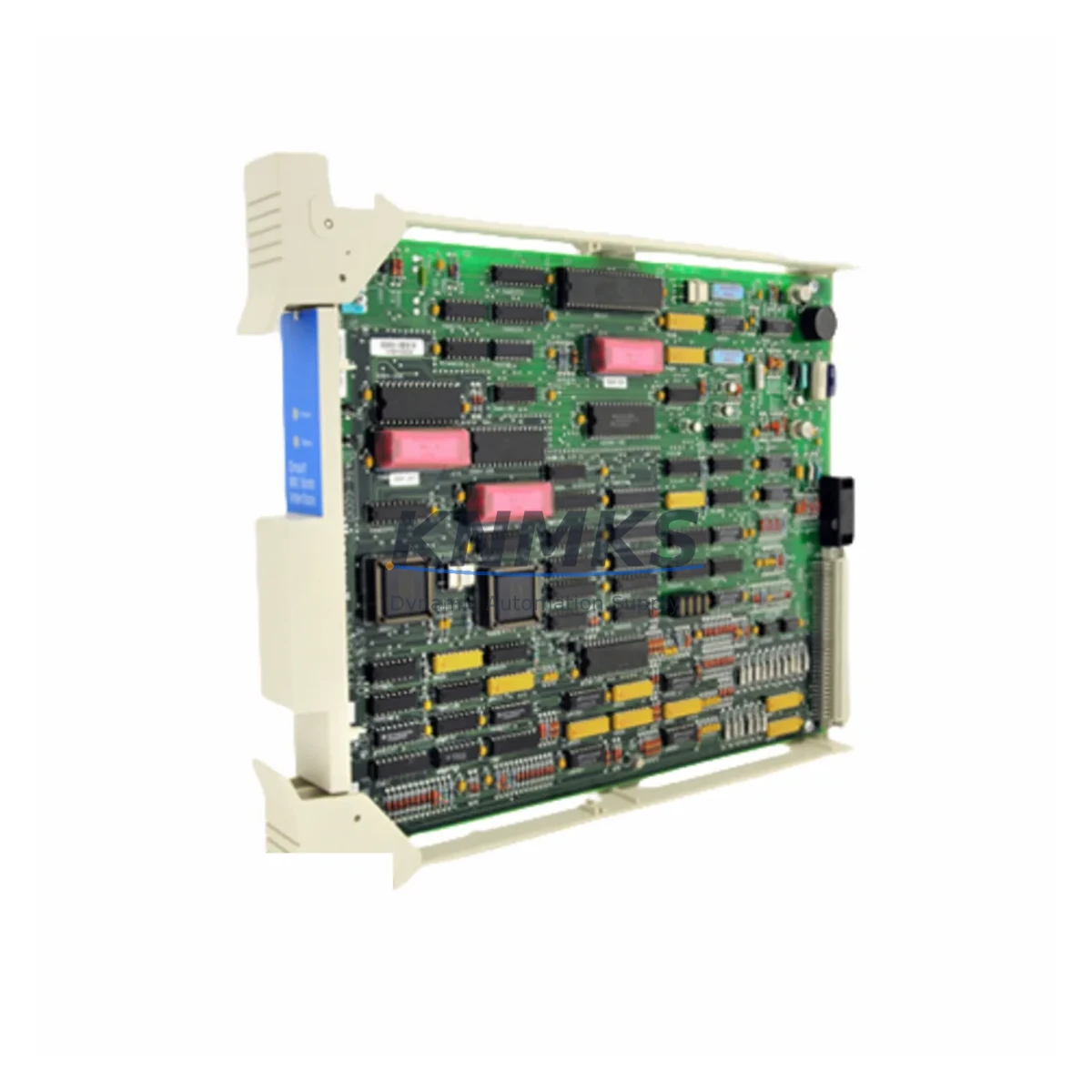
Honeywell MC-PSTX03 51304516-250 Spare for Factory Uptime
The Honeywell MC-PSTX03 (part number 51304516-250) is a transmitter interface module designed for the Experion PKS distributed control system platform. As a critical signal conditioning and I/O interface component, this module bridges field-level transmitters — including 4–20 mA HART devices — to the Experion PKS controller backplane. Facilities running continuous process operations in oil & gas, petrochemical, power generation, and specialty chemicals depend on this module to maintain accurate process variable acquisition, loop integrity, and alarm response. When the MC-PSTX03 degrades or fails, the consequences extend beyond a single loop: entire process units can lose visibility, triggering unplanned shutdowns and costly production losses.
Stocking a verified, original MC-PSTX03 51304516-250 spare eliminates the most dangerous variable in emergency maintenance — lead time. With pre-shipment functional testing, SKU-level traceability, and a support terms confirmed by quotation, this spare is procurement-ready for both planned turnarounds and emergency callouts. Global dispatch capability ensures that facilities in Asia-Pacific, the Middle East, and Europe can receive replacement units within days, not weeks.
Spare Maintenance Table
| Parameter | Specification / Detail |
|---|---|
| Part Number / SKU | MC-PSTX03 / 51304516-250 |
| Brand | Honeywell |
| Series / Platform | Experion PKS (Process Knowledge System) |
| Module Type | DCS Transmitter Interface Module |
| Signal Type | 4–20 mA HART, analog input interface |
| Compatible Controllers | Experion PKS C200, C300 series controller nodes |
| Backplane Interface | Experion PKS I/O Link backplane (Series C) |
| Mounting | DIN rail / cabinet rack mount via Experion I/O chassis |
| Operating Temperature | 0°C to 60°C (standard industrial cabinet environment) |
| Power Supply | Supplied via backplane; no external DC rail required |
| Origin | United States (OEM) |
| Condition | Original / New-equivalent, pre-shipment tested |
| Support terms | 12 months from date of dispatch |
| Certifications | CE, UL listed (per Honeywell Experion PKS platform) |
| Compatibility Note | Verify firmware revision and I/O chassis slot assignment before installation |
| Dispatch | Global express; typically 3–7 business days |
Maintenance Planning for Continuous Operation
Replacing the MC-PSTX03 in an Experion PKS cabinet is rarely an isolated task. Maintenance engineers conducting a thorough fault isolation or planned replacement should simultaneously inspect the surrounding electrical and signal infrastructure to prevent repeat failures and ensure loop integrity is fully restored.
Begin with the Experion PKS I/O chassis and backplane (such as the MC-PDOX02 or MC-PDOX03 power distribution modules): a degraded backplane power rail can cause intermittent module faults that mimic transmitter interface failures. Verify backplane slot continuity and connector pin condition before seating the new MC-PSTX03.
Inspect the field termination assembly (FTA) associated with this module — typically a Honeywell MC-TAIX series FTA — for corroded terminals, loose field wiring, and moisture ingress. Corroded FTA terminals are a leading cause of 4–20 mA signal drift that is incorrectly attributed to module failure.
Check the HART multiplexer or HART pass-through configuration in the Experion PKS controller node. If the replacement module is assigned to a different slot, HART device addresses may need to be re-mapped in the controller configuration. Confirm that the MC-TDPR01 or equivalent redundant power supply module feeding the I/O chassis is within its rated load capacity after the new module is installed.
For facilities running redundant loop configurations, verify that the MC-PSTX01 or MC-PSTX02 companion modules in adjacent slots are operating within normal diagnostic bounds — a single degraded module in a redundant pair can mask faults in the healthy unit. Additionally, inspect field-side fusing (typically 0.5 A or 1 A glass fuses on the FTA terminal block) and replace any fuses showing signs of thermal stress or discoloration.
If the control loop feeds a Honeywell Experion PKS HMI station (such as an Experion Station or FlexStation), confirm that the process variable display and alarm setpoints are correctly restored after module replacement and controller download. Document the replacement event in the site CMMS with the new module serial number and firmware version for audit traceability.
Site Replacement Workflow
Step 1 — Pre-replacement verification: Confirm the failed module SKU against the cabinet label and Experion PKS hardware configuration report. Cross-reference the slot address, I/O chassis number, and FTA wiring schedule. Do not assume all MC-PSTX03 units in the cabinet share identical firmware revisions.
Step 2 — Safe isolation: Place the affected control loop in manual mode at the Experion PKS operator station. Notify the process operator and document the loop tag number. If the loop is part of a safety instrumented function, follow the site SIL bypass procedure before proceeding.
Step 3 — Module removal: Power down the I/O chassis slot if hot-swap is not supported for this chassis generation. Remove the MC-PSTX03 by releasing the module locking tab and sliding it clear of the backplane connector. Inspect the backplane connector pins for damage or contamination.
Step 4 — Replacement installation: Seat the new MC-PSTX03 51304516-250 firmly into the chassis slot. Restore chassis power and confirm the module status LED sequence matches the expected startup pattern (typically green steady after self-test). Download the controller configuration if prompted by the Experion PKS system.
Step 5 — Loop restoration and verification: Return the control loop to automatic mode. Verify the process variable reading against an independent field reference (e.g., local gauge or handheld HART communicator). Confirm alarm limits are active and the historian is logging the tag correctly.
Step 6 — Documentation: Record the replacement in the site maintenance log with the old module serial number, new module serial number, firmware version, date, and technician ID. Update the spare parts inventory to trigger a replenishment order for the next MC-PSTX03 unit.
Spare Parts Support FAQ
Q1: Is this MC-PSTX03 51304516-250 an original Honeywell part or a third-party compatible?
This is an original Honeywell MC-PSTX03 sourced through verified industrial supply channels. Each unit undergoes pre-shipment functional testing and is supplied with a support terms confirmed by quotation. SKU and part number are confirmed against Honeywell Experion PKS hardware documentation before dispatch.
Q2: How do I confirm compatibility with my specific Experion PKS system revision?
Compatibility depends on your I/O chassis generation and controller firmware version. Provide your Experion PKS system revision, chassis model (e.g., MC-PDOX02 or MC-PDOX03 chassis), and controller node type when placing your order. Our technical team will cross-reference the hardware compatibility matrix and confirm fit before shipment.
Q3: What is the recommended spare holding strategy for the MC-PSTX03 in a continuous process plant?
For plants with more than 10 Experion PKS I/O chassis, a minimum of 2 MC-PSTX03 units in on-site cold storage is recommended. Plants with critical loops (flow, pressure, or temperature control on primary process lines) should hold at least 1 unit per 20 installed modules. Annual inventory review aligned with planned turnaround schedules ensures spares are rotated before storage life limits are reached.
Q4: What is covered under the support terms confirmed by quotation, and what is the return process if a unit is DOA?
The support terms confirmed by quotation cover manufacturing defects and functional failures under normal operating conditions. If a unit is found to be defective on arrival (DOA), contact admin@knmks.com within 7 days of receipt with the order number, module serial number, and a brief fault description. A replacement unit will be dispatched within 2 business days of fault confirmation, with return freight covered for verified DOA cases.
© 2026 KNMKS. All rights reserved.
Original Source: https://knmks.com
Contact: admin@knmks.com | +86 18359268345
Product Identification
- Brand / Ecosystem
-
Honeywell
Honeywell - Model / Series
-
MC-PSTX03 51304516-250
Experion PKS Series - Product Family
- PLCs & Controllers
- Availability Status
- Available on request after model and quantity confirmation
- Inquiry Type
- B2B RFQ, replacement inquiry and project spare-part request
- Pre-Quote Check
- Exact SKU, brand, series, quantity, nameplate photos and destination country are checked before quotation
System Path
Where this product fits in the KNMKS automation structure.
Specification & Inquiry Focus
- Control platform
- PLC, PAC and modular controllers
- Common needs
- CPU, rack, power and I/O expansion
- Project support
- Replacement, cabinet build and maintenance
Buyer Confirmation
Information KNMKS checks before replying.
- Exact model
- MC-PSTX03 51304516-250
- Brand / ecosystem
- Honeywell
- Product family
- PLCs & Controllers
- Application note
- Replacement, maintenance, project build or spare-part list
- Useful photos
- Nameplate, installed unit, cabinet layout or connector side
- Delivery details
- Quantity, destination country and target schedule
Document Support
Files and notes can be confirmed during quotation.
- Product photos or nameplate confirmation when available
- Packing and delivery notes before quotation confirmation
- Support scope and delivery terms confirmed per inquiry
- Export document coordination for qualified B2B requests
Inquiry Support
- Model cross-checking before quotation
- CPU, power, rack and expansion module matching
- Support for replacement and project inquiry
What to Send Us
- Brand and exact model number: Honeywell MC-PSTX03 51304516-250
- Quantity and required delivery time
- Application, replacement requirement or nameplate photo
- Destination country and shipping preference
RFQ Preparation
This is a product inquiry page built for RFQ communication.
Fast Model Check
Send this model to KNMKS for confirmation.
Include quantity, destination country and photos if this is a maintenance replacement. The inquiry will be saved with a reference number after submission.
Brand & Compatibility Note
KNMKS displays automation product information for well-known industrial brand ecosystems and compatible replacement references. Brand names are used for product identification and compatibility reference only; final availability and commercial terms are confirmed per quotation.
 Manufacturing
 Machine Tools
 Packaging
 Energy & Power



 HMI & Displays
 Servo Systems
 Variable Frequency Drives
 Sensors