
Overview
Honeywell IP-PI-OI24 Maintenance-Proven Spare Part for Factory Uptime
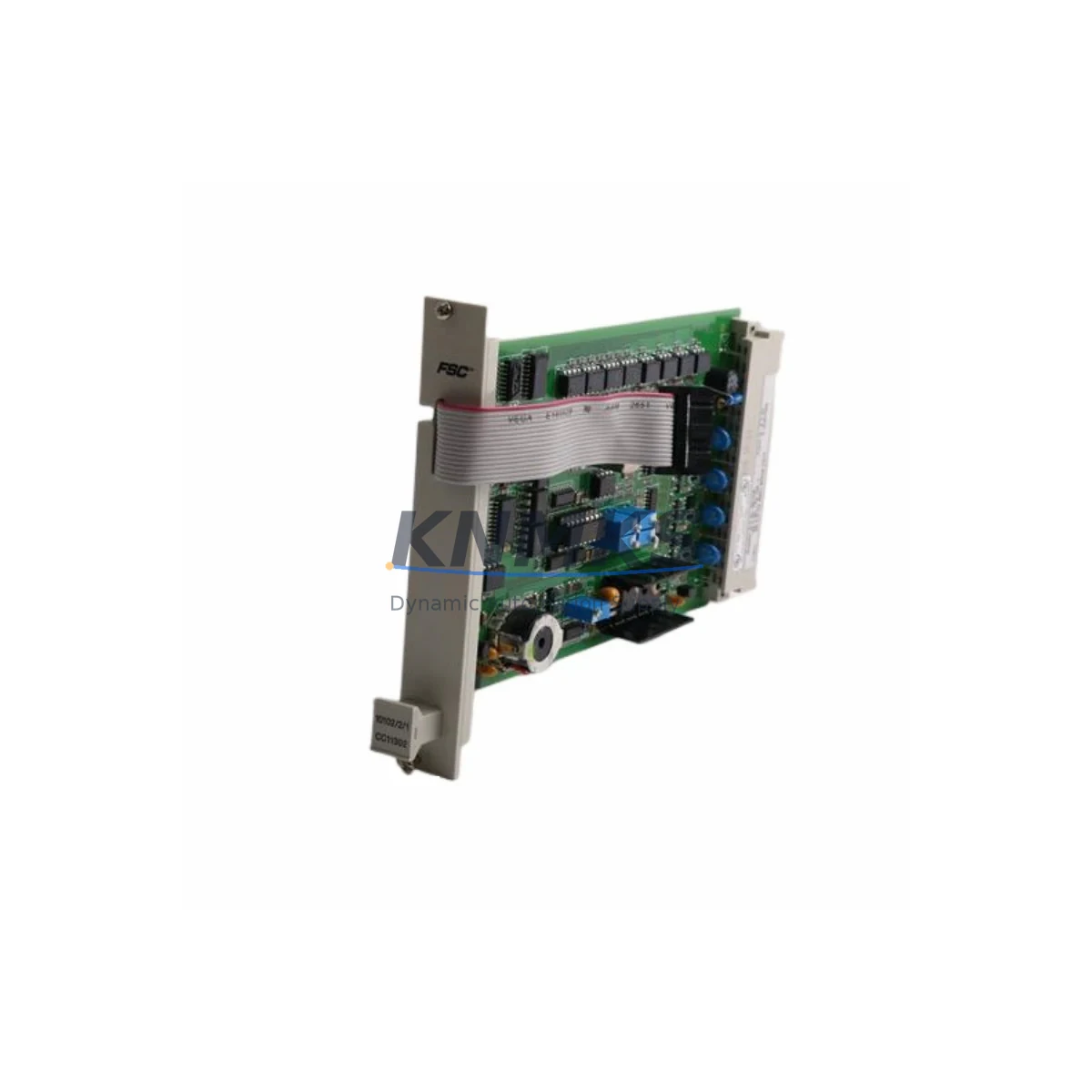
The Honeywell IP-PI-OI24 is a 24-channel digital I/O module designed for the Experion PKS and PlantScape distributed control systems. As a critical field interface component, it handles both digital input acquisition and digital output control within the process I/O subsystem. For maintenance engineers managing aging DCS infrastructure, keeping a verified spare of the IP-PI-OI24 on the shelf is a fundamental strategy for minimizing unplanned downtime and protecting production continuity.
At KNMKS, every IP-PI-OI24 unit is sourced as an original Honeywell component, subjected to pre-shipment functional testing, and backed by a support terms confirmed by quotation. We support maintenance teams and procurement engineers across petrochemical, power generation, pharmaceutical, and discrete manufacturing sectors who depend on fast, reliable spare parts fulfillment to keep their Honeywell DCS platforms operational.
Spare Maintenance Table
| Parameter | Specification / Detail |
|---|---|
| Part Number / SKU | IP-PI-OI24 |
| Brand | Honeywell |
| Series | Experion PKS / PlantScape DCS |
| Module Type | 24-Channel Digital I/O Module |
| Product Category | DCS Digital I/O Module |
| I/O Channels | 24 (configurable digital input / output) |
| Communication Interface | Proprietary Honeywell C200 / C300 backplane bus |
| Operating Voltage | 24 VDC field power (typical) |
| Operating Temperature | 0°C to 60°C (industrial control cabinet environment) |
| Mounting | Honeywell I/O Link chassis / backplane slot |
| Origin | United States |
| Compatibility | Experion PKS R310–R520+, PlantScape R500+ |
| Condition | Original, pre-shipment tested |
| Support terms | 12 Months |
| Lead Time | In-stock: ships within 3–5 business days |
| Maintenance Recommendation | Inspect field wiring terminals, verify 24 VDC field power, confirm backplane seating, and validate I/O mapping in Experion Control Builder before hot-swap replacement |
Maintenance Planning for Continuous Operation
When the IP-PI-OI24 is flagged during a routine control cabinet inspection or triggers a diagnostic fault in Experion Station, the replacement workflow extends beyond the module itself. A disciplined maintenance engineer will treat the I/O module failure as a signal to audit the surrounding electrical environment before committing to a swap.
Begin by verifying the 24 VDC field power supply feeding the I/O chassis — a degraded or undersized power module is a common root cause of intermittent I/O faults that are misdiagnosed as module failures. Honeywell’s CC-PWRR01 redundant power supply module and associated power distribution components should be checked for output voltage stability and load capacity before the IP-PI-OI24 is replaced.
Next, inspect the field wiring termination assemblies and marshalling cabinet terminal blocks connected to the 24 channels. Loose terminations, corroded screw terminals, or damaged field cables can cause false digital state readings that appear as module faults. Confirm continuity and insulation resistance on critical signal loops before re-energizing the replacement module.
For systems using Honeywell IOTA (I/O Termination Assembly) boards paired with the IP-PI-OI24, verify that the IOTA is seated correctly and that its field connector pins show no signs of oxidation or mechanical damage. The IOTA is a frequently overlooked component in I/O module replacement workflows, yet it directly affects signal integrity across all 24 channels.
If the affected I/O module is part of a Safety Instrumented System (SIS) loop or interlock circuit, coordinate with the process safety team before removal. Confirm that the associated relay output modules or interlock relay panels downstream of the digital outputs are functioning correctly and that no spurious trip conditions exist during the replacement window.
For sites running Experion PKS with FOUNDATION Fieldbus or HART pass-through on adjacent I/O modules, verify that the FIM (Fieldbus Interface Module) or HART multiplexer in the same chassis is not affected by the I/O fault. A backplane communication error on one slot can occasionally generate misleading diagnostics on neighboring modules.
Finally, after installing the replacement IP-PI-OI24, perform a full I/O checkout using Experion Control Builder: verify channel-by-channel I/O mapping, confirm field device responses, and check that all associated HMI faceplate displays in Experion Station reflect correct digital states before returning the loop to automatic control. Document the replacement in the site CMMS with the new module serial number and support terms expiry date for future reference.
Site Replacement Workflow
Step 1 — Identify and Isolate: Locate the faulted IP-PI-OI24 slot in the Experion PKS I/O chassis using the Experion Station alarm summary or Control Builder hardware tree. Note the chassis address, slot number, and associated I/O tag list before proceeding.
Step 2 — Prepare the Replacement Unit: Confirm the replacement IP-PI-OI24 part number matches the installed revision. Check the Honeywell compatibility matrix for your Experion PKS release (R310 through R520+) to ensure firmware compatibility. KNMKS supplies units with original Honeywell firmware; no field firmware flashing is required for standard slot-for-slot replacement.
Step 3 — Safe Removal: If the chassis supports hot-swap (verify with your Experion PKS system documentation), initiate the module removal sequence in Control Builder to place the slot in a safe state. If hot-swap is not supported, coordinate a controlled shutdown of the affected I/O group with the operations team to minimize process impact.
Step 4 — Install and Verify: Seat the replacement IP-PI-OI24 firmly into the backplane slot. The module should auto-configure from the Experion PKS controller database within 60–120 seconds. Monitor the module status LED and Experion Station hardware display for a healthy (green) status indication.
Step 5 — I/O Checkout and Return to Service: Perform a channel-by-channel verification against the I/O loop drawings. Confirm field device responses for all 24 channels. Update the site maintenance log, CMMS work order, and spare parts inventory to reflect the consumed unit and initiate a replenishment purchase order to restore buffer stock.
This workflow applies equally to legacy PlantScape installations where the IP-PI-OI24 remains in service as part of a long-term system life extension strategy. KNMKS maintains ongoing stock of IP-PI-OI24 and related Honeywell Experion PKS I/O modules to support sites committed to extending the operational life of their existing DCS infrastructure.
Spare Parts Support FAQ
Q1: Is the IP-PI-OI24 supplied by KNMKS an original Honeywell component?
Yes. All IP-PI-OI24 units are sourced as original Honeywell manufactured components. Each unit undergoes pre-shipment functional testing to verify digital I/O channel operation, backplane communication integrity, and power consumption within specification. A support terms confirmed by quotation is provided from the date of shipment.
Q2: How do I confirm compatibility between the IP-PI-OI24 and my Experion PKS release?
The IP-PI-OI24 is compatible with Experion PKS releases R310 through R520+ and PlantScape R500+. For sites running earlier or customized releases, provide your Experion PKS version and chassis configuration to admin@knmks.com and our technical team will confirm compatibility before shipment.
Q3: What is the recommended spare parts inventory strategy for the IP-PI-OI24?
For critical process applications, we recommend maintaining a minimum of one IP-PI-OI24 per 10 installed units as a site buffer stock. For facilities with extended lead-time risk or remote locations, a two-unit buffer per chassis is advisable. KNMKS offers blanket order arrangements and reserved stock programs for high-volume maintenance contracts.
Q4: Can KNMKS support long-term supply of IP-PI-OI24 for aging Honeywell DCS systems?
Yes. KNMKS specializes in long-term spare parts support for Honeywell Experion PKS and PlantScape systems, including modules that are discontinued or approaching end-of-life status. We maintain ongoing procurement channels for original Honeywell I/O modules and can provide multi-year supply agreements to support plant life extension programs. Contact admin@knmks.com or +86 18359268345 for a supply assessment.
© 2026 KNMKS. All rights reserved.
Original Source: https://knmks.com
Contact: admin@knmks.com | +86 18359268345
Product Identification
- Brand / Ecosystem
-
Honeywell
Honeywell - Model / Series
-
IP-PI-OI24
Experion PKS Series - Product Family
- PLCs & Controllers
- Availability Status
- Available on request after model and quantity confirmation
- Inquiry Type
- B2B RFQ, replacement inquiry and project spare-part request
- Pre-Quote Check
- Exact SKU, brand, series, quantity, nameplate photos and destination country are checked before quotation
System Path
Where this product fits in the KNMKS automation structure.
Specification & Inquiry Focus
- Control platform
- PLC, PAC and modular controllers
- Common needs
- CPU, rack, power and I/O expansion
- Project support
- Replacement, cabinet build and maintenance
Buyer Confirmation
Information KNMKS checks before replying.
- Exact model
- IP-PI-OI24
- Brand / ecosystem
- Honeywell
- Product family
- PLCs & Controllers
- Application note
- Replacement, maintenance, project build or spare-part list
- Useful photos
- Nameplate, installed unit, cabinet layout or connector side
- Delivery details
- Quantity, destination country and target schedule
Document Support
Files and notes can be confirmed during quotation.
- Product photos or nameplate confirmation when available
- Packing and delivery notes before quotation confirmation
- Support scope and delivery terms confirmed per inquiry
- Export document coordination for qualified B2B requests
Inquiry Support
- Model cross-checking before quotation
- CPU, power, rack and expansion module matching
- Support for replacement and project inquiry
What to Send Us
- Brand and exact model number: Honeywell IP-PI-OI24
- Quantity and required delivery time
- Application, replacement requirement or nameplate photo
- Destination country and shipping preference
RFQ Preparation
This is a product inquiry page built for RFQ communication.
Fast Model Check
Send this model to KNMKS for confirmation.
Include quantity, destination country and photos if this is a maintenance replacement. The inquiry will be saved with a reference number after submission.
Brand & Compatibility Note
KNMKS displays automation product information for well-known industrial brand ecosystems and compatible replacement references. Brand names are used for product identification and compatibility reference only; final availability and commercial terms are confirmed per quotation.
 Manufacturing
 Machine Tools
 Packaging
 Energy & Power



 HMI & Displays
 Servo Systems
 Variable Frequency Drives
 Sensors