
Overview
Honeywell FC-TSDI-1624C Maintenance-Proven Spare Part for Factory Uptime
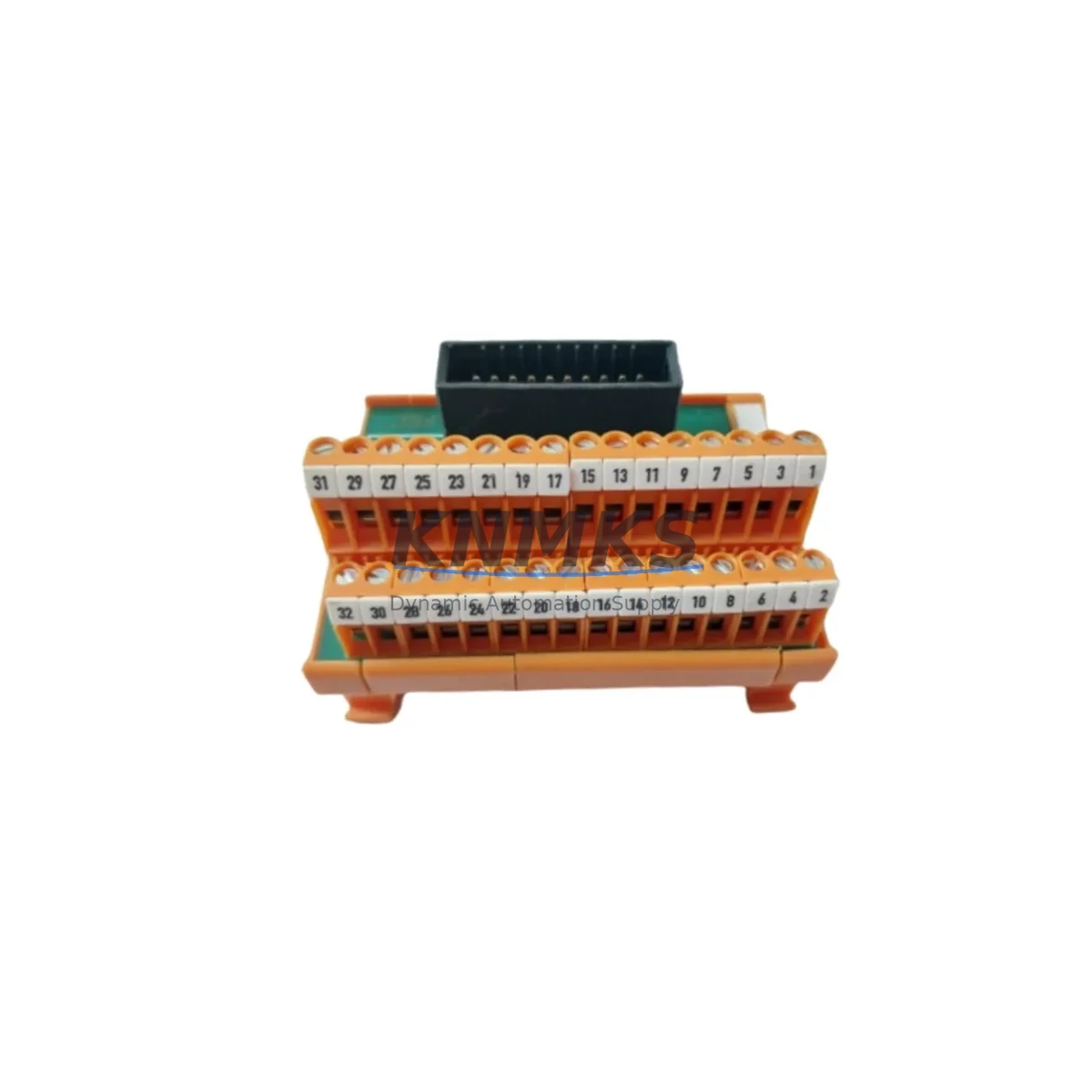
The Honeywell FC-TSDI-1624C is a 16-Channel Digital Input Field Termination Assembly (FTA) designed for the Experion PKS Series C distributed control system. As a critical interface between field wiring and the C300 controller infrastructure, this FTA handles discrete input signals from limit switches, proximity sensors, push-buttons, and process interlocks across continuous manufacturing, refining, and power generation environments. Maintaining a verified spare of the FC-TSDI-1624C in your site inventory is a proven strategy for reducing unplanned downtime, accelerating fault isolation, and sustaining production continuity when field I/O failures occur.
Each unit supplied by KNMKS is sourced from authorized channels, subjected to pre-shipment functional verification, and backed by a support terms confirmed by quotation covering manufacturing defects and operational failures under normal service conditions. Global dispatch is available with typical lead times of 3–7 business days, supporting both emergency replacement and planned annual maintenance cycles.
Spare Maintenance Table
| SKU / Part Number | FC-TSDI-1624C |
| Brand | Honeywell |
| Series | Experion PKS Series C |
| Product Type | Field Termination Assembly (FTA) — 16-Channel Digital Input |
| Channel Count | 16 discrete digital input channels |
| Signal Type | Dry contact / wet contact discrete inputs (24 VDC nominal) |
| Compatible Controller | Honeywell C300 Controller, Experion PKS Series C I/O subsystem |
| Mounting | DIN rail / cabinet panel mount; connects via Series C I/O Link cable |
| Operating Temperature | 0°C to 60°C (32°F to 140°F) |
| Relative Humidity | 5% to 95% non-condensing |
| Power Supply | Powered via backplane / I/O Link; no separate field power required for logic |
| Origin | USA |
| Condition | Original, new or refurbished-to-spec; pre-shipment tested |
| Compatibility | Direct replacement for FC-TSDI-1624C in Experion PKS Series C cabinets |
| Support terms | 12 months from date of shipment |
| Dispatch | Global shipping; 3–7 business days standard; expedited available |
Maintenance Planning for Continuous Operation
When a digital input FTA such as the FC-TSDI-1624C is flagged during a control cabinet inspection or fault diagnostic, the replacement workflow rarely ends with the FTA alone. Maintenance engineers working on Experion PKS Series C systems should treat the FTA swap as a trigger for a broader cabinet health review to prevent repeat failures and ensure the restored I/O loop performs reliably.
Begin by verifying the Series C I/O Link cable connecting the FTA to the C300 controller chassis. Cable degradation, loose connectors, or bent pins are a common secondary cause of intermittent digital input faults that persist even after an FTA replacement. Inspect the C300 Controller module itself for firmware currency and diagnostic alarms — a failing controller can generate false FTA fault codes that mislead the initial diagnosis.
Check the FC-SDIL-0100 Series C I/O Link Isolator if installed in the signal path; signal isolation components age independently of the FTA and can introduce ground loops or signal attenuation that stress the new assembly. Review the 24 VDC field power distribution fuses and terminal blocks feeding the digital input field devices — blown fuses or corroded terminals on the field side will immediately suppress input signals on the replacement FTA, creating a false impression of a second failure.
For sites running mixed I/O architectures, also inspect adjacent FC-TSDO-1624C 16-Channel Digital Output FTA modules sharing the same cabinet section, as thermal stress and vibration affect co-located assemblies equally. If the cabinet includes FC-TAIM-0001 Analog Input Modules or FC-TAOM-0001 Analog Output Modules on the same backplane segment, verify their status indicators during the same maintenance window to avoid a second unplanned outage shortly after the digital input restoration.
Finally, confirm that the Experion PKS cabinet power supply module is delivering stable voltage within specification. Voltage sag or ripple on the backplane supply is a leading cause of premature FTA failure and will shorten the service life of the replacement FC-TSDI-1624C if left unaddressed. Document all findings in your CMMS and update the spare parts register to reflect the consumed unit.
Site Replacement Workflow
The FC-TSDI-1624C is a direct form-fit-function replacement for the same part number in any Experion PKS Series C cabinet. No firmware changes or controller reconfiguration are required when replacing a like-for-like FTA, which makes this one of the fastest I/O restoration procedures in the Experion PKS maintenance portfolio.
Step 1 — Isolate and document: Place the affected I/O channel group in manual override or safe state via the Experion Station operator console. Record all active alarms and the last known good scan values for the 16 input channels before de-energizing the cabinet section.
Step 2 — Disconnect field wiring: Label and photograph all field wiring terminations on the existing FTA. The FC-TSDI-1624C uses a removable terminal block design on Series C assemblies, allowing field wiring to be transferred to the replacement unit without re-stripping conductors, provided the terminal block is undamaged.
Step 3 — Swap the FTA: Remove the faulty FC-TSDI-1624C from the DIN rail or panel mount position. Install the replacement unit, reconnect the I/O Link cable, and re-seat the field wiring terminal block. Verify that all 16 channel LEDs illuminate correctly upon power restoration.
Step 4 — Functional verification: From the Experion Station, confirm that all 16 digital input channels return to active scan with correct state representation. Exercise each field device through its full operating range to validate signal integrity before releasing the loop to automatic control.
Step 5 — Update records: Log the replacement in your CMMS, update the cabinet drawing revision if terminal assignments changed, and initiate a replenishment order for the consumed spare to restore your buffer stock level.
Spare Parts Support FAQ
Q1: Is the FC-TSDI-1624C compatible with earlier Experion PKS Series A or Series B cabinets?
The FC-TSDI-1624C is specifically designed for the Experion PKS Series C I/O architecture and uses the Series C I/O Link interface. It is not directly interchangeable with Series A (FTA-xx) or Series B assemblies without cabinet and wiring modifications. Always confirm your cabinet series designation before ordering.
Q2: What pre-shipment testing does KNMKS perform on the FC-TSDI-1624C?
Each unit undergoes functional verification of all 16 digital input channels, I/O Link interface continuity, and terminal block integrity prior to dispatch. Units are packed in anti-static ESD-safe packaging with a test record included. The support terms confirmed by quotation cover failures attributable to manufacturing defects or component quality under normal operating conditions.
Q3: How many FC-TSDI-1624C units should a site maintain as buffer stock?
Industry practice for critical DCS I/O assemblies recommends a minimum of one spare per 10 installed units, with a floor of two units for any FTA type that appears on more than three control loops. Sites with extended OEM lead times (12+ weeks) or remote locations should consider a 90-day forward stock position to eliminate emergency freight costs and production risk.
Q4: Can KNMKS support long-term supply agreements for the FC-TSDI-1624C?
Yes. KNMKS offers blanket purchase agreements and scheduled release programs for high-consumption spare parts including the FC-TSDI-1624C. Long-term supply contracts include price stability, priority allocation, and dedicated inventory reservation. Contact our team to discuss volume requirements and delivery schedules aligned to your annual maintenance plan.
© 2026 KNMKS. All rights reserved.
Original Source: https://knmks.com
Contact: admin@knmks.com | +86 18359268345
Product Identification
- Brand / Ecosystem
-
Honeywell
Honeywell - Model / Series
-
FC-TSDI-1624C
Experion PKS Series - Product Family
- PLCs & Controllers
- Availability Status
- Available on request after model and quantity confirmation
- Inquiry Type
- B2B RFQ, replacement inquiry and project spare-part request
- Pre-Quote Check
- Exact SKU, brand, series, quantity, nameplate photos and destination country are checked before quotation
System Path
Where this product fits in the KNMKS automation structure.
Specification & Inquiry Focus
- Control platform
- PLC, PAC and modular controllers
- Common needs
- CPU, rack, power and I/O expansion
- Project support
- Replacement, cabinet build and maintenance
Buyer Confirmation
Information KNMKS checks before replying.
- Exact model
- FC-TSDI-1624C
- Brand / ecosystem
- Honeywell
- Product family
- PLCs & Controllers
- Application note
- Replacement, maintenance, project build or spare-part list
- Useful photos
- Nameplate, installed unit, cabinet layout or connector side
- Delivery details
- Quantity, destination country and target schedule
Document Support
Files and notes can be confirmed during quotation.
- Product photos or nameplate confirmation when available
- Packing and delivery notes before quotation confirmation
- Support scope and delivery terms confirmed per inquiry
- Export document coordination for qualified B2B requests
Inquiry Support
- Model cross-checking before quotation
- CPU, power, rack and expansion module matching
- Support for replacement and project inquiry
What to Send Us
- Brand and exact model number: Honeywell FC-TSDI-1624C
- Quantity and required delivery time
- Application, replacement requirement or nameplate photo
- Destination country and shipping preference
RFQ Preparation
This is a product inquiry page built for RFQ communication.
Fast Model Check
Send this model to KNMKS for confirmation.
Include quantity, destination country and photos if this is a maintenance replacement. The inquiry will be saved with a reference number after submission.
Brand & Compatibility Note
KNMKS displays automation product information for well-known industrial brand ecosystems and compatible replacement references. Brand names are used for product identification and compatibility reference only; final availability and commercial terms are confirmed per quotation.
 Manufacturing
 Machine Tools
 Packaging
 Energy & Power



 HMI & Displays
 Servo Systems
 Variable Frequency Drives
 Sensors