
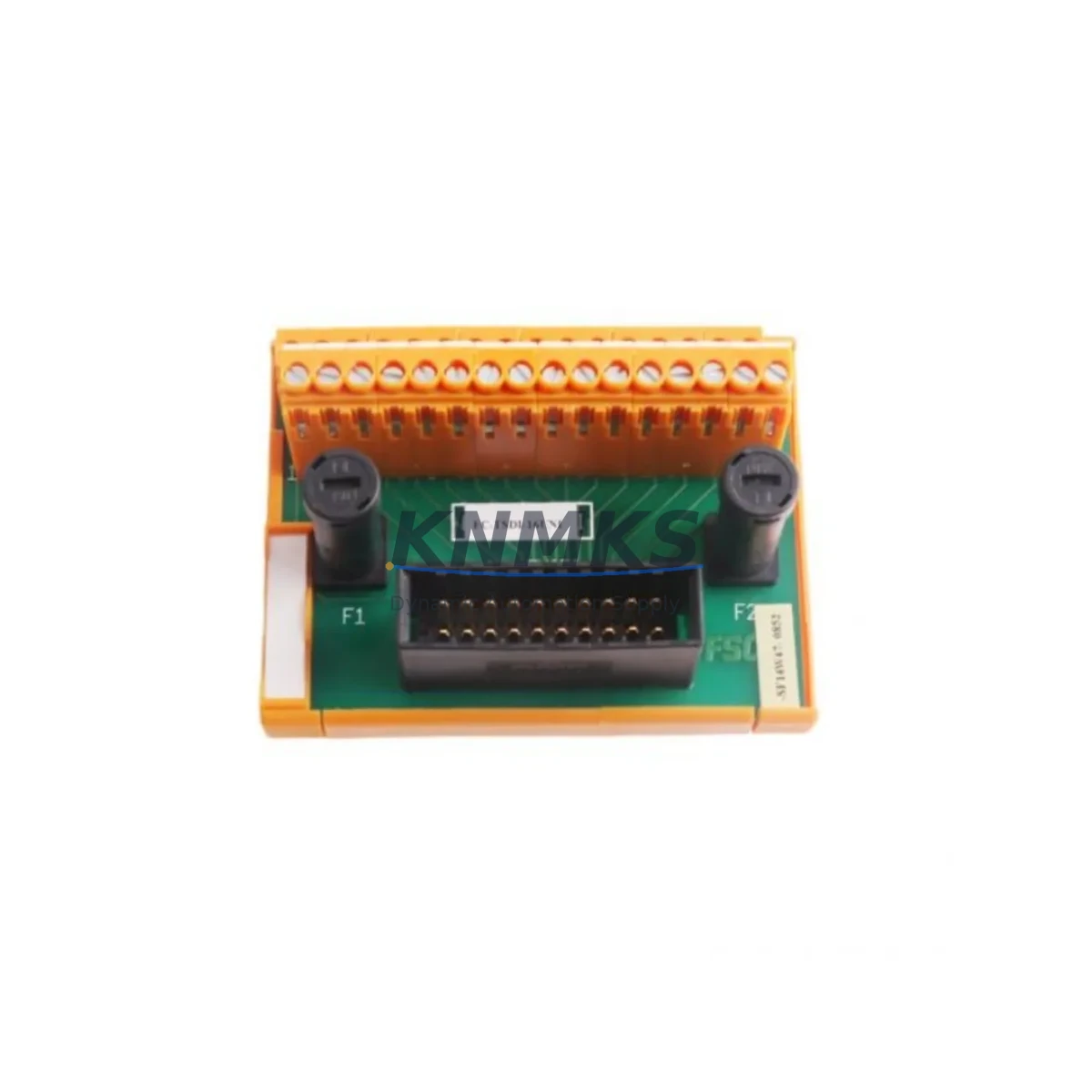
Overview
Honeywell FC-TDIO01 Spare Part for Factory Uptime
The Honeywell FC-TDIO01 is a mixed digital I/O module designed for the Experion PKS distributed control system platform. As a maintenance-proven spare part, the FC-TDIO01 supports continuous factory operation by providing reliable field I/O connectivity between process instrumentation and the Experion PKS controller network. Maintenance engineers and procurement teams managing DCS-based process plants, refinery units, or chemical production lines recognize the FC-TDIO01 as a critical component in sustaining loop integrity and minimizing unplanned downtime.
Each unit supplied by KNMKS is sourced from authorized channels, pre-shipment tested under functional load conditions, and backed by a support terms confirmed by quotation. Stock is maintained across multiple regional warehouses to support rapid dispatch for emergency replacement, scheduled turnaround maintenance, and annual shutdown kitting. Whether you are replacing a failed module during a live fault isolation event or building a forward spare buffer for a multi-year maintenance contract, the FC-TDIO01 is available for immediate order confirmation and expedited logistics.
Spare Maintenance Table
| Part Number | FC-TDIO01 |
| Brand | Honeywell |
| Series | Experion PKS |
| Module Type | Mixed Digital I/O (DI + DO) |
| I/O Channel Count | Typically 16 DI / 8 DO (per Experion PKS TDIO series specification) |
| Signal Voltage | 24 VDC nominal field-side |
| Backplane Interface | Experion PKS C300 / IOLINK backplane compatible |
| Mounting | DIN rail / chassis slot — Experion PKS I/O chassis |
| Operating Temperature | 0°C to 60°C |
| Relative Humidity | 5% to 95% non-condensing |
| Certifications | CE, UL (per Honeywell Experion PKS product family) |
| Compatibility | Experion PKS R310 and above; C300 Controller environment |
| Application Environment | Process automation, refinery, chemical, power generation, pulp & paper |
| Maintenance Recommendation | Inspect field wiring terminations and backplane connector annually; verify LED status indicators during commissioning and after replacement |
| Origin | United States |
| Support terms | 12 Months — covers manufacturing defects and functional failure under normal operating conditions |
| Pre-Shipment Test | Functional I/O channel verification performed before dispatch |
| Lead Time | In-stock units: 1–3 business days; ex-warehouse dispatch available |
Maintenance Planning for Continuous Operation
When replacing the FC-TDIO01 in an Experion PKS cabinet, a disciplined maintenance engineer will not limit the inspection to the module itself. The surrounding electrical environment must be verified to prevent repeat failures and ensure the replacement module operates within specification from the first power-on cycle.
Begin with the 24 VDC field power supply feeding the I/O chassis. A degraded or undersized power supply — such as the Honeywell CC-PWR01 or equivalent chassis power module — can cause intermittent I/O faults that are misdiagnosed as module failures. Verify output voltage under load and check for ripple before inserting the replacement FC-TDIO01.
Inspect the backplane and chassis slot connector for contamination, bent pins, or oxidation. The Experion PKS I/O chassis backplane carries both power and IOLINK communication signals; a compromised backplane connection will prevent the new module from being recognized by the C300 Controller. If the chassis has been in service for more than five years, consider scheduling a chassis inspection alongside the module replacement.
Review the field wiring termination blocks connected to the FC-TDIO01. Loose or corroded terminals on digital input circuits — particularly those connected to proximity switches, limit switches, or solenoid valve feedback — are a common source of nuisance alarms after module replacement. Re-torque all terminal screws and verify continuity on critical signal loops before returning the system to automatic control.
For digital output circuits driving relay coils or solenoid valves, check the associated fuse or circuit protection device. Blown fuses on DO channels are frequently caused by field-side short circuits that may have contributed to the original module failure. Replacing the FC-TDIO01 without clearing the field fault will result in immediate repeat failure. Inline fuse holders and DIN rail-mounted fuse terminal blocks should be part of the standard spare kit maintained alongside the FC-TDIO01.
If the Experion PKS system includes HART-enabled analog modules in the same chassis — such as the FC-TAIM01 analog input module — verify that HART communication is still functional after the digital I/O replacement, as chassis power disturbances during hot-swap can occasionally affect adjacent module initialization. Similarly, confirm that the C300 Controller’s IOLINK segment serving the replaced chassis shows a healthy status in Experion Station before releasing the loop to operations.
For sites running redundant I/O configurations, confirm that the redundancy switchover function is operational after the replacement by performing a manual switchover test. Document the module serial number, slot position, firmware revision, and replacement date in the site maintenance management system to support future lifecycle planning and support terms tracking.
Site Replacement Workflow
Step 1 — Fault Isolation: Identify the failed FC-TDIO01 slot via Experion Station alarm summary or IOLINK diagnostic display. Confirm the fault is module-level and not a field wiring or power supply issue before proceeding with module removal.
Step 2 — Safe State Verification: Place affected control loops in manual mode at the DCS operator station. Notify operations and obtain a permit-to-work if required by site safety procedures. De-energize field-side circuits where safe to do so.
Step 3 — Module Removal: Disengage the module locking mechanism and slide the FC-TDIO01 out of the chassis slot. Avoid touching backplane connector pins. Place the removed module in an anti-static bag for return or failure analysis.
Step 4 — Replacement Installation: Insert the new FC-TDIO01 into the correct chassis slot. Ensure the module is fully seated and the locking tab is engaged. Reconnect field wiring termination blocks if they were disconnected.
Step 5 — System Recognition: Power on and observe the module status LEDs. Confirm the Experion PKS system recognizes the new module on the IOLINK segment. Verify all I/O channel assignments match the original configuration in Experion Control Builder.
Step 6 — Loop Verification: Test each digital input and output channel against the field device. Return control loops to automatic mode only after all channels are confirmed healthy. Update the maintenance log with replacement details and support terms confirmed by quotation start date.
This workflow applies equally to emergency replacements during unplanned downtime and to planned module swaps during scheduled turnaround maintenance. Maintaining one or two FC-TDIO01 units as forward spares in the control room or site warehouse eliminates the lead-time risk associated with emergency procurement and supports a target mean-time-to-repair of under four hours for digital I/O faults.
Spare Parts Support FAQ
Q1: Is the FC-TDIO01 supplied by KNMKS compatible with all Experion PKS revisions?
The FC-TDIO01 is compatible with Experion PKS R310 and later releases operating with C300 Controllers. For sites running earlier Experion releases or legacy TPS/TDC 3000 hardware, please contact our technical team to confirm compatibility before ordering. We recommend providing your current Experion release number and chassis model when inquiring.
Q2: What pre-shipment testing is performed on each FC-TDIO01 unit?
Each unit undergoes functional I/O channel verification prior to dispatch. Digital input channels are tested for correct signal detection and channel isolation. Digital output channels are verified for switching function and load capacity. Units that do not pass functional testing are not shipped. A test record is available upon request for quality-critical procurement processes.
Q3: What does the support terms confirmed by quotation cover, and how is a support terms claim initiated?
The support terms confirmed by quotation cover manufacturing defects and functional failure under normal operating conditions as defined by Honeywell’s Experion PKS environmental specifications. Support requests are initiated by contacting admin@knmks.com with the order reference, module serial number, and a description of the failure mode. KNMKS will arrange return logistics and provide a replacement or repair within an agreed lead time.
Q4: Can KNMKS support long-term supply agreements for the FC-TDIO01?
Yes. KNMKS supports blanket purchase orders and long-term supply agreements for the FC-TDIO01 and related Experion PKS spare parts. Long-term agreements include reserved stock allocation, fixed pricing for the agreement period, and priority dispatch for emergency orders. Contact our procurement team at admin@knmks.com or +86 18359268345 to discuss terms.
© 2026 KNMKS. All rights reserved.
Original Source: https://knmks.com
Contact: admin@knmks.com | +86 18359268345
Product Identification
- Brand / Ecosystem
-
Honeywell
Honeywell - Model / Series
-
FC-TDIO01
Experion PKS Series - Product Family
- PLCs & Controllers
- Availability Status
- Available on request after model and quantity confirmation
- Inquiry Type
- B2B RFQ, replacement inquiry and project spare-part request
- Pre-Quote Check
- Exact SKU, brand, series, quantity, nameplate photos and destination country are checked before quotation
System Path
Where this product fits in the KNMKS automation structure.
Specification & Inquiry Focus
- Control platform
- PLC, PAC and modular controllers
- Common needs
- CPU, rack, power and I/O expansion
- Project support
- Replacement, cabinet build and maintenance
Buyer Confirmation
Information KNMKS checks before replying.
- Exact model
- FC-TDIO01
- Brand / ecosystem
- Honeywell
- Product family
- PLCs & Controllers
- Application note
- Replacement, maintenance, project build or spare-part list
- Useful photos
- Nameplate, installed unit, cabinet layout or connector side
- Delivery details
- Quantity, destination country and target schedule
Document Support
Files and notes can be confirmed during quotation.
- Product photos or nameplate confirmation when available
- Packing and delivery notes before quotation confirmation
- Support scope and delivery terms confirmed per inquiry
- Export document coordination for qualified B2B requests
Inquiry Support
- Model cross-checking before quotation
- CPU, power, rack and expansion module matching
- Support for replacement and project inquiry
What to Send Us
- Brand and exact model number: Honeywell FC-TDIO01
- Quantity and required delivery time
- Application, replacement requirement or nameplate photo
- Destination country and shipping preference
RFQ Preparation
This is a product inquiry page built for RFQ communication.
Fast Model Check
Send this model to KNMKS for confirmation.
Include quantity, destination country and photos if this is a maintenance replacement. The inquiry will be saved with a reference number after submission.
Brand & Compatibility Note
KNMKS displays automation product information for well-known industrial brand ecosystems and compatible replacement references. Brand names are used for product identification and compatibility reference only; final availability and commercial terms are confirmed per quotation.
 Manufacturing
 Machine Tools
 Packaging
 Energy & Power



 HMI & Displays
 Servo Systems
 Variable Frequency Drives
 Sensors