
Overview
Honeywell FC-SCNT01 Maintenance-Proven Spare Part for Factory Uptime
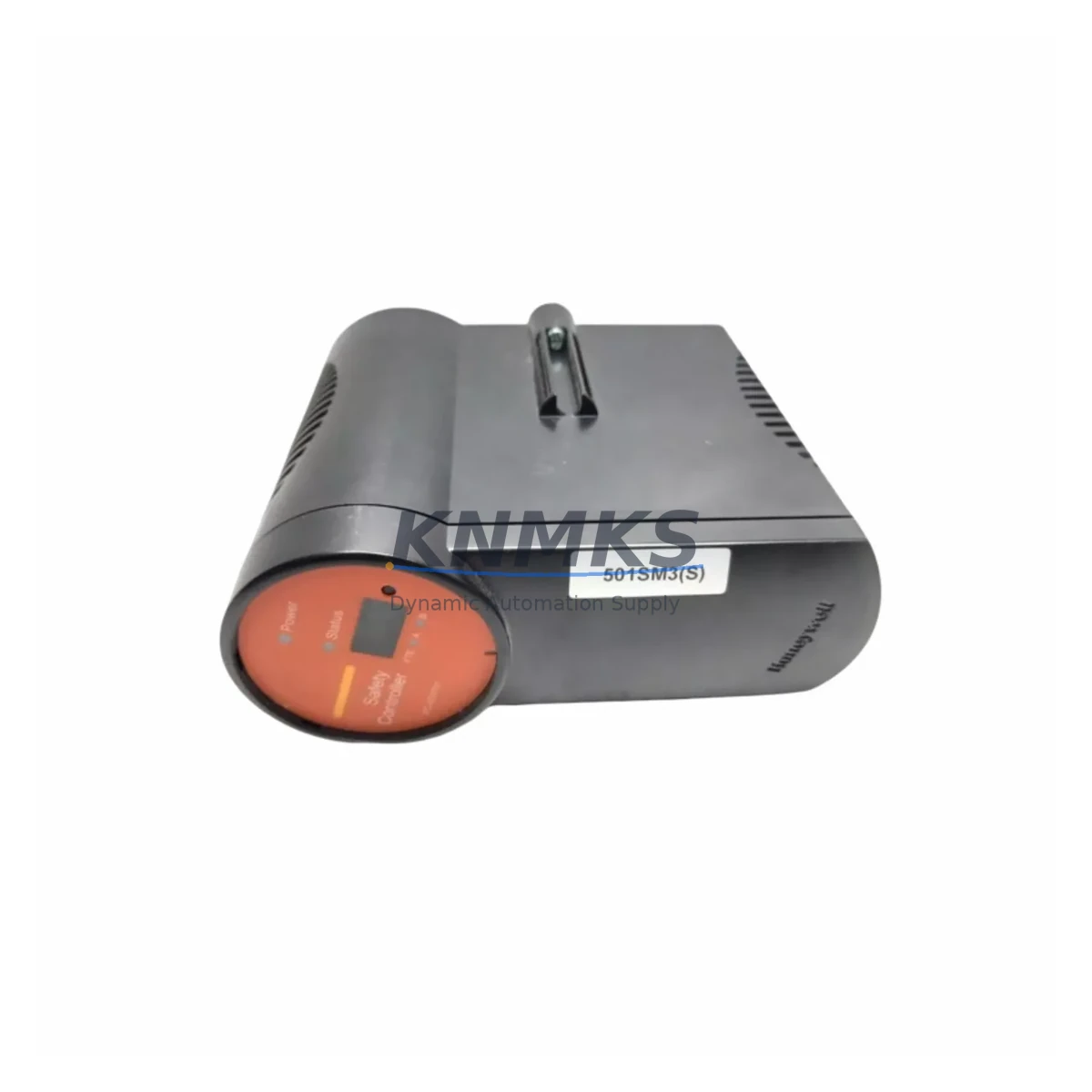
The Honeywell FC-SCNT01 is a SIL-rated Safety Controller CPU module designed for the Experion PKS (Process Knowledge System) distributed control architecture. In safety-critical process industries — including refining, petrochemical, power generation, and specialty chemical — this module serves as the execution core of the Safety Instrumented System (SIS), enforcing protective logic that prevents hazardous process deviations. Maintaining a verified spare of the FC-SCNT01 in your on-site buffer stock is a fundamental requirement for any maintenance team committed to minimizing unplanned downtime and sustaining SIL compliance across the asset lifecycle.
For maintenance engineers, the FC-SCNT01 is a high-priority line item in annual shutdown planning, control cabinet inspection schedules, and emergency response kits. For procurement engineers, it represents a long-lead, safety-classified component where sourcing delays directly translate to extended production outages and regulatory exposure. Stocking a pre-tested, original FC-SCNT01 spare eliminates the critical-path risk associated with OEM lead times, which can extend to 16–24 weeks for safety-rated modules.
Every FC-SCNT01 unit dispatched from our inventory undergoes pre-shipment functional verification, including power-on self-test confirmation and visual inspection of connector integrity, firmware label, and housing condition. Units are shipped in anti-static packaging with full traceability documentation. A support terms confirmed by quotation is provided from the date of dispatch, covering manufacturing defects and functional failure under normal operating conditions.
Spare Maintenance Table
| Part Number | FC-SCNT01 |
| Brand | Honeywell |
| Series | Experion PKS / Safety Manager |
| Module Type | Safety Controller CPU |
| SIL Rating | SIL 2 / SIL 3 capable (per IEC 61508) |
| Communication Interface | FTE (Fault Tolerant Ethernet) / Safety Bus |
| Operating Voltage | 24 VDC (nominal, via backplane) |
| Operating Temperature | 0°C to 60°C |
| Mounting | Experion PKS Safety Manager chassis / backplane |
| Firmware | Factory-loaded; verify revision compatibility with site baseline |
| Certifications | TÜV, IEC 61508, IEC 61511 |
| Compatibility | Honeywell Safety Manager SC, Experion PKS R400+ |
| Condition | Original, pre-tested |
| Support terms | 12 Months from dispatch date |
| Lead Time | availability confirmed by RFQ — typically dispatched within 2 business days |
| Packaging | Anti-static bag, foam-lined carton, full documentation |
Maintenance Planning for Continuous Operation
When replacing or inspecting the FC-SCNT01 in a live Safety Manager chassis, a disciplined scope of work extends well beyond the CPU module itself. Maintenance engineers should treat the replacement as an opportunity to audit the full safety loop integrity of the cabinet.
Begin with the FC-PSU01 or FC-PSU02 power supply module — the FC-SCNT01 draws regulated 24 VDC from the chassis backplane, and a degraded power supply can cause intermittent CPU resets that mimic firmware faults. Verify output voltage stability under load before commissioning the replacement CPU. Simultaneously, inspect the FC-SDIL01 digital input module and FC-SDOL01 digital output module for contact wear, wiring termination integrity, and LED diagnostic status. These I/O modules interface directly with field instruments and final elements; any loose termination or failed channel will prevent the safety function from executing correctly after CPU replacement.
Check the FTE network switch and Ethernet patch cables connecting the Safety Manager to the Experion PKS server. The FC-SCNT01 relies on FTE for configuration download, diagnostic reporting, and peer-to-peer redundancy synchronization. A degraded network path will delay controller commissioning and may trigger nuisance alarms during the restart sequence. If the site uses a FC-SCNT01 in a redundant pair configuration, confirm that the standby module firmware revision matches the primary before initiating switchover.
For sites running legacy Honeywell FSC (Fail-Safe Controller) hardware alongside the Safety Manager, also verify the condition of FSC I/O termination assemblies and marshalling panels — cross-wired signal paths between legacy and current-generation safety systems are a common source of diagnostic faults during CPU replacement. Finally, inspect chassis backplane connectors and DIN rail mounting hardware for corrosion or mechanical stress, particularly in high-humidity or vibration-prone environments.
Site Replacement Workflow
Step 1 — Pre-replacement verification: Confirm the replacement FC-SCNT01 firmware revision is compatible with the site’s Safety Manager application version. Download the current application backup from the Experion PKS engineering station before any hardware change.
Step 2 — Safe state confirmation: Place the safety loop in a defined safe state or bypass per site MOC (Management of Change) procedure. Do not remove the FC-SCNT01 while the safety function is active without authorization.
Step 3 — Module extraction: Power down the chassis slot (if hot-swap is not supported for this revision), extract the faulty FC-SCNT01, and inspect the backplane connector for bent pins or contamination before inserting the replacement.
Step 4 — Commissioning: Insert the replacement module, restore power, and allow the self-test sequence to complete. Download the application from the engineering station, verify I/O channel diagnostics, and confirm safety function execution via the Experion PKS HMI.
Step 5 — Documentation: Record the replacement in the site CMMS (Computerized Maintenance Management System), update the spare parts register, and reorder a buffer unit to restore on-site stock levels. Maintaining a minimum of one verified FC-SCNT01 spare per Safety Manager chassis is the recommended inventory posture for continuous operation facilities.
Spare Parts Support FAQ
Q1: Is this FC-SCNT01 an original Honeywell module or a third-party replacement?
All FC-SCNT01 units in our inventory are original Honeywell-manufactured modules. We do not supply clones, rebranded alternatives, or non-OEM substitutes for safety-classified components. Each unit is traceable to its manufacturing origin and has passed pre-shipment functional verification.
Q2: How do I confirm firmware compatibility before ordering?
Provide your current Safety Manager application version and Experion PKS release (e.g., R410, R430) when placing your order. Our technical team will confirm firmware revision compatibility and advise on any upgrade requirements before dispatch. This eliminates commissioning delays caused by revision mismatches on site.
Q3: What does the support terms confirmed by quotation cover?
The support terms confirmed by quotation cover manufacturing defects and functional failure under normal operating conditions from the date of dispatch. It does not cover damage resulting from incorrect installation, overvoltage events, or unauthorized modification. Support requests are supported with replacement dispatch — we do not require return-before-replacement for verified fault cases.
Q4: Can you support long-term supply agreements for FC-SCNT01 and related Safety Manager components?
Yes. For facilities with multiple Safety Manager chassis or multi-site operations, we offer forward stock reservation and long-term supply agreements covering the FC-SCNT01 and associated modules. This ensures buffer stock availability across planned shutdown cycles and protects against OEM discontinuation or extended lead-time periods. Contact our team to discuss volume and scheduling requirements.
© 2026 KNMKS. All rights reserved.
Original Source: https://knmks.com
Contact: admin@knmks.com | +86 18359268345
Product Identification
- Brand / Ecosystem
-
Honeywell
Honeywell - Model / Series
-
FC-SCNT01
Experion PKS Series - Product Family
- PLCs & Controllers
- Availability Status
- Available on request after model and quantity confirmation
- Inquiry Type
- B2B RFQ, replacement inquiry and project spare-part request
- Pre-Quote Check
- Exact SKU, brand, series, quantity, nameplate photos and destination country are checked before quotation
System Path
Where this product fits in the KNMKS automation structure.
Specification & Inquiry Focus
- Control platform
- PLC, PAC and modular controllers
- Common needs
- CPU, rack, power and I/O expansion
- Project support
- Replacement, cabinet build and maintenance
Buyer Confirmation
Information KNMKS checks before replying.
- Exact model
- FC-SCNT01
- Brand / ecosystem
- Honeywell
- Product family
- PLCs & Controllers
- Application note
- Replacement, maintenance, project build or spare-part list
- Useful photos
- Nameplate, installed unit, cabinet layout or connector side
- Delivery details
- Quantity, destination country and target schedule
Document Support
Files and notes can be confirmed during quotation.
- Product photos or nameplate confirmation when available
- Packing and delivery notes before quotation confirmation
- Support scope and delivery terms confirmed per inquiry
- Export document coordination for qualified B2B requests
Inquiry Support
- Model cross-checking before quotation
- CPU, power, rack and expansion module matching
- Support for replacement and project inquiry
What to Send Us
- Brand and exact model number: Honeywell FC-SCNT01
- Quantity and required delivery time
- Application, replacement requirement or nameplate photo
- Destination country and shipping preference
RFQ Preparation
This is a product inquiry page built for RFQ communication.
Fast Model Check
Send this model to KNMKS for confirmation.
Include quantity, destination country and photos if this is a maintenance replacement. The inquiry will be saved with a reference number after submission.
Brand & Compatibility Note
KNMKS displays automation product information for well-known industrial brand ecosystems and compatible replacement references. Brand names are used for product identification and compatibility reference only; final availability and commercial terms are confirmed per quotation.
 Manufacturing
 Machine Tools
 Packaging
 Energy & Power



 HMI & Displays
 Servo Systems
 Variable Frequency Drives
 Sensors