
Overview
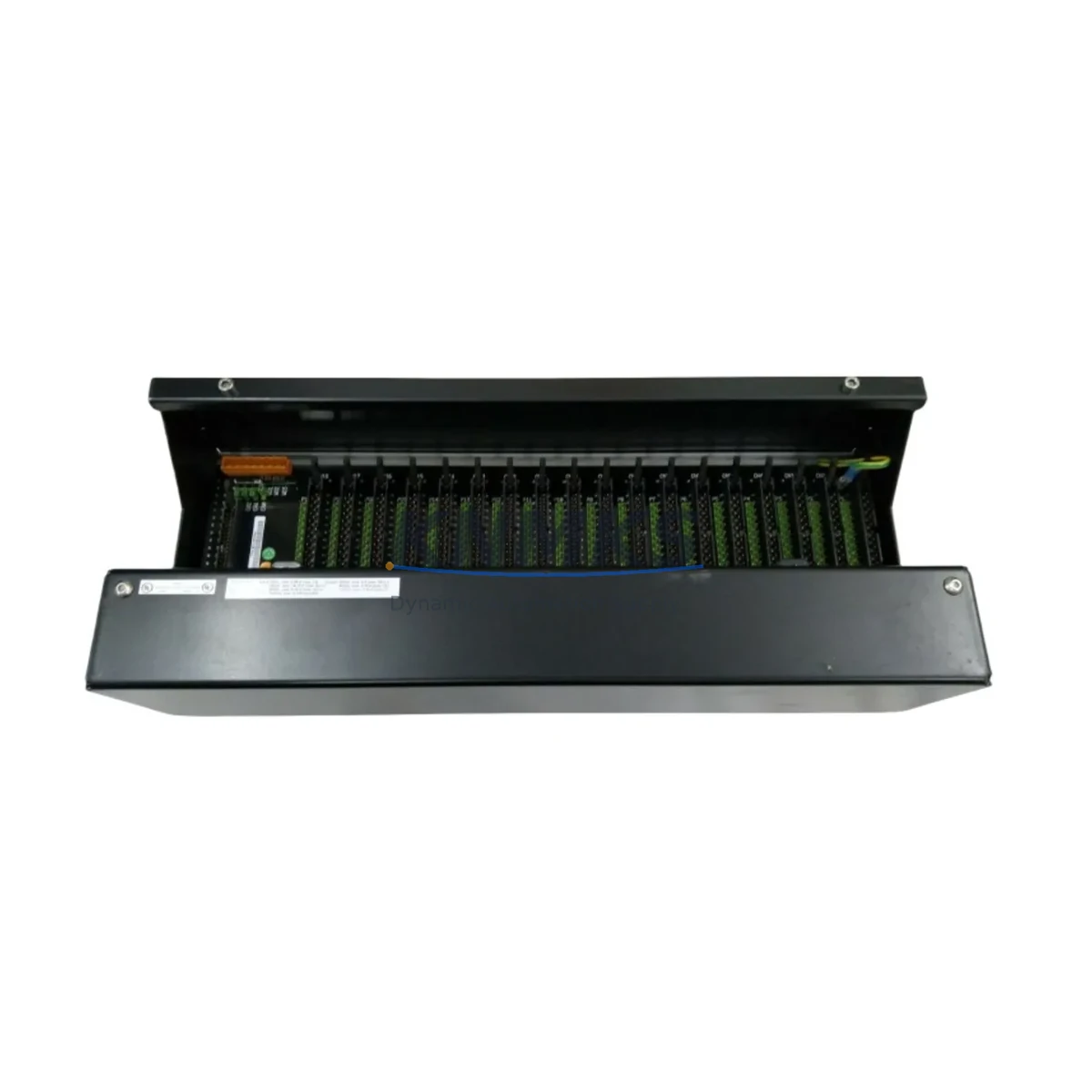
Honeywell EM9118B2-6 Maintenance-Proven Spare Part for Factory Uptime
The Honeywell EM9118B2-6 is a 6-channel analog input module engineered for the Experion PKS distributed control system platform. In process industries — refining, petrochemical, power generation, and continuous manufacturing — this module serves as a critical signal acquisition node, converting field-level 4–20 mA and voltage signals into digital process values consumed by the Experion PKS controller. When this module fails or degrades, the consequences extend beyond a single loop: entire process units can lose visibility, forcing operators into manual override or emergency shutdown. Maintaining a verified spare on the shelf is not optional — it is a fundamental element of any credible maintenance strategy for Experion PKS installations.
Maintenance engineers and reliability teams operating Honeywell Experion PKS systems understand that analog input modules are among the highest-turnover spare categories. Signal drift, connector wear, internal ADC degradation, and firmware incompatibility after system upgrades are the most common failure modes. The EM9118B2-6 addresses all of these scenarios as a direct, drop-in replacement that preserves channel-to-channel isolation, input range configuration, and HART pass-through capability without requiring controller reconfiguration or loop recalibration.
Spare Maintenance Table
| Parameter | Specification |
|---|---|
| SKU / Part Number | EM9118B2-6 |
| Brand | Honeywell |
| Series | Experion PKS — EM Series I/O |
| Product Type | DCS Analog Input Module |
| Number of Channels | 6 Channels |
| Input Signal Types | 4–20 mA, 1–5 V, HART (pass-through) |
| Resolution | 16-bit ADC per channel |
| Channel Isolation | Channel-to-channel galvanic isolation |
| Power Supply | Supplied via Experion PKS backplane (24 VDC bus) |
| Communication Interface | Experion PKS proprietary backplane bus |
| Operating Temperature | 0°C to 60°C (32°F to 140°F) |
| Humidity | 5% to 95% RH, non-condensing |
| Mounting | Direct slot insertion — Experion PKS I/O chassis |
| Compatibility | Experion PKS R310 and above; EM Series I/O chassis |
| Certifications | CE, UL, FM (Class I Div 2) |
| Origin | United States |
| Support terms | 12 Months — covers manufacturing defects and functional failure under normal operating conditions |
| Pre-Shipment Testing | Full functional verification performed before dispatch |
| Dispatch | Global — typically within 1–3 business days of order confirmation |
Maintenance Planning for Continuous Operation
Replacing the EM9118B2-6 in an Experion PKS cabinet is rarely an isolated task. Experienced maintenance engineers treat every analog input module swap as an opportunity to inspect the surrounding electrical environment and prevent secondary failures. Before inserting the replacement module, verify the integrity of the backplane slot connector and confirm that the I/O chassis — typically an EM Series 8-slot or 16-slot chassis — shows no signs of corrosion, bent pins, or thermal stress marks. A faulty chassis slot can damage a new module within hours of installation.
Field wiring termination should be inspected at the associated marshalling cabinet. Terminal blocks connected to the EM9118B2-6 input channels are subject to vibration-induced loosening and oxidation in humid or chemically aggressive environments. Confirm torque on all screw terminals and check for continuity on each of the six field loops before powering the replacement module. If the installation uses HART-capable field instruments, verify that the HART modem or multiplexer connected to the same I/O segment — such as a Honeywell HART Interface Module (HIM) — is functioning correctly, as HART communication faults are frequently misdiagnosed as analog input module failures.
Power distribution within the control cabinet deserves equal attention. The Experion PKS backplane draws regulated 24 VDC from a dedicated power supply module — commonly the Honeywell PS-ASSY or equivalent redundant power supply pair. Confirm output voltage is within ±1% tolerance and that the redundant supply is active and healthy before completing the module swap. A marginal power supply will cause intermittent analog input errors that are difficult to trace after the fact.
For installations where the EM9118B2-6 handles safety-instrumented loop signals or interlock inputs, coordinate with the safety system engineer before removal. Confirm bypass status in the Safety Instrumented System (SIS) and document the loop inhibit in the permit-to-work system. After reinstallation, perform a full loop check against the P&ID and verify that the Experion PKS controller is receiving expected engineering-unit values on all six channels before releasing the bypass.
Procurement engineers building annual spare parts budgets for Experion PKS systems should consider stocking at least one EM9118B2-6 per 48 analog input channels in service, with a minimum of two units for critical process areas. Pairing this module with a spare Experion PKS Controller Module (CM) and a Communication Module (CNI or FTE switch) creates a comprehensive first-response kit that covers the most common DCS hardware failure scenarios without requiring emergency procurement under production pressure.
Site Replacement Workflow
The EM9118B2-6 is designed for hot-swap replacement within the Experion PKS I/O chassis, subject to controller configuration and system revision. Follow this sequence to minimize downtime and ensure a clean restoration:
Step 1 — Preparation: Obtain a signed permit-to-work. Confirm the replacement module firmware revision matches or exceeds the installed system baseline. Download the current module configuration from Experion PKS Control Builder before removal.
Step 2 — Loop Inhibit: Place all six input channels in manual or inhibit mode from the Experion PKS operator station. Notify the control room operator and document the inhibit start time.
Step 3 — Module Removal: Disconnect field wiring at the terminal block (or use the pre-wired marshalling connector if equipped). Release the module locking tab and extract the EM9118B2-6 from the chassis slot. Inspect the slot connector for damage.
Step 4 — Module Installation: Insert the replacement EM9118B2-6 firmly until the locking tab engages. Reconnect field wiring in the correct channel order. Verify wire labeling against the loop drawing.
Step 5 — Commissioning: Power the module via the backplane. Confirm the module status LED indicates healthy operation. In Experion PKS Control Builder, verify the module is recognized and all six channels are reporting. Perform a live loop check on each channel against a known field signal source.
Step 6 — Release: Remove channel inhibits, confirm process values are stable in the operator station, and close the permit-to-work. Log the replacement in the CMMS with the module serial number and installation date.
This workflow applies equally to planned annual maintenance replacements and emergency fault-response scenarios. Keeping a pre-tested EM9118B2-6 in the site spare parts store reduces the critical-path duration of this procedure to under 30 minutes for a trained technician.
Spare Parts Support FAQ
Q1: Is the EM9118B2-6 compatible with all Experion PKS revisions?
The EM9118B2-6 is compatible with Experion PKS R310 and all subsequent releases. For installations running R210 or earlier, confirm the firmware revision of the replacement module against the system baseline before installation. Contact your Honeywell system integrator or our technical team for revision-specific compatibility confirmation prior to ordering.
Q2: What does the support terms confirmed by quotation cover?
The support terms confirmed by quotation cover manufacturing defects and functional failure under normal operating conditions from the date of shipment. It does not cover damage resulting from incorrect installation, overvoltage events, or physical impact. Each unit undergoes full functional verification before dispatch, and a test report is available upon request.
Q3: How quickly can the EM9118B2-6 be dispatched for emergency requirements?
Stock units are typically dispatched within 1–3 business days of order confirmation. For emergency plant-down situations, contact our sales team directly to confirm real-time stock availability and expedited shipping options. We maintain forward stock across multiple regions to support rapid response for critical process industries.
Q4: Can you support long-term supply agreements for Experion PKS spare parts?
Yes. We offer long-term supply agreements and blanket purchase order arrangements for maintenance teams managing multi-year Experion PKS lifecycle programs. These agreements provide price stability, guaranteed stock reservation, and priority dispatch. Contact admin@knmks.com to discuss your annual consumption requirements and preferred delivery schedule.
© 2026 KNMKS. All rights reserved.
Original Source: https://knmks.com
Contact: admin@knmks.com | +86 18359268345
Product Identification
- Brand / Ecosystem
-
Honeywell
Honeywell - Model / Series
-
EM9118B2-6
Experion PKS Series - Product Family
- PLCs & Controllers
- Availability Status
- Available on request after model and quantity confirmation
- Inquiry Type
- B2B RFQ, replacement inquiry and project spare-part request
- Pre-Quote Check
- Exact SKU, brand, series, quantity, nameplate photos and destination country are checked before quotation
System Path
Where this product fits in the KNMKS automation structure.
Specification & Inquiry Focus
- Control platform
- PLC, PAC and modular controllers
- Common needs
- CPU, rack, power and I/O expansion
- Project support
- Replacement, cabinet build and maintenance
Buyer Confirmation
Information KNMKS checks before replying.
- Exact model
- EM9118B2-6
- Brand / ecosystem
- Honeywell
- Product family
- PLCs & Controllers
- Application note
- Replacement, maintenance, project build or spare-part list
- Useful photos
- Nameplate, installed unit, cabinet layout or connector side
- Delivery details
- Quantity, destination country and target schedule
Document Support
Files and notes can be confirmed during quotation.
- Product photos or nameplate confirmation when available
- Packing and delivery notes before quotation confirmation
- Support scope and delivery terms confirmed per inquiry
- Export document coordination for qualified B2B requests
Inquiry Support
- Model cross-checking before quotation
- CPU, power, rack and expansion module matching
- Support for replacement and project inquiry
What to Send Us
- Brand and exact model number: Honeywell EM9118B2-6
- Quantity and required delivery time
- Application, replacement requirement or nameplate photo
- Destination country and shipping preference
RFQ Preparation
This is a product inquiry page built for RFQ communication.
Fast Model Check
Send this model to KNMKS for confirmation.
Include quantity, destination country and photos if this is a maintenance replacement. The inquiry will be saved with a reference number after submission.
Brand & Compatibility Note
KNMKS displays automation product information for well-known industrial brand ecosystems and compatible replacement references. Brand names are used for product identification and compatibility reference only; final availability and commercial terms are confirmed per quotation.
 Manufacturing
 Machine Tools
 Packaging
 Energy & Power



 HMI & Displays
 Servo Systems
 Variable Frequency Drives
 Sensors