
Overview
Honeywell CC-PUIO01 Maintenance-Proven Spare for Factory Uptime
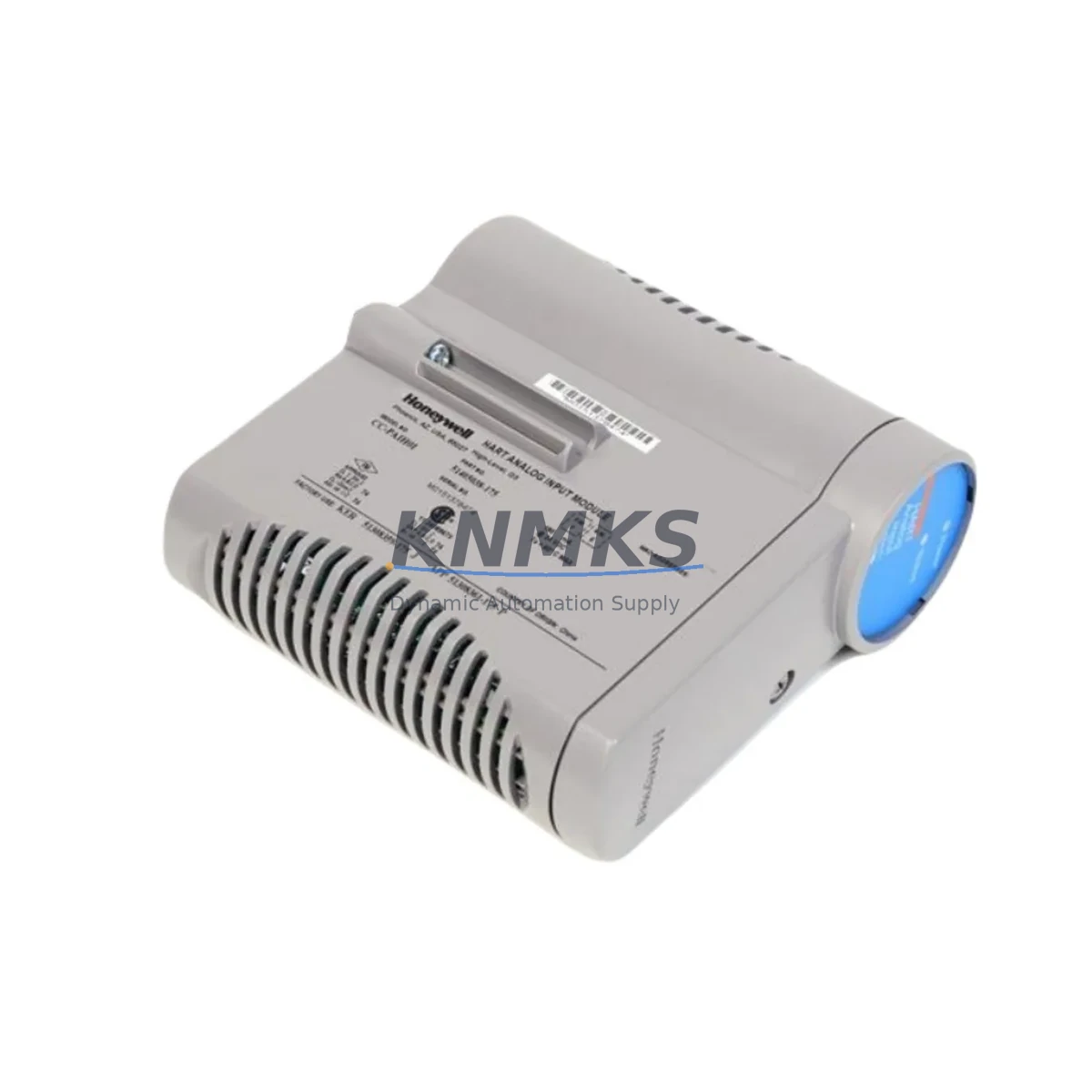
The Honeywell CC-PUIO01 is a Universal Process I/O Module designed for the Experion PKS C300 Distributed Control System platform. As a critical field I/O interface component, the CC-PUIO01 provides flexible analog and digital signal termination within the C300 controller cabinet, enabling seamless integration of field instruments, transmitters, and actuators into the DCS backbone. For maintenance engineers managing aging Experion PKS installations, securing a verified original CC-PUIO01 spare is a foundational step in any proactive uptime strategy.
In process industries — including refining, petrochemical, power generation, pulp and paper, and pharmaceutical manufacturing — the CC-PUIO01 sits at the intersection of field signal acquisition and controller logic execution. A failed or degraded I/O module can isolate entire process loops, triggering unplanned shutdowns that cost far more than the module itself. Maintaining at least one tested CC-PUIO01 in your site spare parts inventory is a recognized best practice for Experion PKS C300 installations operating under continuous or semi-continuous production schedules.
Each CC-PUIO01 unit supplied by KNMKS is sourced from verified industrial channels, subjected to functional bench testing prior to dispatch, and covered by a support terms confirmed by quotation. global delivery details confirmed by RFQ with full export documentation ensures your procurement team can close purchase orders efficiently, even for urgent breakdown requirements.
Spare Maintenance Table
| Parameter | Specification / Detail |
|---|---|
| Part Number | CC-PUIO01 |
| Brand | Honeywell |
| Series / Platform | Experion PKS — C300 Controller Series |
| Module Type | Universal Process I/O Module |
| Signal Compatibility | Analog Input / Analog Output / Digital I/O (configurable per channel) |
| Communication Interface | FTE (Fault Tolerant Ethernet) backplane via C300 controller |
| Mounting | DIN-rail / C300 I/O Link chassis — standard Experion PKS cabinet |
| Operating Temperature | 0°C to 60°C (32°F to 140°F) |
| Power Supply | Supplied via I/O chassis backplane (24 VDC nominal) |
| Isolation | Channel-to-channel and channel-to-backplane isolation |
| Compatibility | Honeywell Experion PKS C300, C200, compatible I/O Link chassis |
| Condition | Original, tested, ready-to-install |
| Support terms | 12 Months — KNMKS Spare Parts Support terms |
| Lead Time | availability confirmed by RFQ — ships within 2–5 business days globally |
| Export Documentation | Commercial invoice, packing list, test report available on request |
Maintenance Planning for Continuous Operation
When a CC-PUIO01 module is flagged for replacement during a scheduled turnaround or emergency callout, experienced maintenance engineers know that the I/O module itself is rarely the only component requiring attention. A thorough cabinet inspection should accompany any CC-PUIO01 swap to prevent repeat failures and ensure the restored control loop performs reliably.
Begin by verifying the integrity of the CC-PWRR01 or CC-PWRS01 redundant power supply modules feeding the I/O chassis. Degraded power supply output — even within nominal voltage range — can cause intermittent I/O faults that mimic module failure. Confirm 24 VDC rail stability with a calibrated meter before inserting the replacement CC-PUIO01.
Inspect the I/O Link chassis backplane connectors for oxidation, bent pins, or contamination. The CC-PUIO01 relies on a clean backplane interface for both power and FTE communication; a corroded connector can cause the new module to report faults immediately after installation. Clean connector surfaces with approved contact cleaner and verify seating torque on all chassis screws.
Review the field wiring termination blocks connected to the CC-PUIO01 channel assignments. Loose or corroded terminal connections on analog input channels — particularly 4–20 mA transmitter loops — are a common source of signal drift that gets misattributed to module failure. Retighten all field terminals and perform a loop check on each channel after module replacement.
For installations using signal isolators or signal conditioners between field instruments and the CC-PUIO01 input channels, verify that isolator output ranges remain within the module’s configured input span. Aging signal isolators can introduce offset errors that persist after module replacement and confuse post-maintenance loop validation.
Check the status of any fuses or circuit breakers protecting the 24 VDC field power distribution within the cabinet. A blown field power fuse will prevent transmitter excitation on the affected channels, producing a zero-signal condition that can be mistaken for a module fault. Replace any suspect fuses with correctly rated components and document the change in the maintenance log.
Finally, if the C300 controller cabinet includes a CC-SCMB01 or CC-SCMB02 Series Control Module Bus or associated communication modules, verify that the FTE network link between the C300 controller and the I/O chassis is healthy. A degraded FTE switch port or a faulty FTE cable can cause the replacement CC-PUIO01 to appear offline in Experion Station even after a successful physical installation.
Site Replacement Workflow
Replacing a CC-PUIO01 in an operating Experion PKS C300 system requires a structured approach to minimize loop downtime and avoid inadvertent process upsets. The following workflow reflects field-proven practice for maintenance teams managing live DCS cabinets.
Step 1 — Pre-Replacement Verification: Confirm the replacement CC-PUIO01 part number matches the installed module exactly. Verify firmware revision compatibility with the site’s Experion PKS software version using the Honeywell Experion PKS Release Notes or your site’s approved spare parts list. KNMKS can provide the module’s hardware revision on request prior to shipment.
Step 2 — Loop Isolation: Place all process loops assigned to the affected CC-PUIO01 in manual mode at the Experion Station operator console. Notify the control room operator and obtain a permit-to-work if required by site safety procedures. Document the current output states of any analog output channels before proceeding.
Step 3 — Module Removal: The CC-PUIO01 supports hot-swap removal in most C300 configurations. Confirm hot-swap capability for your specific chassis and firmware revision before proceeding without a full controller shutdown. Remove the module by releasing the front-panel latch and sliding it clear of the chassis slot. Avoid touching backplane connector pins.
Step 4 — Replacement Installation: Insert the replacement CC-PUIO01 into the same chassis slot. The module will initialize automatically and download its configuration from the C300 controller. Monitor the module status LED sequence — a steady green LED indicates successful initialization and configuration download.
Step 5 — Loop Validation: Perform a full loop check on all channels assigned to the replacement module. Verify analog input readings against field instrument local indicators. Confirm analog output channels drive field actuators to the correct positions. Return all loops to automatic mode only after successful validation.
Step 6 — Documentation: Record the replacement in the site maintenance management system (CMMS), including the removed module’s serial number, the replacement module’s serial number, and the date of replacement. Update the site spare parts inventory to trigger a replenishment order for the next CC-PUIO01 spare.
Spare Parts Support FAQ
Q1: Is the CC-PUIO01 supplied by KNMKS an original Honeywell module?
Yes. All CC-PUIO01 units supplied by KNMKS are sourced from verified industrial channels and are original Honeywell-manufactured modules. Each unit undergoes functional testing prior to dispatch. A test report is available on request. We do not supply remanufactured or counterfeit components.
Q2: What is the support terms coverage for the CC-PUIO01?
KNMKS provides a support terms confirmed by quotation on all CC-PUIO01 modules from the date of shipment. The support terms covers manufacturing defects and functional failures under normal operating conditions. Support requests are supported by our technical team with replacement dispatch or repair options depending on the failure mode and urgency.
Q3: Can the CC-PUIO01 be used as a direct replacement for older Experion PKS I/O modules?
The CC-PUIO01 is designed for the Honeywell Experion PKS C300 platform and is compatible with standard C300 I/O Link chassis configurations. Compatibility with specific older module types depends on the chassis generation and firmware revision in use at your site. KNMKS recommends confirming the installed chassis model and Experion PKS software version before ordering to ensure a verified fit. Our technical team can assist with compatibility checks prior to purchase.
Q4: Does KNMKS support long-term or blanket stock supply for the CC-PUIO01?
Yes. KNMKS supports blanket purchase orders and long-term supply agreements for the CC-PUIO01 and other Experion PKS C300 spare parts. For maintenance programs managing multiple Experion PKS installations or planning multi-year turnaround schedules, a standing stock arrangement ensures priority allocation and reduces lead-time risk during periods of market shortage. Contact our sales team to discuss volume pricing and supply terms.
© 2026 KNMKS. All rights reserved.
Original Source: https://knmks.com
Contact: admin@knmks.com | +86 18359268345
Product Identification
- Brand / Ecosystem
-
Honeywell
Honeywell - Model / Series
-
CC-PUIO01
Experion PKS Series - Product Family
- PLCs & Controllers
- Availability Status
- Available on request after model and quantity confirmation
- Inquiry Type
- B2B RFQ, replacement inquiry and project spare-part request
- Pre-Quote Check
- Exact SKU, brand, series, quantity, nameplate photos and destination country are checked before quotation
System Path
Where this product fits in the KNMKS automation structure.
Specification & Inquiry Focus
- Control platform
- PLC, PAC and modular controllers
- Common needs
- CPU, rack, power and I/O expansion
- Project support
- Replacement, cabinet build and maintenance
Buyer Confirmation
Information KNMKS checks before replying.
- Exact model
- CC-PUIO01
- Brand / ecosystem
- Honeywell
- Product family
- PLCs & Controllers
- Application note
- Replacement, maintenance, project build or spare-part list
- Useful photos
- Nameplate, installed unit, cabinet layout or connector side
- Delivery details
- Quantity, destination country and target schedule
Document Support
Files and notes can be confirmed during quotation.
- Product photos or nameplate confirmation when available
- Packing and delivery notes before quotation confirmation
- Support scope and delivery terms confirmed per inquiry
- Export document coordination for qualified B2B requests
Inquiry Support
- Model cross-checking before quotation
- CPU, power, rack and expansion module matching
- Support for replacement and project inquiry
What to Send Us
- Brand and exact model number: Honeywell CC-PUIO01
- Quantity and required delivery time
- Application, replacement requirement or nameplate photo
- Destination country and shipping preference
RFQ Preparation
This is a product inquiry page built for RFQ communication.
Fast Model Check
Send this model to KNMKS for confirmation.
Include quantity, destination country and photos if this is a maintenance replacement. The inquiry will be saved with a reference number after submission.
Brand & Compatibility Note
KNMKS displays automation product information for well-known industrial brand ecosystems and compatible replacement references. Brand names are used for product identification and compatibility reference only; final availability and commercial terms are confirmed per quotation.
 Manufacturing
 Machine Tools
 Packaging
 Energy & Power



 HMI & Displays
 Servo Systems
 Variable Frequency Drives
 Sensors