
Overview
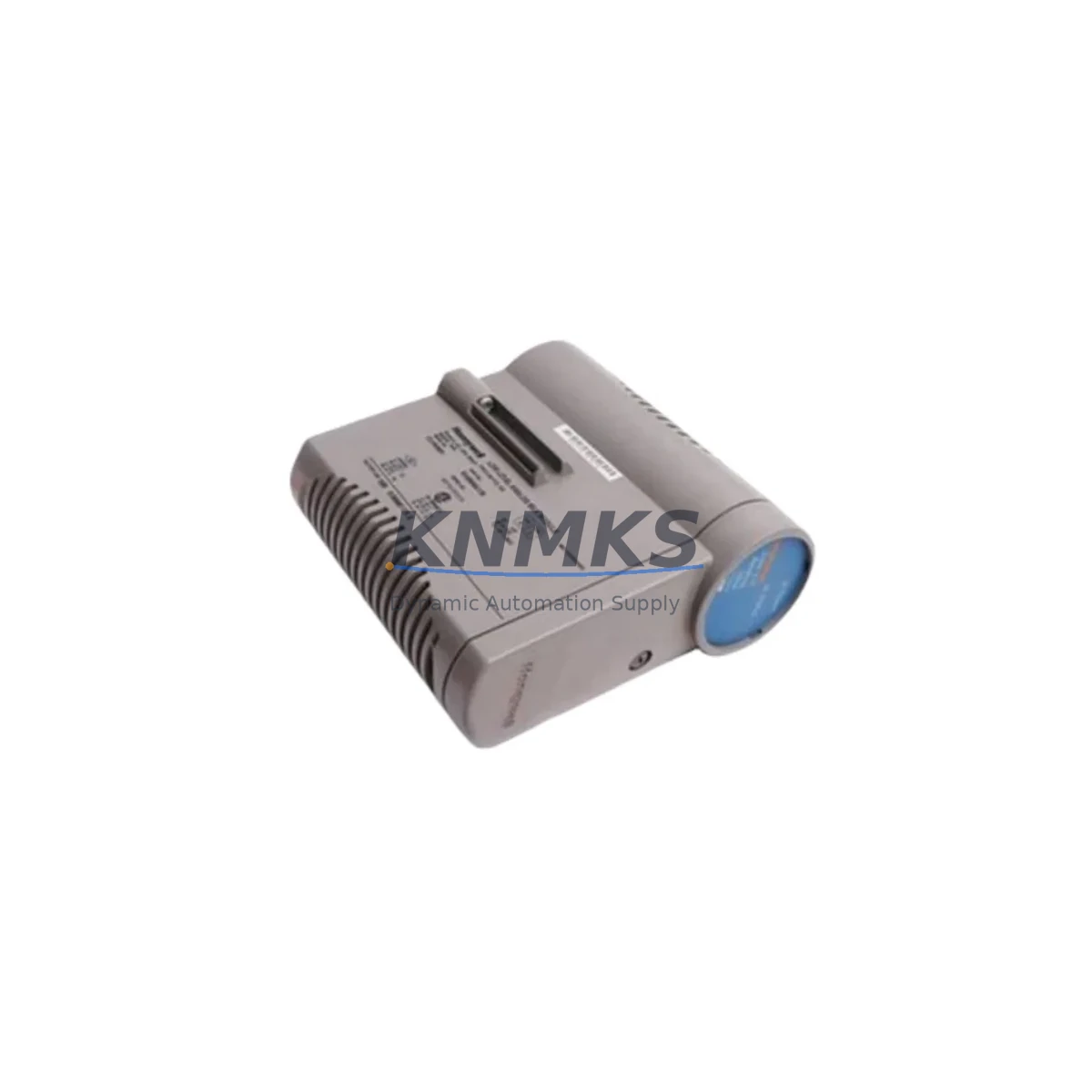
Honeywell CC-PD0B01 51405043-175 Migration-Ready Digital Output for Legacy Control Systems
The Honeywell CC-PD0B01 (part number 51405043-175) is a 24 VDC digital output module engineered for the Experion PKS C300 distributed control system platform. As legacy DCS installations approach end-of-life and OEM support windows close, this module has become a critical component in brownfield retrofit projects, control cabinet upgrades, and spare-part lifecycle extension programs across oil & gas, power generation, chemical processing, and advanced manufacturing facilities worldwide.
When a plant’s existing digital output modules reach obsolescence — whether due to discontinued firmware support, failed backplane connectors, or unavailable replacement boards — the CC-PD0B01 provides a direct, validated migration path. Its compatibility with the standard C300 controller chassis and FOUNDATION Fieldbus / HART communication infrastructure means that engineers can execute a module-level swap without rewriting the entire control strategy or replacing the host controller.
Facilities currently operating legacy Honeywell TDC 3000, PlantScape, or early-generation Experion R100–R310 systems frequently encounter I/O module failures that require a structured migration approach. The CC-PD0B01 supports this transition by maintaining electrical compatibility with existing field wiring, terminal block layouts, and marshalling cabinet configurations — reducing the scope of physical rework during a planned or emergency outage.
Migration Compatibility Table
| Parameter | CC-PD0B01 / 51405043-175 | Migration Notes |
|---|---|---|
| Compatible Platform | Experion PKS C300 DCS | Verify controller firmware R400.x or later for full feature support |
| Output Type | Digital Output (DO), 24 VDC | Confirm field device voltage rating before wiring |
| Backplane Interface | C300 I/O Link (CIOM-A chassis) | Incompatible with legacy HPM or ACE node backplanes |
| Terminal Block | Standard 40-pin CIOM terminal assembly | Reuse existing field wiring if terminal block is undamaged |
| Module Address | Configured via Experion Control Builder | Re-assign slot address after physical installation |
| Communication Protocol | Proprietary C300 I/O Link | No additional protocol gateway required within C300 architecture |
| Program Compatibility | Existing CM/SCM logic reusable | Validate I/O point references in Control Builder before restart |
| HMI Display | Experion Station / HMIWeb | Faceplate and alarm configurations carry over without modification |
| Power Consumption | Verify against chassis power budget | Check CC-PWRR01 or CC-PWRR02 power supply capacity before adding modules |
| Installation Space | Standard CIOM-A single slot | Confirm available slot count in existing chassis before ordering |
| Firmware Version | Factory-loaded; field-upgradeable via Experion | Match firmware revision to site’s Experion release level |
| Replacement Recommendation | Direct swap for failed or EOL DO modules | No mechanical modification required in standard CIOM-A chassis |
| support terms confirmed by quotation | Yes — all units ship with support terms confirmed by quotation | Covers manufacturing defects; pre-shipment functional test included |
Retrofit Planning for Existing Automation Systems
A successful retrofit begins well before the module arrives on-site. Engineers planning a C300 I/O upgrade should start by auditing the existing chassis population. The CIOM-A chassis accommodates multiple I/O modules, and it is common to find a mix of digital input modules such as the CC-DI01 alongside digital output modules like the CC-PD0B01. Confirming available slot positions and the current power draw from the installed CC-PWRR01 or CC-PWRR02 power supply module is essential — adding output modules without verifying the power budget can cause intermittent faults or chassis resets that are difficult to diagnose under production pressure.
Terminal block integrity is the next checkpoint. The 40-pin CIOM terminal assembly used with the CC-PD0B01 can typically be reused if the field wiring is intact and the terminal block itself shows no signs of heat damage or corrosion. This eliminates the need to re-terminate field cables, which is one of the most time-consuming tasks in any I/O retrofit. Where terminal blocks must be replaced, pre-wired assemblies can be prepared in advance and swapped during the maintenance window.
For sites that also need to extend their communication architecture — for example, integrating a new PROFIBUS DP segment or adding a Modbus TCP gateway for third-party devices — the CC-LINK01 or CC-LINK02 communication interface modules should be evaluated in parallel with the I/O upgrade. These modules share the same C300 chassis infrastructure and can be installed in the same maintenance window, avoiding a second outage cycle.
Where the retrofit scope extends to the controller level, the C300 controller module itself may need a firmware update to support newer I/O module revisions. In multi-controller architectures, the CC-PCNT01 process controller node and its associated redundancy modules should be reviewed to ensure that adding new I/O does not exceed the controller’s scan cycle budget. Redundant controller pairs should be updated one node at a time to maintain continuous process control during the firmware upgrade.
Finally, if the retrofit involves replacing an HMI workstation alongside the I/O upgrade, the Experion Station software version must be aligned with the controller firmware level. Mismatched versions between the HMI and the C300 controller are a common source of post-retrofit alarm display errors and faceplate communication failures. Coordinating the HMI upgrade with the I/O swap — and validating all alarm setpoints and display graphics before returning to automatic mode — is a best practice that significantly reduces post-commissioning punch list items.
Downtime Control During System Migration
Minimizing unplanned downtime is the primary concern for any plant engineer executing a live-system I/O migration. The CC-PD0B01 supports hot-swap capability within the C300 architecture, meaning the module can be removed and replaced without powering down the entire chassis — provided the associated output points have been placed in manual mode or their field devices have been isolated through the safety interlock system. This capability is critical for facilities that cannot tolerate a full process shutdown for routine module replacement.
Before removing the failed module, the control strategy should be placed in manual or the affected output points should be forced to a safe state through the Experion Control Builder. Documenting the current output states — which valves are open, which drives are running, which solenoids are energized — provides the reference needed to restore the process to its pre-fault condition after the new module is installed and verified.
The replacement module should be pre-configured offline where possible. Using the Experion offline configuration tools to pre-assign the module’s slot address, I/O point tags, and alarm limits before installation reduces the time the process spends in manual mode. Once the new CC-PD0B01 is seated in the chassis and the I/O Link communication is confirmed in the Experion system status display, the output points can be returned to automatic control in a controlled sequence — starting with the lowest-risk outputs and progressing to critical control loops.
For sites with redundant C300 controller pairs, the migration can be staged across two maintenance windows: the first to replace the I/O module and validate communication on the primary controller, and the second to synchronize the redundant controller and confirm failover behavior. This staged approach eliminates the risk of a simultaneous primary and backup failure during the migration period.
All units are pre-shipment tested prior to dispatch. The support terms confirmed by quotation cover manufacturing defects and provides a documented quality baseline that supports plant maintenance records and ISO audit requirements.
Retrofit Support FAQ
Q1: Is the CC-PD0B01 a direct replacement for older Honeywell digital output modules used in TDC 3000 or PlantScape systems?
The CC-PD0B01 is designed for the Experion PKS C300 platform and is not a direct plug-in replacement for TDC 3000 HPM or PlantScape ACE I/O modules, which use different backplane architectures. A migration from TDC 3000 to C300 requires a structured I/O migration plan that includes chassis replacement, re-termination of field wiring to CIOM terminal assemblies, and re-import of the control strategy into Experion Control Builder. We can advise on the migration scope based on your existing system configuration.
Q2: What commissioning steps are required after installing the CC-PD0B01?
After physical installation, confirm that the module appears in the Experion system status display with a healthy communication status. Re-assign the slot address in Control Builder if the module is replacing a unit at a different chassis position. Validate each output point by commanding it from manual mode and confirming the field device response. Check the power supply loading on the CC-PWRR01 or CC-PWRR02 to confirm the chassis power budget remains within specification. Return all points to automatic mode in a controlled sequence and monitor for alarm activity during the first 30 minutes of operation.
Q3: Can the existing field wiring and terminal blocks be reused during the replacement?
In most cases, yes. The CC-PD0B01 uses the standard 40-pin CIOM terminal assembly, which is compatible with existing field wiring in C300 installations. Inspect the terminal block for heat damage, corrosion, or loose terminations before reuse. If the terminal block is damaged, a replacement assembly can be pre-wired in advance to minimize installation time. No changes to field cable routing or marshalling cabinet layout are required for a like-for-like module replacement.
Q4: What is the support terms coverage and how is stock availability managed?
All CC-PD0B01 units are supplied with a support terms confirmed by quotation covering manufacturing defects, supported by a pre-shipment functional test report. Stock is maintained in our warehouse for immediate dispatch, with typical lead times of 1–3 business days for standard orders. For projects requiring multiple units or scheduled delivery windows aligned with planned outages, forward stock reservations are available. Contact our team at admin@knmks.com or +86 18359268345 to confirm current inventory levels and arrange priority dispatch.
© 2026 KNMKS. All rights reserved. Original Source: https://knmks.com | Contact: admin@knmks.com | +86 18359268345
Product Identification
- Brand / Ecosystem
-
Honeywell
Honeywell - Model / Series
-
CC-PD0B01-51405043-175
Experion PKS Series - Product Family
- PLCs & Controllers
- Availability Status
- Available on request after model and quantity confirmation
- Inquiry Type
- B2B RFQ, replacement inquiry and project spare-part request
- Pre-Quote Check
- Exact SKU, brand, series, quantity, nameplate photos and destination country are checked before quotation
System Path
Where this product fits in the KNMKS automation structure.
Specification & Inquiry Focus
- Control platform
- PLC, PAC and modular controllers
- Common needs
- CPU, rack, power and I/O expansion
- Project support
- Replacement, cabinet build and maintenance
Buyer Confirmation
Information KNMKS checks before replying.
- Exact model
- CC-PD0B01-51405043-175
- Brand / ecosystem
- Honeywell
- Product family
- PLCs & Controllers
- Application note
- Replacement, maintenance, project build or spare-part list
- Useful photos
- Nameplate, installed unit, cabinet layout or connector side
- Delivery details
- Quantity, destination country and target schedule
Document Support
Files and notes can be confirmed during quotation.
- Product photos or nameplate confirmation when available
- Packing and delivery notes before quotation confirmation
- Support scope and delivery terms confirmed per inquiry
- Export document coordination for qualified B2B requests
Inquiry Support
- Model cross-checking before quotation
- CPU, power, rack and expansion module matching
- Support for replacement and project inquiry
What to Send Us
- Brand and exact model number: Honeywell CC-PD0B01-51405043-175
- Quantity and required delivery time
- Application, replacement requirement or nameplate photo
- Destination country and shipping preference
RFQ Preparation
This is a product inquiry page built for RFQ communication.
Fast Model Check
Send this model to KNMKS for confirmation.
Include quantity, destination country and photos if this is a maintenance replacement. The inquiry will be saved with a reference number after submission.
Brand & Compatibility Note
KNMKS displays automation product information for well-known industrial brand ecosystems and compatible replacement references. Brand names are used for product identification and compatibility reference only; final availability and commercial terms are confirmed per quotation.
 Manufacturing
 Machine Tools
 Packaging
 Energy & Power



 HMI & Displays
 Servo Systems
 Variable Frequency Drives
 Sensors