
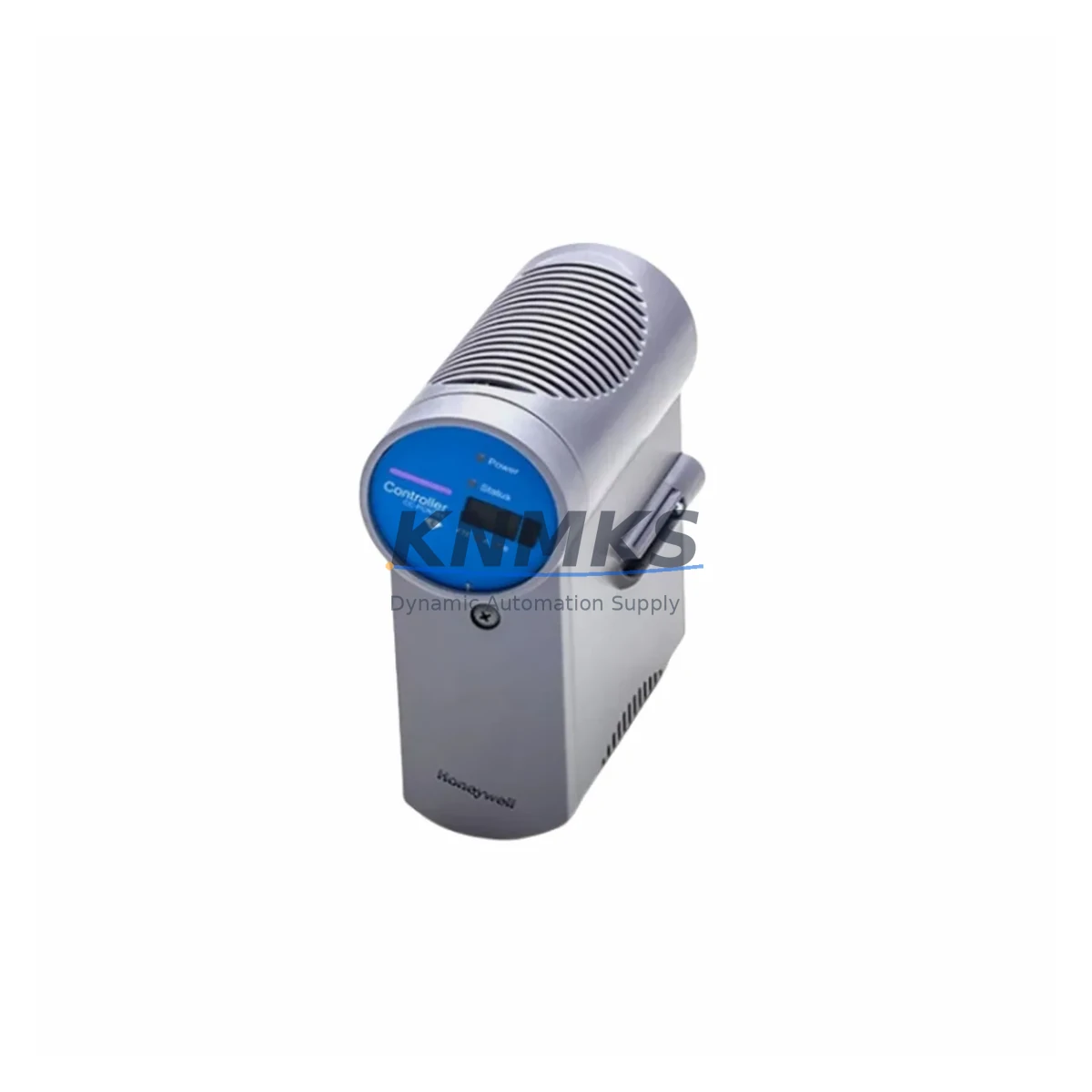
Overview
Honeywell CC-PCNT01 Migration-Ready I/O Module for Legacy C300: Legacy System Migration and Compatible Upgrade
The Honeywell CC-PCNT01 is a high-density pulse count input module engineered for the Experion PKS C300 controller platform. As legacy DCS installations age and OEM support windows close, the CC-PCNT01 serves as a direct migration-ready replacement for discontinued modules including the CC-PDIL01 and CC-PAON01, enabling control engineers to restore system integrity without redesigning the control architecture. Whether you are managing a scheduled turnaround, responding to an unplanned module failure, or executing a phased modernization of an aging process control system, the CC-PCNT01 provides a verified, in-stock solution with a support terms confirmed by quotation and pre-shipment functional testing.
Before committing to a replacement, engineers must confirm several critical parameters: the available power budget on the C300 FIM (Field Interface Module) backplane, terminal block wiring compatibility with existing field cables, module slot addressing within the Experion PKS configuration database, and whether the current Control Builder project file requires a module type remap or can accept a direct substitution. In most C300 retrofit scenarios, the CC-PCNT01 slots into the same Series C FIM chassis position as the legacy module, preserving the physical installation footprint and minimizing rewiring time.
Firmware version alignment is equally important. The Experion PKS server must be running a release that supports the CC-PCNT01 module descriptor. If the site is operating on an older Experion R400 or R430 release, a firmware patch or server upgrade may be required before the module can be recognized and commissioned. Coordination with the HMI display layer — particularly any Station displays or Flex Station screens that reference the legacy module’s tag names — should be completed before cutover to avoid alarm floods or display gaps during the transition window.
Migration Compatibility Table
| Parameter | CC-PCNT01 (Replacement) | CC-PDIL01 / CC-PAON01 (Legacy) |
|---|---|---|
| Platform | Experion PKS C300 | Experion PKS C300 |
| Chassis / Backplane | Series C FIM Chassis | Series C FIM Chassis |
| Module Slot Compatibility | Direct slot replacement | Original slot position |
| Terminal Block Interface | Standard C300 I/O terminal block | Standard C300 I/O terminal block |
| Communication Protocol | FTE (Fault Tolerant Ethernet) via C300 | FTE via C300 |
| Power Consumption | Verify FIM power budget before install | Reference legacy datasheet |
| Firmware Requirement | Experion PKS R500+ recommended | R400 / R430 compatible |
| Control Builder Config | Module type remap may be required | Existing project file |
| HMI Tag Mapping | Verify Station / Flex Station displays | Existing tag structure |
| Installation Space | Same physical footprint | Same physical footprint |
| Pre-Shipment Testing | Yes — functional test included | N/A (legacy / discontinued) |
| Support terms | 12 Months | No OEM support terms (EOL) |
| Replacement Recommendation | Verified direct replacement | Discontinue — source CC-PCNT01 |
Retrofit Planning for Existing Automation Systems
A successful C300 retrofit begins well before the maintenance window opens. The CC-PCNT01 is typically deployed alongside a C300 controller module, a CC-PWRR01 redundant power supply module, and a Series C FIM backplane chassis. In installations where the legacy system relied on a CC-SCMB01 serial communication module for Modbus RTU links to field instruments, engineers should verify whether the new I/O architecture maintains those communication paths or whether a protocol gateway is required to bridge the legacy serial segment to the FTE network.
For sites expanding I/O capacity as part of the retrofit, the CC-PCNT01 can be installed in parallel with additional CC-AI01 analog input modules or CC-DO01 digital output modules within the same FIM chassis, provided the total backplane power draw remains within the CC-PWRR01 supply rating. Terminal block wiring should be documented and photographed before removal of the legacy module, and all field signal cables should be labeled with their corresponding channel assignments to prevent cross-wiring errors during reinstallation.
Where the retrofit involves migrating from a legacy Honeywell TDC 3000 or PlantScape system to Experion PKS, the CC-PCNT01 may be part of a broader I/O migration that includes replacing HLAI and LLAI cards with their C300 equivalents. In these scenarios, the Control Builder migration wizard can assist with tag import, but manual verification of each I/O channel’s engineering unit scaling, alarm limits, and PV filter constants is essential before returning the loop to automatic control.
Downtime Control During System Migration
Minimizing unplanned downtime during a DCS I/O module replacement requires a structured cutover plan. For the CC-PCNT01 retrofit, the recommended approach is to pre-configure the replacement module in Control Builder offline, validate the module descriptor against the target Experion PKS server version, and stage the module at the control room before the maintenance window begins. This eliminates configuration delays during the live cutover and reduces the time the affected control loops spend in manual mode.
During the physical swap, field operators should place all affected loops in manual at the Flex Station or operator station before the module is removed. The C300 controller will generate a module fault alarm when the legacy module is extracted; this is expected behavior and should be acknowledged in the alarm management system before proceeding. Once the CC-PCNT01 is seated and the terminal block is reconnected, the Experion PKS server will automatically attempt to download the module configuration. Engineers should monitor the Control Builder online view to confirm successful module commissioning before returning loops to automatic.
Original program logic — including PID tuning parameters, cascade configurations, and interlock logic — is preserved in the Control Builder project file and is not affected by the physical module swap, provided the tag structure and module addressing are maintained. Post-commissioning, a full I/O checkout should be performed to verify each channel’s signal integrity, and the site’s alarm rationalization record should be updated to reflect the new module serial number and installation date. All units ship with a support terms confirmed by quotation and a pre-shipment functional test report.
Retrofit Support FAQ
Q1: Is the CC-PCNT01 a direct drop-in replacement for the CC-PDIL01 and CC-PAON01?
In most C300 installations, the CC-PCNT01 occupies the same FIM chassis slot and uses the same terminal block interface as the legacy modules. However, a Control Builder module type remap is typically required, and the Experion PKS server must be running a compatible firmware release. Pre-shipment testing confirms hardware functionality; site-specific configuration validation remains the responsibility of the commissioning engineer.
Q2: What firmware version is required on the Experion PKS server?
Experion PKS R500 or later is recommended for full CC-PCNT01 support. Sites running R400 or R430 should consult the Honeywell Experion PKS compatibility matrix and apply the relevant module descriptor patch before installation. Contact your system integrator or Honeywell service representative to confirm the minimum required server patch level for your specific installation.
Q3: How is the module tested before shipment, and what does the support terms confirmed by quotation cover?
Each CC-PCNT01 unit undergoes a functional test prior to shipment, verifying power-up behavior, backplane communication, and I/O channel response. The support terms confirmed by quotation cover manufacturing defects and functional failures under normal operating conditions. It does not cover damage resulting from incorrect installation, overvoltage events, or environmental conditions outside the module’s rated operating range.
Q4: What is the typical lead time, and is stock available for urgent requirements?
The CC-PCNT01 is maintained availability confirmed by RFQ for immediate dispatch. Standard orders are processed and shipped within 1–3 business days. For urgent plant-down situations, expedited shipping options are available. Contact the sales team directly to confirm current inventory levels and arrange priority fulfillment.
© 2026 KNMKS. All rights reserved.
Original Source: https://knmks.com
Contact: admin@knmks.com | +86 18359268345
Product Identification
- Brand / Ecosystem
-
Honeywell
Honeywell - Model / Series
-
CC-PCNT01 CC-PDIL01 CC-PAON01
Experion PKS Series - Product Family
- PLCs & Controllers
- Availability Status
- Available on request after model and quantity confirmation
- Inquiry Type
- B2B RFQ, replacement inquiry and project spare-part request
- Pre-Quote Check
- Exact SKU, brand, series, quantity, nameplate photos and destination country are checked before quotation
System Path
Where this product fits in the KNMKS automation structure.
Specification & Inquiry Focus
- Control platform
- PLC, PAC and modular controllers
- Common needs
- CPU, rack, power and I/O expansion
- Project support
- Replacement, cabinet build and maintenance
Buyer Confirmation
Information KNMKS checks before replying.
- Exact model
- CC-PCNT01 CC-PDIL01 CC-PAON01
- Brand / ecosystem
- Honeywell
- Product family
- PLCs & Controllers
- Application note
- Replacement, maintenance, project build or spare-part list
- Useful photos
- Nameplate, installed unit, cabinet layout or connector side
- Delivery details
- Quantity, destination country and target schedule
Document Support
Files and notes can be confirmed during quotation.
- Product photos or nameplate confirmation when available
- Packing and delivery notes before quotation confirmation
- Support scope and delivery terms confirmed per inquiry
- Export document coordination for qualified B2B requests
Inquiry Support
- Model cross-checking before quotation
- CPU, power, rack and expansion module matching
- Support for replacement and project inquiry
What to Send Us
- Brand and exact model number: Honeywell CC-PCNT01 CC-PDIL01 CC-PAON01
- Quantity and required delivery time
- Application, replacement requirement or nameplate photo
- Destination country and shipping preference
RFQ Preparation
This is a product inquiry page built for RFQ communication.
Fast Model Check
Send this model to KNMKS for confirmation.
Include quantity, destination country and photos if this is a maintenance replacement. The inquiry will be saved with a reference number after submission.
Brand & Compatibility Note
KNMKS displays automation product information for well-known industrial brand ecosystems and compatible replacement references. Brand names are used for product identification and compatibility reference only; final availability and commercial terms are confirmed per quotation.
 Manufacturing
 Machine Tools
 Packaging
 Energy & Power



 HMI & Displays
 Servo Systems
 Variable Frequency Drives
 Sensors