
Overview
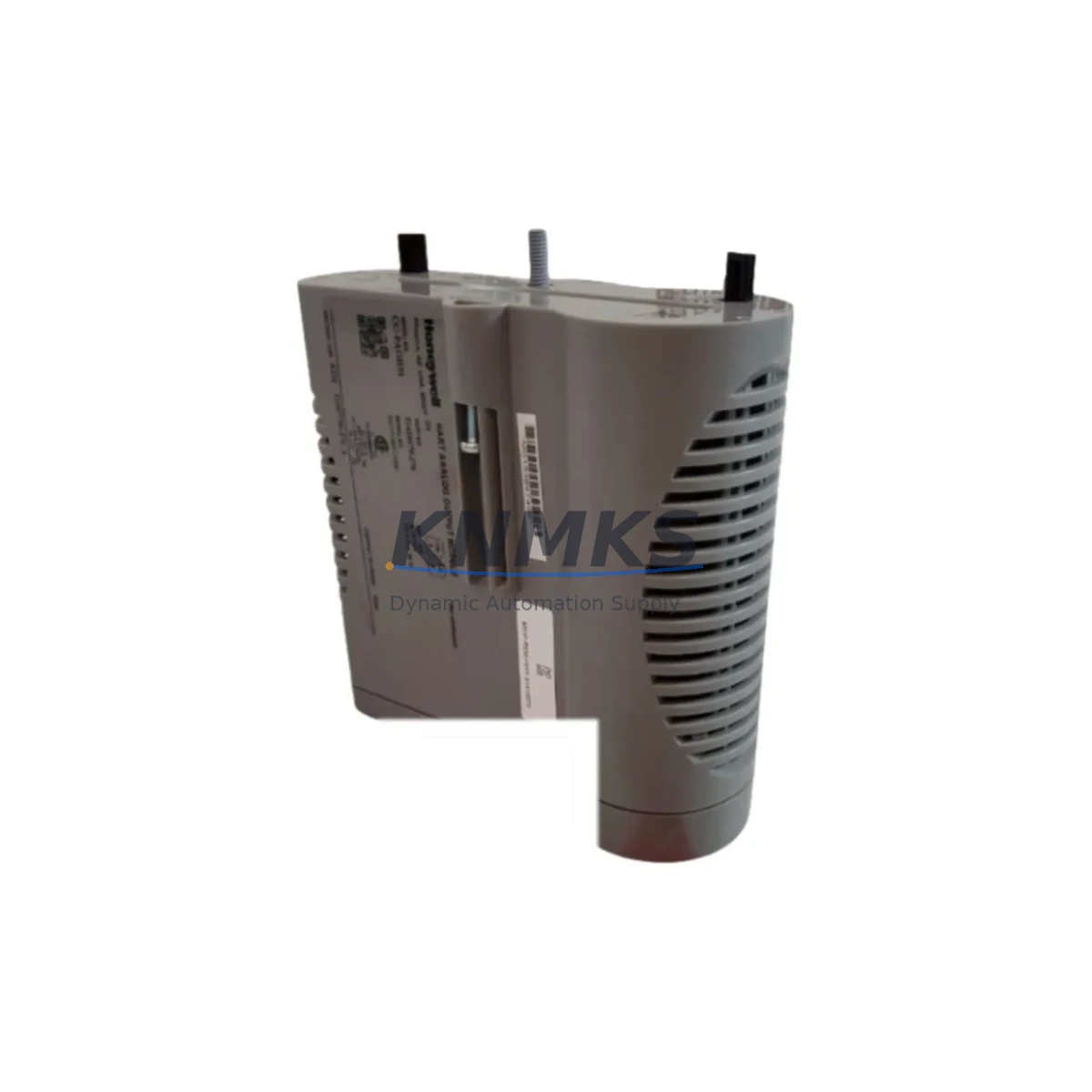
Honeywell CC-PAOH51 Migration-Ready DCS Output Module for Legacy Control Systems
The Honeywell CC-PAOH51 is a process output module designed for the Experion PKS C300 controller platform, widely deployed across refining, petrochemical, power generation, and continuous process industries. As legacy TDC-3000 and PlantScape systems reach end-of-support milestones, the CC-PAOH51 has become a critical migration-ready component for engineers executing phased DCS modernization programs. This module supports analog output signal conditioning and is engineered for direct installation into the Series C I/O chassis, maintaining backward compatibility with existing field wiring, marshalling cabinets, and HART-enabled instrumentation loops.
KNMKS maintains verified stock of the CC-PAOH51 with full functional testing, outgoing inspection, and a support terms confirmed by quotation covering hardware defects under normal operating conditions. Each unit is dispatched with test records and is available for immediate shipment to support emergency replacements, planned turnaround outages, and long-cycle procurement programs.
Migration Compatibility Table
| Parameter | CC-PAOH51 Specification | Retrofit Notes |
|---|---|---|
| Compatible Controller | Experion PKS C300 | Verify C300 firmware revision before installation; minimum firmware R400 recommended |
| Chassis / Backplane | Series C I/O Chassis (CC-PCNT01 / CC-PCNT02) | Confirm slot assignment and chassis address configuration match existing I/O map |
| Signal Type | Analog Output (AO), 4–20 mA HART | Verify field loop impedance; HART pass-through requires compatible multiplexer or asset management tool |
| Channel Count | 8 channels per module | Confirm channel-to-tag mapping in Control Builder before hot-swap; update FIM if required |
| Terminal Wiring | Screw-terminal via CC-TAOX11 or equivalent termination assembly | Inspect existing termination assembly for corrosion; replace if contact resistance exceeds spec |
| Communication Interface | FTE (Fault Tolerant Ethernet) via C300 backplane | No additional communication wiring required; module communicates through chassis backplane |
| Power Supply | Powered via chassis backplane (24 VDC) | Verify chassis power budget; adding modules may require CC-PWR001 supplemental power supply |
| Legacy Replacement Path | Replaces TDC-3000 AO modules in phased migration | Requires I/O re-termination and Control Builder tag reassignment; HMI display updates recommended |
| Installation Footprint | Standard Series C module form factor | Fits existing cabinet cutouts; no panel modification required for like-for-like slot replacement |
| Support terms | 12 Months | Covers hardware defects under normal operating conditions from date of shipment |
Retrofit Planning for Existing Automation Systems
Successful integration of the CC-PAOH51 into an existing Experion PKS environment requires a structured pre-migration assessment. Engineers should begin by auditing the current I/O chassis population, confirming available slot positions, and reviewing the chassis power budget against the CC-PWR001 power supply capacity. In systems where the chassis is fully populated, a slot rebalancing exercise may be necessary before the new output module can be installed.
Field wiring connected to the existing termination assembly — typically a CC-TAOX11 analog output termination panel — should be inspected for insulation integrity and terminal torque compliance. Where legacy marshalling wiring uses older cable grades, a wiring audit against the Experion PKS I/O Installation Guide is recommended before energizing the new module. In multi-drop HART configurations, the HART multiplexer or asset management host must be updated to recognize the new module’s channel assignments.
On the software side, the Control Builder application must be used to define the new module’s I/O block, assign channel tags, and configure output scaling, clamping limits, and fault-state behavior. Engineers migrating from TDC-3000 or PlantScape platforms should cross-reference the original database export against the new Control Builder tag structure to ensure signal continuity. The CC-PAOH51 supports bumpless transfer during controller failover, which is critical in redundant C300 controller pairs where the CC-PCNT01 redundancy module is installed.
HMI display updates in Experion Station or HMIWeb Display Builder should be scheduled as part of the same migration window. Output faceplate graphics, trend displays, and alarm setpoints tied to the replaced AO channels must be verified against the new tag names. Where the site uses a third-party SCADA layer communicating via OPC DA or OPC UA, the OPC server tag table should be updated in parallel to prevent display gaps during the cutover period.
For sites running extended I/O architectures, the CC-PAOH51 may be installed alongside CC-PDOB01 digital output modules, CC-PAIM01 analog input modules, and CC-PDIL01 digital input modules within the same chassis, allowing a mixed I/O strategy that minimizes the number of chassis required per control loop group. This approach is particularly effective in brownfield cabinet upgrades where physical space is constrained and the goal is to maximize I/O density without expanding the cabinet footprint.
Downtime Control During System Migration
Minimizing unplanned downtime during a CC-PAOH51 installation requires a pre-tested replacement strategy. KNMKS recommends requesting a factory acceptance test (FAT) report or bench-test verification for each module prior to dispatch, confirming that all 8 analog output channels are within calibration tolerance before the unit reaches site. This eliminates the risk of discovering a defective module during a live cutover window.
For planned turnaround replacements, the preferred approach is to pre-configure the replacement module’s I/O block in Control Builder offline, download the configuration to a spare C300 controller in a test rack, and validate output behavior against a loop simulator before the maintenance window opens. This offline validation step — which can be completed using a CC-PCNT01 chassis and a bench-mounted C300 controller — typically reduces the live cutover time to under 30 minutes per module position.
In emergency replacement scenarios where a failed module must be swapped during live production, the C300 controller’s hot-swap capability allows the CC-PAOH51 to be removed and reinserted without powering down the chassis, provided the replacement module carries an identical firmware revision. Engineers should confirm the firmware version stamped on the module label matches the version expected by the C300 controller’s FIM (Function Index Module) table. A mismatch will trigger a module fault alarm and prevent the output channels from going online until the firmware is aligned.
Post-installation, a loop check on all 8 output channels should be completed before returning the control loop to automatic mode. Output signals should be stepped from 4 mA to 20 mA in 25% increments while monitoring the field device response at the control valve positioner or variable speed drive. Any deviation greater than ±0.1 mA from the commanded output should be investigated before the loop is handed back to the process control team. KNMKS provides post-sale technical support to assist with commissioning queries during the support terms confirmed by quotation period.
Retrofit Support FAQ
Q1: Is the CC-PAOH51 a direct drop-in replacement for the older Honeywell analog output modules used in TDC-3000 systems?
The CC-PAOH51 is designed for the Experion PKS C300 platform and is not a physical plug-in replacement for TDC-3000 High-Performance Process Manager (HPM) output modules. A phased migration approach is required: the TDC-3000 I/O must be re-terminated to a Series C chassis, and the control strategy must be rebuilt in Control Builder. KNMKS can advise on the termination assembly and chassis components required for this migration path.
Q2: What firmware version is required on the C300 controller to support the CC-PAOH51?
Honeywell recommends a minimum of Experion PKS R400 for stable CC-PAOH51 operation. Sites running earlier firmware revisions should schedule a controller firmware upgrade as part of the same migration window. KNMKS ships modules with firmware versions documented in the accompanying test record, allowing the site engineer to confirm compatibility before installation.
Q3: Can the CC-PAOH51 be installed in a chassis that already contains other Series C I/O modules without disrupting live channels?
Yes. The Series C chassis supports hot-insertion of modules without requiring a chassis power-down, provided the C300 controller is in run mode and the slot being populated was previously defined in the I/O configuration. If the slot was not previously defined, a Control Builder download is required after insertion, which will cause a brief interruption to the controller’s I/O scan cycle. Plan this step during a low-risk period in the production schedule.
Q4: What does the support terms confirmed by quotation cover, and how does KNMKS handle support requests?
The support terms confirmed by quotation cover hardware defects attributable to manufacturing or component failure under normal operating conditions, commencing from the date of shipment. It does not cover damage resulting from incorrect installation, overvoltage events, or environmental conditions outside the module’s rated operating range. Support requests are handled directly through KNMKS: contact admin@knmks.com with the module serial number, purchase order reference, and a description of the fault. Replacement units are dispatched after fault verification, with priority handling for sites experiencing production impact.
© 2026 KNMKS. All rights reserved.
Original Source: https://knmks.com
Contact: admin@knmks.com | +86 18359268345
Product Identification
- Brand / Ecosystem
-
Honeywell
Honeywell - Model / Series
-
CC-PAOH51
Experion PKS Series - Product Family
- PLCs & Controllers
- Availability Status
- Available on request after model and quantity confirmation
- Inquiry Type
- B2B RFQ, replacement inquiry and project spare-part request
- Pre-Quote Check
- Exact SKU, brand, series, quantity, nameplate photos and destination country are checked before quotation
System Path
Where this product fits in the KNMKS automation structure.
Specification & Inquiry Focus
- Control platform
- PLC, PAC and modular controllers
- Common needs
- CPU, rack, power and I/O expansion
- Project support
- Replacement, cabinet build and maintenance
Buyer Confirmation
Information KNMKS checks before replying.
- Exact model
- CC-PAOH51
- Brand / ecosystem
- Honeywell
- Product family
- PLCs & Controllers
- Application note
- Replacement, maintenance, project build or spare-part list
- Useful photos
- Nameplate, installed unit, cabinet layout or connector side
- Delivery details
- Quantity, destination country and target schedule
Document Support
Files and notes can be confirmed during quotation.
- Product photos or nameplate confirmation when available
- Packing and delivery notes before quotation confirmation
- Support scope and delivery terms confirmed per inquiry
- Export document coordination for qualified B2B requests
Inquiry Support
- Model cross-checking before quotation
- CPU, power, rack and expansion module matching
- Support for replacement and project inquiry
What to Send Us
- Brand and exact model number: Honeywell CC-PAOH51
- Quantity and required delivery time
- Application, replacement requirement or nameplate photo
- Destination country and shipping preference
RFQ Preparation
This is a product inquiry page built for RFQ communication.
Fast Model Check
Send this model to KNMKS for confirmation.
Include quantity, destination country and photos if this is a maintenance replacement. The inquiry will be saved with a reference number after submission.
Brand & Compatibility Note
KNMKS displays automation product information for well-known industrial brand ecosystems and compatible replacement references. Brand names are used for product identification and compatibility reference only; final availability and commercial terms are confirmed per quotation.
 Manufacturing
 Machine Tools
 Packaging
 Energy & Power



 HMI & Displays
 Servo Systems
 Variable Frequency Drives
 Sensors