
Overview
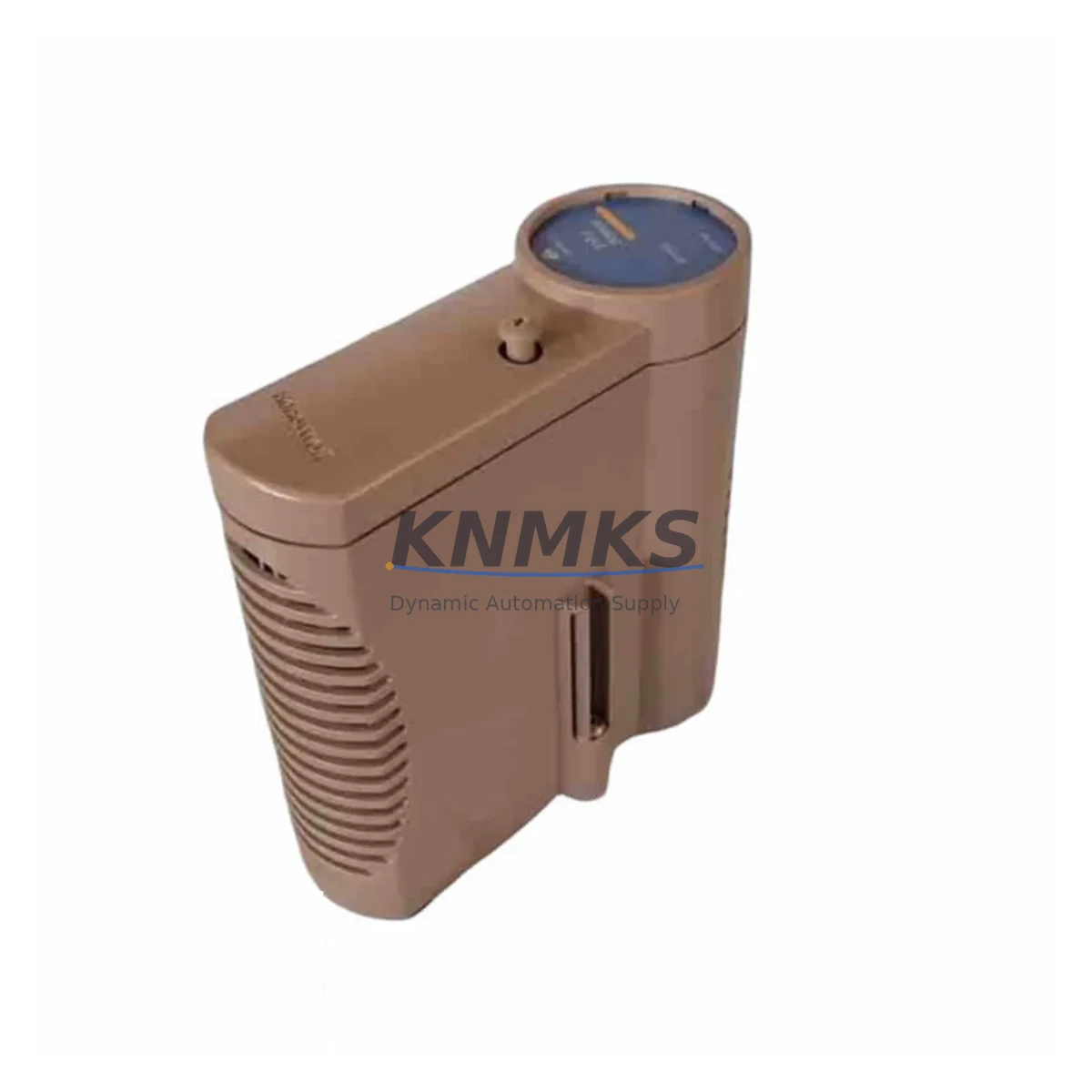
Honeywell CC-PAIN01 51410069-175 Maintenance-Proven Spare Part for Factory Uptime
The Honeywell CC-PAIN01 (P/N 51410069-175) is a high-density analog input module designed for the Experion PKS distributed control system (DCS), widely deployed in refining, petrochemical, power generation, and continuous process manufacturing environments. As a critical signal acquisition component within the C300 Controller backplane architecture, the CC-PAIN01 handles multi-channel 4–20 mA and voltage analog inputs, providing the real-time process data that underpins safe and efficient plant operation. When this module fails or degrades, the consequences range from loss of process visibility to unplanned shutdown — making a verified, ready-to-ship spare an essential element of any maintenance strategy.
KNMKS stocks the CC-PAIN01 51410069-175 as an original Honeywell spare part, fully tested prior to shipment and backed by a support terms confirmed by quotation. Each unit undergoes functional verification to confirm channel accuracy, signal integrity, and backplane communication before dispatch, ensuring that your replacement module performs identically to the factory-installed original.
Spare Maintenance Table
| Parameter | Specification |
|---|---|
| Part Number | CC-PAIN01 / 51410069-175 |
| Brand | Honeywell |
| Series | Experion PKS — C300 Controller Platform |
| Module Type | Analog Input Module (AI) |
| Signal Type | 4–20 mA / 1–5 V (HART-capable channels) |
| Channel Count | 8 channels (single-ended) |
| Resolution | 16-bit A/D conversion |
| Input Impedance | ≥250 Ω (current input mode) |
| Isolation | Channel-to-backplane optical isolation |
| Operating Temperature | 0 °C to +60 °C |
| Backplane Compatibility | Experion PKS C300 IOLINK backplane (CC-PCNT01, CC-PCNT02) |
| Mounting | Direct backplane slot insertion — no tools required |
| Certifications | CE, UL, FM (Class I Div 2 rated) |
| Country of Origin | United States |
| Support terms | 12 Months — KNMKS Verified Spare |
| Condition | Original, tested, ready to ship |
Maintenance Planning for Continuous Operation
Replacing the CC-PAIN01 in an Experion PKS cabinet is rarely an isolated task. Maintenance engineers and procurement teams should treat this module replacement as an opportunity to audit the surrounding I/O infrastructure and prevent secondary failures that could extend downtime beyond the initial fault.
Begin with the CC-PCNT01 or CC-PCNT02 backplane — inspect connector pins for oxidation, mechanical damage, or intermittent contact that may have contributed to the module fault. A degraded backplane connector can cause recurring AI module failures even after a successful replacement. Next, verify the CC-PWRR01 or CC-PWRR02 redundant power supply modules supplying the I/O cabinet: voltage ripple or marginal output under load is a common root cause of analog signal drift and module resets.
For HART-enabled loops connected to the CC-PAIN01, check the HART multiplexer or signal conditioner in the marshalling cabinet — a failed HART modem can mask field device diagnostics and delay fault isolation. Inspect the terminal blocks and field wiring terminations on the associated I/O termination assembly (ITA); loose or corroded terminals introduce loop resistance errors that appear as AI channel faults rather than wiring issues.
If the plant uses signal isolators or barriers (Zener or galvanic) between the field instruments and the CC-PAIN01 inputs, verify that barrier resistance is within specification — aged Zener barriers in particular can drift out of tolerance and cause systematic 4–20 mA errors across multiple channels. Review the CC-SCMB01 system cabinet module bus communication status in Experion Station to confirm that the replacement module is recognized and configured correctly after insertion.
For sites running redundant C300 controllers, confirm that the CC-TCF901 fiber optic communication module and associated IOLINK cables are intact — a degraded fiber link can prevent the standby controller from synchronizing I/O data from the new module. Finally, update the Experion PKS Control Builder configuration to re-assign the channel tags and verify loop calibration against the field transmitter before returning the loop to automatic control.
Site Replacement Workflow
The CC-PAIN01 51410069-175 is a direct plug-in replacement for earlier Honeywell Experion PKS analog input modules within the same backplane slot. No firmware flashing or hardware jumper changes are required for standard 4–20 mA configurations — the module self-identifies to the C300 controller via the backplane IOLINK bus upon insertion.
Step 1 — Pre-replacement verification: Confirm the failed module’s slot address in Control Builder and note the channel-to-tag assignments. Export the current module configuration as a backup before removal.
Step 2 — Safe removal: Place affected loops in manual mode at the DCS operator station. If the cabinet is non-redundant, coordinate with operations to accept temporary loss of AI data. Remove the module by releasing the front locking lever and sliding it out of the backplane slot.
Step 3 — Module insertion: Insert the replacement CC-PAIN01 into the same slot. The backplane connector is keyed — confirm full seating before engaging the locking lever. The C300 controller will detect the new module within 10–30 seconds and begin IOLINK enumeration.
Step 4 — Configuration restore: In Experion Control Builder, download the saved module configuration to the new module. Verify that all 8 channel tags are active and reading correctly against known field transmitter values.
Step 5 — Loop verification: Perform a 4-point loop check (4 mA, 8 mA, 16 mA, 20 mA) on each active channel using a calibrated loop calibrator. Confirm that engineering unit values in the DCS match expected transmitter outputs within ±0.1% of span.
Step 6 — Return to service: Return loops to automatic control, clear any DCS alarms generated during the replacement, and document the replacement in the plant maintenance management system (CMMS) with the new module serial number and support terms start date.
Spare Parts Support FAQ
Q1: Is the CC-PAIN01 51410069-175 compatible with all Experion PKS C300 backplane revisions?
The CC-PAIN01 51410069-175 is compatible with standard Experion PKS C300 IOLINK backplanes including CC-PCNT01 and CC-PCNT02 variants. For sites running early-revision backplanes (pre-R400 firmware), verify the minimum compatible module firmware version in the Experion PKS Hardware Planning Guide before installation. KNMKS can provide firmware version details upon request.
Q2: How does KNMKS verify spare parts before shipment?
Every CC-PAIN01 unit is functionally tested on a compatible Experion PKS backplane prior to dispatch. Testing covers backplane communication, channel signal accuracy across the full 4–20 mA range, and optical isolation integrity. A test report is available upon request. All units ship with original Honeywell labeling and are covered by a 12-month KNMKS support terms from the date of delivery.
Q3: What is the lead time and long-term supply availability?
KNMKS maintains standing inventory of the CC-PAIN01 51410069-175 to support emergency replacement and planned annual maintenance cycles. Standard lead time for in-stock units is 3–7 business days for international shipment. For sites requiring guaranteed stock reservation for multi-year maintenance contracts, KNMKS offers long-term supply agreements with fixed pricing and priority allocation.
Q4: Can the CC-PAIN01 replace older Honeywell analog input modules from the TDC 3000 or PlantScape era?
The CC-PAIN01 is a native Experion PKS module and is not a direct hardware replacement for TDC 3000 or PlantScape-era analog input cards. However, KNMKS stocks migration-compatible I/O modules and can advise on system migration paths that preserve existing field wiring while transitioning to the Experion PKS platform. Contact our technical team for a compatibility assessment.
© 2026 KNMKS. All rights reserved.
Original Source: https://knmks.com
Contact: admin@knmks.com | +86 18359268345
Product Identification
- Brand / Ecosystem
-
Honeywell
Honeywell - Model / Series
-
CC-PAIN01 51410069-175
Experion PKS Series - Product Family
- PLCs & Controllers
- Availability Status
- Available on request after model and quantity confirmation
- Inquiry Type
- B2B RFQ, replacement inquiry and project spare-part request
- Pre-Quote Check
- Exact SKU, brand, series, quantity, nameplate photos and destination country are checked before quotation
System Path
Where this product fits in the KNMKS automation structure.
Specification & Inquiry Focus
- Control platform
- PLC, PAC and modular controllers
- Common needs
- CPU, rack, power and I/O expansion
- Project support
- Replacement, cabinet build and maintenance
Buyer Confirmation
Information KNMKS checks before replying.
- Exact model
- CC-PAIN01 51410069-175
- Brand / ecosystem
- Honeywell
- Product family
- PLCs & Controllers
- Application note
- Replacement, maintenance, project build or spare-part list
- Useful photos
- Nameplate, installed unit, cabinet layout or connector side
- Delivery details
- Quantity, destination country and target schedule
Document Support
Files and notes can be confirmed during quotation.
- Product photos or nameplate confirmation when available
- Packing and delivery notes before quotation confirmation
- Support scope and delivery terms confirmed per inquiry
- Export document coordination for qualified B2B requests
Inquiry Support
- Model cross-checking before quotation
- CPU, power, rack and expansion module matching
- Support for replacement and project inquiry
What to Send Us
- Brand and exact model number: Honeywell CC-PAIN01 51410069-175
- Quantity and required delivery time
- Application, replacement requirement or nameplate photo
- Destination country and shipping preference
RFQ Preparation
This is a product inquiry page built for RFQ communication.
Fast Model Check
Send this model to KNMKS for confirmation.
Include quantity, destination country and photos if this is a maintenance replacement. The inquiry will be saved with a reference number after submission.
Brand & Compatibility Note
KNMKS displays automation product information for well-known industrial brand ecosystems and compatible replacement references. Brand names are used for product identification and compatibility reference only; final availability and commercial terms are confirmed per quotation.
 Manufacturing
 Machine Tools
 Packaging
 Energy & Power



 HMI & Displays
 Servo Systems
 Variable Frequency Drives
 Sensors