
Overview
Honeywell 900C70-0460 Migration-Ready DCS CPU for Legacy Control Systems
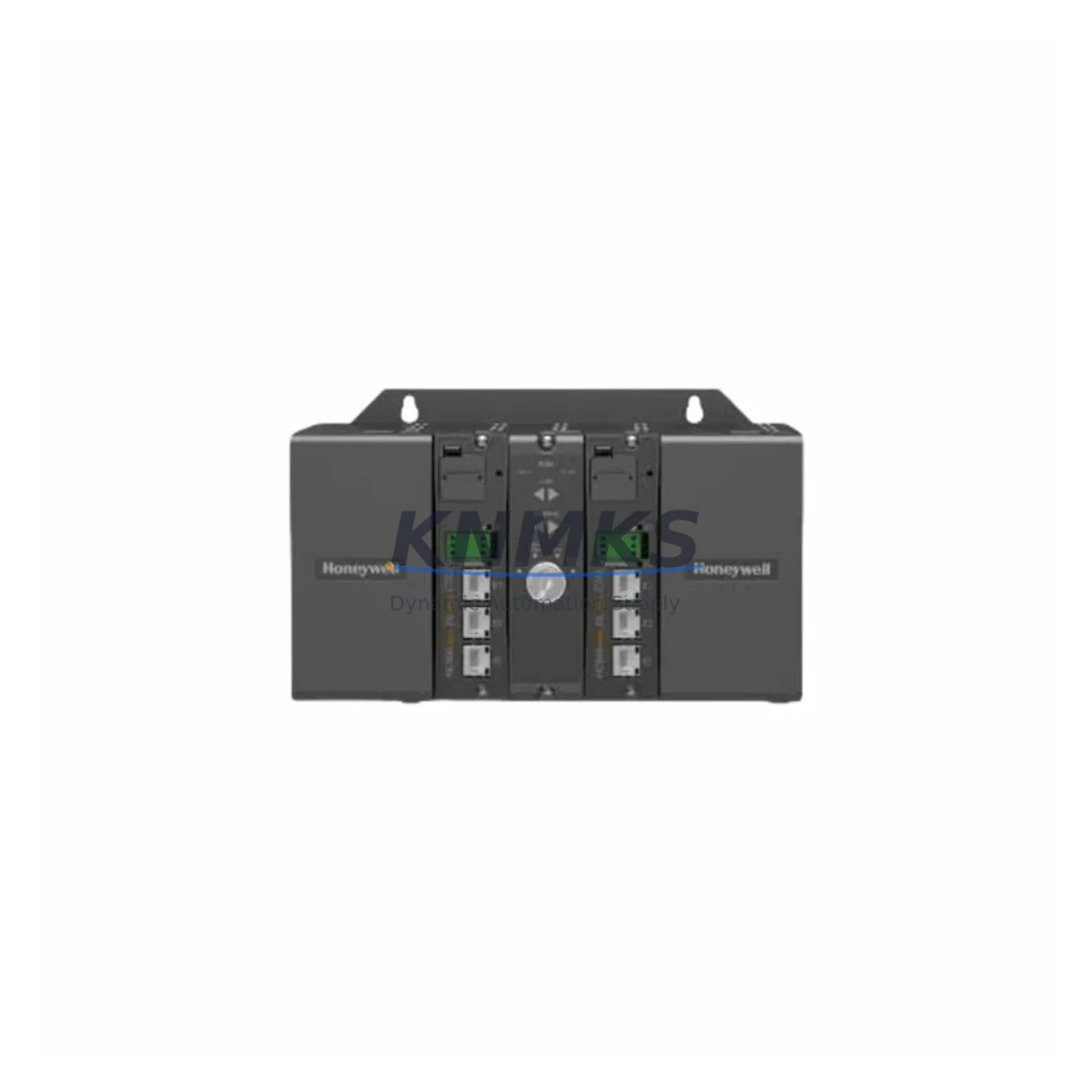
The Honeywell 900C70-0460 is a C300 Controller module designed for the Experion PKS (Process Knowledge System) distributed control architecture. As legacy DCS installations approach end-of-life or face obsolescence-driven failures, the 900C70-0460 serves as a verified drop-in replacement for aging C300 CPU assemblies, enabling control engineers to restore system integrity without committing to a full platform migration. This module supports the Fault Tolerant Ethernet (FTE) communication backbone native to Experion PKS, ensuring seamless integration into existing cabinet layouts and network topologies.
When planning a CPU replacement in an Experion PKS environment, engineers must verify several critical parameters before installation. Power supply capacity within the controller cabinet — typically sourced from a Honeywell CC-PWRR01 or equivalent redundant power module — must be confirmed to support the 900C70-0460’s draw alongside co-installed I/O modules. Terminal wiring on the C300 backplane remains consistent across compatible revisions, but technicians should cross-reference the existing backplane slot assignments and module addressing before swapping the CPU to avoid address conflicts with co-resident modules such as the CC-PAIH01 analog input or CC-PDOB01 digital output cards.
Backplane interface compatibility is a key consideration: the 900C70-0460 is designed for use with the standard C300 controller chassis, and any chassis revision differences should be validated against the installed firmware version. Module addressing — particularly the node address configured via the Experion Station or Control Builder — must be preserved or reconfigured post-swap to maintain program continuity. Control Builder project files should be backed up prior to replacement, and the existing control strategy (.cob files) should be verified for compatibility with the firmware revision shipped on the replacement unit.
HMI screen bindings in Experion Station are tied to tag names and controller node references rather than physical slot positions, which simplifies the cutover process when the node address is maintained. However, communication link integrity across the FTE network — including switch port assignments and redundant path verification — should be confirmed before returning the loop to automatic control. Installation space within the C300 chassis is standardized, so no mechanical modifications are required for a like-for-like swap.
For sites running parallel migration paths — for example, transitioning select loops from a legacy TDC 3000 or PlantScape system to Experion PKS — the 900C70-0460 can anchor the C300 controller tier while I/O marshalling is progressively migrated. In these scenarios, the EPLCG (Experion PKS Logic Controller Gateway) or a Series C I/O Link Interface may be used to bridge legacy field wiring to the new controller platform, reducing the scope of field rewiring during phased cutover.
Migration Compatibility Table
| Parameter | Details |
|---|---|
| SKU / Part Number | 900C70-0460 |
| Brand / Series | Honeywell / Experion PKS C300 |
| Module Function | C300 DCS Controller CPU |
| Communication Protocol | Fault Tolerant Ethernet (FTE) |
| Backplane Interface | C300 Controller Chassis (standard slot) |
| Power Requirement | Supplied via C300 chassis backplane; verify cabinet PSU capacity |
| Legacy Systems Replaced | TDC 3000, PlantScape, earlier C300 CPU revisions |
| HMI Compatibility | Experion Station (tag-based binding; node address must be preserved) |
| Firmware Compatibility | Verify Control Builder project revision vs. shipped firmware |
| Installation Space | Standard C300 chassis slot — no mechanical modification required |
| Commissioning Tool | Honeywell Control Builder (CBE) |
| Pre-Shipment Testing | Yes — functional verification prior to dispatch |
| Support terms | 12 Months |
| Dispatch | Global; expedited available |
Retrofit Planning for Existing Automation Systems
A successful 900C70-0460 retrofit begins with a thorough audit of the existing C300 controller cabinet. Engineers should document the installed CC-PWRR01 redundant power module output capacity and confirm headroom for the replacement CPU alongside any co-installed I/O modules — including CC-PAIH01 analog input cards, CC-PDOB01 digital output modules, and any Series C HART-enabled I/O assemblies. The C300 backplane’s slot map should be photographed and recorded before removal of the existing CPU to preserve module address assignments.
Communication infrastructure deserves equal attention. The FTE network relies on dual-path Ethernet switching, and the replacement CPU must be assigned the correct node address in Control Builder before the FTE links are re-established. Where the site uses a Honeywell EPLCG or a legacy Series C I/O Link Interface to bridge older field devices, the gateway configuration should be exported and validated prior to cutover. Programming cables and a laptop running a compatible version of Control Builder are essential on-site tools during commissioning.
For cabinets that also house a Honeywell CC-SCMB01 system cabinet module or a redundant controller pair, the replacement sequence should follow Honeywell’s recommended hot-standby switchover procedure to minimize process disruption. Signal isolators on critical analog loops should be verified for correct range and output before the loop is returned to automatic.
Downtime Control During System Migration
Minimizing unplanned downtime during a C300 CPU replacement requires a structured pre-outage checklist. Before the maintenance window opens, all active control strategies should be placed in manual or cascade-hold mode at the Experion Station operator console. A full backup of the Control Builder project — including all control modules, function blocks, and parameter sets — must be completed and stored off-controller prior to the swap.
The 900C70-0460 replacement procedure is designed to preserve the existing program logic: because Experion PKS stores the control strategy on the controller itself, a freshly loaded replacement CPU will require a full download from Control Builder. Engineers should confirm that the firmware version on the replacement unit is compatible with the project revision before initiating the download. Once the download is complete and the controller transitions to RUN state, each control loop should be verified in manual before being returned to automatic, starting with the lowest-criticality loops.
FTE link redundancy should be confirmed via the Experion Network Manager before the maintenance window closes. Any alarms generated during the swap should be reviewed and cleared systematically. With proper preparation, a like-for-like 900C70-0460 replacement can typically be completed within a planned four-hour maintenance window, preserving field wiring, HMI tag bindings, and historian continuity.
Retrofit Support FAQ
Q1: Is the 900C70-0460 a direct replacement for my existing C300 CPU without rewiring?
Yes. The 900C70-0460 is a slot-compatible replacement for standard C300 controller chassis installations. Field wiring connects to I/O modules on the backplane rather than directly to the CPU, so no terminal rewiring is required for a like-for-like CPU swap. Verify the chassis revision and backplane compatibility before installation.
Q2: What commissioning steps are required after installing the 900C70-0460?
After physical installation, assign the correct node address in Control Builder, re-establish FTE network links, and perform a full project download from the Control Builder engineering station. Verify each control loop in manual mode before returning to automatic. Confirm FTE redundant path integrity via Network Manager before closing the maintenance window.
Q3: How do I confirm firmware compatibility between the replacement unit and my existing Control Builder project?
Check the firmware revision label on the shipped 900C70-0460 and cross-reference it against the minimum firmware requirement listed in your Control Builder project properties. If the shipped firmware is newer than the project baseline, a project upgrade in Control Builder may be required before download. Contact our technical team for pre-shipment firmware verification if needed.
Q4: What support terms and testing coverage is included?
Every 900C70-0460 unit is functionally tested prior to shipment. A support terms confirmed by quotation is included from the date of dispatch, covering manufacturing defects and functional failures under normal operating conditions. Expedited global shipping is available for emergency replacement scenarios. Stock is maintained for immediate dispatch — contact admin@knmks.com or +86 18359268345 to confirm current availability.
© 2026 KNMKS. All rights reserved.
Original Source: https://knmks.com
Contact: admin@knmks.com | +86 18359268345
Product Identification
- Brand / Ecosystem
-
Honeywell
Honeywell - Model / Series
-
900C70-0460
Experion PKS Series - Product Family
- PLCs & Controllers
- Availability Status
- Available on request after model and quantity confirmation
- Inquiry Type
- B2B RFQ, replacement inquiry and project spare-part request
- Pre-Quote Check
- Exact SKU, brand, series, quantity, nameplate photos and destination country are checked before quotation
System Path
Where this product fits in the KNMKS automation structure.
Specification & Inquiry Focus
- Control platform
- PLC, PAC and modular controllers
- Common needs
- CPU, rack, power and I/O expansion
- Project support
- Replacement, cabinet build and maintenance
Buyer Confirmation
Information KNMKS checks before replying.
- Exact model
- 900C70-0460
- Brand / ecosystem
- Honeywell
- Product family
- PLCs & Controllers
- Application note
- Replacement, maintenance, project build or spare-part list
- Useful photos
- Nameplate, installed unit, cabinet layout or connector side
- Delivery details
- Quantity, destination country and target schedule
Document Support
Files and notes can be confirmed during quotation.
- Product photos or nameplate confirmation when available
- Packing and delivery notes before quotation confirmation
- Support scope and delivery terms confirmed per inquiry
- Export document coordination for qualified B2B requests
Inquiry Support
- Model cross-checking before quotation
- CPU, power, rack and expansion module matching
- Support for replacement and project inquiry
What to Send Us
- Brand and exact model number: Honeywell 900C70-0460
- Quantity and required delivery time
- Application, replacement requirement or nameplate photo
- Destination country and shipping preference
RFQ Preparation
This is a product inquiry page built for RFQ communication.
Fast Model Check
Send this model to KNMKS for confirmation.
Include quantity, destination country and photos if this is a maintenance replacement. The inquiry will be saved with a reference number after submission.
Brand & Compatibility Note
KNMKS displays automation product information for well-known industrial brand ecosystems and compatible replacement references. Brand names are used for product identification and compatibility reference only; final availability and commercial terms are confirmed per quotation.
 Manufacturing
 Machine Tools
 Packaging
 Energy & Power



 HMI & Displays
 Servo Systems
 Variable Frequency Drives
 Sensors