
Overview
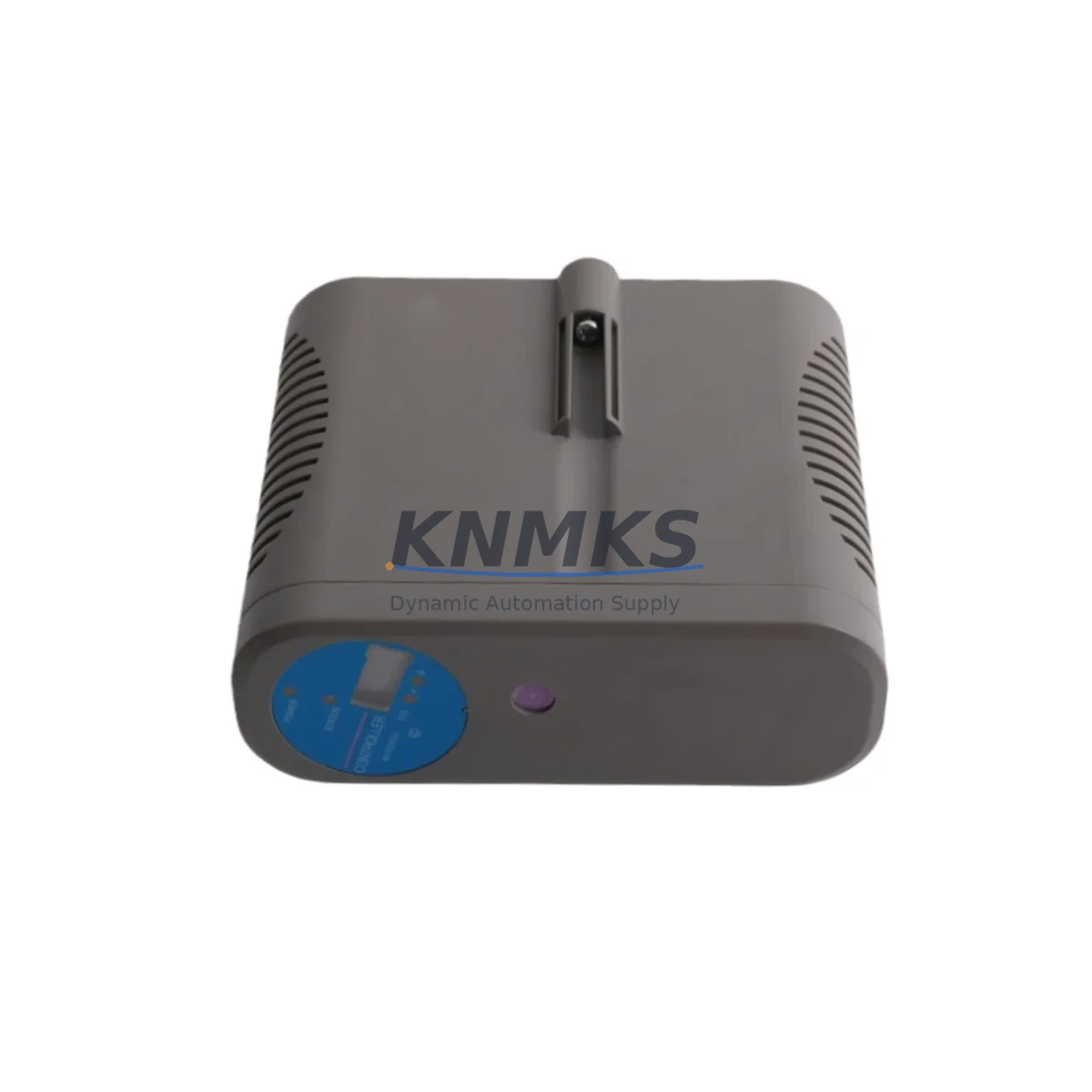
Honeywell 8C-PCNT02 Maintenance-Proven Spare Part for Factory Uptime
The Honeywell 8C-PCNT02 is a process controller module designed for the Experion PKS C300 Distributed Control System (DCS) platform. As a maintenance-proven spare part, it plays a critical role in sustaining continuous plant operations across energy, petrochemical, refining, and advanced manufacturing environments. Sourced as an original Honeywell component, the 8C-PCNT02 is fully tested prior to shipment and backed by a support terms confirmed by quotation, making it a reliable choice for both emergency replacement and planned spare parts inventory.
Maintenance engineers and procurement teams managing Experion PKS installations recognize the 8C-PCNT02 as a high-priority spare. Controller module failures in DCS environments can trigger unplanned shutdowns, process upsets, and significant production losses. Stocking a verified replacement ensures that when a fault is detected during routine inspection or live diagnostics, the restoration workflow can begin immediately — minimizing mean time to repair (MTTR) and protecting plant uptime commitments.
KNMKS supplies the 8C-PCNT02 with full traceability, pre-shipment functional testing, and long-term availability support. Whether you are building a first-time spare parts kit for a new Experion PKS installation or replenishing a depleted maintenance inventory after an emergency replacement, our team provides consistent lead times, technical verification, and reliable global logistics.
Spare Maintenance Table
| SKU / Part Number | 8C-PCNT02 |
| Brand | Honeywell |
| Series / Platform | Experion PKS C300 DCS |
| Module Type | Process Controller Module |
| Product Category | DCS Controller Module / Industrial Automation Spare |
| Origin | United States |
| Communication Interface | FTE (Fault Tolerant Ethernet) / C300 Backplane |
| Power Supply Compatibility | C300 Controller Chassis Power Rail (24 VDC nominal) |
| Operating Temperature | 0°C to 60°C (32°F to 140°F) |
| Humidity | 5% to 95% RH, non-condensing |
| Mounting | C300 Controller Chassis / Backplane Slot |
| Compatibility | Honeywell Experion PKS R310 and above; C300 Controller family |
| Condition | Original / New / Refurbished-Tested (as specified at order) |
| Pre-Shipment Testing | Yes — functional verification before dispatch |
| Support terms | 12 Months from date of shipment |
| Maintenance Recommendation | Inspect annually; replace on first fault indication; keep 1–2 units in active spare inventory |
Maintenance Planning for Continuous Operation
Effective maintenance planning for an Experion PKS C300 system extends well beyond the controller module itself. When scheduling a replacement of the 8C-PCNT02, maintenance engineers should conduct a concurrent inspection of all components sharing the same controller chassis and electrical circuit to prevent secondary failures after restoration.
Begin with the C300 Controller Chassis power supply module — verify output voltage stability and check for capacitor aging or thermal stress indicators. A degraded chassis power supply is a common root cause of controller module faults and should be treated as a co-replacement candidate. Alongside the power supply, inspect the FTE network switch and Ethernet patch cables connecting the C300 to the Experion server infrastructure; link errors or intermittent connectivity can cause false controller faults that are misdiagnosed as module failures.
For sites running mixed I/O architectures, verify the condition of associated Series C I/O Link modules (8C-TAIX02, 8C-TAOX02 or equivalent) installed in the same cabinet. These I/O interface modules communicate directly with the C300 and are subject to the same environmental stresses. A controller replacement that does not include I/O link verification risks a repeat fault within weeks of restoration.
Inspect terminal blocks and field wiring terminations on all I/O modules connected to the replaced controller. Loose terminations, corroded contacts, or undersized conductors can introduce signal noise that stresses the new controller module from day one. Similarly, review the status of any signal isolators or intrinsic safety barriers in the field wiring loop — degraded isolation can allow ground loops or transient voltages to reach the controller backplane.
Check the chassis backplane connector for oxidation or mechanical damage before seating the replacement 8C-PCNT02. A contaminated backplane connector is a frequent cause of intermittent module communication errors that are difficult to diagnose after installation. Finally, confirm that the Experion PKS server license and controller firmware version are compatible with the replacement module revision to avoid post-installation configuration mismatches.
For sites with redundant C300 controller pairs, the replacement workflow should include a controlled switchover test to verify that the standby module assumes control correctly before the primary is taken offline. This step is essential for maintaining process continuity in high-availability applications such as refinery unit operations or power generation control systems.
Site Replacement Workflow
Step 1 — Pre-Replacement Verification: Confirm the replacement 8C-PCNT02 part number and firmware revision match the installed unit. Cross-reference the Experion PKS system configuration database to verify module slot assignment and I/O mapping before proceeding.
Step 2 — Controlled Shutdown or Hot-Swap Preparation: For redundant C300 configurations, initiate a controlled switchover to the standby controller. For simplex installations, coordinate with operations to place the affected process loop in manual control before removing the module.
Step 3 — Module Removal: Follow Honeywell’s ESD precautions. Disconnect the FTE Ethernet cables and release the module locking mechanism. Remove the 8C-PCNT02 from the chassis slot carefully to avoid backplane connector damage.
Step 4 — Inspection and Cleaning: Inspect the chassis slot backplane connector for contamination or bent pins. Clean with appropriate contact cleaner if required. Verify chassis power supply output before inserting the replacement module.
Step 5 — Replacement Module Installation: Seat the new 8C-PCNT02 firmly into the chassis slot. Reconnect FTE Ethernet cables. Power up and observe the module status LEDs for normal initialization sequence.
Step 6 — System Verification: Confirm the Experion PKS server recognizes the replacement module and that all I/O points are communicating correctly. Restore process loops from manual to automatic control in sequence. Document the replacement in the site maintenance log.
This workflow is applicable to both emergency unplanned replacements and scheduled annual maintenance shutdowns. KNMKS recommends maintaining a minimum of one 8C-PCNT02 in active site spare inventory to support a same-day replacement response for unplanned faults.
Spare Parts Support FAQ
Q1: Is the 8C-PCNT02 supplied by KNMKS an original Honeywell component?
Yes. KNMKS supplies original Honeywell 8C-PCNT02 modules sourced through verified industrial supply channels. Each unit undergoes pre-shipment functional testing and is accompanied by documentation confirming part number and condition. A support terms confirmed by quotation is provided from the date of shipment.
Q2: How do I verify compatibility between the 8C-PCNT02 and my existing Experion PKS installation?
Compatibility is determined by your Experion PKS software revision and C300 controller chassis generation. The 8C-PCNT02 is compatible with Experion PKS R310 and later releases. Please provide your current system revision and chassis model when placing an order so our technical team can confirm the correct module revision for your installation.
Q3: What is KNMKS’s lead time and long-term supply commitment for the 8C-PCNT02?
Standard in-stock units ship within 3–5 business days globally. For customers requiring long-term supply agreements or annual maintenance contracts, KNMKS offers reserved inventory arrangements to guarantee availability for multi-year maintenance programs. Contact our sales team to discuss volume and scheduling requirements.
Q4: What should I do if the replacement 8C-PCNT02 does not initialize correctly after installation?
First, verify that the chassis backplane connector is clean and undamaged, and that the FTE Ethernet cables are correctly seated. Confirm that the Experion PKS server firmware is compatible with the module revision installed. If the issue persists, contact KNMKS technical support — all units supplied carry a support terms confirmed by quotation covering manufacturing defects, and we will arrange a replacement or technical consultation as required.
© 2026 KNMKS. All rights reserved.
Original Source: https://knmks.com
Contact: admin@knmks.com | +86 18359268345
Product Identification
- Brand / Ecosystem
-
Honeywell
Honeywell - Model / Series
-
8C-PCNT02
Experion PKS Series - Product Family
- PLCs & Controllers
- Availability Status
- Available on request after model and quantity confirmation
- Inquiry Type
- B2B RFQ, replacement inquiry and project spare-part request
- Pre-Quote Check
- Exact SKU, brand, series, quantity, nameplate photos and destination country are checked before quotation
System Path
Where this product fits in the KNMKS automation structure.
Specification & Inquiry Focus
- Control platform
- PLC, PAC and modular controllers
- Common needs
- CPU, rack, power and I/O expansion
- Project support
- Replacement, cabinet build and maintenance
Buyer Confirmation
Information KNMKS checks before replying.
- Exact model
- 8C-PCNT02
- Brand / ecosystem
- Honeywell
- Product family
- PLCs & Controllers
- Application note
- Replacement, maintenance, project build or spare-part list
- Useful photos
- Nameplate, installed unit, cabinet layout or connector side
- Delivery details
- Quantity, destination country and target schedule
Document Support
Files and notes can be confirmed during quotation.
- Product photos or nameplate confirmation when available
- Packing and delivery notes before quotation confirmation
- Support scope and delivery terms confirmed per inquiry
- Export document coordination for qualified B2B requests
Inquiry Support
- Model cross-checking before quotation
- CPU, power, rack and expansion module matching
- Support for replacement and project inquiry
What to Send Us
- Brand and exact model number: Honeywell 8C-PCNT02
- Quantity and required delivery time
- Application, replacement requirement or nameplate photo
- Destination country and shipping preference
RFQ Preparation
This is a product inquiry page built for RFQ communication.
Fast Model Check
Send this model to KNMKS for confirmation.
Include quantity, destination country and photos if this is a maintenance replacement. The inquiry will be saved with a reference number after submission.
Brand & Compatibility Note
KNMKS displays automation product information for well-known industrial brand ecosystems and compatible replacement references. Brand names are used for product identification and compatibility reference only; final availability and commercial terms are confirmed per quotation.
 Manufacturing
 Machine Tools
 Packaging
 Energy & Power



 HMI & Displays
 Servo Systems
 Variable Frequency Drives
 Sensors