
Overview
Honeywell 8C-PAIN01 51454356-175 Spare Part for Factory Uptime
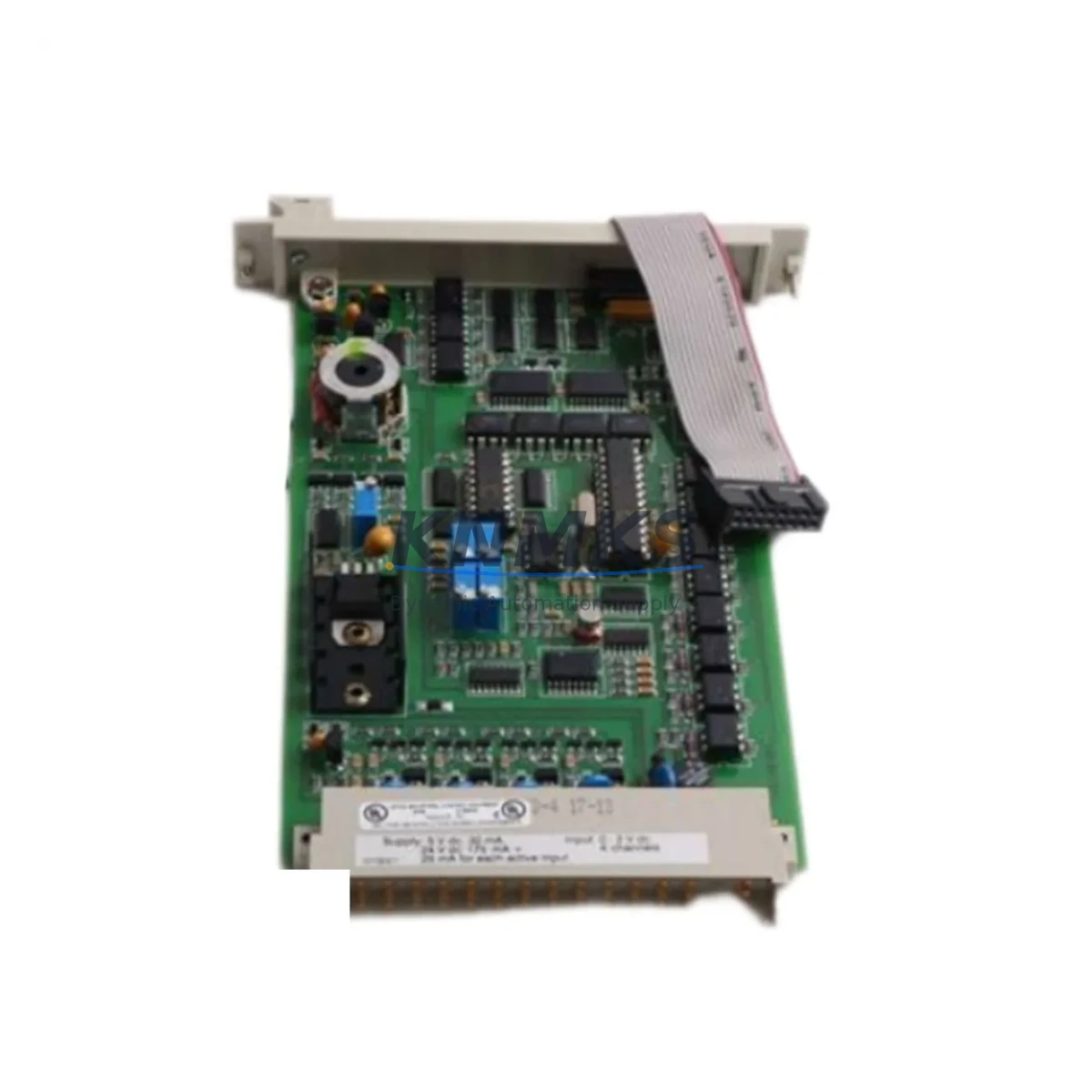
The Honeywell 8C-PAIN01 (part number 51454356-175) is an 8-channel analog input module engineered for the Experion PKS distributed control system. As a maintenance-proven spare part, it plays a critical role in sustaining continuous factory operation across process industries including oil & gas, petrochemical, power generation, and advanced manufacturing. Sourced as an original Honeywell component, each unit undergoes functional testing prior to shipment and is backed by a support terms confirmed by quotation, giving maintenance engineers and procurement teams the confidence needed for both emergency replacement and planned inventory stocking.
In modern DCS environments, analog input modules are among the highest-priority spare components. The 8C-PAIN01 interfaces directly with field transmitters — pressure, temperature, flow, and level — converting 4–20 mA or 1–5 V signals into digital values processed by the Experion PKS C300 controller. A failure in this module can result in loss of process visibility across an entire control loop, triggering unplanned shutdowns. Maintaining at least one verified spare in your control room inventory is a recognized best practice in IEC 62443-aligned maintenance programs.
For procurement engineers managing multi-site spare parts programs, the 8C-PAIN01 51454356-175 represents a long-lifecycle component with stable compatibility across Experion PKS R310 through R511 releases. Its standardized form factor and plug-in installation design minimize replacement time on the cabinet floor, reducing mean time to repair (MTTR) and protecting production continuity.
Spare Maintenance Table
| Parameter | Specification |
|---|---|
| Part Number | 8C-PAIN01 / 51454356-175 |
| Brand | Honeywell |
| Series | Experion PKS Series C |
| Module Type | 8-Channel Analog Input Module |
| Signal Range | 4–20 mA / 1–5 VDC |
| Resolution | 16-bit ADC |
| Isolation | Channel-to-channel and channel-to-bus isolation |
| Compatible Controller | Honeywell C300 Process Controller |
| Compatible Backplane | Experion PKS Series C I/O Link Backplane |
| Operating Temperature | 0°C to 60°C |
| Power Consumption | Supplied via backplane bus |
| Mounting | Plug-in, tool-free module replacement |
| Certifications | CE, UL, FM (Class I Div 2) |
| Origin | United States |
| Condition | Original, tested before shipment |
| Support terms | 12 Months |
Maintenance Planning for Continuous Operation
When scheduling replacement of the 8C-PAIN01 51454356-175 during a planned outage or emergency shutdown, a disciplined cabinet inspection protocol significantly reduces the risk of repeat failures and secondary faults. Maintenance engineers should treat the analog input module replacement as an opportunity to audit the surrounding control architecture.
Begin with the Experion PKS C300 Process Controller — verify firmware version compatibility with the replacement module and confirm that the I/O link is communicating correctly after reinsertion. Next, inspect the Series C I/O Link Backplane for signs of corrosion, bent connector pins, or thermal stress, as backplane degradation is a common root cause of intermittent module faults that are often misdiagnosed as module failures.
Check the 24 VDC power supply module feeding the I/O cabinet. Voltage sag or ripple on the bus rail can cause analog input modules to report erratic readings or fail self-diagnostics. Use a calibrated multimeter to verify rail voltage under load before declaring the replacement module operational. If the cabinet uses a Honeywell IOTA (I/O Termination Assembly), inspect the field wiring terminals for loose connections, corrosion, or incorrect shielding — poor termination is a leading cause of signal noise on 4–20 mA loops.
For sites running redundant I/O configurations, also verify the status of the redundant analog input module in the paired slot. A degraded redundant module may not trigger an alarm until the primary fails, leaving the system without true redundancy. Additionally, inspect field signal isolators or barriers installed between the transmitter and the module input — particularly in hazardous area installations where Zener barriers or galvanic isolators protect the intrinsically safe circuit.
Finally, review the communication module (such as the Experion PKS ESVT or FTE network interface) and confirm that the control network is stable. Network instability during a module hot-swap can cause the C300 to log spurious alarms or temporarily lose the I/O point database, complicating post-replacement verification.
Site Replacement Workflow
Step 1 — Pre-Replacement Verification: Confirm the replacement module part number (8C-PAIN01, 51454356-175) matches the installed unit. Cross-reference the Experion PKS hardware compatibility matrix for your release version. Document current channel configurations and alarm setpoints from the Experion Station HMI before proceeding.
Step 2 — Safe Module Removal: The 8C-PAIN01 supports online replacement in non-redundant configurations only when the control strategy is placed in manual or the affected loops are suppressed. For redundant configurations, switch control to the secondary module before removing the primary. Use ESD precautions throughout.
Step 3 — Module Insertion and Initialization: Insert the replacement module into the backplane slot. The Experion PKS system will automatically download the module configuration from the C300 controller database. Allow 30–60 seconds for initialization and self-test completion. Verify the module status LED indicates normal operation (solid green).
Step 4 — Loop Verification: Using the Experion Station or Control Builder, verify each of the 8 analog input channels is reading correctly against known field transmitter values. Apply a calibrated 4–20 mA signal source to confirm accuracy if transmitter values are unavailable during the outage window.
Step 5 — Documentation and Return to Service: Log the replacement in the site CMMS (Computerized Maintenance Management System), record the new module serial number, and update the spare parts inventory. Return all suppressed loops to automatic control and confirm alarm management is restored.
This workflow is compatible with Experion PKS R310 through R511 and supports both standard and SIL-rated loop configurations where applicable.
Spare Parts Support FAQ
Q1: Is the 8C-PAIN01 51454356-175 compatible with all Experion PKS releases?
The 8C-PAIN01 is designed for the Experion PKS Series C I/O architecture and is compatible with R310 through R511 software releases. For R500 and above, confirm the C300 firmware version supports the module revision installed. Our technical team can assist with compatibility verification prior to shipment.
Q2: How is each unit tested before shipment?
Every 8C-PAIN01 51454356-175 unit is powered up and subjected to functional testing including channel-level signal verification and self-diagnostic checks. Units that fail any test parameter are quarantined and not shipped. A test report is available upon request for quality-critical procurement programs.
Q3: What is the lead time and long-term supply availability?
Standard orders ship within 3–7 business days from verified stock. For long-term maintenance contracts or multi-unit procurement, we offer reserved inventory arrangements to ensure supply continuity for legacy Experion PKS systems that may no longer be in active Honeywell production. Contact our team to discuss annual blanket order options.
Q4: What support terms coverage applies to this spare part?
All units are covered by a support terms confirmed by quotation from the date of shipment, covering manufacturing defects and functional failures under normal operating conditions. Support requests are supported by our technical team with replacement or repair options. The support terms does not cover damage resulting from incorrect installation, overvoltage, or environmental conditions outside the module’s rated specifications.
© 2026 KNMKS. All rights reserved.
Original Source: https://knmks.com
Contact: admin@knmks.com | +86 18359268345
Product Identification
- Brand / Ecosystem
-
Honeywell
Honeywell - Model / Series
-
8C-PAIN01 51454356-175
Experion PKS Series - Product Family
- PLCs & Controllers
- Availability Status
- Available on request after model and quantity confirmation
- Inquiry Type
- B2B RFQ, replacement inquiry and project spare-part request
- Pre-Quote Check
- Exact SKU, brand, series, quantity, nameplate photos and destination country are checked before quotation
System Path
Where this product fits in the KNMKS automation structure.
Specification & Inquiry Focus
- Control platform
- PLC, PAC and modular controllers
- Common needs
- CPU, rack, power and I/O expansion
- Project support
- Replacement, cabinet build and maintenance
Buyer Confirmation
Information KNMKS checks before replying.
- Exact model
- 8C-PAIN01 51454356-175
- Brand / ecosystem
- Honeywell
- Product family
- PLCs & Controllers
- Application note
- Replacement, maintenance, project build or spare-part list
- Useful photos
- Nameplate, installed unit, cabinet layout or connector side
- Delivery details
- Quantity, destination country and target schedule
Document Support
Files and notes can be confirmed during quotation.
- Product photos or nameplate confirmation when available
- Packing and delivery notes before quotation confirmation
- Support scope and delivery terms confirmed per inquiry
- Export document coordination for qualified B2B requests
Inquiry Support
- Model cross-checking before quotation
- CPU, power, rack and expansion module matching
- Support for replacement and project inquiry
What to Send Us
- Brand and exact model number: Honeywell 8C-PAIN01 51454356-175
- Quantity and required delivery time
- Application, replacement requirement or nameplate photo
- Destination country and shipping preference
RFQ Preparation
This is a product inquiry page built for RFQ communication.
Fast Model Check
Send this model to KNMKS for confirmation.
Include quantity, destination country and photos if this is a maintenance replacement. The inquiry will be saved with a reference number after submission.
Brand & Compatibility Note
KNMKS displays automation product information for well-known industrial brand ecosystems and compatible replacement references. Brand names are used for product identification and compatibility reference only; final availability and commercial terms are confirmed per quotation.
 Manufacturing
 Machine Tools
 Packaging
 Energy & Power



 HMI & Displays
 Servo Systems
 Variable Frequency Drives
 Sensors