
Overview
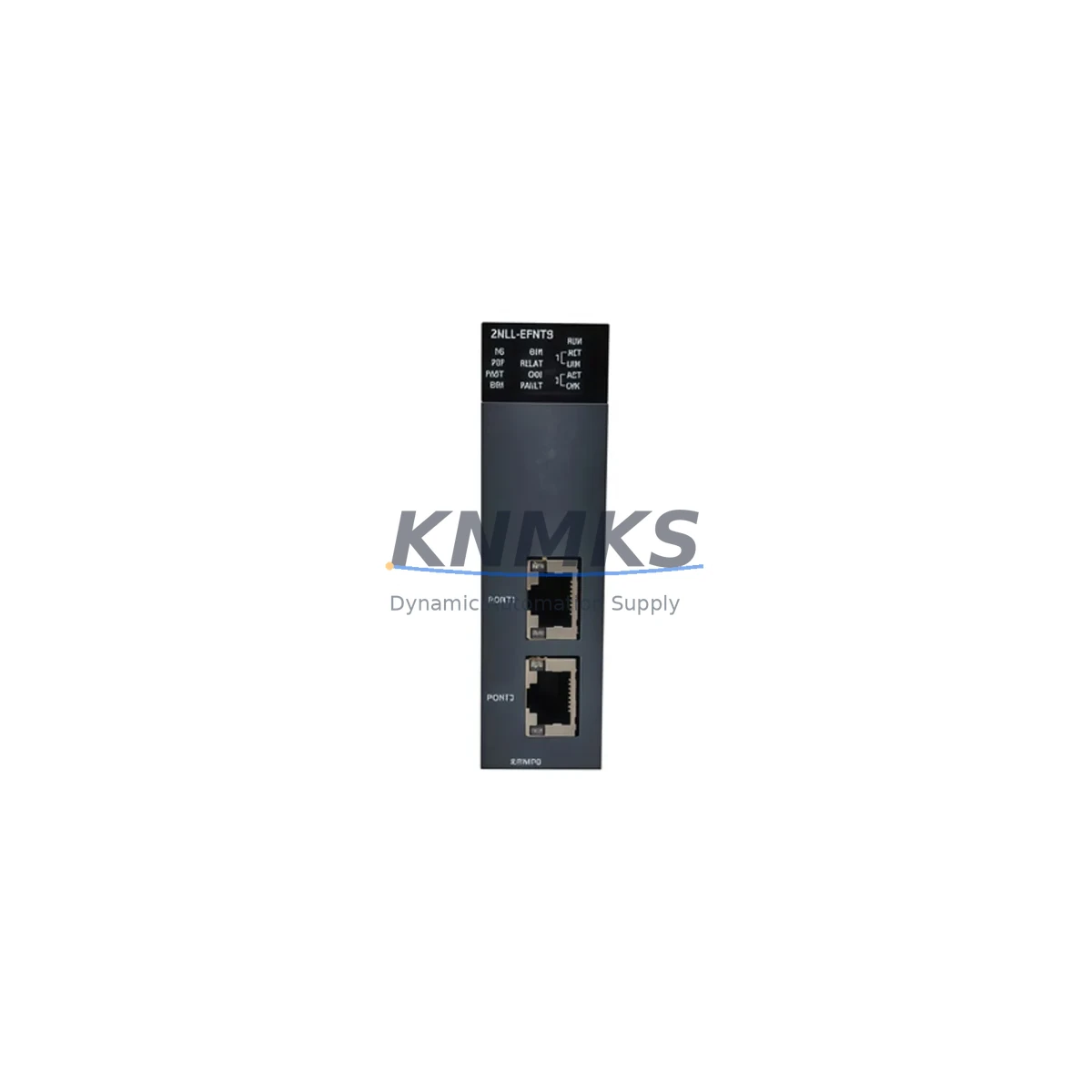
Honeywell 2MLL-EFMFB Migration-Ready Fast Ethernet Module for Legacy Control Systems
The Honeywell 2MLL-EFMFB is a Fast Ethernet Interface Module engineered for the Experion PKS Distributed Control System (DCS) platform. As legacy automation infrastructure ages and OEM support windows close, the 2MLL-EFMFB has become a critical component in brownfield retrofit projects, discontinued spare parts programs, and control cabinet modernization initiatives across the process industries. Whether you are replacing a failed unit on an aging C300 Controller node, expanding Ethernet connectivity on an existing FIM4 chassis, or migrating a legacy TPS/TDC 3000 network segment to a modern Experion R500 architecture, the 2MLL-EFMFB provides a verified, drop-in compatible solution that minimizes engineering risk and reduces planned downtime.
Before committing to a retrofit using the 2MLL-EFMFB, engineers must systematically verify several interdependent parameters. Power budget confirmation is the first checkpoint: the module draws from the backplane supply of the Experion PKS chassis, and the existing PM IO Link Power Supply or the C300 Controller’s associated power rail must have sufficient headroom to support the additional Ethernet interface load. Terminal wiring on the RJ-45 and fiber uplink ports must be mapped against the existing plant cabling schedule, particularly where legacy coaxial or AUI Ethernet segments are being converted to 100BASE-TX or 100BASE-FX. Backplane slot addressing must be confirmed in the Experion Configuration Studio prior to installation, as the module’s logical node address is tied to its physical slot position within the FIM4 or FIM8 chassis. Any mismatch between the configured node address and the physical slot will prevent the module from registering on the FTE (Fault Tolerant Ethernet) network.
Program compatibility is another essential pre-migration checkpoint. Control strategies loaded on the C300 Controller that reference specific Ethernet port parameters or FTE network topology must be reviewed in Control Builder to ensure that the replacement module’s firmware revision is compatible with the existing strategy database. Honeywell periodically releases firmware updates for the 2MLL-EFMFB that affect FTE redundancy behavior, and running a mismatched firmware pair in a redundant FIM configuration can trigger unexpected failovers. HMI screen bindings in Experion Station or the legacy GUS (Global User Station) must also be validated, as point references tied to the Ethernet module’s network identity may require re-mapping after the physical swap. Communication link integrity across the supervisory Ethernet segment — including connections to the Application Server, History Module, and any third-party OPC DA/UA gateways — should be verified using the Experion System Status Display before returning the loop to automatic control.
Installation space confirmation is straightforward for standard 19-inch rack-mounted Experion cabinets, but in retrofit scenarios where the original cabinet layout has been modified or where a non-standard enclosure is in use, the module’s form factor and backplane connector alignment must be physically verified against the target chassis. Firmware version compatibility between the 2MLL-EFMFB and the host C300 Controller should be cross-referenced against Honeywell’s published compatibility matrix before ordering, particularly for sites running Experion PKS R400 or earlier releases where certain FTE features were not yet implemented.
Migration Compatibility Table
| Parameter | Details |
|---|---|
| SKU / Part Number | 2MLL-EFMFB |
| Brand / Series | Honeywell / Experion PKS |
| Module Type | Fast Ethernet Interface Module (FIM) |
| Interface Standard | 100BASE-TX / 100BASE-FX Fast Ethernet |
| Compatible Chassis | FIM4, FIM8 Backplane (Experion PKS) |
| Compatible Controllers | C300 Controller, ACE Node |
| Communication Protocol | Fault Tolerant Ethernet (FTE), TCP/IP |
| Legacy Replacement Path | TPS/TDC 3000 LCN → Experion PKS FTE migration |
| Slot Addressing | Physical slot position in FIM chassis; must match Experion Configuration Studio assignment |
| Power Source | Backplane (PM IO Link Power Supply or C300 rail) |
| Firmware Compatibility | Verify against Honeywell compatibility matrix for Experion R400 / R500 |
| Installation Requirement | Standard 19-inch rack; backplane connector alignment verification required for non-standard enclosures |
| Commissioning Focus | FTE network registration, Control Builder strategy validation, HMI point re-mapping |
| Support terms | support terms confirmed by quotation — all units tested prior to shipment |
| Origin | China (CN) |
Retrofit Planning for Existing Automation Systems
A successful retrofit using the 2MLL-EFMFB typically begins with a comprehensive audit of the existing Experion PKS network topology. In most brownfield scenarios, the FIM4 or FIM8 chassis hosting the replacement module will also contain a C300 Controller, one or more Series C I/O Link modules, and potentially a redundant FTE switch connection routed through a Cisco IE 2000 or Hirschmann industrial managed switch. The Ethernet cabling from the FIM chassis to the plant’s supervisory network must be rated for the 100 Mbps full-duplex operation that the 2MLL-EFMFB requires; legacy Category 3 or coaxial segments must be upgraded to Category 5e or fiber before the module can operate at rated performance.
For sites migrating from TPS/TDC 3000 architectures, the transition from the legacy Local Control Network (LCN) to Experion FTE often requires the simultaneous installation of an Application Server and a History Module alongside the 2MLL-EFMFB, as these components form the backbone of the new supervisory layer. I/O expansion during the retrofit is commonly handled by adding Series C CIOM (Control I/O Module) cards to the existing FIM chassis, which communicate with the C300 Controller over the backplane without requiring additional Ethernet ports. Where analog signal isolation is required between legacy field instruments and the new I/O cards, signal isolators or safety barriers must be inserted in the terminal wiring to prevent ground loop interference from corrupting the 4–20 mA or HART signals that the CIOM cards process.
Programming cable access to the C300 Controller for firmware updates or strategy downloads during the retrofit is typically provided via the Experion Station’s Ethernet connection rather than a dedicated serial programming cable, but sites running older Experion releases may still require a USB-to-serial adapter for initial controller commissioning. HMI screen updates in Experion Station or the legacy GUS should be completed and tested in a staging environment before the live cutover to avoid operator confusion during the transition period. Where the retrofit involves migrating from a Modbus RTU or PROFIBUS DP field network to Ethernet-based communication, a protocol gateway or a dedicated communication module must be added to the control cabinet to bridge the legacy field devices to the new FTE backbone.
Downtime Control During System Migration
Minimizing unplanned downtime during a 2MLL-EFMFB replacement requires a structured pre-outage preparation protocol. All configuration data from the existing Experion PKS system — including the Control Builder strategy database, Experion Configuration Studio node assignments, and HMI display files — should be backed up to a secure off-system location before any hardware is disturbed. The replacement module should be pre-configured and bench-tested against a known-good FIM chassis in the maintenance workshop before being brought to the field, confirming that the module registers correctly on the FTE network and that its firmware revision matches the target system’s compatibility requirements.
During the physical swap, the C300 Controller’s redundant partner (if present) should be confirmed as healthy and in primary control before the affected module is removed, ensuring that the control loop remains in automatic throughout the hardware exchange. After the new 2MLL-EFMFB is seated and the backplane connectors are secured, the Experion System Status Display should be monitored for FTE network registration confirmation before any manual control transfers are attempted. Field calibration verification of connected analog I/O channels should be completed before the loop is returned to automatic, and a full communication link check — covering the Application Server, History Module, OPC gateway, and any connected HMI stations — should be documented as part of the post-retrofit commissioning record. All units supplied by KNMKS are pre-tested and shipped with a support terms confirmed by quotation, reducing the risk of infant mortality failures that can extend unplanned outage durations.
Retrofit Support FAQ
Q1: Is the 2MLL-EFMFB a direct drop-in replacement for the original Honeywell Fast Ethernet Interface Module in an Experion PKS FIM4 chassis?
A: Yes, the 2MLL-EFMFB is designed as a direct backplane-compatible replacement for the original FIM Fast Ethernet module. The physical form factor, backplane connector pinout, and FTE network registration behavior are identical to the OEM specification. No chassis modification or additional adapter hardware is required for a standard slot swap.
Q2: What pre-shipment testing is performed on the 2MLL-EFMFB, and what support terms coverage is provided?
A: Every 2MLL-EFMFB unit supplied by KNMKS undergoes functional power-on testing and FTE network registration verification before shipment. All units are covered by a support terms confirmed by quotation against manufacturing defects and functional failures. In-stock units are available for same-week dispatch to minimize procurement lead time for urgent replacement scenarios.
Q3: How do I verify firmware compatibility between the 2MLL-EFMFB and my existing Experion PKS release before installation?
A: Firmware compatibility should be cross-referenced against Honeywell’s published Experion PKS compatibility matrix, available through the Honeywell Process Solutions support portal. As a general guideline, units running Experion R400 and later releases are compatible with current 2MLL-EFMFB firmware. For sites on earlier releases, contact KNMKS sales at admin@knmks.com to confirm the appropriate firmware revision for your specific system build.
Q4: Can KNMKS supply the 2MLL-EFMFB for emergency breakdown replacement with short lead times?
A: Yes. KNMKS maintains inventory of the 2MLL-EFMFB and related Experion PKS spare parts to support emergency breakdown and planned maintenance scenarios. In-stock units can typically be dispatched within 24–48 hours of order confirmation. Contact our sales team at admin@knmks.com or +86 18359268345 to confirm current stock availability and expedited shipping options.
© 2026 KNMKS. All rights reserved.
Original Source: https://knmks.com
Contact: admin@knmks.com | +86 18359268345
Product Identification
- Brand / Ecosystem
-
Honeywell
Honeywell - Model / Series
-
2MLL-EFMFB
Experion PKS Series - Product Family
- PLCs & Controllers
- Availability Status
- Available on request after model and quantity confirmation
- Inquiry Type
- B2B RFQ, replacement inquiry and project spare-part request
- Pre-Quote Check
- Exact SKU, brand, series, quantity, nameplate photos and destination country are checked before quotation
System Path
Where this product fits in the KNMKS automation structure.
Specification & Inquiry Focus
- Control platform
- PLC, PAC and modular controllers
- Common needs
- CPU, rack, power and I/O expansion
- Project support
- Replacement, cabinet build and maintenance
Buyer Confirmation
Information KNMKS checks before replying.
- Exact model
- 2MLL-EFMFB
- Brand / ecosystem
- Honeywell
- Product family
- PLCs & Controllers
- Application note
- Replacement, maintenance, project build or spare-part list
- Useful photos
- Nameplate, installed unit, cabinet layout or connector side
- Delivery details
- Quantity, destination country and target schedule
Document Support
Files and notes can be confirmed during quotation.
- Product photos or nameplate confirmation when available
- Packing and delivery notes before quotation confirmation
- Support scope and delivery terms confirmed per inquiry
- Export document coordination for qualified B2B requests
Inquiry Support
- Model cross-checking before quotation
- CPU, power, rack and expansion module matching
- Support for replacement and project inquiry
What to Send Us
- Brand and exact model number: Honeywell 2MLL-EFMFB
- Quantity and required delivery time
- Application, replacement requirement or nameplate photo
- Destination country and shipping preference
RFQ Preparation
This is a product inquiry page built for RFQ communication.
Fast Model Check
Send this model to KNMKS for confirmation.
Include quantity, destination country and photos if this is a maintenance replacement. The inquiry will be saved with a reference number after submission.
Brand & Compatibility Note
KNMKS displays automation product information for well-known industrial brand ecosystems and compatible replacement references. Brand names are used for product identification and compatibility reference only; final availability and commercial terms are confirmed per quotation.
 Manufacturing
 Machine Tools
 Packaging
 Energy & Power



 HMI & Displays
 Servo Systems
 Variable Frequency Drives
 Sensors