
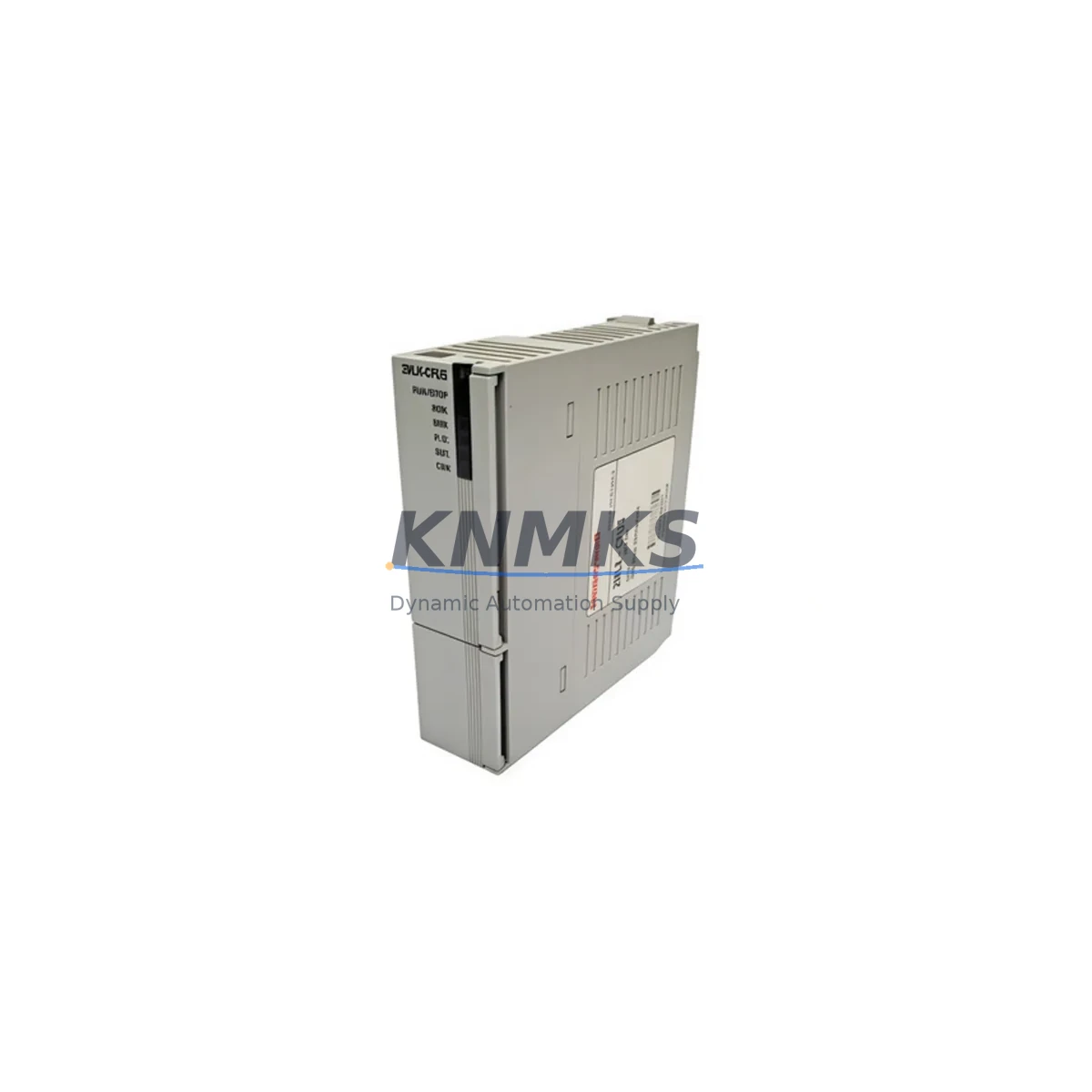
Overview
Honeywell 2MLK-CPUE Maintenance-Proven Spare Part for Factory Uptime
The Honeywell 2MLK-CPUE is a CPU module designed for the Experion PKS (Process Knowledge System) distributed control system platform. For maintenance engineers and spare parts procurement teams operating continuous process facilities — refineries, chemical plants, power generation sites, and pharmaceutical production lines — keeping a verified 2MLK-CPUE in the spare parts cabinet is a fundamental strategy for protecting plant uptime. CPU module failures in a DCS environment are among the most disruptive events a control room can face: they can take an entire controller node offline, isolate I/O subsystems, and trigger unplanned shutdowns that cost far more than the price of a replacement module. Sourcing a tested, original 2MLK-CPUE before a failure occurs is the single most effective insurance policy against that scenario.
The 2MLK-CPUE operates within the Experion PKS C200 and C300 controller family architecture. It handles real-time process execution, communicates with I/O link modules, manages redundancy switchover logic, and interfaces with the FTE (Fault Tolerant Ethernet) network backbone. When this module degrades — whether due to firmware corruption, capacitor aging, thermal stress from years of continuous operation, or physical damage during a cabinet maintenance event — the consequences propagate immediately across the control loop. Maintenance teams that have a pre-tested replacement on hand can execute a hot-swap or controlled switchover in a fraction of the time it would take to source a module through emergency procurement channels.
Spare Maintenance Table
| Parameter | Specification |
|---|---|
| Part Number / SKU | 2MLK-CPUE |
| Brand | Honeywell |
| Series / Platform | Experion PKS — C200 / C300 Controller Family |
| Module Type | DCS CPU / Controller Processing Module |
| Communication Interface | FTE (Fault Tolerant Ethernet), I/O Link |
| Redundancy Support | Yes — Primary / Secondary controller redundancy |
| Operating Voltage | 24 VDC (supplied via backplane) |
| Operating Temperature | 0°C to 60°C |
| Mounting | DIN rail / Experion PKS controller chassis backplane |
| Firmware Compatibility | Experion PKS R310 and above (verify with site revision) |
| Product Condition | Original, unused or refurbished-to-spec with full test |
| Pre-shipment Testing | Yes — functional and communication verification |
| Support terms | 12 Months from date of shipment |
| Origin | United States |
| Typical Application | Process control, continuous manufacturing, utilities, refining |
| Maintenance Recommendation | Inspect every 24 months; replace at first sign of communication fault or redundancy alarm |
Maintenance Planning for Continuous Operation
A 2MLK-CPUE replacement should never be performed in isolation. Experienced maintenance engineers treat a CPU module swap as an opportunity to audit the entire controller node and its associated electrical infrastructure. Before or during a planned replacement, the following components and subsystems deserve close attention.
The controller chassis backplane is the first item to inspect. Backplane connector pins can develop oxidation or micro-fractures after years of thermal cycling, and a degraded backplane will cause intermittent faults even with a new CPU module installed. If the 2MLK-CPUE is being replaced due to repeated communication errors, the backplane should be tested before the new module is commissioned.
Power supply modules feeding the controller chassis — such as the Honeywell CC-PWR01 or equivalent 24 VDC redundant power supply units — should be checked for output voltage stability and ripple. An aging power supply delivering marginal voltage is a common root cause of CPU module instability and premature failure. Replacing the CPU without addressing a weak power supply simply transfers the problem to the new module.
I/O link cables and IOLIM (I/O Link Interface Module) units connecting the CPU to remote I/O cabinets should be inspected for continuity, shielding integrity, and connector seating. A loose or damaged I/O link cable can generate diagnostic alarms that mimic CPU faults, leading to unnecessary module replacements. Similarly, Series C I/O modules — including AI, AO, DI, and DO cards — should be verified for correct addressing and communication status after the CPU is restored.
The FTE network switch infrastructure supporting the Experion PKS FTE backbone deserves attention during any CPU maintenance event. FTE switches with degraded ports or incorrect VLAN configurations can prevent the replacement CPU from establishing proper network communication, delaying restart. Verify switch port status and FTE redundancy path integrity before declaring the replacement complete.
Communication modules such as the Honeywell CC-SCMB01 serial communication module or PROFIBUS interface cards installed in the same chassis should be re-initialized and verified after a CPU swap, as some firmware versions require a controlled restart sequence to re-establish fieldbus communication. Relay output modules and safety interlock circuits connected to the controller’s digital outputs should also be functionally tested to confirm that the replacement CPU is correctly driving all output channels before the unit is returned to automatic control.
Finally, the Experion PKS HMI server connection and historian data path should be confirmed. A CPU module replacement can occasionally cause a temporary loss of tag subscription between the controller and the Experion server, requiring a tag reload or server restart to restore full data visibility to the control room operators.
Site Replacement Workflow
Replacing the 2MLK-CPUE on a live Experion PKS system requires a structured approach to minimize process disruption and ensure a clean handover between the old and new module. The following workflow reflects best practice for sites operating with controller redundancy enabled.
Begin by confirming the system is in redundant mode and that the secondary controller is healthy and synchronized. If redundancy is degraded, do not proceed with a CPU swap until the redundancy fault is resolved — replacing the primary CPU in a non-redundant state will cause a full controller outage. Download and archive the current controller configuration from Experion Control Builder before touching any hardware, even if the configuration is believed to be current in the server database.
Initiate a controlled switchover to promote the secondary controller to primary status. This transfers process control to the secondary module without interrupting running loops. Once the switchover is confirmed and stable, the original primary CPU (the 2MLK-CPUE being replaced) can be safely removed from the chassis. Insert the replacement module, allow it to boot, and monitor the Experion system display for module status. The new module should automatically load its configuration from the primary controller and enter secondary (standby) mode within a few minutes.
Verify all I/O points, communication links, and redundancy status before switching control back to the replaced module. Run a full diagnostic check from the Experion Station and confirm that no unacknowledged alarms related to the controller node remain active. Document the replacement in the site maintenance log, including the module serial number, firmware version, and test results, to support future audits and support requests.
For sites running older Experion PKS revisions where the 2MLK-CPUE is no longer in active production, this module provides a direct form-fit-function replacement that preserves system compatibility without requiring a full controller upgrade. This is particularly valuable for facilities with long asset lifecycles where a platform migration is not planned within the next three to five years.
Spare Parts Support FAQ
Q1: How do I verify that the 2MLK-CPUE is compatible with my specific Experion PKS revision?
Compatibility depends on the Experion PKS software revision running on your server and the firmware version loaded on your existing controller modules. The 2MLK-CPUE is generally compatible with Experion PKS R310 and later releases, but sites running earlier revisions or heavily customized configurations should confirm the firmware baseline before installation. Contact our technical team with your current controller firmware version and Experion server revision, and we will confirm compatibility before shipment.
Q2: What pre-shipment testing is performed on the 2MLK-CPUE?
Every 2MLK-CPUE unit is functionally tested prior to shipment. Testing includes power-on verification, communication interface checks, and where applicable, firmware version confirmation. Units are shipped with test documentation. The support terms confirmed by quotation cover defects in materials and workmanship from the date of shipment, providing procurement teams with confidence in long-term supply reliability.
Q3: Can the 2MLK-CPUE be used as a long-term spare for aging Experion PKS systems?
Yes. The 2MLK-CPUE is well-suited for long-term spare inventory strategies at facilities running legacy Experion PKS controller nodes. We maintain stock specifically to support sites where the original manufacturer has discontinued active production. For facilities managing multi-year maintenance contracts or planning annual shutdown spares procurement, we recommend holding at least one verified unit per controller node to eliminate emergency sourcing risk.
Q4: What is the recommended storage condition for a spare 2MLK-CPUE unit?
Spare modules should be stored in their original anti-static packaging in a dry, temperature-controlled environment between 0°C and 40°C with relative humidity below 85% non-condensing. Avoid storage near strong electromagnetic sources or in areas subject to vibration. Modules stored under these conditions retain their functional integrity for extended periods and are ready for immediate deployment when needed.
© 2026 KNMKS. All rights reserved.
Original Source: https://knmks.com
Contact: admin@knmks.com | +86 18359268345
Product Identification
- Brand / Ecosystem
-
Honeywell
Honeywell - Model / Series
-
2MLK-CPUE
Experion PKS Series - Product Family
- PLCs & Controllers
- Availability Status
- Available on request after model and quantity confirmation
- Inquiry Type
- B2B RFQ, replacement inquiry and project spare-part request
- Pre-Quote Check
- Exact SKU, brand, series, quantity, nameplate photos and destination country are checked before quotation
System Path
Where this product fits in the KNMKS automation structure.
Specification & Inquiry Focus
- Control platform
- PLC, PAC and modular controllers
- Common needs
- CPU, rack, power and I/O expansion
- Project support
- Replacement, cabinet build and maintenance
Buyer Confirmation
Information KNMKS checks before replying.
- Exact model
- 2MLK-CPUE
- Brand / ecosystem
- Honeywell
- Product family
- PLCs & Controllers
- Application note
- Replacement, maintenance, project build or spare-part list
- Useful photos
- Nameplate, installed unit, cabinet layout or connector side
- Delivery details
- Quantity, destination country and target schedule
Document Support
Files and notes can be confirmed during quotation.
- Product photos or nameplate confirmation when available
- Packing and delivery notes before quotation confirmation
- Support scope and delivery terms confirmed per inquiry
- Export document coordination for qualified B2B requests
Inquiry Support
- Model cross-checking before quotation
- CPU, power, rack and expansion module matching
- Support for replacement and project inquiry
What to Send Us
- Brand and exact model number: Honeywell 2MLK-CPUE
- Quantity and required delivery time
- Application, replacement requirement or nameplate photo
- Destination country and shipping preference
RFQ Preparation
This is a product inquiry page built for RFQ communication.
Fast Model Check
Send this model to KNMKS for confirmation.
Include quantity, destination country and photos if this is a maintenance replacement. The inquiry will be saved with a reference number after submission.
Brand & Compatibility Note
KNMKS displays automation product information for well-known industrial brand ecosystems and compatible replacement references. Brand names are used for product identification and compatibility reference only; final availability and commercial terms are confirmed per quotation.
 Manufacturing
 Machine Tools
 Packaging
 Energy & Power



 HMI & Displays
 Servo Systems
 Variable Frequency Drives
 Sensors