
Overview
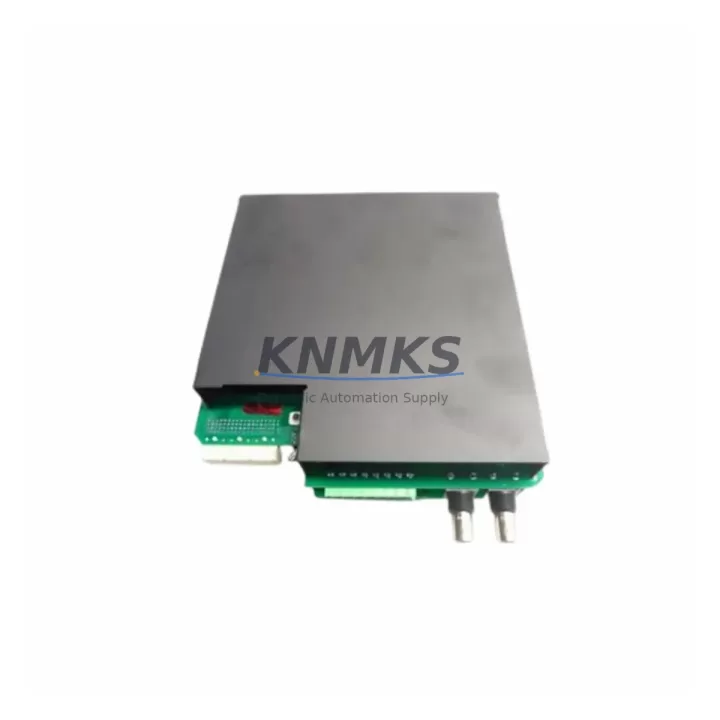
GE UR9EV Spare Relay CPU Module for UR Series Uptime
The GE UR9EV is a Relay CPU Module designed for the GE UR Series protection and control relay platform — one of the most widely deployed digital relay architectures in power generation, transmission, and heavy industrial facilities worldwide. For maintenance engineers managing aging protection systems, the UR9EV represents a critical spare: a direct-fit, firmware-compatible CPU replacement that enables rapid fault recovery without system redesign or extended downtime.
In continuous production environments — petrochemical plants, power substations, water treatment facilities, mining operations, and port infrastructure — an unplanned relay CPU failure can cascade into full feeder outages, tripped interlocks, and regulatory compliance events. Stocking the UR9EV as a verified spare eliminates the most dangerous variable in that scenario: procurement lead time. With a tested unit on the shelf, site engineers can execute a controlled swap, restore protection coverage, and return the feeder to service within a single maintenance window.
The UR9EV CPU module manages all core relay logic, communications arbitration, and protection algorithm execution within the UR chassis. It interfaces directly with the UR Series backplane, coordinating I/O data from analog input modules, digital I/O cards, and communications modules installed in adjacent slots. When replacing a failed UR9EV, maintenance teams should simultaneously inspect the UR8LV CT/VT Analog Input Module for signal drift or connector wear, verify the UR6PP Power Supply Module output voltage stability, and confirm that the UR9GH Communications Module firmware version is compatible with the replacement CPU. These components share the same backplane bus and are subject to the same thermal and vibration stresses as the CPU itself.
From a procurement engineering perspective, the UR9EV should be treated as a Tier-1 critical spare — one that justifies safety stock regardless of current system health. GE UR Series relays have multi-decade field lifespans, and OEM production cycles for specific CPU variants can be unpredictable. Sourcing a verified UR9EV from a stocked distributor with documented testing and a support terms confirmed by quotation provides both operational insurance and budget predictability for annual MRO planning cycles.
Each UR9EV unit shipped by KNMKS undergoes pre-dispatch functional verification, including power-on self-test confirmation, communications port integrity check, and visual inspection for connector damage, corrosion, or board-level anomalies. Units are packaged in anti-static ESD-safe materials with humidity indicators, suitable for long-term shelf storage in standard industrial spare parts cabinets.
Spare Maintenance Table
| Parameter | Specification / Detail |
|---|---|
| SKU / Part Number | UR9EV |
| Brand | General Electric (GE Grid Solutions) |
| Series | UR Series (Universal Relay) |
| Module Type | Relay CPU Module |
| Primary Function | Protection logic execution, relay coordination, communications arbitration |
| Backplane Compatibility | GE UR Series chassis (standard and extended rack) |
| Communications | IEC 61850, DNP3, Modbus, GOOSE messaging (firmware-dependent) |
| Operating Temperature | -20°C to +60°C (standard industrial range) |
| Humidity Tolerance | 5% to 95% RH, non-condensing |
| Vibration / Shock | Rated for substation and heavy industrial panel environments |
| EMI / RFI Immunity | Compliant with IEC 61000 series for industrial electromagnetic environments |
| Mounting | Direct slot insertion into UR Series backplane — no tools required |
| Country of Origin | United States |
| Weight | Approx. 360 g |
| Support terms | 12 Months — covers manufacturing defects and functional failure under normal operating conditions |
| Pre-Shipment Testing | Power-on self-test, communications port check, visual and connector inspection |
| Packaging | ESD-safe anti-static bag with humidity indicator, protective foam insert |
| Availability | availability confirmed by RFQ — ready for immediate dispatch |
Maintenance Planning for Continuous Operation
Effective maintenance planning for a GE UR Series protection relay system extends well beyond the CPU module itself. When scheduling a UR9EV replacement — whether as a corrective action after a fault or as a proactive swap during a planned outage — maintenance engineers should treat the event as an opportunity to audit the full relay chassis and associated control cabinet components.
Begin with the UR Series backplane: inspect connector pins for oxidation, confirm slot retention clips are intact, and verify that no adjacent modules show signs of thermal stress or discoloration. The UR6PP Power Supply Module should be load-tested to confirm it is delivering stable DC rail voltage within specification — an aging or marginal power supply is a common root cause of intermittent CPU faults that are misdiagnosed as CPU failures. If the power supply output shows ripple or voltage sag under load, replace it concurrently with the UR9EV to avoid a repeat fault event.
Next, inspect the UR8LV CT/VT Analog Input Module installed in the same chassis. CT and VT input modules are exposed to the same thermal cycling and vibration as the CPU, and connector contact resistance can increase over time, leading to signal drift that affects protection accuracy. Cleaning or replacing the analog input module during the same maintenance window eliminates a secondary failure risk. Similarly, verify the UR9GH Communications Module — confirm that Ethernet ports are clean, SFP transceivers (if fitted) are seated correctly, and that the module firmware version is compatible with the replacement UR9EV CPU.
At the control cabinet level, inspect terminal blocks, cable ferrules, and DIN rail mounting hardware for signs of loosening due to vibration. Check fuse holders and miniature circuit breakers protecting the relay auxiliary power supply circuit. Verify that surge protection devices on CT/VT secondary circuits — such as Phoenix Contact or Weidmüller surge arresters — are not in a tripped or degraded state. These low-cost components are frequently overlooked during relay CPU replacements but are critical to long-term CPU protection in environments with frequent switching transients.
For facilities running multiple UR Series relays across a switchgear lineup, consider establishing a rolling spare strategy: maintain one UR9EV CPU module per five to ten installed relays, and rotate the spare into the oldest unit during each annual inspection cycle. This approach maximizes spare utilization while ensuring that no relay operates with a CPU module beyond its recommended service interval.
Site Replacement Workflow
Replacing a GE UR9EV in the field is a structured process that, when executed correctly, minimizes downtime and eliminates the risk of configuration loss or protection gap. The following workflow reflects best practices for UR Series CPU module replacement in live substation and industrial control environments:
Step 1 — Pre-Replacement Preparation: Export the full relay configuration file from the existing UR9EV using GE’s EnerVista UR Setup software before the unit fails completely, if possible. Store the configuration backup on a dedicated maintenance laptop and a secondary USB drive. Confirm the firmware version of the existing CPU and ensure the replacement UR9EV is loaded with a compatible or newer firmware version.
Step 2 — Isolation and De-energization: Follow site-specific Lockout/Tagout (LOTO) procedures. Isolate the relay auxiliary power supply, open CT secondary shorting links to prevent open-circuit hazards, and confirm that all protection outputs are in a safe state before removing the CPU module.
Step 3 — Module Swap: Remove the failed UR9EV by releasing the front panel locking mechanism and sliding the module out of the backplane slot. Insert the replacement UR9EV, confirm positive backplane engagement, and secure the front panel latch. Restore auxiliary power and confirm the module completes its power-on self-test sequence.
Step 4 — Configuration Restore: Load the saved configuration file via EnerVista UR Setup. Verify all protection settings, communications parameters, and I/O assignments match the pre-replacement baseline. Confirm that the relay communicates correctly with the SCADA or substation automation system via the UR9GH Communications Module.
Step 5 — Functional Verification: Perform a secondary injection test or logic test to confirm that protection elements are operating correctly before returning the feeder to service. Document the replacement in the site maintenance log, including the serial number of the removed and installed modules, firmware versions, and test results.
This structured approach ensures that the UR9EV replacement restores full protection coverage with zero configuration ambiguity and a documented audit trail for compliance purposes.
Spare Parts Support FAQ
Q1: What is the support terms coverage for the GE UR9EV supplied by KNMKS?
Every UR9EV unit is covered by a support terms confirmed by quotation from the date of dispatch. The support terms covers manufacturing defects and functional failures under normal operating conditions. If a unit fails within the confirmed support period, KNMKS will provide a replacement or documented resolution support after fault verification. The support terms does not cover damage resulting from incorrect installation, overvoltage events beyond rated limits, or physical mishandling.
Q2: How is the UR9EV tested before shipment?
Each unit undergoes a pre-dispatch verification process that includes a power-on self-test, communications port integrity check, and a full visual and connector inspection. Units that do not pass all checks are quarantined and not dispatched. Test records are available upon request for quality-critical procurement processes.
Q3: Is the UR9EV compatible with all GE UR Series relay models?
The UR9EV is designed for the GE UR Series platform. Compatibility depends on the specific relay model (e.g., T60, L90, C60, D60, F60) and the firmware version installed on the replacement CPU. Customers are advised to confirm the target relay model and existing firmware version before ordering. KNMKS technical support can assist with compatibility verification based on the relay nameplate data and existing configuration file.
Q4: Can KNMKS support long-term or repeat supply of the UR9EV for multi-site MRO programs?
Yes. KNMKS maintains standing inventory of GE UR Series modules including the UR9EV to support multi-site maintenance programs, annual inspection schedules, and emergency replacement requirements. Volume pricing and reserved stock arrangements are available for facilities managing large UR Series relay populations. Contact admin@knmks.com to discuss supply agreements tailored to your MRO calendar.
© 2026 KNMKS. All rights reserved.
Original Source: https://knmks.com
Contact: admin@knmks.com | +86 18359268345
Product Identification
- Brand / Ecosystem
-
General Electric
Assorted Brands - Model / Series
-
UR9EV
Assorted Series - Product Family
- PLCs & Controllers
- Availability Status
- Available on request after model and quantity confirmation
- Inquiry Type
- B2B RFQ, replacement inquiry and project spare-part request
- Pre-Quote Check
- Exact SKU, brand, series, quantity, nameplate photos and destination country are checked before quotation
System Path
Where this product fits in the KNMKS automation structure.
Specification & Inquiry Focus
- Control platform
- PLC, PAC and modular controllers
- Common needs
- CPU, rack, power and I/O expansion
- Project support
- Replacement, cabinet build and maintenance
Buyer Confirmation
Information KNMKS checks before replying.
- Exact model
- UR9EV
- Brand / ecosystem
- General Electric
- Product family
- PLCs & Controllers
- Application note
- Replacement, maintenance, project build or spare-part list
- Useful photos
- Nameplate, installed unit, cabinet layout or connector side
- Delivery details
- Quantity, destination country and target schedule
Document Support
Files and notes can be confirmed during quotation.
- Product photos or nameplate confirmation when available
- Packing and delivery notes before quotation confirmation
- Support scope and delivery terms confirmed per inquiry
- Export document coordination for qualified B2B requests
Inquiry Support
- Model cross-checking before quotation
- CPU, power, rack and expansion module matching
- Support for replacement and project inquiry
What to Send Us
- Brand and exact model number: General Electric UR9EV
- Quantity and required delivery time
- Application, replacement requirement or nameplate photo
- Destination country and shipping preference
RFQ Preparation
This is a product inquiry page built for RFQ communication.
Fast Model Check
Send this model to KNMKS for confirmation.
Include quantity, destination country and photos if this is a maintenance replacement. The inquiry will be saved with a reference number after submission.
Brand & Compatibility Note
KNMKS displays automation product information for well-known industrial brand ecosystems and compatible replacement references. Brand names are used for product identification and compatibility reference only; final availability and commercial terms are confirmed per quotation.
 Manufacturing
 Machine Tools
 Packaging
 Energy & Power



 HMI & Displays
 Servo Systems
 Variable Frequency Drives
 Sensors