
Overview
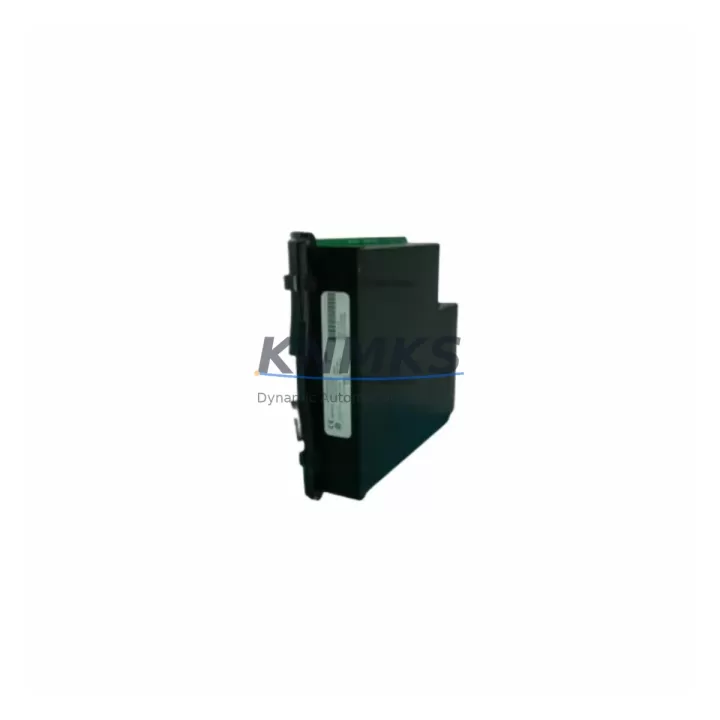
GE UR7CV Migration-Ready CPU Module for Legacy UR Series Control Systems
The GE UR7CV is a migration-ready CPU module engineered for the GE Multilin UR Series Universal Relay platform — one of the most widely deployed protection relay families in substation automation, motor protection, and power distribution control. As legacy UR-series installations age and original CPU modules approach end-of-life, the UR7CV provides a verified drop-in replacement path that preserves existing wiring, rack infrastructure, and relay logic without requiring a full panel redesign.
For maintenance engineers managing aging protection systems, the UR7CV addresses the most critical challenge in relay modernization: replacing a discontinued or failing CPU module without triggering a cascade of downstream changes. The module slots directly into the standard UR chassis backplane, retaining compatibility with existing UR-series I/O modules, power supply modules, and communications cards already installed in the control cabinet. This means your existing UR6xx-series I/O modules and UR-series power supply (PSU) remain in service — no rewiring of terminal blocks, no reconfiguration of analog input channels, and no changes to CT/VT wiring circuits.
Before committing to a UR7CV swap, field engineers should verify several key parameters. First, confirm the backplane slot assignment and module address configuration — the UR7CV must be addressed consistently with the original CPU position to ensure the relay logic and protection settings file loads correctly on first boot. Second, review the firmware version compatibility: settings files created under older UR firmware revisions may require a migration step using EnerVista UR Setup software before they can be applied to the UR7CV. Third, check the power budget of the existing UR chassis power supply — adding a higher-spec CPU module may marginally increase draw, and the PSU capacity should be confirmed against the updated load calculation.
In communication-intensive installations — particularly those using IEC 61850 GOOSE messaging, DNP3, or Modbus TCP for SCADA integration — the UR7CV supports the same protocol stack as predecessor CPU modules, allowing the existing UR communications module (e.g., 9E or 9F series comm card) to remain in place. This is especially important in substations where the relay is integrated into a station bus or process bus architecture: replacing only the CPU without disturbing the communications layer eliminates the need to re-commission IEC 61850 logical nodes or re-map DNP3 data objects at the RTU or SCADA head-end.
For control cabinets where space is constrained, the UR7CV occupies the same physical footprint as the original UR CPU module — no panel cutout modifications, no DIN rail repositioning, and no changes to the front-panel HMI interface. Operators familiar with the UR Series front-panel display and keypad will find the interface unchanged, reducing retraining requirements and minimizing the risk of operator error during the post-retrofit commissioning period.
Installations that include a UR-series HMI module or remote annunciator panel should verify that the HMI screen configuration file remains compatible with the UR7CV firmware version. In most cases, existing HMI display pages, alarm banners, and metering screens transfer without modification. Where discrepancies exist, EnerVista UR Setup provides a straightforward screen migration utility.
For sites managing a broader relay modernization program — replacing multiple UR-series units across a switchgear lineup or transformer protection scheme — the UR7CV is frequently deployed alongside GE Multilin 750/760 feeder protection relays and GE Multilin 850 motor protection relays as part of a phased upgrade strategy. This allows engineering teams to standardize on a common platform, simplify spare parts inventory, and consolidate firmware management across the protection system.
All UR7CV units supplied by KNMKS are sourced from verified supply channels, functionally tested prior to shipment, and covered by a support terms confirmed by quotation. In-stock units are available for same-week dispatch to support emergency replacement scenarios and planned outage windows.
Migration Compatibility Table
| Parameter | Details |
|---|---|
| Compatible Chassis | GE Multilin UR Series standard chassis (all slot widths) |
| Backplane Interface | UR standard backplane connector — direct drop-in, no adapter required |
| Communication Protocols | IEC 61850, DNP3, Modbus RTU/TCP, IEC 60870-5-103 |
| Compatible Comm Cards | UR 9E, 9F series communications modules (retain existing card) |
| Firmware Migration Tool | EnerVista UR Setup (settings file conversion required for older firmware) |
| Power Supply Compatibility | Compatible with existing UR-series PSU; verify load budget before installation |
| HMI Compatibility | Compatible with UR-series front-panel HMI; screen file migration may apply |
| Physical Dimensions | Standard UR CPU module form factor — no panel modification required |
| Installation Requirement | Slot address configuration must match original CPU module position |
| Commissioning Tool | EnerVista UR Setup software (PC-based, USB or Ethernet connection) |
| Replacement Scope | CPU module only — I/O modules, PSU, and comm cards remain in service |
| Support terms | 12 months from date of shipment, covering manufacturing defects |
Retrofit Planning for Existing Automation Systems
A successful UR7CV retrofit begins with a thorough pre-outage audit of the existing relay panel. Engineers should document the current CPU module firmware version, the settings file revision, and the communication configuration — including IP addresses, DNP3 station addresses, and IEC 61850 IED names — before the outage window opens. This documentation becomes the baseline for post-retrofit verification.
Terminal block wiring does not need to be disturbed during a CPU module swap. The UR7CV connects to the system exclusively through the backplane, meaning all field wiring to CT inputs, VT inputs, binary inputs, and output contacts — terminated on the UR-series I/O modules — remains intact. This significantly reduces outage duration compared to a full relay replacement and eliminates the risk of wiring errors during reconnection.
Where the existing installation includes a UR-series communications module for station bus integration, the comm card should be left in its current slot. The UR7CV will recognize the installed comm card on startup and load the appropriate protocol stack automatically. Engineers should confirm that the IED name and IP configuration stored in the settings file match the network parameters expected by the station SCADA or protection management system.
For panels that also house a UR-series power supply module, the PSU should be inspected as part of the retrofit planning process. Aging PSUs in long-running installations may be approaching their own service life, and a concurrent PSU replacement — while the panel is already de-energized — can extend the overall system service interval and reduce the probability of a second unplanned outage.
In multi-relay installations, the UR7CV retrofit is often sequenced alongside upgrades to adjacent protection devices. Sites running GE Multilin 489 generator management relays or GE Multilin 369 motor management relays in the same switchgear lineup may choose to align the UR7CV installation with a broader relay standardization program, consolidating spare parts and simplifying long-term maintenance planning.
Signal isolators and interposing relays connected to the binary output circuits of the UR chassis should be verified for compatibility with the output contact ratings of the UR7CV. In most legacy installations, these ratings are unchanged, but confirmation against the original panel design drawings is recommended before energization.
Downtime Control During System Migration
Minimizing unplanned downtime is the primary operational constraint in any protection relay retrofit. The UR7CV’s drop-in form factor directly supports this objective: because the module replaces only the CPU without requiring changes to wiring, I/O modules, or communications infrastructure, the physical swap can typically be completed within a single planned outage window of two to four hours, depending on site access conditions and the complexity of the settings file migration.
To protect the original relay logic, the existing settings file should be exported from the current CPU module using EnerVista UR Setup before the outage begins. This file should be archived and version-controlled as part of the site’s protection documentation. If the firmware version of the UR7CV differs from the original CPU, the settings file should be converted and validated in a test environment — using a bench-mounted UR chassis if available — before the live installation proceeds.
During the outage, the sequence of operations should follow the relay’s standard de-energization procedure: isolate the relay from the protected circuit, remove DC control power, extract the existing CPU module, install the UR7CV, restore DC power, and load the converted settings file via EnerVista UR Setup. After settings upload, the relay should be placed in test mode and all protection elements verified against the original coordination study before the circuit is re-energized.
For sites where continuous control is critical — such as running motor protection or transformer differential protection in a live substation — a parallel commissioning approach may be appropriate: the UR7CV is pre-configured and tested on a bench unit before the outage, so that the live swap is limited to the physical module exchange and a final settings verification, reducing the active outage window to under one hour in favorable conditions.
Post-retrofit, the communications link to the SCADA system should be verified by confirming that the RTU or data concentrator is receiving live data from the relay. For IEC 61850 installations, GOOSE subscription status should be confirmed at all subscribing IEDs before the protection scheme is declared in service.
Retrofit Support FAQ
Q: Is the GE UR7CV a direct replacement for the original UR Series CPU module in my existing chassis?
A: Yes. The UR7CV is designed as a drop-in replacement for the CPU slot in the GE Multilin UR Series chassis. It uses the same backplane connector and physical form factor as predecessor CPU modules. No modifications to the chassis, wiring, or I/O modules are required. A settings file migration step may be needed if the original firmware version differs significantly from the UR7CV firmware.
Q: Will my existing IEC 61850 or DNP3 configuration need to be reconfigured after installing the UR7CV?
A: In most cases, no. The UR7CV supports the same communication protocol stack as the original UR CPU modules, and the existing communications module (9E/9F series) remains in service. The IED name, IP address, and protocol parameters stored in the settings file are transferred to the UR7CV during the settings upload process. Post-installation, the SCADA or RTU link should be verified to confirm data integrity before returning the relay to service.
Q: What pre-shipment testing is performed on UR7CV units, and what support terms coverage is provided?
A: All UR7CV units supplied by KNMKS undergo functional testing prior to dispatch, including power-on verification and basic communication checks. Each unit is covered by a support terms confirmed by quotation from the date of shipment, covering manufacturing defects and functional failures under normal operating conditions. Units are available from in-stock inventory for same-week dispatch to support both emergency replacements and planned maintenance outages.
Q: Can the UR7CV be installed without taking the entire relay panel out of service?
A: The CPU module swap requires the relay to be de-energized and isolated from the protected circuit. However, because the UR7CV replaces only the CPU module — leaving all I/O modules, wiring, and communications cards in place — the scope of the outage is limited to the individual relay, not the entire panel. With pre-prepared settings files and a structured commissioning checklist, the active outage window can typically be held to two to four hours.
© 2026 KNMKS. All rights reserved.
Original Source: https://knmks.com
Contact: admin@knmks.com | +86 18359268345
Product Identification
- Brand / Ecosystem
-
General Electric
Assorted Brands - Model / Series
-
UR7CV
Assorted Series - Product Family
- PLCs & Controllers
- Availability Status
- Available on request after model and quantity confirmation
- Inquiry Type
- B2B RFQ, replacement inquiry and project spare-part request
- Pre-Quote Check
- Exact SKU, brand, series, quantity, nameplate photos and destination country are checked before quotation
System Path
Where this product fits in the KNMKS automation structure.
Specification & Inquiry Focus
- Control platform
- PLC, PAC and modular controllers
- Common needs
- CPU, rack, power and I/O expansion
- Project support
- Replacement, cabinet build and maintenance
Buyer Confirmation
Information KNMKS checks before replying.
- Exact model
- UR7CV
- Brand / ecosystem
- General Electric
- Product family
- PLCs & Controllers
- Application note
- Replacement, maintenance, project build or spare-part list
- Useful photos
- Nameplate, installed unit, cabinet layout or connector side
- Delivery details
- Quantity, destination country and target schedule
Document Support
Files and notes can be confirmed during quotation.
- Product photos or nameplate confirmation when available
- Packing and delivery notes before quotation confirmation
- Support scope and delivery terms confirmed per inquiry
- Export document coordination for qualified B2B requests
Inquiry Support
- Model cross-checking before quotation
- CPU, power, rack and expansion module matching
- Support for replacement and project inquiry
What to Send Us
- Brand and exact model number: General Electric UR7CV
- Quantity and required delivery time
- Application, replacement requirement or nameplate photo
- Destination country and shipping preference
RFQ Preparation
This is a product inquiry page built for RFQ communication.
Fast Model Check
Send this model to KNMKS for confirmation.
Include quantity, destination country and photos if this is a maintenance replacement. The inquiry will be saved with a reference number after submission.
Brand & Compatibility Note
KNMKS displays automation product information for well-known industrial brand ecosystems and compatible replacement references. Brand names are used for product identification and compatibility reference only; final availability and commercial terms are confirmed per quotation.
 Manufacturing
 Machine Tools
 Packaging
 Energy & Power



 HMI & Displays
 Servo Systems
 Variable Frequency Drives
 Sensors