
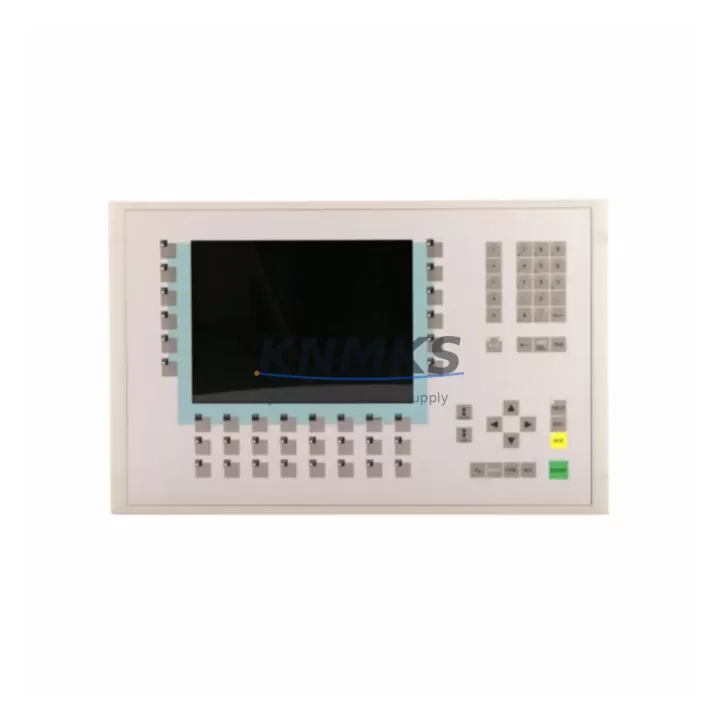
Overview
GE UR7BH Migration-Ready Communication Card for Legacy UR Series Control Systems
The GE UR7BH is a retrofit-ready communication card engineered for the GE UR Series protection relay platform, including the T60, L90, D60, F60, and C60 relay families. Designed to replace discontinued or end-of-life communication modules, the UR7BH enables seamless protocol migration, I/O expansion, and control system modernization without requiring full relay replacement. For maintenance engineers managing aging substation automation infrastructure, this card represents a cost-effective path to extending operational life while maintaining grid protection continuity.
Whether you are migrating from legacy DNP3 serial links to IEC 61850 GOOSE messaging, upgrading a SCADA communication backbone, or restoring a failed communication slot in an existing UR chassis, the UR7BH provides the interface compatibility and firmware alignment required for a controlled, low-risk cutover. Pre-shipment functional testing is completed on every unit before dispatch, and all cards are covered by a support terms confirmed by quotation from the date of delivery.
Migration Compatibility Table
| Parameter | Details |
|---|---|
| Compatible Relay Families | GE UR Series: T60, L90, D60, F60, C60, B30, B90, C30 |
| Slot Compatibility | UR chassis communication slot (rear-panel insertion) |
| Supported Protocols | DNP3 (serial/TCP), IEC 61850, Modbus RTU/TCP, IEC 60870-5-104 |
| Physical Interface | RS-485, RS-232, Ethernet RJ-45 (model-dependent) |
| Firmware Compatibility | UR firmware 7.x and above; verify relay firmware revision before installation |
| Power Draw | Supplied via UR backplane; no external power required |
| Installation Method | Hot-swap capable on supported UR chassis revisions |
| Replacement Target | Discontinued GE UR communication cards (e.g., UR6BH, UR5BH legacy variants) |
| Commissioning Tool | EnerVista UR Setup software (v7.40 or later recommended) |
| Support terms | 12 months from shipment date, covering manufacturing defects |
Retrofit Planning for Existing Automation Systems
Integrating the UR7BH into an existing protection relay panel requires a structured pre-installation review. Begin by auditing the current UR chassis backplane revision to confirm slot compatibility and available communication bays. In multi-relay panels where a GE UR Power Supply module (such as the UR9PH or UR8PH) is shared across several relay units, verify that the total backplane power budget accommodates the UR7BH without exceeding rated capacity — particularly in high-density installations where additional UR I/O modules or UR analog input cards are already occupying adjacent slots.
For sites running legacy serial SCADA architectures, the UR7BH supports DNP3 over RS-485, allowing engineers to maintain existing RTU polling cycles during a phased migration. Where the target architecture calls for IEC 61850 GOOSE or MMS, the card’s Ethernet port enables direct integration with station bus switches without requiring an intermediate protocol converter. This is especially relevant in substations where a GE MiCOM P series relay or third-party IED is already operating on the station LAN and the UR relay must join the same logical node structure.
Terminal wiring adaptation is a common challenge during communication card replacement. The UR7BH uses the standard UR rear-panel communication connector layout; however, if the existing wiring was terminated for an older card variant with a different pin assignment, a wiring adapter or re-termination at the marshalling panel will be required. Document all existing terminal assignments before removal. Where UR fiber optic communication modules were previously installed for inter-relay GOOSE links, confirm that the UR7BH variant ordered supports the same fiber interface type (ST or LC) to avoid connector mismatch on the panel.
In control cabinets where space is constrained, the UR7BH’s standard UR form factor ensures no mechanical modification is needed to the relay chassis or panel cutout. For installations involving a GE EnerVista Viewpoint Monitoring workstation, update the device template and IED configuration file (ICD/CID) in the station configuration tool after card replacement to reflect the new communication parameters and logical node assignments.
Downtime Control During System Migration
Minimizing protection outage duration is the primary constraint in any live substation communication card replacement. The recommended approach is to pre-configure the UR7BH offline using EnerVista UR Setup before the maintenance window opens. Load the existing relay settings file from the target relay, verify that all protection group parameters, communication addresses, and GOOSE subscriber/publisher mappings are correctly reflected, and export a validated configuration file ready for upload immediately after card insertion.
Where the relay must remain in service until the last possible moment, coordinate with the control room to place the affected bay in local control mode and inhibit SCADA write commands to the relay before beginning the card swap. This preserves the existing protection logic and prevents spurious trip commands during the communication interruption. After card insertion and firmware confirmation, restore communication links in sequence — first the engineering access port, then the SCADA channel, and finally any inter-relay GOOSE links — verifying each link before proceeding to the next.
For sites where a GE UR Test Module or secondary injection test set is available, perform a post-installation communication loop test to confirm that all mapped data objects are correctly transmitted and received by the upstream RTU or substation gateway. Record the commissioning test results and update the relay’s as-built documentation before returning the bay to normal service. This structured cutover approach consistently achieves communication restoration within a single four-hour maintenance window, even in complex multi-relay bays.
Retrofit Support FAQ
Q1: Is the UR7BH a direct drop-in replacement for older GE UR communication cards?
In most cases, yes. The UR7BH is mechanically compatible with the standard UR communication slot and electrically compatible with UR chassis backplanes running firmware 7.x and above. For relays running older firmware (6.x or earlier), a firmware upgrade is strongly recommended before card installation to ensure full protocol stack compatibility. Contact our technical team with your relay model and current firmware revision for a pre-sale compatibility confirmation.
Q2: What commissioning steps are required after installing the UR7BH?
After physical installation, connect to the relay via the front USB port using EnerVista UR Setup. Navigate to the Communications settings menu and verify that the card is recognized in the correct slot. Configure the protocol parameters (IP address, DNP3 address, IEC 61850 IED name) to match your station design. Perform a communication test from the SCADA master or engineering workstation to confirm data flow. For IEC 61850 deployments, re-import the updated ICD file into your station configuration tool and re-associate GOOSE subscriptions.
Q3: Does KNMKS perform pre-shipment testing on the UR7BH?
Yes. Every UR7BH unit undergoes functional verification before dispatch, including power-on self-test, communication port continuity check, and firmware version confirmation. A test report is available upon request. All units are shipped with ESD-protective packaging and are covered by a support terms confirmed by quotation against manufacturing defects from the date of delivery.
Q4: What is the typical lead time and stock availability?
The UR7BH is maintained availability confirmed by RFQ for immediate dispatch. Standard orders are processed within 1–2 business days. For urgent requirements or bulk procurement supporting multi-site retrofit programs, contact admin@knmks.com or call +86 18359268345 to confirm current inventory levels and arrange priority shipment. Long-term supply agreements covering 12–36 months of forward inventory are available for customers with planned maintenance schedules.
© 2026 KNMKS. All rights reserved.
Original Source: https://knmks.com
Contact: admin@knmks.com | +86 18359268345
Product Identification
- Brand / Ecosystem
-
GE Grid Solutions
Assorted Brands - Model / Series
-
UR7BH
Assorted Series - Product Family
- PLCs & Controllers
- Availability Status
- Available on request after model and quantity confirmation
- Inquiry Type
- B2B RFQ, replacement inquiry and project spare-part request
- Pre-Quote Check
- Exact SKU, brand, series, quantity, nameplate photos and destination country are checked before quotation
System Path
Where this product fits in the KNMKS automation structure.
Specification & Inquiry Focus
- Control platform
- PLC, PAC and modular controllers
- Common needs
- CPU, rack, power and I/O expansion
- Project support
- Replacement, cabinet build and maintenance
Buyer Confirmation
Information KNMKS checks before replying.
- Exact model
- UR7BH
- Brand / ecosystem
- GE Grid Solutions
- Product family
- PLCs & Controllers
- Application note
- Replacement, maintenance, project build or spare-part list
- Useful photos
- Nameplate, installed unit, cabinet layout or connector side
- Delivery details
- Quantity, destination country and target schedule
Document Support
Files and notes can be confirmed during quotation.
- Product photos or nameplate confirmation when available
- Packing and delivery notes before quotation confirmation
- Support scope and delivery terms confirmed per inquiry
- Export document coordination for qualified B2B requests
Inquiry Support
- Model cross-checking before quotation
- CPU, power, rack and expansion module matching
- Support for replacement and project inquiry
What to Send Us
- Brand and exact model number: GE Grid Solutions UR7BH
- Quantity and required delivery time
- Application, replacement requirement or nameplate photo
- Destination country and shipping preference
RFQ Preparation
This is a product inquiry page built for RFQ communication.
Fast Model Check
Send this model to KNMKS for confirmation.
Include quantity, destination country and photos if this is a maintenance replacement. The inquiry will be saved with a reference number after submission.
Brand & Compatibility Note
KNMKS displays automation product information for well-known industrial brand ecosystems and compatible replacement references. Brand names are used for product identification and compatibility reference only; final availability and commercial terms are confirmed per quotation.
 Manufacturing
 Machine Tools
 Packaging
 Energy & Power



 HMI & Displays
 Servo Systems
 Variable Frequency Drives
 Sensors