
Overview
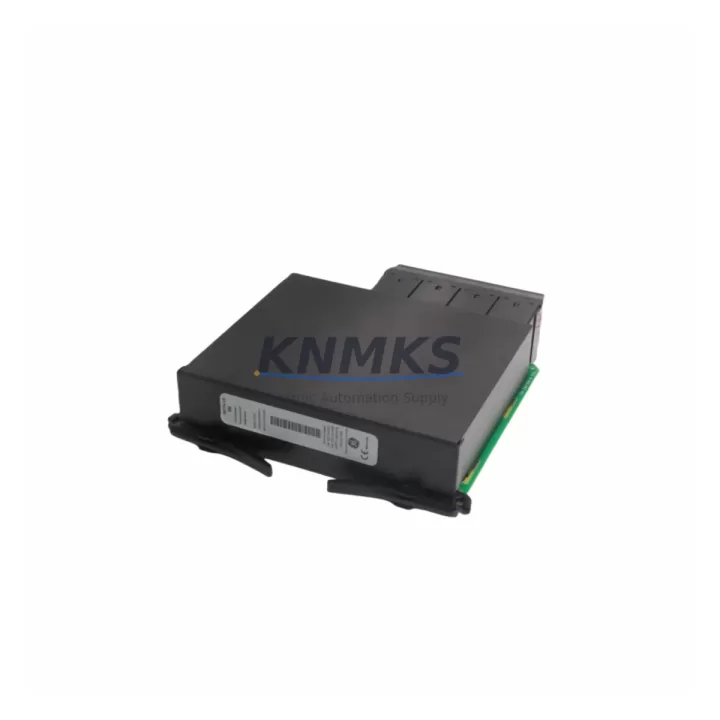
GE UR6NH Migration-Ready Digital Inputs for UR Series: Legacy System Retrofit & Compatibility Upgrade
The GE UR6NH is a digital inputs module engineered for the GE UR Series protection relay platform — one of the most widely deployed relay families in transmission substations, generation facilities, and industrial power systems worldwide. As GE Grid Solutions continues to evolve its relay portfolio, many sites operating legacy UR-based protection schemes face the challenge of sourcing discontinued or end-of-life I/O modules without disrupting active protection logic. The UR6NH addresses this directly: it is a migration-ready, drop-in replacement module designed to restore full digital input functionality with minimal engineering intervention and zero compromise to existing protection settings.
Whether your site is executing a scheduled outage replacement, responding to an emergency module failure, or planning a phased control system modernization, the UR6NH provides the wiring compatibility, firmware alignment, and rack-mount form factor required to maintain protection continuity. Pre-shipment functional testing is completed on every unit before dispatch, and each module ships with a support terms confirmed by quotation covering both hardware integrity and operational performance.
Migration Compatibility Table
| Parameter | Details |
|---|---|
| SKU | UR6NH |
| Platform Compatibility | GE UR Series (UR, UR-2, UR-3 chassis variants) |
| Module Function | Digital Inputs (wet/dry contact sensing) |
| Slot Interface | UR Series backplane slot — direct plug-in replacement |
| Terminal Wiring | Compatible with existing field wiring; no rewiring required in standard retrofit |
| Communication Protocol | Internal UR backplane bus; no external protocol reconfiguration required |
| Firmware Compatibility | Compatible with UR Series firmware revisions; verify relay firmware version prior to installation |
| Installation Space | Standard UR Series module slot; confirm chassis slot availability before ordering |
| Replacement Recommendation | Direct replacement for failed or end-of-life UR Series digital input modules |
| Commissioning Focus | Input assignment mapping, contact sensing threshold verification, protection logic re-enable |
| Pre-Shipment Testing | Full functional test completed on every unit |
| Support terms | 12 months from date of shipment |
Retrofit Planning for Existing Automation Systems
Replacing a digital inputs module in an active UR Series protection relay requires careful pre-outage planning to avoid protection gaps and commissioning delays. Before scheduling the replacement window, engineering teams should retrieve the current relay settings file using EnerVista UR Setup software and confirm the input assignment map — specifically which physical terminals correspond to which logical inputs in the protection scheme. This step is critical when the relay is integrated with a SCADA or DCS system via IEC 61850 GOOSE messaging or DNP3, as input state changes during module swap can trigger false alarms or trip signals upstream.
The UR6NH slots directly into the UR Series chassis backplane, sharing the same form factor as other UR Series I/O modules including digital output modules and analog input cards. If the retrofit is part of a broader control cabinet upgrade, teams should also account for the power budget of the UR Series power supply module — particularly when adding or replacing multiple I/O slots simultaneously. The UR Series power supply must be verified to support the combined load of all installed modules, including any newly added communications processor modules for protocol migration (e.g., adding IEC 61850 capability to a legacy DNP3-only relay).
For sites migrating from older UR relay generations to newer UR-2 or UR-3 chassis, the physical slot layout and backplane connector pinout should be confirmed against the GE UR Series hardware manual before assuming direct interchangeability. In many cases, the UR6NH can be installed alongside existing CT/VT input modules and digital output modules without chassis modification, but slot position assignments in the relay configuration file must be updated to reflect the new module location. Commissioning engineers should also verify that the relay faceplate HMI correctly reflects the updated I/O map after module installation, particularly for any alarm or status LEDs tied to digital input states.
Where the retrofit involves replacing multiple modules across a protection panel, it is advisable to stage the work across separate outage windows — replacing the digital inputs module first, verifying protection logic integrity, then proceeding with any planned communications module or power supply upgrades. This staged approach minimizes the risk of simultaneous multi-point failures and allows protection engineers to isolate and verify each change independently before re-energizing the protected asset.
Downtime Control During System Migration
Minimizing protection system downtime during a UR6NH module replacement begins with a complete pre-outage backup of the relay settings file. Using EnerVista UR Setup, engineers should export the full relay configuration — including protection elements, I/O assignments, communications settings, and event log — before any hardware is disturbed. This backup serves as both a restoration baseline and a commissioning reference, allowing the team to verify post-replacement behavior against the known-good configuration without relying on memory or field notes.
During the physical swap, the relay should be taken out of service following the site’s established protection isolation procedure, with all associated breaker control and trip circuits confirmed open. The UR6NH module can then be removed and replaced without powering down the entire relay chassis in most UR Series configurations — however, this should be confirmed against the specific chassis revision and site safety procedures before proceeding. After module installation, the relay should be powered up and the settings file reloaded before any protection elements are re-enabled, ensuring that the new module is correctly recognized by the relay firmware and all input assignments are intact.
Post-replacement commissioning should include a contact injection test on each digital input channel to verify correct sensing and logical mapping. Any discrepancies in input response — such as inverted logic states or unexpected threshold behavior — should be resolved before the relay is returned to service. Where the relay communicates with a substation automation system or remote SCADA, the communications link should be verified independently after protection re-enable to confirm that input state reporting is accurate and that no spurious alarms were generated during the replacement window. With proper pre-outage preparation, a UR6NH module replacement can typically be completed within a planned maintenance window of two to four hours, including commissioning and sign-off.
Retrofit Support FAQ
Q1: Is the UR6NH a direct drop-in replacement for all UR Series digital input modules?
The UR6NH is designed as a replacement for GE UR Series digital input modules sharing the same slot form factor and backplane interface. Before ordering, confirm the specific module slot designation in your relay chassis and cross-reference with the GE UR Series hardware manual to ensure slot and function compatibility. Our technical team can assist with cross-reference verification prior to shipment.
Q2: What commissioning steps are required after installing the UR6NH?
After physical installation, reload the relay settings file via EnerVista UR Setup and verify that all digital input assignments are correctly mapped. Perform a contact injection test on each input channel to confirm correct sensing. Verify communications link integrity if the relay is connected to a SCADA or IEC 61850 network. Re-enable protection elements only after all input channels have been verified.
Q3: Does the UR6NH ship pre-tested, and what does the support terms confirmed by quotation cover?
Yes — every UR6NH unit undergoes full functional testing before shipment, including digital input channel verification and backplane interface checks. The support terms confirmed by quotation cover hardware defects and operational failures under normal operating conditions from the date of shipment. Support requests are supported by our technical team with fast replacement dispatch from multi-region stock.
Q4: What is the typical lead time, and do you maintain stock for emergency replacements?
We maintain multi-region inventory of the UR6NH to support both scheduled maintenance and emergency replacement scenarios. Standard orders ship within 1–3 business days. For urgent protection system failures, contact our sales team directly to confirm real-time stock availability and expedited dispatch options.
© 2026 KNMKS. All rights reserved.
Original Source: https://knmks.com
Contact: admin@knmks.com | +86 18359268345
Product Identification
- Brand / Ecosystem
-
GE Grid Solutions
Assorted Brands - Model / Series
-
UR6NH UR 6NH
Assorted Series - Product Family
- PLCs & Controllers
- Availability Status
- Available on request after model and quantity confirmation
- Inquiry Type
- B2B RFQ, replacement inquiry and project spare-part request
- Pre-Quote Check
- Exact SKU, brand, series, quantity, nameplate photos and destination country are checked before quotation
System Path
Where this product fits in the KNMKS automation structure.
Specification & Inquiry Focus
- Control platform
- PLC, PAC and modular controllers
- Common needs
- CPU, rack, power and I/O expansion
- Project support
- Replacement, cabinet build and maintenance
Buyer Confirmation
Information KNMKS checks before replying.
- Exact model
- UR6NH UR 6NH
- Brand / ecosystem
- GE Grid Solutions
- Product family
- PLCs & Controllers
- Application note
- Replacement, maintenance, project build or spare-part list
- Useful photos
- Nameplate, installed unit, cabinet layout or connector side
- Delivery details
- Quantity, destination country and target schedule
Document Support
Files and notes can be confirmed during quotation.
- Product photos or nameplate confirmation when available
- Packing and delivery notes before quotation confirmation
- Support scope and delivery terms confirmed per inquiry
- Export document coordination for qualified B2B requests
Inquiry Support
- Model cross-checking before quotation
- CPU, power, rack and expansion module matching
- Support for replacement and project inquiry
What to Send Us
- Brand and exact model number: GE Grid Solutions UR6NH UR 6NH
- Quantity and required delivery time
- Application, replacement requirement or nameplate photo
- Destination country and shipping preference
RFQ Preparation
This is a product inquiry page built for RFQ communication.
Fast Model Check
Send this model to KNMKS for confirmation.
Include quantity, destination country and photos if this is a maintenance replacement. The inquiry will be saved with a reference number after submission.
Brand & Compatibility Note
KNMKS displays automation product information for well-known industrial brand ecosystems and compatible replacement references. Brand names are used for product identification and compatibility reference only; final availability and commercial terms are confirmed per quotation.
 Manufacturing
 Machine Tools
 Packaging
 Energy & Power



 HMI & Displays
 Servo Systems
 Variable Frequency Drives
 Sensors