
Overview
GE IC695PSD040LT Maintenance-Proven Spare Part for Factory Uptime
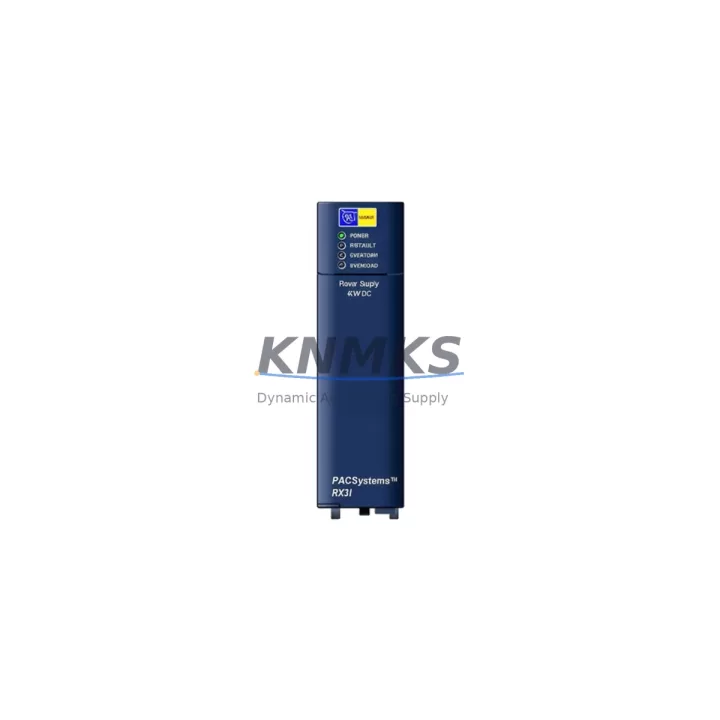
The GE IC695PSD040LT is a 40W isolated DC-DC power supply module designed for the GE PACSystems RX3i control platform. As a critical backbone component of the RX3i backplane power architecture, this module delivers stable, regulated DC power to CPU, I/O, and communication modules across the rack. For maintenance engineers managing aging automation infrastructure, keeping a verified IC695PSD040LT spare on the shelf is one of the most cost-effective strategies to prevent unplanned downtime and protect production continuity.
Whether you are performing a scheduled annual overhaul, responding to an emergency fault alarm, or building a strategic spare parts inventory for a multi-line facility, the IC695PSD040LT is a high-priority replacement candidate. Its role in powering the entire RX3i rack means that a failed or degraded power supply module can cascade into CPU faults, I/O communication loss, and full line stoppage within seconds. Sourcing a tested, original-specification replacement before failure occurs is the foundation of any proactive maintenance program.
Spare Maintenance Table
| Parameter | Specification |
|---|---|
| Part Number | IC695PSD040LT |
| Brand | GE Vernova (GE Automation & Controls) |
| Series | PACSystems RX3i |
| Module Type | Isolated DC-DC Power Supply Module |
| Output Power | 40W |
| Input Voltage Range | 18–30 VDC (nominal 24 VDC) |
| Output Voltage | 3.3 VDC / 5 VDC / 12 VDC (backplane regulated) |
| Backplane Compatibility | IC695CHS012, IC695CHS016, IC695CHS007 and compatible RX3i chassis |
| Isolation | Input-to-output galvanic isolation |
| Operating Temperature | 0°C to 60°C |
| Mounting | Dedicated power supply slot, RX3i backplane |
| Indicators | PWR LED status indicator |
| Application Environment | Industrial automation, process control, discrete manufacturing, utilities |
| Origin | United States |
| Condition | Original spare, factory-specification |
| Support terms | 12 Months |
| Shipping | Tested before dispatch, global express delivery available |
Maintenance Planning for Continuous Operation
When a maintenance or procurement engineer identifies the IC695PSD040LT as a replacement need, the power supply module rarely fails in isolation. A thorough site inspection and spare parts review should accompany any power supply replacement to prevent repeat failures and ensure the restored system operates reliably through the next maintenance cycle.
Begin by inspecting the IC695CHS012 or IC695CHS016 backplane for signs of connector wear, corrosion, or thermal stress at the power supply slot. A degraded backplane connector can cause intermittent power faults even after a new IC695PSD040LT is installed. Next, verify the 24 VDC input feed from the panel-mounted industrial power supply — units such as the GE IC695ACC400 or equivalent DIN-rail DC power supplies should be load-tested to confirm they can sustain the full rack current demand without voltage sag.
The IC695CPU320 or IC695CPU310 CPU module should be checked for firmware integrity and battery backup status after any power interruption. A power supply fault that caused an uncontrolled shutdown may have corrupted the CPU’s program memory or triggered a battery-low condition. Confirm the CPU restarts cleanly and that the user program executes without fault codes before returning the system to production.
I/O modules — particularly IC695MDL654 discrete output modules and analog I/O cards — should be scanned for field-side wiring faults that may have contributed to the original power overload. Overloaded output channels can draw excess current through the backplane, accelerating power supply wear. Inspect field terminal blocks and wiring for short circuits or insulation breakdown.
Communication modules such as the IC695ETM001 Ethernet module or Profibus/serial communication cards should be verified for proper re-initialization after power restoration. These modules often require a controlled power cycle sequence to re-establish network connections, and a failed re-initialization can appear as a communication fault unrelated to the original power supply issue.
Finally, review the panel’s fuse and circuit protection components — including the 24 VDC input fuse for the IC695PSD040LT feed circuit. A blown or weakened fuse is a common indicator of a prior overcurrent event that may have damaged the original power supply. Replacing the fuse alongside the power supply module is standard practice and prevents nuisance trips after the repair.
Site Replacement Workflow
Replacing the IC695PSD040LT in a live production environment requires a structured approach to minimize downtime and avoid secondary faults. Before beginning, confirm that a controlled shutdown procedure is in place and that the CPU program has been backed up to a memory card or engineering workstation using GE’s Proficy Machine Edition software.
Power down the RX3i rack by removing the 24 VDC input feed to the IC695PSD040LT. Do not attempt hot-swap replacement — this module is not rated for live insertion. Remove the module by releasing the locking tabs and sliding it out of the dedicated power supply slot. Inspect the backplane connector pins for damage before inserting the replacement unit.
Insert the new IC695PSD040LT firmly until the locking tabs engage. Restore the 24 VDC input and observe the PWR LED — a steady green indication confirms the module is operating within specification. Allow the CPU to complete its startup sequence and verify that all I/O modules report healthy status in the Proficy ME diagnostics view before resuming production.
For facilities managing multiple RX3i racks or transitioning from older PACSystems RX7i platforms, the IC695PSD040LT is directly compatible with the standard RX3i chassis family, making it a versatile spare that covers a broad range of installed equipment. Maintaining one or two units in the local spare parts cabinet eliminates the lead time risk associated with emergency procurement and supports a mean-time-to-repair target of under two hours for power supply faults.
Spare Parts Support FAQ
Q1: Is the IC695PSD040LT compatible with all PACSystems RX3i chassis models?
The IC695PSD040LT is designed for the GE PACSystems RX3i backplane family, including the IC695CHS012 (12-slot), IC695CHS016 (16-slot), and IC695CHS007 (7-slot) chassis. It occupies the dedicated power supply slot and is not interchangeable with AC input power supply models such as the IC695PSA040. Always verify the input voltage type (DC vs. AC) and chassis model before ordering.
Q2: How is the IC695PSD040LT tested before shipment?
Each unit undergoes functional power-on verification and output voltage measurement prior to dispatch. We confirm that the PWR LED operates correctly and that output rails are within GE specification tolerances. A test report is available upon request for critical applications.
Q3: What is the recommended spare parts inventory strategy for the IC695PSD040LT?
For facilities with three or more RX3i racks, we recommend maintaining a minimum of one IC695PSD040LT per four racks as a local hot-spare. For single-rack critical systems, one dedicated spare is the minimum acceptable inventory level. Given the module’s role as the sole power source for the entire rack, a zero-spare policy represents an unacceptable downtime risk for most production environments.
Q4: What is the support terms coverage and long-term supply availability?
All IC695PSD040LT units supplied by KNMKS carry a support terms confirmed by quotation covering manufacturing defects and functional failure under normal operating conditions. We maintain ongoing stock of PACSystems RX3i spare parts to support long-term maintenance programs, including for systems where GE has announced end-of-life or reduced support timelines. Contact our team for volume pricing and scheduled delivery agreements.
© 2026 KNMKS. All rights reserved.
Original Source: https://knmks.com
Contact: admin@knmks.com | +86 18359268345
Product Identification
- Brand / Ecosystem
-
GE
Assorted Brands - Model / Series
-
IC695PSD040LT
Assorted Series - Product Family
- PLCs & Controllers
- Availability Status
- Available on request after model and quantity confirmation
- Inquiry Type
- B2B RFQ, replacement inquiry and project spare-part request
- Pre-Quote Check
- Exact SKU, brand, series, quantity, nameplate photos and destination country are checked before quotation
System Path
Where this product fits in the KNMKS automation structure.
Specification & Inquiry Focus
- Control platform
- PLC, PAC and modular controllers
- Common needs
- CPU, rack, power and I/O expansion
- Project support
- Replacement, cabinet build and maintenance
Buyer Confirmation
Information KNMKS checks before replying.
- Exact model
- IC695PSD040LT
- Brand / ecosystem
- GE
- Product family
- PLCs & Controllers
- Application note
- Replacement, maintenance, project build or spare-part list
- Useful photos
- Nameplate, installed unit, cabinet layout or connector side
- Delivery details
- Quantity, destination country and target schedule
Document Support
Files and notes can be confirmed during quotation.
- Product photos or nameplate confirmation when available
- Packing and delivery notes before quotation confirmation
- Support scope and delivery terms confirmed per inquiry
- Export document coordination for qualified B2B requests
Inquiry Support
- Model cross-checking before quotation
- CPU, power, rack and expansion module matching
- Support for replacement and project inquiry
What to Send Us
- Brand and exact model number: GE IC695PSD040LT
- Quantity and required delivery time
- Application, replacement requirement or nameplate photo
- Destination country and shipping preference
RFQ Preparation
This is a product inquiry page built for RFQ communication.
Fast Model Check
Send this model to KNMKS for confirmation.
Include quantity, destination country and photos if this is a maintenance replacement. The inquiry will be saved with a reference number after submission.
Brand & Compatibility Note
KNMKS displays automation product information for well-known industrial brand ecosystems and compatible replacement references. Brand names are used for product identification and compatibility reference only; final availability and commercial terms are confirmed per quotation.
 Manufacturing
 Machine Tools
 Packaging
 Energy & Power



 HMI & Displays
 Servo Systems
 Variable Frequency Drives
 Sensors