
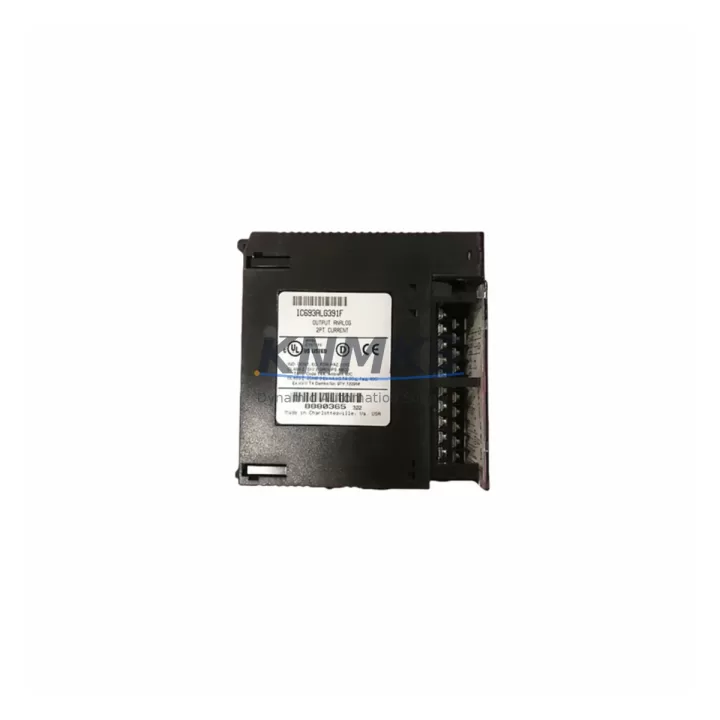
Overview
GE IC600FP801A Maintenance-Proven Spare Part for Factory Uptime
The GE IC600FP801A is a Remote I/O Receiver Module designed for the GE Series Six PLC platform — one of the most widely deployed legacy automation architectures in process manufacturing, utilities, and heavy industry. As original equipment reaches end-of-support, maintaining a verified spare of the IC600FP801A is a frontline strategy for protecting production continuity and avoiding unplanned downtime.
KNMKS supplies the IC600FP801A as a pre-tested, original-grade spare with a support terms confirmed by quotation and multi-region stock availability. Each unit undergoes functional verification prior to dispatch, ensuring site engineers receive a replacement that is ready to install without additional bench testing delays.
Whether you are managing a scheduled annual outage, responding to a fault alarm, or building a strategic spare parts inventory for aging Series Six infrastructure, the IC600FP801A is a critical component to have on hand. Its role in the remote I/O communication chain means that a failed or degraded unit can isolate entire field device clusters from the CPU — making fast, reliable replacement essential.
Spare Maintenance Table
| Parameter | Specification |
|---|---|
| Part Number | IC600FP801A |
| Brand | GE Fanuc Automation |
| Series | Series Six |
| Module Type | Remote I/O Receiver Module |
| Product Category | PLC Remote I/O Module |
| Origin | United States |
| Weight | 470 g |
| Compatibility | GE Series Six PLC systems; compatible with Series Six Remote I/O racks and backplanes |
| Application Environment | Industrial manufacturing, process control, utilities, heavy industry |
| Installation | Rack-mounted; slot into Series Six I/O chassis per OEM wiring diagram |
| Maintenance Recommendation | Inspect communication LEDs, verify I/O scan integrity, check backplane seating and connector pins during scheduled outages |
| Pre-Shipment Testing | Yes — functional verification completed before dispatch |
| Support terms | 12 Months |
| Availability | Multi-region stock; fast global dispatch |
Maintenance Planning for Continuous Operation
When replacing the IC600FP801A Remote I/O Receiver Module in a Series Six system, a thorough site inspection of the surrounding electrical and control architecture is essential to prevent repeat failures and confirm full system restoration.
Begin with the Series Six backplane and I/O chassis — inspect connector pins, rack seating, and backplane power rails for corrosion or mechanical wear. A degraded backplane can cause intermittent communication faults that mimic a failed receiver module. Next, verify the Series Six power supply module (such as the IC600PS501 or equivalent) is delivering stable DC voltage within specification; an under-voltage condition is a common root cause of remote I/O communication loss.
Check all remote I/O drop cables and coaxial communication links connecting the receiver to the CPU or bus controller. Cable degradation, loose BNC connectors, or impedance mismatches can cause the new IC600FP801A to report faults immediately after installation. Inspect Series Six bus controller modules (e.g., IC600CB502 or IC600CB524) for firmware integrity and communication health before closing out the replacement work order.
For sites running mixed I/O configurations, audit the discrete and analog I/O modules seated in the same rack — modules such as the IC600BF901 or IC600YB900 series — to confirm they are scanning correctly after the receiver is replaced. Signal integrity issues in adjacent slots can mask themselves as receiver faults during initial diagnostics.
Finally, review field terminal blocks, fused input circuits, and 24 VDC field power distribution to the I/O rack. A blown fuse or loose terminal in the field wiring loop can prevent I/O from responding even after a successful module swap. Document all findings in the maintenance log and update the spare parts inventory to reflect the consumed IC600FP801A unit.
Site Replacement Workflow
Step 1 — Isolate and de-energize: Follow site LOTO (Lockout/Tagout) procedures. De-energize the I/O rack and confirm zero voltage at the backplane power input before removing the IC600FP801A.
Step 2 — Document existing configuration: Record the slot position, cable routing, and any DIP switch or jumper settings on the outgoing module. Photograph the installation before removal.
Step 3 — Remove the failed module: Disconnect the remote I/O communication cable. Carefully extract the IC600FP801A from the rack, avoiding stress on the backplane connector.
Step 4 — Inspect and prepare the replacement: Confirm the KNMKS-supplied IC600FP801A matches the part number and hardware revision. Verify DIP switch settings match the outgoing unit’s configuration.
Step 5 — Install and reconnect: Seat the replacement module firmly into the rack slot. Reconnect the remote I/O communication cable. Re-energize the rack in sequence per OEM startup procedure.
Step 6 — Verify operation: Confirm communication LEDs indicate normal status. Force a full I/O scan from the CPU and verify all field devices in the drop are responding. Clear any latched fault codes in the PLC program.
Step 7 — Update records: Log the replacement in the CMMS, update the spare parts inventory, and initiate a reorder for the next IC600FP801A spare to maintain buffer stock.
Spare Parts Support FAQ
Q1: Is the IC600FP801A still available as a new or original-grade spare?
A: Yes. KNMKS maintains stock of the IC600FP801A as an original-grade spare. Each unit is pre-tested and ships with a support terms confirmed by quotation. Contact admin@knmks.com to confirm current availability and lead time for your region.
Q2: How do I verify compatibility before ordering?
A: The IC600FP801A is designed for GE Series Six PLC remote I/O racks. Confirm your system’s bus controller model, rack type, and communication cable standard match the Series Six architecture. If you are unsure, share your system configuration with our technical team for pre-order compatibility verification.
Q3: What is included in the pre-shipment testing?
A: Every IC600FP801A unit supplied by KNMKS undergoes functional verification — including power-on testing, communication interface check, and visual inspection for connector and board integrity — before dispatch. A test report is available on request.
Q4: Can KNMKS support long-term supply for ongoing maintenance programs?
A: Yes. KNMKS offers long-term supply agreements for critical legacy spare parts including the IC600FP801A. We support annual maintenance programs, emergency buffer stock arrangements, and multi-unit procurement for sites managing multiple Series Six systems. Reach out to discuss a supply agreement tailored to your maintenance schedule.
© 2026 KNMKS. All rights reserved.
Original Source: https://knmks.com
Contact: admin@knmks.com | +86 18359268345
Product Identification
- Brand / Ecosystem
-
GE
Assorted Brands - Model / Series
-
IC600FP801A
Assorted Series - Product Family
- PLCs & Controllers
- Availability Status
- Available on request after model and quantity confirmation
- Inquiry Type
- B2B RFQ, replacement inquiry and project spare-part request
- Pre-Quote Check
- Exact SKU, brand, series, quantity, nameplate photos and destination country are checked before quotation
System Path
Where this product fits in the KNMKS automation structure.
Specification & Inquiry Focus
- Control platform
- PLC, PAC and modular controllers
- Common needs
- CPU, rack, power and I/O expansion
- Project support
- Replacement, cabinet build and maintenance
Buyer Confirmation
Information KNMKS checks before replying.
- Exact model
- IC600FP801A
- Brand / ecosystem
- GE
- Product family
- PLCs & Controllers
- Application note
- Replacement, maintenance, project build or spare-part list
- Useful photos
- Nameplate, installed unit, cabinet layout or connector side
- Delivery details
- Quantity, destination country and target schedule
Document Support
Files and notes can be confirmed during quotation.
- Product photos or nameplate confirmation when available
- Packing and delivery notes before quotation confirmation
- Support scope and delivery terms confirmed per inquiry
- Export document coordination for qualified B2B requests
Inquiry Support
- Model cross-checking before quotation
- CPU, power, rack and expansion module matching
- Support for replacement and project inquiry
What to Send Us
- Brand and exact model number: GE IC600FP801A
- Quantity and required delivery time
- Application, replacement requirement or nameplate photo
- Destination country and shipping preference
RFQ Preparation
This is a product inquiry page built for RFQ communication.
Fast Model Check
Send this model to KNMKS for confirmation.
Include quantity, destination country and photos if this is a maintenance replacement. The inquiry will be saved with a reference number after submission.
Brand & Compatibility Note
KNMKS displays automation product information for well-known industrial brand ecosystems and compatible replacement references. Brand names are used for product identification and compatibility reference only; final availability and commercial terms are confirmed per quotation.
 Manufacturing
 Machine Tools
 Packaging
 Energy & Power



 HMI & Displays
 Servo Systems
 Variable Frequency Drives
 Sensors