
Overview
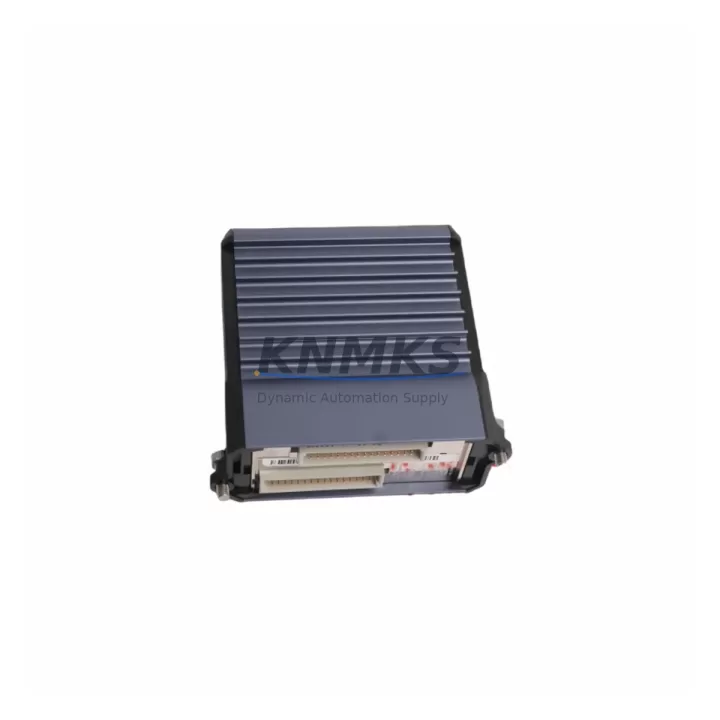
Foxboro FBM211-P0914TN Migration-Ready Analog Input Module for Legacy Control Systems
The Foxboro FBM211-P0914TN is a 16-channel differential analog input module designed for the Foxboro IA Series Distributed Control System (DCS). As legacy Foxboro I/A Series installations approach end-of-life or face spare parts shortages, the FBM211-P0914TN serves as a direct migration-ready replacement that preserves existing wiring infrastructure, fieldbus addressing, and control logic without requiring a full system overhaul. This module supports 4–20 mA and voltage signal inputs, making it compatible with a broad range of field transmitters used in oil and gas, chemical processing, power generation, and water treatment facilities.
For engineers managing aging DCS architectures, the FBM211-P0914TN offers a validated drop-in path that eliminates the need to re-engineer terminal blocks, reconfigure module addresses, or rewrite FoxCAE/ICC control strategies. Each unit is pre-tested prior to shipment, backed by a support terms confirmed by quotation, and available from in-stock inventory to support urgent maintenance windows and planned turnaround projects alike.
Migration Compatibility Table
| Parameter | FBM211-P0914TN Specification | Migration / Retrofit Notes |
|---|---|---|
| Input Channels | 16-channel differential analog input | Direct channel-for-channel replacement; no rewiring required |
| Signal Type | 4–20 mA / voltage (configurable) | Compatible with existing field transmitter wiring |
| Backplane Interface | Foxboro IA Series FBM backplane connector | Fits standard IA Series baseplate; verify slot addressing before insertion |
| Communication Protocol | Nodebus / Fieldbus (IA Series native) | No protocol migration required; retains existing Nodebus topology |
| Power Consumption | Supplied via backplane (verify CP60/CP270 power budget) | Confirm total backplane load before adding modules to existing rack |
| Terminal Wiring | Standard FBM terminal assembly (P0914TN suffix) | P0914TN terminal block compatible with existing field cable terminations |
| Module Address | Configured via ICC / FoxCAE software | Retain original module address; no ICC database rebuild required |
| Firmware Compatibility | Compatible with IA Series firmware v6.x and above | Verify CP firmware version before hot-swap; cold-swap recommended for first installation |
| Installation Space | Standard FBM single-slot form factor | No enclosure modification required; fits existing control cabinet layout |
| Support terms | support terms confirmed by quotation | Covered from date of shipment; includes pre-shipment functional test |
Retrofit Planning for Existing Automation Systems
A successful FBM211-P0914TN retrofit begins well before the module arrives on site. During the planning phase, engineers should audit the existing IA Series rack configuration to confirm available backplane slots, verify the power budget of the CP60 or CP270 controller processor, and document the current module address assignments in the ICC database. If the installation involves a multi-drop Nodebus segment, the network load should be recalculated to ensure the replacement module does not exceed segment capacity.
Terminal wiring is one of the most time-sensitive steps in any analog input replacement. The P0914TN terminal assembly uses a standard Foxboro FBM terminal block layout, which means existing field cables—typically 16 pairs of shielded twisted-pair wiring from pressure transmitters, temperature transmitters, or flow meters—can be reconnected without modification. Engineers should label each terminal pair before disconnection and photograph the existing wiring arrangement to accelerate recommissioning.
For sites running FoxCAE or the Foxboro DCS Integrated Control Configurator (ICC), the module replacement does not require a new control block download if the module type and address remain unchanged. However, it is best practice to perform a configuration backup before any hardware swap. If the site is also upgrading from an older CP10 or CP40 controller to a CP270, the FBM211-P0914TN is fully compatible with the newer processor platform, and the migration can be staged to minimize process interruption.
In broader system upgrade projects, the FBM211-P0914TN is frequently deployed alongside other IA Series components. The FBM242 serial communications module is often replaced in the same outage window when Modbus RTU links to third-party devices need to be preserved. The FBM207 thermocouple input module is another common co-replacement when temperature measurement loops share the same control cabinet. For sites expanding I/O capacity, the FBM230 discrete input module and FBM231 discrete output module are standard additions to the same FBM baseplate. Power supply integrity should be confirmed using the FPS0600 field power supply, and programming cable P0916SA is recommended for on-site firmware verification and module diagnostics prior to loop commissioning.
Downtime Control During System Migration
Minimizing unplanned downtime is the primary concern for any DCS hardware replacement in a live production environment. For the FBM211-P0914TN, the recommended approach is a cold-swap procedure during a scheduled maintenance window: isolate the affected analog input loops at the field junction box, remove the existing module from the backplane, insert the replacement unit, and restore field connections before re-enabling the control loops in the ICC operator station.
Where process conditions permit, a parallel verification strategy can be employed: the replacement FBM211-P0914TN is pre-configured and address-verified on a bench test rack before being brought to the field. This approach allows the engineering team to confirm signal integrity, channel scaling, and alarm setpoints without occupying the live backplane slot. Once bench verification is complete, the swap can be executed in under 30 minutes, significantly reducing exposure to process upsets.
To protect original program logic, a full ICC database export should be completed before the maintenance window begins. HMI faceplates referencing the affected analog input tags should be reviewed to confirm that tag names and engineering unit scaling will remain valid after the module swap. If the site uses a Foxboro Historian or third-party data historian, the affected tag list should be communicated to the control room team to prevent false data quality alarms during the transition period. Communication link continuity on the Nodebus segment should be monitored from the CP270 diagnostic display throughout the swap procedure to confirm that adjacent modules remain online.
Retrofit Support FAQ
Q1: Is the FBM211-P0914TN a direct replacement for the original Foxboro FBM211 module?
Yes. The FBM211-P0914TN is a form-fit-function replacement for the standard FBM211 analog input module. The P0914TN suffix designates the terminal assembly variant. Provided the terminal assembly type matches the existing installation, no wiring changes are required. Module address, ICC configuration, and Nodebus segment settings are retained without modification.
Q2: What commissioning steps are required after installing the FBM211-P0914TN?
After physical installation, verify module recognition in the ICC system display. Perform a channel-by-channel loop check to confirm 4–20 mA signal integrity across all 16 channels. Check engineering unit scaling and alarm limits against the original ICC configuration. If the module was replaced during a firmware upgrade cycle, confirm that the CP firmware version is compatible with the FBM211 module type before enabling control loops.
Q3: Does each unit undergo testing before shipment?
Yes. Every FBM211-P0914TN unit is functionally tested prior to shipment. The pre-shipment test covers power-on self-diagnostics, channel signal verification, and backplane communication integrity. A test report is available upon request. All units are covered by a support terms confirmed by quotation from the date of shipment.
Q4: What is the typical lead time and inventory availability?
The FBM211-P0914TN is maintained availability confirmed by RFQ to support urgent maintenance requirements and planned turnaround projects. Standard orders are processed and shipped within 1–3 business days. For large-quantity orders or multi-site procurement programs, contact our sales team to confirm availability and arrange priority allocation. Global shipping is supported with export documentation available for international customs clearance.
© 2026 KNMKS. All rights reserved.
Original Source: https://knmks.com
Contact: admin@knmks.com | +86 18359268345
Product Identification
- Brand / Ecosystem
-
Foxboro
Assorted Brands - Model / Series
-
FBM211-P0914TN
Assorted Series - Product Family
- PLCs & Controllers
- Availability Status
- Available on request after model and quantity confirmation
- Inquiry Type
- B2B RFQ, replacement inquiry and project spare-part request
- Pre-Quote Check
- Exact SKU, brand, series, quantity, nameplate photos and destination country are checked before quotation
System Path
Where this product fits in the KNMKS automation structure.
Specification & Inquiry Focus
- Control platform
- PLC, PAC and modular controllers
- Common needs
- CPU, rack, power and I/O expansion
- Project support
- Replacement, cabinet build and maintenance
Buyer Confirmation
Information KNMKS checks before replying.
- Exact model
- FBM211-P0914TN
- Brand / ecosystem
- Foxboro
- Product family
- PLCs & Controllers
- Application note
- Replacement, maintenance, project build or spare-part list
- Useful photos
- Nameplate, installed unit, cabinet layout or connector side
- Delivery details
- Quantity, destination country and target schedule
Document Support
Files and notes can be confirmed during quotation.
- Product photos or nameplate confirmation when available
- Packing and delivery notes before quotation confirmation
- Support scope and delivery terms confirmed per inquiry
- Export document coordination for qualified B2B requests
Inquiry Support
- Model cross-checking before quotation
- CPU, power, rack and expansion module matching
- Support for replacement and project inquiry
What to Send Us
- Brand and exact model number: Foxboro FBM211-P0914TN
- Quantity and required delivery time
- Application, replacement requirement or nameplate photo
- Destination country and shipping preference
RFQ Preparation
This is a product inquiry page built for RFQ communication.
Fast Model Check
Send this model to KNMKS for confirmation.
Include quantity, destination country and photos if this is a maintenance replacement. The inquiry will be saved with a reference number after submission.
Brand & Compatibility Note
KNMKS displays automation product information for well-known industrial brand ecosystems and compatible replacement references. Brand names are used for product identification and compatibility reference only; final availability and commercial terms are confirmed per quotation.
 Manufacturing
 Machine Tools
 Packaging
 Energy & Power



 HMI & Displays
 Servo Systems
 Variable Frequency Drives
 Sensors