
Overview
Emerson 1C31179G02 Maintenance-Proven Spare Part for Factory Uptime
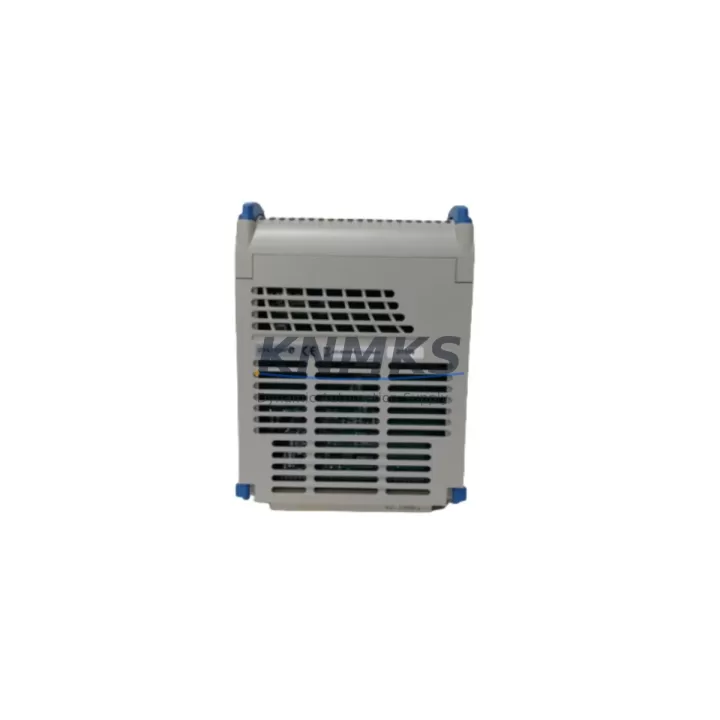
The Emerson 1C31179G02 is an original Remote I/O Module designed for the Ovation Distributed Control System (DCS) platform — one of the most widely deployed process automation architectures in power generation, oil & gas, and chemical processing facilities worldwide. As a maintenance-proven spare part, the 1C31179G02 plays a critical role in sustaining continuous plant operation, enabling rapid fault isolation, and supporting long-term system lifecycle extension for aging Ovation DCS installations.
For maintenance engineers managing legacy Ovation DCS cabinets, the 1C31179G02 Remote I/O Module is a foundational component in the field I/O subsystem. It interfaces directly with process signals — analog inputs, digital inputs, and digital outputs — and transmits real-time data to the Ovation controller over the dedicated I/O bus. When this module fails or degrades, the affected I/O loop goes offline, triggering process alarms and potentially forcing a controlled shutdown of the associated unit. Keeping a verified spare on the shelf is not optional — it is a core element of any responsible maintenance strategy for Ovation-based control systems.
Procurement engineers sourcing 1C31179G02 replacements must navigate a market where counterfeit and refurbished modules are frequently misrepresented as original. KNMKS supplies only original, factory-traceable Emerson 1C31179G02 modules, each subject to pre-shipment functional testing and backed by a support terms confirmed by quotation. Long-term supply continuity is supported through established sourcing channels, ensuring availability even as Emerson transitions legacy Ovation hardware toward end-of-life status.
Spare Maintenance Table
| SKU / Part Number | 1C31179G02 |
| Brand | Emerson Electric |
| Series / Platform | Ovation DCS |
| Module Type | Remote I/O Module |
| Compatible System | Emerson Ovation Distributed Control System (DCS) |
| I/O Bus Interface | Ovation proprietary I/O bus (backplane-mounted) |
| Signal Types Supported | Analog Input (AI), Digital Input (DI), Digital Output (DO) — per configured I/O sub-module |
| Operating Voltage | 24 VDC (nominal, supplied via Ovation I/O power rail) |
| Operating Temperature | 0°C to 60°C (32°F to 140°F) |
| Mounting | Ovation I/O chassis / backplane slot |
| Weight | 630 g |
| Origin | United States |
| Condition | Original / New Surplus |
| Pre-Shipment Testing | Functional verification performed before dispatch |
| Support terms | 12 Months from date of shipment |
| Lead Time | availability confirmed by RFQ — ships within 3–5 business days globally |
| Maintenance Recommendation | Inspect module seating, backplane connector pins, and I/O wiring terminations during annual cabinet inspection |
Maintenance Planning for Continuous Operation
Replacing the 1C31179G02 in an Ovation DCS cabinet is rarely an isolated task. A thorough site replacement procedure requires the maintenance team to inspect and verify the condition of all interdependent components within the same I/O chassis and electrical circuit. Overlooking adjacent components is a leading cause of repeat failures and extended downtime after a module swap.
Begin with the Ovation I/O chassis backplane — inspect connector pins for oxidation, mechanical damage, or debris that could cause intermittent contact with the replacement module. Next, verify the 24 VDC I/O power supply module (such as the Emerson 1C31234G01 or equivalent Ovation power supply) is within specification; an under-voltage or ripple condition on the power rail is a common root cause of Remote I/O Module failures that will recur if the power supply is not replaced simultaneously.
Check all field wiring terminations at the associated marshalling cabinet or terminal blocks. Loose, corroded, or mis-labeled terminations introduce signal errors that can be misdiagnosed as module faults. Inspect signal isolators and barriers in the field signal loop — particularly for intrinsically safe installations where Zener barriers or galvanic isolators (such as those in the P+F or MTL series) protect the I/O module from field-side transients.
For digital output loops, verify the condition of interposing relays in the output circuit. Relay contact wear is a frequent companion fault when a DO module fails due to inductive load switching. Inspect fuse holders and protection fuses on the I/O power distribution board — a blown fuse on the 24 VDC supply rail will prevent the replacement 1C31179G02 from initializing, leading to unnecessary troubleshooting delays.
If the Ovation DCS cabinet includes a communication module or controller node card (such as the Emerson 1C31166G01 Ovation Controller), confirm that the controller firmware version is compatible with the replacement I/O module revision. Firmware mismatches between the controller and I/O modules are a documented source of initialization failures in Ovation systems. Finally, review the Ovation Operator Station (OWS) or HMI alarm history for any pre-existing I/O fault codes that may indicate a systemic issue beyond the failed module itself.
Site Replacement Workflow
Step 1 — Pre-Replacement Verification: Confirm the replacement 1C31179G02 part number and revision level match the installed module. Cross-reference the Ovation DCS I/O configuration database to verify the slot assignment and I/O sub-module type configured for the failed position.
Step 2 — Safe Isolation: Follow site-specific LOTO (Lockout/Tagout) procedures. Place the affected I/O loop in manual control at the Ovation Operator Workstation before removing the failed module. Notify the control room operator of the planned maintenance window.
Step 3 — Module Removal and Inspection: Remove the failed 1C31179G02 from the backplane slot. Inspect the ejected module for visible damage — burn marks, cracked housing, or damaged connector pins — to help identify the root cause. Inspect the backplane slot connector before inserting the replacement.
Step 4 — Replacement and Initialization: Seat the replacement 1C31179G02 firmly into the backplane slot. Power on the I/O chassis and observe the module status LEDs. A solid green RUN indicator confirms successful initialization. Monitor the Ovation OWS for I/O point restoration and alarm clearance.
Step 5 — Loop Verification: Perform a signal loop check on all I/O points associated with the replaced module. Verify analog signal accuracy against field transmitter readings and confirm digital I/O states match field device status before returning the loop to automatic control.
Step 6 — Documentation: Record the replacement in the site CMMS (Computerized Maintenance Management System), including the failed module serial number, replacement module serial number, date, technician, and root cause assessment. Update the spare parts inventory to trigger replenishment of the consumed 1C31179G02 spare.
Spare Parts Support FAQ
Q1: Is the 1C31179G02 still available as a new original part, or only as refurbished?
KNMKS supplies original and new surplus 1C31179G02 modules sourced through verified channels. Each unit undergoes pre-shipment functional testing. Refurbished or repaired units are clearly identified as such and are never represented as original. We recommend original parts for critical process control applications to ensure full compatibility and reliability.
Q2: How do I verify compatibility between the 1C31179G02 and my installed Ovation DCS version?
Compatibility is determined by the Ovation DCS software version, controller firmware revision, and I/O configuration. Cross-reference the module revision label on the installed unit with the Ovation I/O hardware compatibility matrix in your site documentation. Contact our technical team with your Ovation system version and controller model — we will confirm compatibility before shipment.
Q3: What does the support terms confirmed by quotation cover, and what is the claims process?
The support terms confirmed by quotation cover manufacturing defects and functional failures under normal operating conditions. It does not cover damage caused by incorrect installation, overvoltage, or physical mishandling. To initiate a support terms claim, contact admin@knmks.com with the order number, module serial number, and a description of the failure. Replacement or repair will be arranged within the confirmed support period.
Q4: Can KNMKS support long-term supply of 1C31179G02 for a multi-year maintenance contract?
Yes. KNMKS maintains sourcing relationships that support long-term supply commitments for legacy Emerson Ovation hardware. We can provide framework agreements for annual spare parts supply, including reserved stock allocation, priority shipment, and consolidated invoicing for procurement teams managing multi-site Ovation DCS installations.
© 2026 KNMKS. All rights reserved.
Original Source: https://knmks.com
Contact: admin@knmks.com | +86 18359268345
Product Identification
- Brand / Ecosystem
-
Emerson
Assorted Brands - Model / Series
-
1C31179G02
Assorted Series - Product Family
- PLCs & Controllers
- Availability Status
- Available on request after model and quantity confirmation
- Inquiry Type
- B2B RFQ, replacement inquiry and project spare-part request
- Pre-Quote Check
- Exact SKU, brand, series, quantity, nameplate photos and destination country are checked before quotation
System Path
Where this product fits in the KNMKS automation structure.
Specification & Inquiry Focus
- Control platform
- PLC, PAC and modular controllers
- Common needs
- CPU, rack, power and I/O expansion
- Project support
- Replacement, cabinet build and maintenance
Buyer Confirmation
Information KNMKS checks before replying.
- Exact model
- 1C31179G02
- Brand / ecosystem
- Emerson
- Product family
- PLCs & Controllers
- Application note
- Replacement, maintenance, project build or spare-part list
- Useful photos
- Nameplate, installed unit, cabinet layout or connector side
- Delivery details
- Quantity, destination country and target schedule
Document Support
Files and notes can be confirmed during quotation.
- Product photos or nameplate confirmation when available
- Packing and delivery notes before quotation confirmation
- Support scope and delivery terms confirmed per inquiry
- Export document coordination for qualified B2B requests
Inquiry Support
- Model cross-checking before quotation
- CPU, power, rack and expansion module matching
- Support for replacement and project inquiry
What to Send Us
- Brand and exact model number: Emerson 1C31179G02
- Quantity and required delivery time
- Application, replacement requirement or nameplate photo
- Destination country and shipping preference
RFQ Preparation
This is a product inquiry page built for RFQ communication.
Fast Model Check
Send this model to KNMKS for confirmation.
Include quantity, destination country and photos if this is a maintenance replacement. The inquiry will be saved with a reference number after submission.
Brand & Compatibility Note
KNMKS displays automation product information for well-known industrial brand ecosystems and compatible replacement references. Brand names are used for product identification and compatibility reference only; final availability and commercial terms are confirmed per quotation.
 Manufacturing
 Machine Tools
 Packaging
 Energy & Power



 HMI & Displays
 Servo Systems
 Variable Frequency Drives
 Sensors