
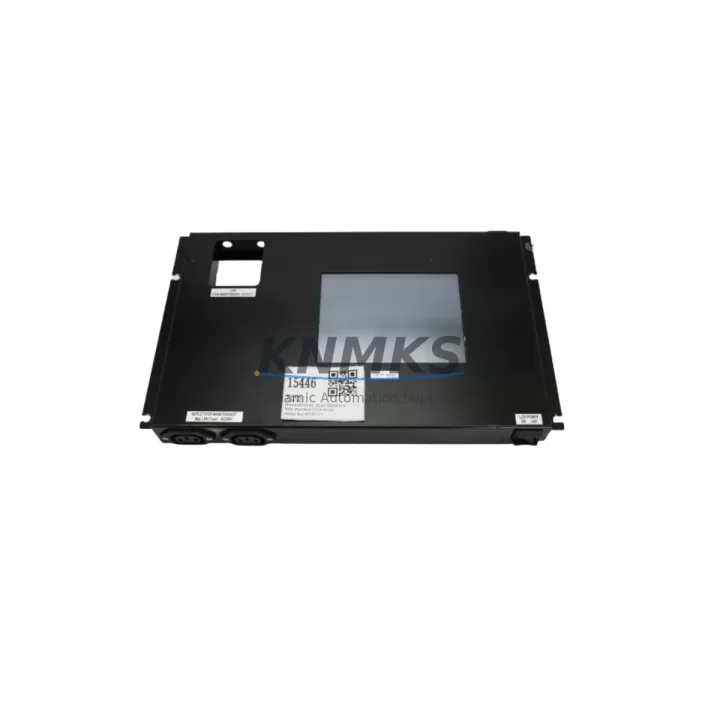
Overview
DIGITAL ELECTRONICS 31B0009-00 UF5310-2 Migration-Ready HMI Panel: Legacy System Migration and Compatible Upgrade
The DIGITAL ELECTRONICS 31B0009-00 UF5310-2 is a proven HMI touch panel engineered for demanding industrial environments where legacy control systems must be maintained, upgraded, or migrated without disrupting production continuity. As automation engineers face increasing pressure to replace discontinued operator panels, the UF5310-2 serves as a migration-ready solution that preserves existing wiring infrastructure, communication protocols, and screen logic while delivering modern display performance and long-term spare parts availability.
Whether you are managing a phased retrofit of an aging SCADA-linked control cabinet, replacing a failed panel on a legacy PLC-driven line, or executing a full control system modernization project, the 31B0009-00 UF5310-2 provides the compatibility depth and field-tested reliability that industrial maintenance teams require. With a support terms confirmed by quotation and verified in-stock availability, this unit is ready for immediate deployment in replacement and upgrade scenarios across manufacturing, process control, and utilities sectors.
The UF5310-2 supports a wide range of serial and Ethernet communication protocols, making it compatible with legacy controllers from multiple vendors. Engineers migrating from older operator terminals will find that the UF5310-2 retains familiar tag-mapping structures and supports screen import workflows that reduce HMI reprogramming time. When paired with a compatible programming cable and the appropriate screen editor software, existing screen projects can often be adapted rather than rebuilt from scratch, significantly reducing engineering hours and commissioning risk.
Migration Compatibility Table
| Parameter | Details |
|---|---|
| SKU / Part Number | 31B0009-00 UF5310-2 (E33.B48-691505 / MPU2352-N828-9.09 / 0021-06499) |
| Brand / Series | DIGITAL ELECTRONICS / UF5310 Series |
| Product Type | HMI Touch Panel |
| Display Interface | Touch screen operator panel for PLC-based control systems |
| Communication Compatibility | RS-232C, RS-422/485 serial; Ethernet (model-dependent); compatible with major PLC protocols |
| Mounting / Installation | Panel-cut mount; verify cutout dimensions against legacy terminal before installation |
| Power Supply | Confirm supply voltage (24VDC typical); verify existing cabinet power capacity before swap |
| Replacement Recommendation | Direct replacement for UF5310 series units; confirm firmware version compatibility with connected PLC |
| Commissioning Notes | Verify COM port settings, baud rate, station address, and tag mapping after installation |
| Origin | Japan |
| Support terms | support terms confirmed by quotation — all units ship tested and verified |
Retrofit Planning for Existing Automation Systems
Successful integration of the UF5310-2 into an existing control cabinet begins with a thorough pre-installation audit. Before removing the legacy HMI panel, engineers should document all terminal wiring connections, confirm the communication cable type and pinout (RS-232C or RS-422/485), and photograph the existing screen layout for reference during screen migration. If the control system includes a programmable logic controller such as a MELSEC FX or Q-series unit, or a third-party equivalent, the communication driver settings must be matched precisely to avoid link errors after panel replacement.
In many retrofit scenarios, the UF5310-2 is installed alongside a replacement power supply module to ensure stable 24VDC delivery to the new panel. Aging DIN-rail power supplies in legacy cabinets may no longer provide sufficient current headroom for modern HMI panels, and a capacity check is strongly recommended before commissioning. Similarly, if the control cabinet includes I/O expansion modules or remote terminal units connected via a fieldbus backbone, the communication chain must be verified end-to-end after the HMI swap to confirm that all device addresses and polling sequences remain intact.
For systems that include a programmable controller backplane with multiple I/O modules — such as analog input cards, digital output modules, or specialty function modules — the UF5310-2 screen project must be validated against the current I/O map to ensure that all monitored signals and control outputs are correctly referenced. In cases where the legacy HMI was connected to a remote I/O rack via a dedicated communication module, the new panel’s port configuration must replicate the original link parameters without modification to the PLC-side program.
Where the existing installation includes a signal isolator or barrier module between the HMI and field instruments, these devices should be inspected and tested during the retrofit window. Replacing only the HMI panel while leaving aging signal conditioning hardware in place can introduce intermittent faults that are difficult to diagnose after commissioning. A complete retrofit plan should also account for any HMI-linked alarm annunciator panels or remote display units that receive data from the operator terminal, as these may require reconfiguration after the panel replacement.
Downtime Control During System Migration
Minimizing unplanned downtime is the primary operational concern during any HMI panel replacement on a live production line. The recommended approach is to complete all pre-migration tasks — screen project backup, wiring documentation, firmware version confirmation, and spare parts staging — before the scheduled maintenance window begins. The UF5310-2 ships pre-tested and ready for installation, which eliminates the need for bench testing during the maintenance window and allows the replacement to proceed directly to panel mounting and wiring.
To protect the original PLC program logic during the migration, the controller should remain in RUN mode or be placed in a safe hold state according to the site’s lockout/tagout procedure. The HMI panel communicates with the PLC independently of the control program, meaning that a panel swap does not require any modification to the ladder logic or function block diagram resident in the controller. This is a critical advantage in legacy system migrations where the original program source files may no longer be available and the controller memory must be preserved without alteration.
After physical installation, the commissioning sequence should follow a structured verification protocol: power-on self-test, communication link confirmation, screen navigation test, alarm acknowledgment test, and a full I/O status review from the HMI display. Any discrepancies in tag values or communication errors should be resolved before returning the system to automatic operation. KNMKS provides pre-shipment functional testing on all UF5310-2 units to reduce the risk of DOA failures and support rapid field deployment.
Retrofit Support FAQ
Q1: Is the 31B0009-00 UF5310-2 a direct drop-in replacement for my existing UF5310 series panel?
In most cases, yes. The UF5310-2 shares the same panel-cut dimensions and communication port layout as other UF5310 series units. However, you should verify the firmware version of your replacement unit against the screen project file version before installation. If your existing screen project was created with an older version of the screen editor software, a firmware downgrade or project conversion may be required.
Q2: What communication protocols does the UF5310-2 support, and will it work with my existing PLC?
The UF5310-2 supports a broad range of serial communication protocols via its RS-232C and RS-422/485 ports, including drivers for MELSEC, OMRON, Siemens S7, Modbus RTU, and other major PLC families. Confirm the specific driver version required for your controller model and verify that the baud rate, data bits, stop bits, and station address settings match your existing configuration.
Q3: How do I verify wiring compatibility before installing the replacement panel?
Document the existing terminal block connections on the legacy panel before removal, paying particular attention to the power supply terminals, communication port pinout, and any discrete I/O connections used for panel-level control functions. Compare these against the UF5310-2 terminal layout diagram in the hardware manual. In most retrofit scenarios, the existing cable harness can be reused without modification.
Q4: What support terms and stock availability does KNMKS provide for the UF5310-2?
All DIGITAL ELECTRONICS 31B0009-00 UF5310-2 units supplied by KNMKS carry a support terms confirmed by quotation covering manufacturing defects and functional failures under normal operating conditions. Units are shipped after pre-shipment functional testing. KNMKS maintains inventory buffer stock to support urgent replacement orders and long-term spare parts programs for legacy control system installations.
© 2026 KNMKS. All rights reserved.
Original Source: https://knmks.com
Contact: admin@knmks.com | +86 18359268345
Product Identification
- Brand / Ecosystem
-
Other Brands
Assorted Brands - Model / Series
-
31B0009-00 UF5310-2 E33.B48-691505 MPU2352-N828-9.09 0021-06499
Assorted Series - Product Family
- HMI & Displays
- Availability Status
- Available on request after model and quantity confirmation
- Inquiry Type
- B2B RFQ, replacement inquiry and project spare-part request
- Pre-Quote Check
- Exact SKU, brand, series, quantity, nameplate photos and destination country are checked before quotation
System Path
Where this product fits in the KNMKS automation structure.
Specification & Inquiry Focus
- Display range
- Operator panels and touch screens
- Common needs
- Screen size, interface and version matching
- Project support
- Retrofit, spare unit and panel replacement
Buyer Confirmation
Information KNMKS checks before replying.
- Exact model
- 31B0009-00 UF5310-2 E33.B48-691505 MPU2352-N828-9.09 0021-06499
- Brand / ecosystem
- Other Brands
- Product family
- HMI & Displays
- Application note
- Replacement, maintenance, project build or spare-part list
- Useful photos
- Nameplate, installed unit, cabinet layout or connector side
- Delivery details
- Quantity, destination country and target schedule
Document Support
Files and notes can be confirmed during quotation.
- Product photos or nameplate confirmation when available
- Packing and delivery notes before quotation confirmation
- Support scope and delivery terms confirmed per inquiry
- Export document coordination for qualified B2B requests
Inquiry Support
- Panel size and interface confirmation
- Replacement unit inquiry for discontinued HMIs
- Protective packaging for display shipment
What to Send Us
- Brand and exact model number: Other Brands 31B0009-00 UF5310-2 E33.B48-691505 MPU2352-N828-9.09 0021-06499
- Quantity and required delivery time
- Application, replacement requirement or nameplate photo
- Destination country and shipping preference
RFQ Preparation
This is a product inquiry page built for RFQ communication.
Fast Model Check
Send this model to KNMKS for confirmation.
Include quantity, destination country and photos if this is a maintenance replacement. The inquiry will be saved with a reference number after submission.
Brand & Compatibility Note
KNMKS displays automation product information for well-known industrial brand ecosystems and compatible replacement references. Brand names are used for product identification and compatibility reference only; final availability and commercial terms are confirmed per quotation.
 Manufacturing
 Machine Tools
 Packaging
 Energy & Power
 PLCs & Controllers
 Servo Systems
 Variable Frequency Drives
 Sensors