
Overview
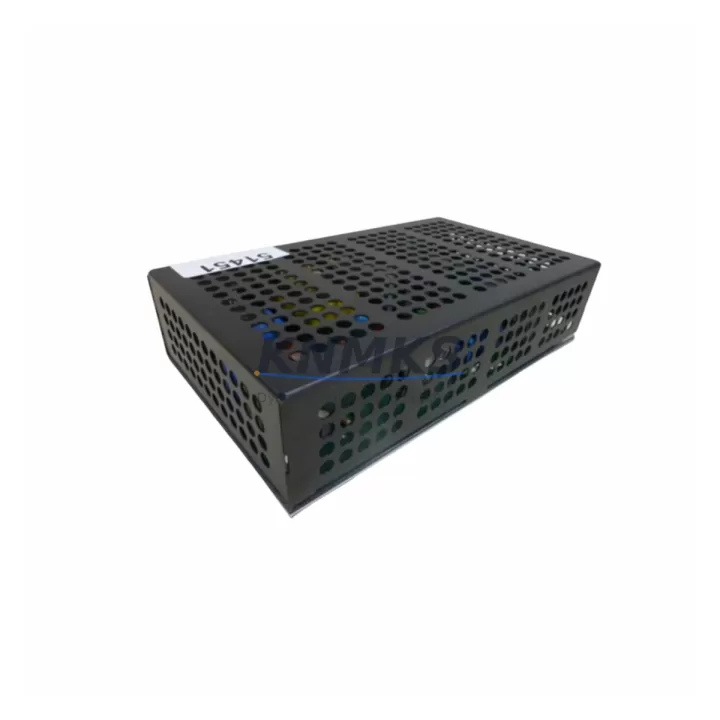
DELTA E77-519-0300 Maintenance-Proven Spare Part for Factory Uptime
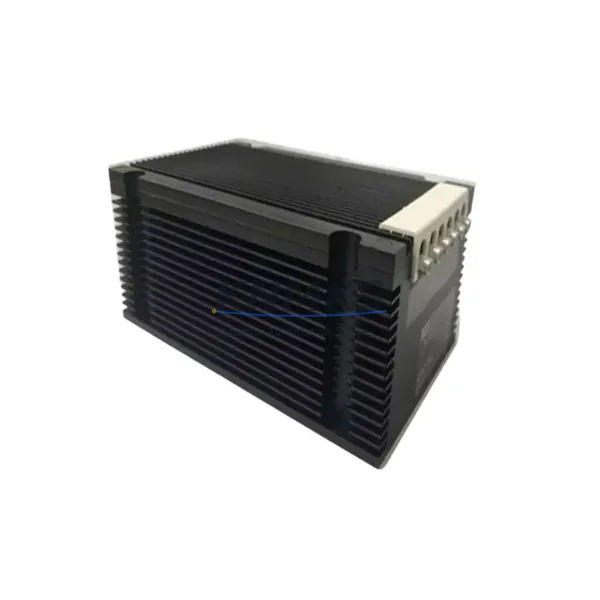
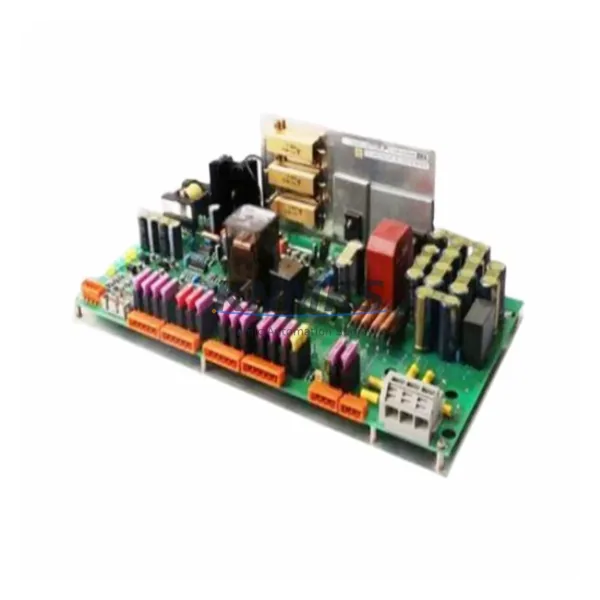
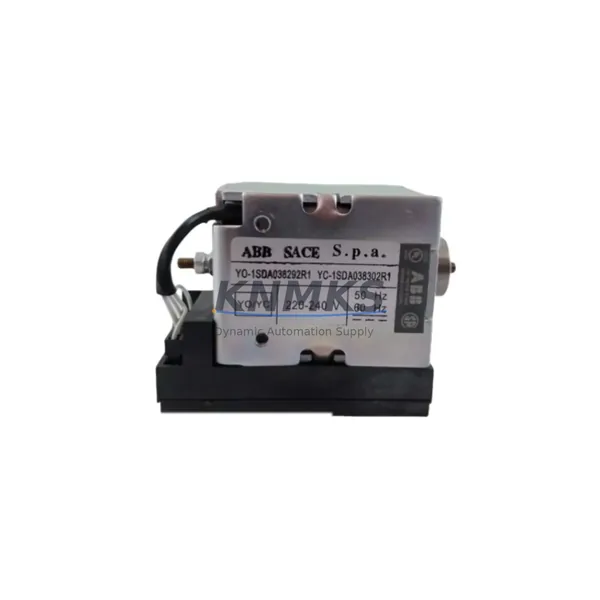
The DELTA E77-519-0300 is an original DIN-Rail power supply module designed for the DELTA E77 Series automation platform. In industrial environments where continuous operation is non-negotiable, this spare part serves as a critical line of defence against unplanned downtime. Whether you are managing a scheduled annual overhaul, responding to an emergency power fault, or building a proactive spare parts inventory for your control cabinet, the E77-519-0300 delivers the electrical reliability and compatibility assurance that maintenance and procurement engineers depend on.
Sourced from verified supply channels, each unit undergoes pre-shipment functional testing to confirm output voltage stability, inrush current behaviour, and thermal performance before dispatch. A support terms confirmed by quotation is included as standard, covering manufacturing defects and premature failure under normal operating conditions. Multi-region stock availability supports fast global dispatch, minimising lead times for both emergency replacements and planned procurement cycles.
For facilities running DELTA E77 Series drives, PLCs, or motion controllers, maintaining at least one E77-519-0300 in your on-site spare parts kit is a recognised best practice. Power supply failures are among the most common root causes of unexpected line stoppages, and the mean time to repair drops significantly when a tested replacement is already on the shelf.
Spare Maintenance Table
| Parameter | Specification |
|---|---|
| SKU / Part Number | E77-519-0300 |
| Brand | DELTA |
| Series | E77 Series |
| Product Type | DIN-Rail Power Supply Module |
| Output Voltage | 24 VDC (nominal) |
| Mounting | DIN Rail (EN 60715 / TS 35) |
| Application Environment | Industrial control cabinets, automation panels, PLC/DCS power rails |
| Compatibility | DELTA E77 Series automation systems; compatible with standard 24 VDC I/O and relay circuits |
| Origin | China (CN) |
| Unit Weight | 1,770 g |
| Pre-Shipment Testing | Yes — output voltage, load regulation, thermal check |
| Support terms | 12 Months from date of shipment |
| Dispatch | Multi-region stock; fast global dispatch available |
| Maintenance Recommendation | Inspect every 12–24 months; replace at first sign of output instability or thermal discolouration |
Maintenance Planning for Continuous Operation
A power supply failure in a DELTA E77 Series control cabinet rarely occurs in isolation. When the E77-519-0300 is flagged during a fault diagnosis or routine inspection, experienced maintenance engineers know to extend the scope of their check to the surrounding electrical circuit before committing to a like-for-like swap.
Begin with the upstream AC input side: verify that the input fuse or miniature circuit breaker feeding the power supply rail has not been weakened by repeated overcurrent events. A fuse that has survived a near-trip condition may show no visible damage but will have reduced breaking capacity — replace it as a precaution. Next, inspect the 24 VDC distribution terminals and DIN-rail terminal blocks downstream of the E77-519-0300. Loose or corroded terminal connections are a frequent cause of intermittent voltage drops that are misdiagnosed as power supply faults.
If the cabinet includes DELTA E77 Series I/O expansion modules or remote I/O racks, confirm that the 24 VDC bus voltage at each module’s power input connector is within specification after the replacement unit is installed. Marginal voltage at the far end of a long 24 VDC distribution run can cause I/O modules to reset or report spurious faults even when the power supply itself is functioning correctly.
For cabinets that also house DELTA E77 Series communication modules — such as PROFIBUS, Modbus RTU, or EtherNet/IP interface cards — check that the communication module’s power LED is stable after the E77-519-0300 is replaced and the system is powered up. Communication modules are sensitive to power rail noise and transient voltage spikes that can occur during a power supply changeover.
Relay output modules and signal isolation barriers within the same cabinet should also be inspected. These components are often powered from the same 24 VDC rail as the E77-519-0300 and can exhibit degraded switching performance if the rail voltage has been running low for an extended period. Similarly, any HMI panel or operator terminal drawing power from the cabinet’s 24 VDC bus should be checked for display stability and communication integrity after the replacement.
Finally, if the control cabinet includes a DELTA E77 Series backplane or CPU rack, verify that the backplane power indicators are all green and that no diagnostic LEDs are showing fault conditions before returning the system to production. A structured post-replacement checklist that covers all of these components will reduce the risk of a secondary fault causing another unplanned stoppage within days of the initial repair.
Site Replacement Workflow
Step 1 — Isolate and de-energise. Follow your site’s lockout/tagout (LOTO) procedure. Confirm that the 24 VDC rail fed by the E77-519-0300 is fully de-energised before proceeding. Use a calibrated multimeter to verify zero voltage at the output terminals.
Step 2 — Document the existing installation. Photograph the wiring connections, terminal labelling, and DIN-rail position of the outgoing unit. Note the input AC voltage tap setting if the existing unit has a voltage selector switch.
Step 3 — Remove the faulty unit. Disconnect the AC input wiring and 24 VDC output wiring in sequence. Release the DIN-rail locking tab and slide the unit clear of the rail. Inspect the mounting area for signs of heat damage, arc tracking, or contamination.
Step 4 — Install the E77-519-0300 replacement. Clip the new unit onto the DIN rail and confirm it is fully seated. Reconnect the 24 VDC output wiring first, then the AC input wiring, following the original documentation. Torque all terminal screws to the manufacturer’s specified value.
Step 5 — Power up and verify. Re-energise the circuit and measure the output voltage at the power supply terminals and at the load end of the 24 VDC distribution run. Confirm that all downstream devices — I/O modules, relay outputs, communication cards, and HMI panels — power up normally and report no fault conditions.
Step 6 — Update maintenance records. Log the replacement date, the serial number of the outgoing unit, and the batch reference of the E77-519-0300 installed. Update your spare parts inventory to trigger a reorder if stock falls below your minimum holding level.
Spare Parts Support FAQ
Q1: How do I confirm that the E77-519-0300 is compatible with my existing DELTA E77 Series installation?
Compatibility is confirmed by matching the output voltage (24 VDC), the DIN-rail mounting format, and the load current rating to the requirements of your existing installation. If you have the original cabinet wiring diagram or the nameplate data from the outgoing unit, our technical team can cross-reference the specifications before shipment. Contact admin@knmks.com with your system details for a pre-purchase compatibility check.
Q2: What does the support terms confirmed by quotation cover, and how is a support terms claim handled?
The support terms confirmed by quotation cover manufacturing defects and premature failure under normal operating conditions from the date of shipment. It does not cover damage caused by incorrect installation, overvoltage events, or physical impact. To initiate a support terms claim, contact admin@knmks.com with your order reference, a description of the fault, and any available diagnostic data. Replacement units are dispatched from multi-region stock to minimise downtime during the claims process.
Q3: Can I order multiple units for long-term spare parts inventory, and is a long-term supply agreement available?
Yes. Bulk orders and long-term supply agreements are available for the E77-519-0300. Holding two to three units on-site is recommended for facilities where the E77 Series platform is critical to production continuity. Long-term supply agreements provide price stability and guaranteed stock allocation, which is particularly valuable for legacy automation platforms where component availability can become unpredictable. Contact +86 18359268345 to discuss volume pricing and supply terms.
Q4: What pre-shipment testing is performed on each E77-519-0300 unit before dispatch?
Each unit is tested for output voltage accuracy under load, load regulation performance, and thermal stability before shipment. Units that do not meet specification are quarantined and not dispatched. A test record is available on request. This pre-shipment testing protocol is designed to ensure that the replacement unit performs correctly from the moment it is installed on site, reducing the risk of a repeat fault and a second unplanned stoppage.
© 2026 KNMKS. All rights reserved.
Original Source: https://knmks.com
Contact: admin@knmks.com | +86 18359268345
Product Identification
- Brand / Ecosystem
-
Delta
Assorted Brands - Model / Series
-
E77-519-0300
Assorted Series - Product Family
- Power Supplies
- Availability Status
- Available on request after model and quantity confirmation
- Inquiry Type
- B2B RFQ, replacement inquiry and project spare-part request
- Pre-Quote Check
- Exact SKU, brand, series, quantity, nameplate photos and destination country are checked before quotation
System Path
Where this product fits in the KNMKS automation structure.
Specification & Inquiry Focus
- Power range
- DIN rail and switching power supplies
- Common needs
- Voltage, current and mounting style
- Project support
- Control cabinet and panel-builder inquiries
Buyer Confirmation
Information KNMKS checks before replying.
- Exact model
- E77-519-0300
- Brand / ecosystem
- Delta
- Product family
- Power Supplies
- Application note
- Replacement, maintenance, project build or spare-part list
- Useful photos
- Nameplate, installed unit, cabinet layout or connector side
- Delivery details
- Quantity, destination country and target schedule
Document Support
Files and notes can be confirmed during quotation.
- Product photos or nameplate confirmation when available
- Packing and delivery notes before quotation confirmation
- Support scope and delivery terms confirmed per inquiry
- Export document coordination for qualified B2B requests
Inquiry Support
- 24VDC and cabinet power selection support
- Stable power support for PLC and HMI systems
- Batch inquiry support for panel builders
What to Send Us
- Brand and exact model number: Delta E77-519-0300
- Quantity and required delivery time
- Application, replacement requirement or nameplate photo
- Destination country and shipping preference
RFQ Preparation
This is a product inquiry page built for RFQ communication.
Fast Model Check
Send this model to KNMKS for confirmation.
Include quantity, destination country and photos if this is a maintenance replacement. The inquiry will be saved with a reference number after submission.
Brand & Compatibility Note
KNMKS displays automation product information for well-known industrial brand ecosystems and compatible replacement references. Brand names are used for product identification and compatibility reference only; final availability and commercial terms are confirmed per quotation.
 Manufacturing
 Machine Tools
 Packaging
 Energy & Power
 PLCs & Controllers
 HMI & Displays
 Servo Systems
 Variable Frequency Drives