
Overview
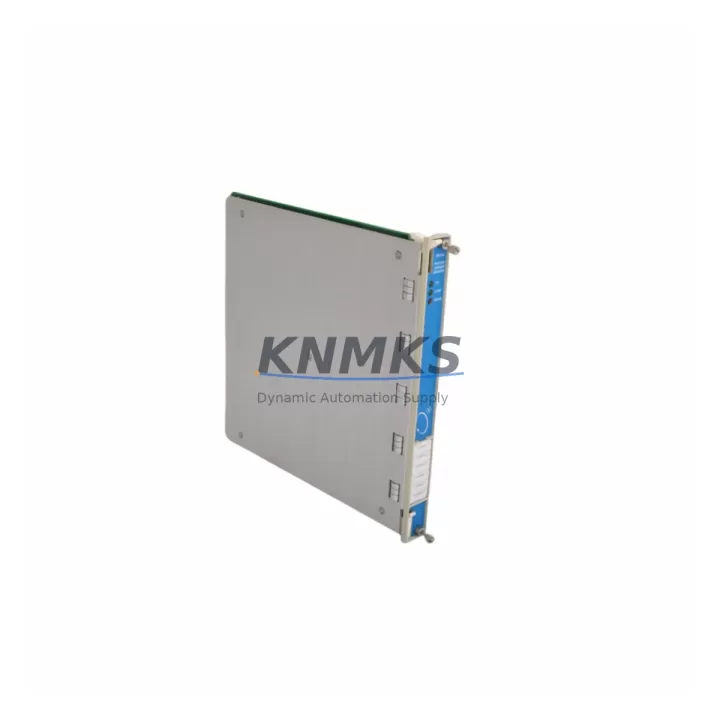
Bently Nevada 3500/62 133811-03 Maintenance Spare Part: Protecting Factory Uptime with Proven 3500 Series Reliability
The Bently Nevada 3500/62 133811-03 is a process variable monitor module within the widely deployed Bently Nevada 3500 Series machinery protection system. Designed for continuous measurement and alarming of process variables such as temperature, pressure, and flow in rotating machinery environments, this module plays a critical role in protecting turbines, compressors, pumps, and other high-value rotating assets. Holding a verified spare of the 3500/62 133811-03 in your maintenance inventory is a direct investment in production continuity — eliminating the risk of extended downtime caused by module failure in a system that may no longer be actively manufactured.
Maintenance engineers operating legacy Bently Nevada 3500 racks understand the challenge: the 3500 Series remains the backbone of vibration and process monitoring in petrochemical, power generation, and heavy industrial facilities worldwide, yet sourcing original replacement modules is increasingly difficult through standard distribution channels. Our stock of the 3500/62 133811-03 is sourced from verified supply chains, subjected to pre-shipment functional testing, and backed by a support terms confirmed by quotation — giving procurement and reliability teams the confidence to plan ahead rather than react to unplanned failures.
Spare Maintenance Table
| Parameter | Specification |
|---|---|
| Part Number | 133811-03 |
| Module Type | 3500/62 Process Variable Monitor |
| Series | Bently Nevada 3500 |
| Manufacturer | Bently Nevada (Baker Hughes) |
| Function | Process variable monitoring (temperature, pressure, flow inputs) with alarm/trip output |
| Input Channels | 2-channel process variable input (4–20 mA or thermocouple, configuration-dependent) |
| Rack Compatibility | Bently Nevada 3500 Series rack (standard and TMR configurations) |
| Communication | Rack backplane communication; compatible with 3500/22M TDI and Modbus/TCP gateway options |
| Power Supply | Supplied via 3500 rack backplane (3500/15 or 3500/05 power supply module) |
| Operating Temperature | 0°C to 65°C (standard industrial enclosure) |
| Mounting | 3500 Series rack slot, DIN-compatible chassis |
| Origin | United States |
| Pre-Shipment Testing | Yes — functional verification prior to dispatch |
| Support terms | 12 Months |
| Condition | Original / Migration-Ready Spare |
Maintenance Planning for Continuous Operation
When replacing or inspecting the 3500/62 133811-03 in a live 3500 rack, a disciplined maintenance engineer will not stop at the module itself. The 3500 Series architecture means that a process variable monitor failure can cascade from or into adjacent components, and a thorough site inspection should cover the full signal chain.
Begin with the 3500/15 Power Supply Module — verify output voltage stability and check for any fault LEDs on the front panel. A degraded power supply is a common root cause of intermittent module faults that are misdiagnosed as monitor failures. Next, inspect the 3500/20 Rack Interface Module (RIM), which manages communication between the rack and the host DCS or SCADA system; a failing RIM can cause false alarms or loss of process data that appears to originate from the 3500/62 itself.
Check the field wiring termination blocks and I/O terminal strips connected to the 3500/62 input channels. Loose or corroded terminals on 4–20 mA process loops are a frequent source of signal drift and nuisance trips. If the installation uses thermocouple inputs, inspect the thermocouple extension cables and cold junction compensation integrity — degraded insulation or incorrect cable type will introduce measurement error that no module replacement can correct.
For facilities running the 3500 rack in a TMR (Triple Modular Redundancy) configuration, also verify the status of the 3500/32 4-Channel Relay Module and associated relay output wiring. A relay module with worn contacts can cause spurious trip signals even when the process variable monitor is functioning correctly. Additionally, review the 3500/22M Transient Data Interface (TDI) if your system uses it for waveform capture — firmware compatibility between the TDI and the 3500/62 should be confirmed after any module swap.
Finally, if the 3500 rack communicates with a System 1 Evolution or third-party SCADA platform via Modbus or OPC, validate the communication gateway configuration after reinstallation to ensure tag mapping and alarm setpoints are correctly restored. Keeping a documented spare parts list that includes the 3500/62 133811-03, the 3500/15 power supply, and the 3500/20 RIM as a minimum kit is a best practice for any facility running critical rotating machinery on the 3500 platform.
Site Replacement Workflow
Replacing the 3500/62 133811-03 in a live or recently tripped 3500 rack follows a structured sequence to minimize downtime and avoid configuration loss:
Step 1 — Pre-Replacement Documentation: Record all current alarm and trip setpoints, channel configuration (input type, range, engineering units), and any custom scale factors from the 3500 Rack Configuration Software (RCS) before removing the module. Export the rack configuration file as a backup.
Step 2 — Safe Isolation: Coordinate with the control room to inhibit alarms on the affected channels. In non-TMR racks, confirm that the process can tolerate a brief monitoring gap. In TMR configurations, verify that the remaining two channels maintain voting integrity before proceeding.
Step 3 — Module Removal and Inspection: Remove the 3500/62 133811-03 from its rack slot. Inspect the backplane connector for bent pins or contamination. Clean with appropriate contact cleaner if required. Inspect the slot for any signs of heat damage or moisture ingress.
Step 4 — Spare Installation: Insert the replacement 3500/62 133811-03. The module will power up from the rack backplane. Use the RCS software to reload the saved configuration file and verify that all channel parameters, setpoints, and engineering unit assignments are correctly applied.
Step 5 — Functional Verification: Apply a known process signal (loop calibrator for 4–20 mA, or reference thermocouple for TC inputs) to each channel and confirm that the displayed value, alarm threshold, and relay output behavior match the expected response. Document the verification result in the maintenance record.
Step 6 — Return to Service: Re-enable alarms in the control room, confirm that the DCS or SCADA system is receiving valid process data from the restored channels, and update the spare parts inventory log to reflect the consumed module.
Spare Parts Support FAQ
Q1: Is the 3500/62 133811-03 compatible with all 3500 Series rack configurations, including TMR?
Yes. The 3500/62 133811-03 is designed for use in standard and TMR 3500 rack configurations. Compatibility depends on rack firmware version and RCS software revision. We recommend confirming your rack’s current firmware level before installation. Our technical team can assist with compatibility verification prior to shipment.
Q2: What pre-shipment testing is performed on the 3500/62 133811-03?
Each unit undergoes functional verification testing before dispatch, including power-up confirmation, channel input response checks, and communication integrity validation. A test report is available upon request. All units are shipped with protective packaging to prevent ESD damage and mechanical stress in transit.
Q3: How should the 3500/62 133811-03 be stored as a long-term spare?
Store in a dry, temperature-controlled environment (10°C to 40°C), in the original anti-static packaging or equivalent ESD-safe enclosure. Avoid storage near strong magnetic fields or high-humidity areas. For long-term inventory (beyond 12 months), schedule a periodic power-up test to verify module health before committing it to a critical installation.
Q4: What is the support terms coverage and what does it include?
All units are covered by a support terms confirmed by quotation from the date of shipment. The support terms covers functional failure under normal operating conditions and includes replacement or repair at no additional cost. It does not cover damage resulting from incorrect installation, overvoltage events, or physical mishandling. Our support team provides post-sale technical assistance for installation and configuration questions throughout the confirmed support period.
© 2026 KNMKS. All rights reserved.
Original Source: https://knmks.com
Contact: admin@knmks.com | +86 18359268345
Product Identification
- Brand / Ecosystem
-
Bently Nevada
Bently Nevada - Model / Series
-
3500/62 133811-03
3500 Series - Product Family
- Other Components
- Availability Status
- Available on request after model and quantity confirmation
- Inquiry Type
- B2B RFQ, replacement inquiry and project spare-part request
- Pre-Quote Check
- Exact SKU, brand, series, quantity, nameplate photos and destination country are checked before quotation
System Path
Where this product fits in the KNMKS automation structure.
Specification & Inquiry Focus
- Component range
- Breakers, terminals and cabinet accessories
- Common needs
- Model, photo and installation requirement
- Project support
- Maintenance and mixed spare-part inquiry
Buyer Confirmation
Information KNMKS checks before replying.
- Exact model
- 3500/62 133811-03
- Brand / ecosystem
- Bently Nevada
- Product family
- Other Components
- Application note
- Replacement, maintenance, project build or spare-part list
- Useful photos
- Nameplate, installed unit, cabinet layout or connector side
- Delivery details
- Quantity, destination country and target schedule
Document Support
Files and notes can be confirmed during quotation.
- Product photos or nameplate confirmation when available
- Packing and delivery notes before quotation confirmation
- Support scope and delivery terms confirmed per inquiry
- Export document coordination for qualified B2B requests
Inquiry Support
- Mixed automation spare parts inquiry
- Cabinet component and accessory support
- Model identification from photos or labels
What to Send Us
- Brand and exact model number: Bently Nevada 3500/62 133811-03
- Quantity and required delivery time
- Application, replacement requirement or nameplate photo
- Destination country and shipping preference
RFQ Preparation
This is a product inquiry page built for RFQ communication.
Fast Model Check
Send this model to KNMKS for confirmation.
Include quantity, destination country and photos if this is a maintenance replacement. The inquiry will be saved with a reference number after submission.
Brand & Compatibility Note
KNMKS displays automation product information for well-known industrial brand ecosystems and compatible replacement references. Brand names are used for product identification and compatibility reference only; final availability and commercial terms are confirmed per quotation.
 Manufacturing
 Machine Tools
 Packaging
 Energy & Power
 PLCs & Controllers
 HMI & Displays
 Servo Systems
 Variable Frequency Drives