
Overview
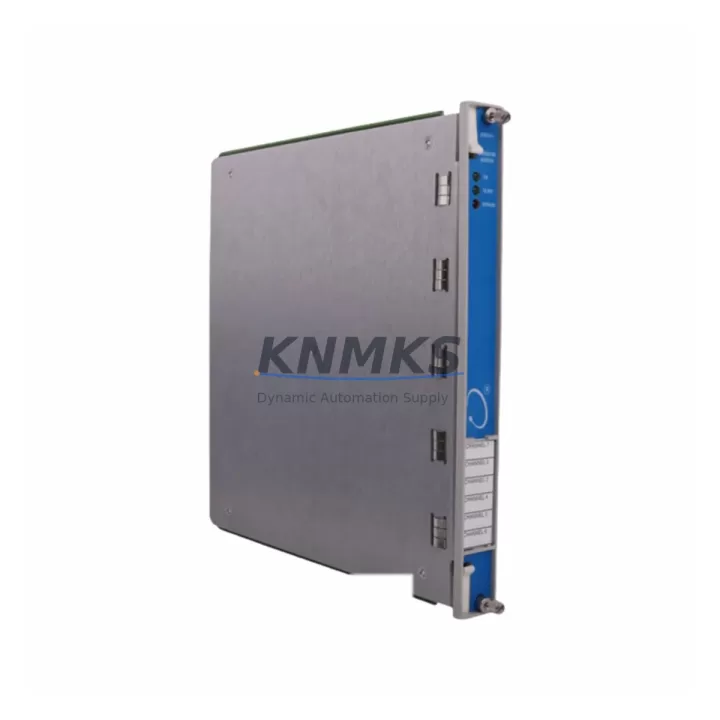
Bently Nevada 3500/61-01-00 Migration-Ready Temp Monitor: Legacy System Retrofit and Compatibility Upgrade
The Bently Nevada 3500/61-01-00 is a 6-channel Temperature Monitor Module designed for the 3500 Series machinery protection rack system. Originally deployed across turbine control panels, compressor trains, and rotating equipment protection systems in oil & gas, power generation, and petrochemical facilities, this module has reached end-of-support status in many installed bases — making migration planning and verified replacement sourcing a critical operational priority.
Our migration-ready 3500/61-01-00 units are pre-tested, firmware-verified, and shipped with a support terms confirmed by quotation. Each unit undergoes bench-level functional verification covering thermocouple (TC) and RTD input channels, 4–20 mA analog output integrity, rack backplane communication, and alarm relay output continuity before dispatch. Multi-region stock is maintained to support both emergency replacement and scheduled outage windows.
Migration Compatibility Table
| Parameter | Details |
|---|---|
| SKU | 3500/61-01-00 |
| Brand / Series | Bently Nevada / 3500 Series |
| Module Function | 6-Channel Temperature Monitor (TC / RTD) |
| Analog Output | 4–20 mA per channel |
| Rack Interface | 3500 Series backplane (standard 3500 rack slot) |
| Installation | Drop-in replacement; no rack modification required |
| Communication Compatibility | Compatible with 3500/22M Transient Data Interface and 3500/92 Communication Gateway |
| Replacement Path | Direct replacement for 3500/61-01-00; verify firmware revision against rack manager |
| Commissioning Notes | Confirm channel address assignments in rack configuration software; re-verify alarm setpoints post-installation |
| Pre-Shipment Testing | Full functional test on all 6 channels; TC/RTD input verification; 4–20 mA output calibration check |
| Support terms | 12 months from date of shipment |
Retrofit Planning for Existing Automation Systems
Replacing the 3500/61-01-00 within an operating machinery protection system requires careful coordination across multiple rack components. The 3500 Series rack is a modular platform — the temperature monitor module shares a common backplane with the 3500/20 Rack Interface Module, which manages rack-level communication and power distribution. Before pulling the existing module, engineers should confirm that the 3500/20 firmware version is compatible with the replacement unit’s hardware revision. Mismatched firmware between the rack interface and monitor modules is a common source of post-installation communication faults.
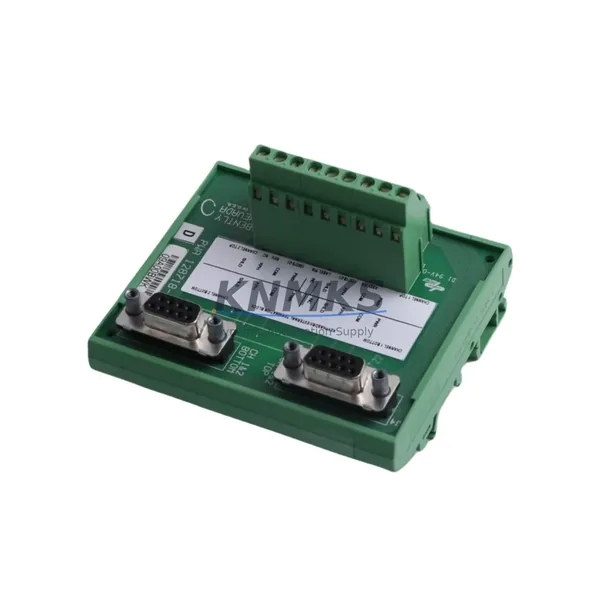
Terminal wiring for TC and RTD inputs is handled through the I/O module connector on the front of the 3500/61-01-00. During retrofit, the existing field wiring termination block should be documented channel-by-channel before disconnection. If the installation uses a 3500/61-01-01 or earlier variant, verify that the terminal pinout is identical before reusing the existing wiring harness. In cases where the original wiring documentation is incomplete, a point-to-point continuity check against the original P&ID is recommended before energizing the replacement module.
The 4–20 mA analog outputs from the 3500/61-01-00 typically feed into a DCS historian or safety system — commonly a Honeywell Experion PKS or Yokogawa CENTUM VP I/O card. Confirm that the receiving end analog input card is configured for the correct input range and that the loop power supply capacity is sufficient for all active channels. If the DCS I/O card has been upgraded or replaced since the original installation, re-verify the scaling configuration in the DCS engineering station to prevent false alarm conditions after the module swap.
For installations where the 3500 rack communicates over Modbus TCP or OPC DA to a SCADA or HMI layer, the 3500/92 Communication Gateway module configuration should be reviewed. Register mapping for temperature channel values and alarm status bits must be confirmed against the SCADA tag database before the replacement module is brought online. HMI faceplate displays referencing temperature channel tags should be validated in simulation mode prior to live cutover to avoid operator confusion during the transition window.
Where the 3500 rack is installed in a control cabinet alongside a 3500/15 Power Supply Module, verify that the power supply output capacity covers the full rack load including the replacement module. Some older 3500/15 units operating near rated capacity may require a load audit before adding a replacement module with a slightly different current draw profile. This is particularly relevant in multi-rack installations where a single power supply feeds more than one 3500 chassis.
Downtime Control During System Migration
Minimizing unplanned downtime during a 3500/61-01-00 replacement requires a structured pre-outage preparation sequence. The most effective approach is to complete all configuration documentation, wiring verification, and spare module bench testing before the maintenance window opens. This includes exporting the current rack configuration from the Bently Nevada System 1 software or the rack configuration utility, saving a timestamped backup, and confirming that the replacement module’s firmware revision is compatible with the existing rack configuration file.
During the physical swap, the rack should remain powered where safety procedures permit, allowing the 3500/20 Rack Interface Module to detect the new module insertion and initiate automatic configuration loading. If the rack must be de-energized, the sequence for re-energization should follow the OEM-recommended power-up order: rack power supply first, followed by the rack interface module, then individual monitor modules. Deviating from this sequence can cause transient communication faults that require a manual rack reset to clear.
Post-installation, the first verification step is to confirm that all 6 temperature channels are reading within expected range before releasing the equipment back to operations. Channel-by-channel comparison against the pre-outage baseline values — logged from the System 1 historian or DCS trend displays — provides the fastest confirmation that the replacement module is functioning correctly. Alarm setpoint verification should follow immediately, with particular attention to high-high and danger setpoints that interface with the turbine or compressor trip logic.
For facilities operating under IEC 61511 or ISA-84 functional safety requirements, the post-replacement proof test record should be updated to reflect the module serial number change and the date of the functional verification. This documentation is typically required for the next scheduled safety instrumented system (SIS) audit and should be completed before the maintenance window is formally closed.
Retrofit Support FAQ
Q: Is the 3500/61-01-00 a direct drop-in replacement for all variants in the 3500/61 family?
A: The 3500/61-01-00 is the standard 6-channel temperature monitor for the 3500 Series rack. It is directly interchangeable with other 3500/61-01-xx variants in most installations, but firmware revision compatibility with the 3500/20 Rack Interface Module should be confirmed before installation. Our team can assist with revision matching based on your existing rack configuration.
Q: What pre-shipment testing is performed on each unit?
A: Every 3500/61-01-00 unit is functionally tested across all 6 input channels for TC and RTD signal acceptance, 4–20 mA output calibration, backplane communication handshake, and alarm relay output continuity. A test report is available upon request. All units ship with a support terms confirmed by quotation from the date of dispatch.
Q: How do I confirm wiring compatibility before installation?
A: Document the existing terminal block wiring channel-by-channel before removal. The 3500/61-01-00 uses a standard front-panel I/O connector — compare the pinout against the original installation drawing or the Bently Nevada 3500/61 Installation and Operation Manual. If the original documentation is unavailable, our technical support team can provide reference wiring diagrams for common TC and RTD configurations.
Q: What is the lead time and stock availability?
A: We maintain multi-region stock of the 3500/61-01-00 to support both emergency replacement and planned outage schedules. Standard dispatch is within 3–5 business days for in-stock units. For urgent requirements, expedited shipping options are available. Contact our team to confirm current stock levels and delivery timelines for your region.
© 2026 KNMKS. All rights reserved.
Original Source: https://knmks.com
Contact: admin@knmks.com | +86 18359268345
Product Identification
- Brand / Ecosystem
-
Bently Nevada
Bently Nevada - Model / Series
-
3500/61-01-00
3500 Series - Product Family
- Other Components
- Availability Status
- Available on request after model and quantity confirmation
- Inquiry Type
- B2B RFQ, replacement inquiry and project spare-part request
- Pre-Quote Check
- Exact SKU, brand, series, quantity, nameplate photos and destination country are checked before quotation
System Path
Where this product fits in the KNMKS automation structure.
Specification & Inquiry Focus
- Component range
- Breakers, terminals and cabinet accessories
- Common needs
- Model, photo and installation requirement
- Project support
- Maintenance and mixed spare-part inquiry
Buyer Confirmation
Information KNMKS checks before replying.
- Exact model
- 3500/61-01-00
- Brand / ecosystem
- Bently Nevada
- Product family
- Other Components
- Application note
- Replacement, maintenance, project build or spare-part list
- Useful photos
- Nameplate, installed unit, cabinet layout or connector side
- Delivery details
- Quantity, destination country and target schedule
Document Support
Files and notes can be confirmed during quotation.
- Product photos or nameplate confirmation when available
- Packing and delivery notes before quotation confirmation
- Support scope and delivery terms confirmed per inquiry
- Export document coordination for qualified B2B requests
Inquiry Support
- Mixed automation spare parts inquiry
- Cabinet component and accessory support
- Model identification from photos or labels
What to Send Us
- Brand and exact model number: Bently Nevada 3500/61-01-00
- Quantity and required delivery time
- Application, replacement requirement or nameplate photo
- Destination country and shipping preference
RFQ Preparation
This is a product inquiry page built for RFQ communication.
Fast Model Check
Send this model to KNMKS for confirmation.
Include quantity, destination country and photos if this is a maintenance replacement. The inquiry will be saved with a reference number after submission.
Brand & Compatibility Note
KNMKS displays automation product information for well-known industrial brand ecosystems and compatible replacement references. Brand names are used for product identification and compatibility reference only; final availability and commercial terms are confirmed per quotation.
 Manufacturing
 Machine Tools
 Packaging
 Energy & Power
 PLCs & Controllers
 HMI & Displays
 Servo Systems
 Variable Frequency Drives