
Overview
Bently Nevada 3077-755A Migration-Ready Vibration Monitor for Legacy Control Systems
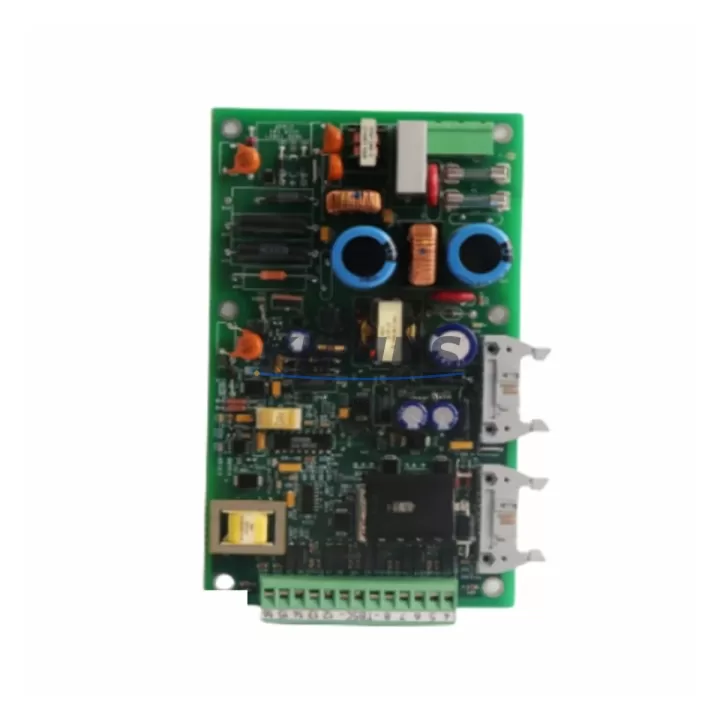
The Bently Nevada 3077-755A is a migration-ready vibration monitoring module engineered for seamless integration into existing 3500 Series machinery protection systems. As legacy vibration monitoring hardware reaches end-of-life, the 3077-755A provides a verified drop-in replacement path that preserves original rack architecture, backplane wiring, and system logic — minimizing retrofit risk and unplanned downtime across rotating machinery applications including turbines, compressors, pumps, and gearboxes.
This module is fully compatible with the Bently Nevada 3500 rack system, occupying a standard single-slot position within the 3500/05 or 3500/05E power supply chassis. Engineers migrating from discontinued predecessors such as the 9907-147N or 5501-303L will find that the 3077-755A maintains identical terminal block pinouts, transducer input impedance specifications, and Keyphasor® reference signal routing — eliminating the need for panel rewiring or cable retermination in most installations.
Before completing the replacement, site engineers should verify the following critical parameters: available rack slot power budget from the 3500/15 Power Supply, terminal block torque specifications for the field wiring connector, backplane communication address assignment within the System Monitor, and firmware revision compatibility with the installed 3500/22M Transient Data Interface. Confirming these items in advance reduces commissioning time and protects existing alarm setpoint configurations stored in the 3500/92 Communication Gateway.
For sites running Modbus RTU or OPC-DA historian links, the 3077-755A supports the same communication protocol stack as the legacy module, ensuring that DCS tag mappings and SCADA trend archives remain intact post-swap. Where the plant historian connects via the 3500/92 Communication Gateway, no gateway reconfiguration is required provided the module slot address is preserved during installation.
Migration Compatibility Table
| Parameter | 3077-755A (This Unit) | Legacy / Replaced SKU |
|---|---|---|
| Compatible Rack | 3500/05, 3500/05E | 3500/05, 3500/05E |
| Slot Requirement | Single slot | Single slot |
| Terminal Block | Standard 3500-series field wiring connector | Identical pinout — no rewiring required |
| Transducer Input | Eddy-current / velocity / accelerometer | Same input types supported |
| Communication | Modbus RTU, OPC-DA via 3500/92 Gateway | Compatible — no gateway reconfiguration |
| Keyphasor® Input | Supported via backplane routing | Identical backplane signal path |
| Firmware Compatibility | Verify against 3500/22M TDI revision | Confirm before installation |
| Replaced SKUs | 9907-147N, 5501-303L (discontinued) | |
| Installation Space | Standard 3500 rack slot — no panel modification | Direct physical fit confirmed |
| Commissioning | Address assignment + alarm setpoint restore | Preserve existing setpoints from System Monitor |
| Support terms | support terms confirmed by quotation — All units tested before shipment | |
Retrofit Planning for Existing Automation Systems
A successful 3077-755A retrofit begins with a structured pre-outage audit. Start by documenting the current rack layout using the 3500/05 Rack Configuration drawing, noting the slot position of the module being replaced and the adjacent modules — typically a 3500/40M Proximitor®/Seismic Monitor or a 3500/42M Proximitor®/Seismic Monitor — to confirm there are no mechanical interference issues with the replacement module’s front-panel connectors.
Next, record all active alarm setpoints, OK relay configurations, and channel delay settings from the existing module using the Bently Nevada System 1 Evolution software or the legacy 3500 Rack Configuration Software (RCS). These configurations must be exported and held ready for re-entry after the new module is seated and powered. Failure to capture this data before removal is the most common cause of extended commissioning time during vibration monitor replacements.
For sites where the 3500 rack shares a control cabinet with a Woodward 505 Speed Controller or a GE Speedtronic Mark VI Turbine Control, verify that the vibration trip relay wiring routed to the turbine protection logic is clearly labeled and isolated before the swap. This prevents accidental trip signal interruption during module removal. Where a Phoenix Contact MACX signal isolator is installed between the 3077-755A output and the DCS analog input card, confirm isolator loop power polarity before reconnecting field wiring.
Finally, confirm that the replacement module’s firmware version is compatible with the installed 3500/22M Transient Data Interface if transient capture is active on the machine train. Mismatched firmware between the monitor module and the TDI is a known source of false OK-relay dropout during initial power-up, which can be misdiagnosed as a hardware fault.
Downtime Control During System Migration
Minimizing production impact during a vibration monitor swap requires a disciplined sequence. The recommended approach is to schedule the replacement during a planned maintenance window aligned with the machine’s next scheduled inspection, rather than treating it as an emergency corrective action. This allows time for pre-staging the 3077-755A, verifying its bench-test results, and preparing the configuration file for immediate upload upon installation.
During the swap window, the sequence should follow: (1) inhibit the vibration trip channel at the System Monitor to prevent spurious trips during module removal; (2) remove the field wiring connector — not the individual wires — to preserve terminal torque integrity; (3) seat the 3077-755A and restore the connector; (4) power up and confirm OK relay status; (5) upload the saved configuration file; (6) verify alarm setpoints against the pre-outage record; (7) remove the trip inhibit and confirm live vibration readings against baseline. This sequence typically achieves a complete swap in under 45 minutes for a prepared team, keeping the machine train offline for the minimum necessary period.
Where a hot-standby rack configuration is available using a redundant 3500/05E Enhanced Rack, the migration can be performed with zero process interruption by activating the standby rack before removing the primary module. This approach is strongly recommended for critical compressor or turbine trains where any unplanned trip carries significant production cost.
Retrofit Support FAQ
Q1: Is the 3077-755A a direct replacement for the 9907-147N and 5501-303L?
Yes. The 3077-755A is a verified functional replacement for both discontinued SKUs within the Bently Nevada 3500 Series rack system. Terminal block pinouts, transducer input types, and backplane communication paths are identical. No panel rewiring is required in standard installations. All units are bench-tested and configuration-verified before shipment.
Q2: What commissioning steps are required after installation?
After seating the module and restoring the field wiring connector, upload the saved configuration file via Bently Nevada RCS or System 1 Evolution software. Verify all alarm setpoints, OK relay delay settings, and channel assignments against the pre-outage record. Confirm live vibration readings are within expected baseline range before removing the trip inhibit. Total commissioning time for a prepared team is typically under 45 minutes.
Q3: How is compatibility with the 3500/22M Transient Data Interface confirmed?
Check the firmware revision label on the installed 3500/22M TDI and cross-reference against the 3077-755A firmware compatibility matrix available in the Bently Nevada product documentation. If the TDI firmware predates the 3077-755A release, a TDI firmware update may be required before enabling transient capture. Contact our technical team with your TDI serial number for a pre-shipment compatibility check at no charge.
Q4: What does the support terms confirmed by quotation cover, and what is stock availability?
All 3077-755A units supplied by KNMKS carry a support terms confirmed by quotation covering manufacturing defects and functional failure under normal operating conditions. Each unit undergoes full functional testing prior to shipment, including OK relay verification, channel input response, and communication output confirmation. Stock is maintained for immediate dispatch. Lead time for in-stock units is typically 3–5 business days to major industrial hubs globally.
© 2026 KNMKS. All rights reserved.
Original Source: https://knmks.com
Contact: admin@knmks.com | +86 18359268345
Product Identification
- Brand / Ecosystem
-
Bently Nevada
Bently Nevada - Model / Series
-
3077-755A
3500 Series - Product Family
- Other Components
- Availability Status
- Available on request after model and quantity confirmation
- Inquiry Type
- B2B RFQ, replacement inquiry and project spare-part request
- Pre-Quote Check
- Exact SKU, brand, series, quantity, nameplate photos and destination country are checked before quotation
System Path
Where this product fits in the KNMKS automation structure.
Specification & Inquiry Focus
- Component range
- Breakers, terminals and cabinet accessories
- Common needs
- Model, photo and installation requirement
- Project support
- Maintenance and mixed spare-part inquiry
Buyer Confirmation
Information KNMKS checks before replying.
- Exact model
- 3077-755A
- Brand / ecosystem
- Bently Nevada
- Product family
- Other Components
- Application note
- Replacement, maintenance, project build or spare-part list
- Useful photos
- Nameplate, installed unit, cabinet layout or connector side
- Delivery details
- Quantity, destination country and target schedule
Document Support
Files and notes can be confirmed during quotation.
- Product photos or nameplate confirmation when available
- Packing and delivery notes before quotation confirmation
- Support scope and delivery terms confirmed per inquiry
- Export document coordination for qualified B2B requests
Inquiry Support
- Mixed automation spare parts inquiry
- Cabinet component and accessory support
- Model identification from photos or labels
What to Send Us
- Brand and exact model number: Bently Nevada 3077-755A
- Quantity and required delivery time
- Application, replacement requirement or nameplate photo
- Destination country and shipping preference
RFQ Preparation
This is a product inquiry page built for RFQ communication.
Fast Model Check
Send this model to KNMKS for confirmation.
Include quantity, destination country and photos if this is a maintenance replacement. The inquiry will be saved with a reference number after submission.
Brand & Compatibility Note
KNMKS displays automation product information for well-known industrial brand ecosystems and compatible replacement references. Brand names are used for product identification and compatibility reference only; final availability and commercial terms are confirmed per quotation.
 Manufacturing
 Machine Tools
 Packaging
 Energy & Power
 PLCs & Controllers
 HMI & Displays
 Servo Systems
 Variable Frequency Drives