
Overview
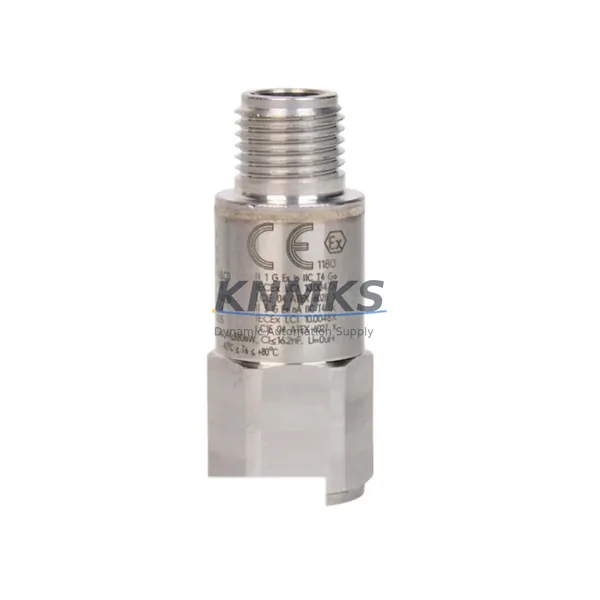
Bently Nevada 200150-22-05 Maintenance-Proven Spare for Uptime
The Bently Nevada 200150-22-05 is an original vibration accelerometer engineered for the Trendmaster 2000 and Trendmaster Pro continuous monitoring systems. Designed for critical rotating machinery applications — including compressors, turbines, pumps, and fans — this sensor delivers reliable vibration signal acquisition in demanding industrial environments. For maintenance engineers managing aging DCS or condition monitoring infrastructure, sourcing a verified, tested replacement for the 200150-22-05 is essential to avoiding unplanned downtime and preserving measurement integrity across the entire monitoring loop.
At KNMKS, every 200150-22-05 unit is inspected, function-tested, and shipped with a support terms confirmed by quotation. Our global spare parts inventory supports emergency replacement, scheduled turnaround maintenance, and long-term blanket stock programs for facilities running Bently Nevada Trendmaster 2000/Pro systems.
Spare Maintenance Table
| Parameter | Specification |
|---|---|
| Part Number | 200150-22-05 |
| Brand | Bently Nevada |
| Series | Trendmaster 2000 / Trendmaster Pro |
| Product Type | Vibration Accelerometer (ICP-type) |
| Measurement | Acceleration / Vibration (g) |
| Output Signal | ICP / IEPE (4 mA constant current excitation) |
| Frequency Range | Typically 1 Hz – 10,000 Hz (application-dependent) |
| Sensitivity | 100 mV/g (nominal) |
| Connector Type | 2-pin MIL-C-5015 / coaxial (per Trendmaster wiring standard) |
| Housing Material | Stainless steel, hermetically sealed |
| Operating Temperature | -50°C to +120°C |
| IP Rating | IP67 (dust-tight, water-resistant) |
| Mounting | Stud mount / adhesive mount (M5 or 1/4-28 UNF) |
| Compatible System | Bently Nevada Trendmaster 2000, Trendmaster Pro |
| Compatible I/O Cards | Trendmaster 2000 I/O Modules (e.g., 3500/42M, 3500/45) |
| Application | Compressors, turbines, pumps, fans, gearboxes |
| Origin | United States |
| Weight | 1,370 g (packaged) |
| Support terms | 12 months from shipment date |
| Condition | Original spare, function-tested before shipment |
Maintenance Planning for Continuous Operation
When replacing the 200150-22-05 accelerometer in a Trendmaster 2000 or Trendmaster Pro system, a thorough inspection of the surrounding monitoring loop is critical to restoring full measurement confidence and preventing repeat failures. Maintenance engineers should treat this replacement as an opportunity to audit the entire vibration channel — not just the sensor itself.
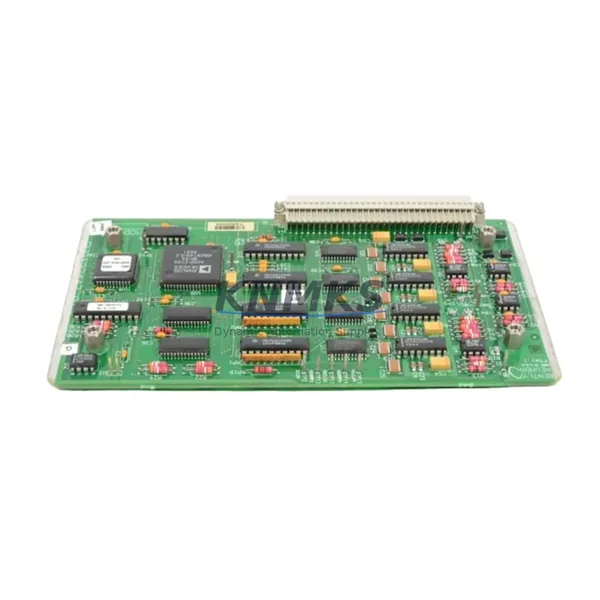
Begin by inspecting the Trendmaster 2000 I/O module (such as the 3500/42M or 3500/45 vibration monitor card) that receives the accelerometer signal. A degraded or misconfigured I/O card can mask sensor faults or introduce false alarms even after a sensor swap. Verify the channel configuration, alarm setpoints, and signal conditioning parameters in the System 1 or Trendmaster software before declaring the loop healthy.
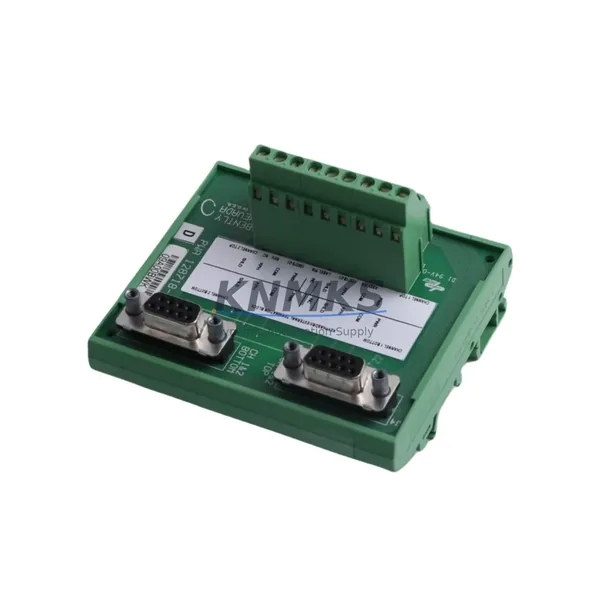
Next, check the sensor interconnect cable and field junction box. The 200150-22-05 relies on a low-noise coaxial or shielded cable run to maintain signal integrity. Cable insulation breakdown, connector corrosion, or improper shield grounding are common root causes of accelerometer signal degradation — and are frequently overlooked during a sensor-only replacement. Inspect the full cable run from the sensor mounting point to the I/O cabinet.
The constant current source (CCS) or signal conditioner powering the ICP accelerometer should also be verified. A faulty CCS will prevent the sensor from biasing correctly, resulting in clipped or saturated output. If the Trendmaster system uses a dedicated signal conditioner module, confirm its output voltage (typically 18–28 VDC bias) is within specification before reinstalling the new sensor.
For facilities running mixed monitoring architectures, also inspect any signal isolators or barriers in the loop — particularly in hazardous area installations where Zener barriers or galvanic isolators are used to protect the safe-area electronics. These components age and can introduce impedance mismatches that degrade accelerometer performance.
Finally, review the power supply module feeding the Trendmaster rack. Voltage ripple or transient spikes on the 24 VDC rail can corrupt vibration readings and shorten sensor life. A healthy rack power supply — such as the Bently Nevada 3500/15 or equivalent — is a prerequisite for reliable accelerometer operation. Pair the 200150-22-05 replacement with a power supply health check and a review of the rack’s terminal block and wiring connections to complete a thorough maintenance cycle.
Site Replacement Workflow
Replacing the 200150-22-05 in a live Trendmaster 2000/Pro system follows a structured workflow designed to minimize downtime and ensure measurement continuity:
Step 1 — Pre-replacement verification: Confirm the replacement unit’s part number (200150-22-05) and revision against the existing sensor label and the system’s spare parts register. Cross-check compatibility with the installed Trendmaster I/O module and software version.
Step 2 — Safe isolation: Inhibit the affected monitoring channel in the Trendmaster software to suppress false alarms during the swap. Do not power down the entire rack unless required — most Trendmaster systems support hot-swap channel inhibit.
Step 3 — Physical removal and inspection: Remove the old sensor using the correct torque tool to avoid thread damage on the mounting stud. Inspect the mounting surface for corrosion, debris, or mechanical damage. Clean and re-tap the stud hole if necessary.
Step 4 — Cable and connector check: Before installing the new sensor, inspect the mating connector and cable for pin damage, moisture ingress, or insulation wear. Replace the cable if any defects are found — a new sensor on a degraded cable will not restore measurement quality.
Step 5 — Installation and torque: Install the 200150-22-05 to the manufacturer’s specified torque. Reconnect the cable and verify the connector is fully seated and locked.
Step 6 — Channel re-enable and verification: Re-enable the monitoring channel and observe the live vibration reading in System 1 or the Trendmaster operator interface. Confirm the bias voltage, signal level, and alarm status are within expected ranges before returning the machine to service.
This workflow supports back-to-back compatibility with the legacy 200150-22-05 footprint, requiring no modifications to the existing mounting hardware, cable, or software configuration — making it the preferred replacement path for facilities prioritizing minimal downtime and system continuity.
Spare Parts Support FAQ
Q1: Is the 200150-22-05 a direct drop-in replacement for the original Bently Nevada sensor?
Yes. The 200150-22-05 is an original Bently Nevada part number and is a direct mechanical and electrical replacement for the same SKU. No modifications to the mounting stud, cable, connector, or Trendmaster I/O configuration are required. It maintains full back-to-back compatibility with Trendmaster 2000 and Trendmaster Pro systems.
Q2: What testing is performed before shipment?
Every 200150-22-05 unit supplied by KNMKS undergoes function testing prior to shipment, including bias voltage verification, sensitivity check, and connector integrity inspection. Units are packaged in anti-static, shock-protected packaging to ensure they arrive in field-ready condition. A support terms confirmed by quotation is included from the date of shipment.
Q3: Can KNMKS support long-term or blanket stock programs for the 200150-22-05?
Yes. KNMKS maintains regional inventory and supports blanket purchase orders for facilities requiring guaranteed stock availability over 12–36 month horizons. This is particularly valuable for plants running legacy Trendmaster 2000 systems where OEM supply has become constrained or lead times are unpredictable. Contact our team to discuss volume pricing and consignment options.
Q4: What should I do if the replacement sensor shows an abnormal reading after installation?
First, verify the ICP bias voltage at the I/O module input — it should typically read 8–14 VDC with the sensor connected. If the bias is out of range, suspect the constant current source or signal conditioner rather than the sensor. Also check the cable for continuity and shield integrity. If the bias voltage is correct but the vibration reading is abnormal, compare against a known-good baseline from the machine’s historical trend data in System 1. Contact KNMKS technical support with the observed readings and we will assist with root cause isolation.
© 2026 KNMKS. All rights reserved.
Original Source: https://knmks.com
Contact: admin@knmks.com | +86 18359268345
Product Identification
- Brand / Ecosystem
-
Bently Nevada
Bently Nevada - Model / Series
- 200150-22-05
- Product Family
- Other Components
- Availability Status
- Available on request after model and quantity confirmation
- Inquiry Type
- B2B RFQ, replacement inquiry and project spare-part request
- Pre-Quote Check
- Exact SKU, brand, series, quantity, nameplate photos and destination country are checked before quotation
System Path
Where this product fits in the KNMKS automation structure.
Specification & Inquiry Focus
- Component range
- Breakers, terminals and cabinet accessories
- Common needs
- Model, photo and installation requirement
- Project support
- Maintenance and mixed spare-part inquiry
Buyer Confirmation
Information KNMKS checks before replying.
- Exact model
- 200150-22-05
- Brand / ecosystem
- Bently Nevada
- Product family
- Other Components
- Application note
- Replacement, maintenance, project build or spare-part list
- Useful photos
- Nameplate, installed unit, cabinet layout or connector side
- Delivery details
- Quantity, destination country and target schedule
Document Support
Files and notes can be confirmed during quotation.
- Product photos or nameplate confirmation when available
- Packing and delivery notes before quotation confirmation
- Support scope and delivery terms confirmed per inquiry
- Export document coordination for qualified B2B requests
Inquiry Support
- Mixed automation spare parts inquiry
- Cabinet component and accessory support
- Model identification from photos or labels
What to Send Us
- Brand and exact model number: Bently Nevada 200150-22-05
- Quantity and required delivery time
- Application, replacement requirement or nameplate photo
- Destination country and shipping preference
RFQ Preparation
This is a product inquiry page built for RFQ communication.
Fast Model Check
Send this model to KNMKS for confirmation.
Include quantity, destination country and photos if this is a maintenance replacement. The inquiry will be saved with a reference number after submission.
Brand & Compatibility Note
KNMKS displays automation product information for well-known industrial brand ecosystems and compatible replacement references. Brand names are used for product identification and compatibility reference only; final availability and commercial terms are confirmed per quotation.
 Manufacturing
 Machine Tools
 Packaging
 Energy & Power
 PLCs & Controllers
 HMI & Displays
 Servo Systems
 Variable Frequency Drives