
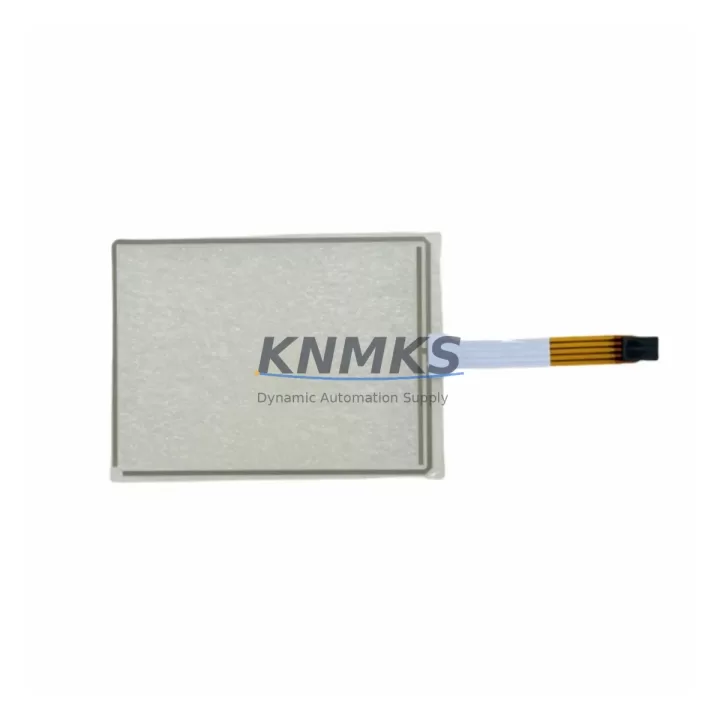
Overview
Beijer 02640E Maintenance-Proven Spare Part for Factory Uptime
The Beijer Electronics 02640E is an original spare part engineered for the iX Panel HMI series — a widely deployed human-machine interface platform found across discrete manufacturing, process automation, water treatment, and energy distribution facilities. When an iX Panel fails or degrades in performance, unplanned downtime cascades rapidly through the production line. Stocking the 02640E as a verified, pre-tested replacement is the most reliable strategy to restore operator visibility and control within the shortest possible window.
Maintenance engineers working with Beijer iX Panel installations recognize the 02640E as a critical component in sustaining panel responsiveness, display integrity, and communication continuity. Whether the failure mode is a non-responsive touchscreen, display backlight degradation, or a communication fault between the HMI and the underlying PLC or DCS, having an original 02640E on the shelf eliminates the diagnostic uncertainty that comes with using non-OEM substitutes. Every unit we supply undergoes pre-shipment functional testing and ships with a support terms confirmed by quotation, giving procurement and maintenance teams the confidence to plan replacements without last-minute sourcing risk.
The iX Panel platform is commonly integrated with Beijer’s own IXDP and iX Developer software environments, and the 02640E is fully compatible with existing project configurations — no re-engineering of the HMI application is required for a like-for-like swap. This drop-in compatibility is essential in facilities where the HMI project file is locked to a specific hardware revision or where re-commissioning time must be minimized to meet production SLAs.
Spare Maintenance Table
| Part Number | 02640E |
| Brand | Beijer Electronics |
| Series | iX Panel HMI |
| Product Type | Industrial HMI Spare Part |
| Origin | Sweden (SE) |
| Compatibility | Beijer iX Panel series; compatible with iX Developer / IXDP project environments |
| Application Environment | Discrete manufacturing, process automation, water/wastewater, energy distribution, OEM machine panels |
| Installation Type | Drop-in replacement; no HMI project re-engineering required for like-for-like swap |
| Pre-Shipment Testing | Yes — functional test performed before dispatch |
| Support terms | 12 Months |
| Dispatch | global delivery details confirmed by RFQ; multi-region stock available |
| Condition | Original / Migration-ready spare |
| Maintenance Recommendation | Inspect panel display, touchscreen calibration, and communication ports during annual shutdown; replace proactively if backlight hours exceed OEM threshold |
Maintenance Planning for Continuous Operation
When a Beijer iX Panel unit requires replacement, the 02640E should not be evaluated in isolation. A thorough site inspection and coordinated spare parts review will prevent secondary failures and reduce the risk of repeat downtime. Maintenance engineers should treat the HMI replacement as an opportunity to audit the surrounding electrical and communication infrastructure.
Begin with the 24VDC panel power supply feeding the iX Panel — power supply degradation is a leading cause of HMI instability and premature component wear. Verify output voltage stability under load and check for ripple that may corrupt display or communication signals. If the power supply is approaching its rated service life, sourcing a replacement unit alongside the 02640E is a sound preventive measure.
Next, inspect the Ethernet or serial communication cables connecting the iX Panel to the PLC or DCS. Damaged shielding, loose RJ45 connectors, or degraded RS-232/RS-485 wiring can cause intermittent communication faults that are often misdiagnosed as HMI hardware failures. Replacing communication cables as part of the same maintenance window eliminates this variable entirely.
For facilities running Beijer iX Panels alongside Beijer X2 or E-series PLCs, verify that the PLC firmware and communication driver versions remain compatible with the replacement HMI unit. Mismatched firmware revisions can prevent the HMI from establishing a stable connection after swap-out. Similarly, if the panel communicates via PROFIBUS DP or Modbus RTU, inspect the network termination resistors and bus topology for integrity.
The terminal blocks and I/O wiring at the control cabinet should be checked for loose connections, corrosion, or insulation breakdown — particularly in high-vibration or high-humidity environments. Loose terminals are a common root cause of intermittent signal faults that manifest as HMI display anomalies. While the cabinet is open, inspect any signal isolators or surge protection modules on analog input lines feeding the HMI’s data acquisition layer; these components absorb transient energy and degrade silently over time.
Finally, review the UPS or battery backup system supporting the control panel. An undersized or aging UPS can cause the iX Panel to experience uncontrolled shutdowns during brief power interruptions, accelerating wear on the display and storage components. Ensuring the UPS is correctly rated and its battery is within service life is a low-cost measure that significantly extends HMI hardware longevity.
Site Replacement Workflow
Replacing the Beijer 02640E in a live production environment requires a structured approach to minimize downtime and ensure system continuity. Before beginning, confirm that the replacement unit’s hardware revision matches the installed panel’s project configuration in iX Developer. Export and back up the current HMI project file from the existing panel if it remains accessible — this eliminates re-programming risk in the event of a configuration discrepancy.
Isolate the panel from its 24VDC power source and disconnect all communication cables, labeling each connector to ensure correct re-termination. Remove the panel from its mounting cutout, noting the gasket condition — a degraded gasket should be replaced to maintain the panel’s IP rating in dusty or wet environments. Install the 02640E into the cutout, reconnect all labeled cables, and restore power. The iX Panel will boot into its existing project if the configuration was pre-loaded; otherwise, transfer the project via USB or Ethernet using iX Developer.
Perform a full touchscreen calibration after power-up and verify all communication links to the PLC or DCS are active. Confirm that all process values displayed on the HMI match the values read directly from the controller. Document the replacement in the site maintenance log, recording the date, replaced part number, and post-installation test results. This record supports support requests and provides traceability for future audits.
For facilities managing multiple iX Panel installations, consider establishing a rolling spare inventory — maintaining at least one 02640E per panel model variant on-site reduces mean time to repair (MTTR) from days to hours and eliminates the lead time risk associated with emergency procurement.
Spare Parts Support FAQ
Q1: Is the 02640E a direct drop-in replacement for all iX Panel variants?
The 02640E is designed for the Beijer iX Panel series and is compatible with standard iX Developer project configurations. For installations with customized hardware revisions or specific display size variants, we recommend confirming the exact panel model number before ordering. Our technical team can assist with compatibility verification prior to shipment.
Q2: What does the support terms confirmed by quotation cover, and how is it supported?
Every 02640E unit ships with a support terms confirmed by quotation covering manufacturing defects and functional failures under normal operating conditions. Each unit undergoes pre-shipment functional testing before dispatch. In the event of a support terms claim, contact our support team with the order reference and a description of the fault — we will arrange a replacement or repair within the agreed service window.
Q3: How quickly can the 02640E be dispatched for emergency replacement scenarios?
We maintain multi-region stock of the 02640E to support emergency procurement requirements. For urgent orders, expedited shipping options are available to most global destinations. Contact our sales team directly to confirm current stock availability and lead time for your location.
Q4: Can you support long-term supply agreements for facilities with multiple iX Panel installations?
Yes. For facilities managing large iX Panel fleets or planning multi-year maintenance programs, we offer long-term supply agreements that guarantee stock reservation, fixed pricing, and priority dispatch. This eliminates the sourcing uncertainty associated with legacy spare parts and supports annual shutdown planning and rolling replacement schedules.
© 2026 KNMKS. All rights reserved.
Original Source: https://knmks.com
Contact: admin@knmks.com | +86 18359268345
Product Identification
- Brand / Ecosystem
-
Other Brands
Assorted Brands - Model / Series
-
02640E
Assorted Series - Product Family
- HMI & Displays
- Availability Status
- Available on request after model and quantity confirmation
- Inquiry Type
- B2B RFQ, replacement inquiry and project spare-part request
- Pre-Quote Check
- Exact SKU, brand, series, quantity, nameplate photos and destination country are checked before quotation
System Path
Where this product fits in the KNMKS automation structure.
Specification & Inquiry Focus
- Display range
- Operator panels and touch screens
- Common needs
- Screen size, interface and version matching
- Project support
- Retrofit, spare unit and panel replacement
Buyer Confirmation
Information KNMKS checks before replying.
- Exact model
- 02640E
- Brand / ecosystem
- Other Brands
- Product family
- HMI & Displays
- Application note
- Replacement, maintenance, project build or spare-part list
- Useful photos
- Nameplate, installed unit, cabinet layout or connector side
- Delivery details
- Quantity, destination country and target schedule
Document Support
Files and notes can be confirmed during quotation.
- Product photos or nameplate confirmation when available
- Packing and delivery notes before quotation confirmation
- Support scope and delivery terms confirmed per inquiry
- Export document coordination for qualified B2B requests
Inquiry Support
- Panel size and interface confirmation
- Replacement unit inquiry for discontinued HMIs
- Protective packaging for display shipment
What to Send Us
- Brand and exact model number: Other Brands 02640E
- Quantity and required delivery time
- Application, replacement requirement or nameplate photo
- Destination country and shipping preference
RFQ Preparation
This is a product inquiry page built for RFQ communication.
Fast Model Check
Send this model to KNMKS for confirmation.
Include quantity, destination country and photos if this is a maintenance replacement. The inquiry will be saved with a reference number after submission.
Brand & Compatibility Note
KNMKS displays automation product information for well-known industrial brand ecosystems and compatible replacement references. Brand names are used for product identification and compatibility reference only; final availability and commercial terms are confirmed per quotation.
 Manufacturing
 Machine Tools
 Packaging
 Energy & Power
 PLCs & Controllers
 Servo Systems
 Variable Frequency Drives
 Sensors