
Overview
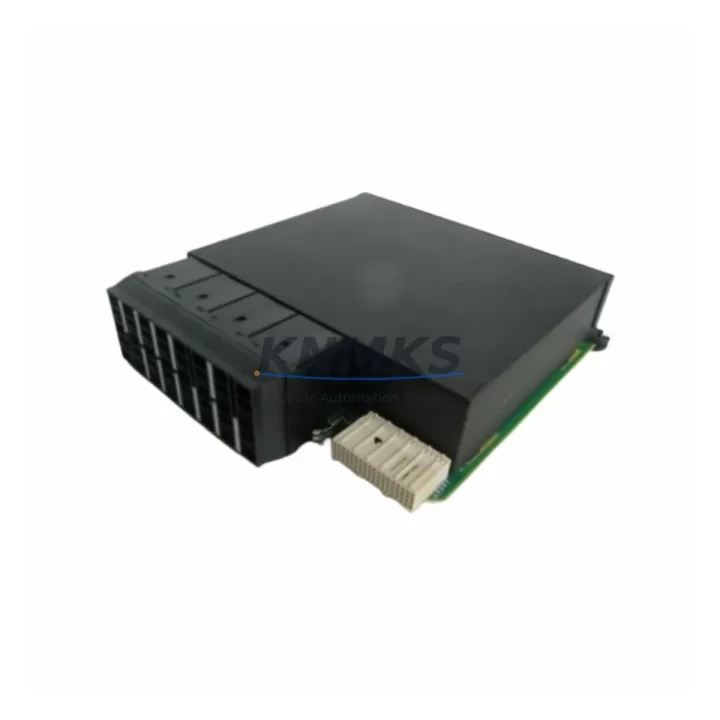
B+W BWU1703 Migration-Ready DP/PA Coupler for Legacy Control Systems
The B+W BWU1703 is a PROFIBUS DP/PA Segment Coupler engineered for direct integration into existing fieldbus architectures where legacy coupler modules have reached end-of-life or are no longer supported by the original manufacturer. As automation systems in petrochemical plants, water treatment facilities, power generation stations, and metallurgical operations continue to age, the BWU1703 provides a validated, stock-backed migration path that eliminates the need for full system redesign. Its compatibility with the BWU Series platform makes it a preferred choice for engineers managing multi-site refurbishments or phased control cabinet upgrades where minimizing unplanned downtime is the primary constraint.
When planning a retrofit using the BWU1703, engineers must verify several critical parameters before committing to installation. Power supply capacity at the segment level must be confirmed — the BWU1703 draws from the DP-side bus voltage and must be matched against the existing power budget of the PROFIBUS DP backbone. Terminal wiring assignments should be cross-referenced against the original coupler’s pinout documentation, particularly for shield grounding and PA segment termination. Backplane interface compatibility is not applicable for this standalone coupler format, but DIN rail mounting clearance and enclosure depth must be measured to confirm physical fit within the existing control cabinet layout.
Module addressing on the PROFIBUS DP network requires no hardware DIP switch reconfiguration on the BWU1703 itself, as the DP address is assigned to the connected PA field devices rather than the coupler. However, the GSD file version used in the PLC configuration tool — whether Siemens STEP 7, TIA Portal, or a third-party PROFIBUS master — must be validated against the BWU1703’s device profile to ensure correct parameterization. If the legacy system was configured using an older GSD revision, a re-import and re-download of the hardware configuration may be required, which should be scheduled during a planned maintenance window to avoid disrupting live process control.
Migration Compatibility Table
| Parameter | BWU1703 Specification | Retrofit Consideration |
|---|---|---|
| Communication Protocol | PROFIBUS DP/PA (IEC 61158) | Verify DP master supports DP/PA coupler topology |
| DP-Side Supply Voltage | Derived from PROFIBUS DP bus power | Confirm segment power budget before installation |
| PA Segment Output | Intrinsically safe PA segment (per IEC 60079-27) | Verify IS barrier ratings if used in hazardous areas |
| Mounting Format | DIN rail (35 mm) | Measure cabinet rail space and adjacent module clearance |
| GSD File Compatibility | Standard PROFIBUS GSD profile | Re-import GSD in STEP 7 / TIA Portal if version mismatch |
| Terminal Wiring | Screw-type terminals, labeled DP+/DP−/PA+/PA−/Shield | Cross-reference with legacy coupler wiring diagram |
| Firmware Update | Not field-upgradeable (hardware-fixed function) | No firmware action required; verify hardware revision label |
| Replacement Compatibility | Direct replacement for BWU Series DP/PA couplers | Confirm PA device count per segment does not exceed rated load |
| Support terms | support terms confirmed by quotation | Covered from date of shipment; pre-shipment testing included |
Retrofit Planning for Existing Automation Systems
A successful BWU1703 retrofit begins with a thorough audit of the existing PROFIBUS segment topology. In many legacy installations, the DP/PA coupler is mounted alongside a PROFIBUS DP repeater or optical link module (OLM) that extends the DP backbone across long cable runs or electrically isolated segments. These components must remain undisturbed during the coupler swap to preserve network continuity. The BWU1703 connects directly to the DP trunk cable using standard PROFIBUS connectors, and the PA spur cables from field instruments — including pressure transmitters, flow meters, and valve positioners — reconnect to the PA terminals without modification in most cases.
In control cabinets where the legacy coupler was integrated with a Siemens ET 200M or ET 200S distributed I/O station, the BWU1703 operates independently on the DP segment and does not occupy a slot in the I/O rack. Engineers should confirm that the DP master — typically a Siemens S7-300 or S7-400 CPU with a CP 342-5 or integrated DP interface — has sufficient segment capacity to support the BWU1703 alongside existing DP slaves. If the system includes a Siemens IM 153-2 interface module for remote I/O, the DP address space must be reviewed to avoid conflicts after the coupler replacement.
For sites running older Siemens S5 or Allen-Bradley PLC-5 platforms with third-party PROFIBUS master cards, the BWU1703’s standard GSD profile ensures broad compatibility. The PA field devices on the downstream segment — such as Endress+Hauser Promag flowmeters or Rosemount 3051 pressure transmitters — retain their existing PA addresses and parameterization, so no changes to the HMI tag database or SCADA faceplates are required in most retrofit scenarios. This significantly reduces the scope of post-installation commissioning and allows the system to return to normal operation within a single maintenance shift.
Power module selection is another key consideration. If the existing installation uses a dedicated PROFIBUS PA power conditioner or segment protector mounted adjacent to the legacy coupler, the BWU1703 can be connected to the same power feed provided the conditioner’s output current rating supports the PA segment load. In installations where the power conditioner is integrated into the coupler housing of the legacy unit, a standalone PA power conditioner must be added to the cabinet layout before the BWU1703 can be commissioned.
Downtime Control During System Migration
Minimizing process interruption during a PROFIBUS coupler replacement requires careful pre-staging and a structured cutover sequence. Before the maintenance window begins, the BWU1703 should be pre-wired on a temporary DIN rail section and bench-tested with a PROFIBUS diagnostic tool — such as a Softing PB-T3 or ProfiTrace 2 — to confirm that the coupler powers up correctly and that the PA segment is active. This pre-shipment verification, combined with the support terms confirmed by quotation coverage provided with every BWU1703 unit, ensures that no defective hardware reaches the field during a live cutover.
During the cutover, the PLC program logic should be placed in a safe hold state or transferred to a redundant controller if the system architecture supports it. The original coupler’s DP and PA terminal connections should be documented with photographs before disconnection. The BWU1703 is then installed in the same DIN rail position, terminal connections are transferred in sequence, and the DP network is re-energized. A PROFIBUS live list scan confirms that all PA devices have re-established communication before the PLC is returned to automatic mode.
Post-installation, the engineering team should monitor the PA segment current draw and DP cycle time for at least one full process cycle to confirm stable operation. Any deviations in device diagnostics or unexpected DP bus errors should be investigated using the coupler’s LED status indicators before closing the maintenance record. With proper pre-staging, a BWU1703 replacement can typically be completed within a two-to-four-hour maintenance window, preserving process continuity and reducing the risk of extended unplanned downtime.
Retrofit Support FAQ
Q: Is the BWU1703 a direct drop-in replacement for my existing B+W BWU Series DP/PA coupler?
A: In most cases, yes. The BWU1703 is designed as a migration-ready replacement for BWU Series couplers sharing the same DP/PA interface standard. Terminal labeling and DIN rail footprint are consistent across the BWU platform. We recommend verifying the PA segment device count and power budget against the BWU1703 datasheet before installation.
Q: Do I need to modify my PLC program or HMI configuration after installing the BWU1703?
A: Typically no. The BWU1703 is transparent to the DP master and does not appear as an addressable node in the PROFIBUS network. PA field devices retain their existing addresses and parameterization. A GSD file re-import may be required if the hardware configuration in STEP 7 or TIA Portal references an older coupler device profile.
Q: What pre-shipment testing is performed on the BWU1703 before delivery?
A: Every BWU1703 unit undergoes functional verification prior to shipment, including power-up confirmation, PA segment activation check, and LED status validation. Units are shipped with a support terms confirmed by quotation covering manufacturing defects and functional failures under normal operating conditions.
Q: What is the lead time and stock availability for the BWU1703?
A: The BWU1703 is maintained availability confirmed by RFQ to support urgent retrofit and spare parts requirements. Global shipping is available with standard and expedited options. Contact our team for current inventory status and lead time confirmation for your specific quantity requirement.
© 2026 KNMKS. All rights reserved.
Original Source: https://knmks.com
Contact: admin@knmks.com | +86 18359268345
Product Identification
- Brand / Ecosystem
-
Other Brands
Assorted Brands - Model / Series
-
BWU1703
Assorted Series - Product Family
- Communication Modules
- Availability Status
- Available on request after model and quantity confirmation
- Inquiry Type
- B2B RFQ, replacement inquiry and project spare-part request
- Pre-Quote Check
- Exact SKU, brand, series, quantity, nameplate photos and destination country are checked before quotation
System Path
Where this product fits in the KNMKS automation structure.
Specification & Inquiry Focus
- Network range
- Ethernet, fieldbus and gateway modules
- Common needs
- Protocol, port and controller family
- Project support
- Machine networking and data integration
Buyer Confirmation
Information KNMKS checks before replying.
- Exact model
- BWU1703
- Brand / ecosystem
- Other Brands
- Product family
- Communication Modules
- Application note
- Replacement, maintenance, project build or spare-part list
- Useful photos
- Nameplate, installed unit, cabinet layout or connector side
- Delivery details
- Quantity, destination country and target schedule
Document Support
Files and notes can be confirmed during quotation.
- Product photos or nameplate confirmation when available
- Packing and delivery notes before quotation confirmation
- Support scope and delivery terms confirmed per inquiry
- Export document coordination for qualified B2B requests
Inquiry Support
- Industrial Ethernet and fieldbus module inquiry
- Protocol compatibility review
- Integration project inquiry support
What to Send Us
- Brand and exact model number: Other Brands BWU1703
- Quantity and required delivery time
- Application, replacement requirement or nameplate photo
- Destination country and shipping preference
RFQ Preparation
This is a product inquiry page built for RFQ communication.
Fast Model Check
Send this model to KNMKS for confirmation.
Include quantity, destination country and photos if this is a maintenance replacement. The inquiry will be saved with a reference number after submission.
Brand & Compatibility Note
KNMKS displays automation product information for well-known industrial brand ecosystems and compatible replacement references. Brand names are used for product identification and compatibility reference only; final availability and commercial terms are confirmed per quotation.
 Manufacturing
 Machine Tools
 Packaging
 Energy & Power
 PLCs & Controllers
 HMI & Displays
 Servo Systems
 Variable Frequency Drives