
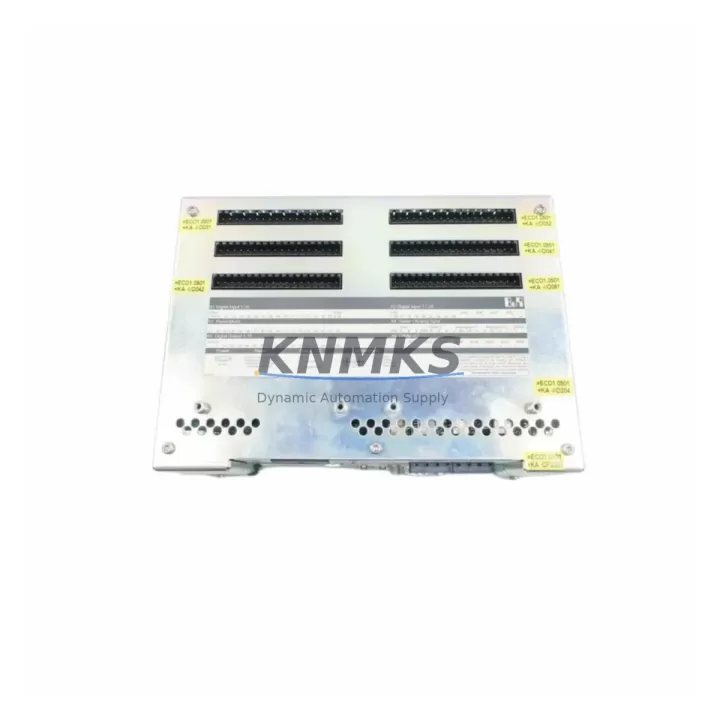
Overview
B&R 4PP210.0000-K20 Migration-Ready HMI for Legacy Control Systems
The B&R 4PP210.0000-K20 is a compact, panel-mount Human Machine Interface (HMI) designed for integration within B&R Power Panel control architectures. As legacy automation infrastructure ages and original equipment manufacturers discontinue support for older panel variants, the 4PP210.0000-K20 has become a critical migration-ready replacement for facilities operating first- and second-generation Power Panel systems. This unit supports direct substitution in existing control cabinet cutouts, preserving original wiring harnesses, terminal assignments, and communication links wherever possible — dramatically reducing retrofit engineering hours and unplanned downtime.
For maintenance engineers and system integrators managing aging production lines, sourcing a verified, tested 4PP210.0000-K20 from available inventory is often the fastest path to restoring operational continuity. Our stock units undergo pre-shipment functional testing covering display output, touchscreen calibration, communication port integrity, and power rail verification before dispatch. Each unit ships with a support terms confirmed by quotation covering hardware defects and operational failures under normal industrial service conditions.
Migration Compatibility Table
| Parameter | Detail |
|---|---|
| SKU / Part Number | 4PP210.0000-K20 |
| Brand | B&R Industrial Automation |
| Series | Power Panel 200 Series |
| Display | 5.7″ STN Color LCD, 320×240 resolution |
| Interface / Ports | RS232, RS485, CAN, Ethernet (model-dependent); confirm with existing cable harness |
| Power Supply Input | 24 VDC nominal; verify existing PSU capacity before swap |
| Panel Cutout Compatibility | Designed for standard Power Panel 200 cutout; measure existing aperture before ordering |
| Communication Protocol | B&R Automation Studio compatible; MODBUS RTU support on serial ports |
| Replacement Recommendation | Direct replacement for discontinued 4PP210 variants; verify firmware revision compatibility |
| Commissioning Notes | Re-upload existing project from Automation Studio; verify tag mapping and HMI screen bindings post-swap |
| Support terms | 12 Months — hardware defects and operational failure under normal industrial use |
| Pre-Shipment Testing | Display, touch, comms ports, power rail — all verified before dispatch |
Retrofit Planning for Existing Automation Systems
Successful integration of the 4PP210.0000-K20 into a legacy control environment requires a structured pre-installation review. Begin by auditing the existing 24 VDC power supply — typically a B&R PS3100 or equivalent DIN-rail PSU — to confirm it can sustain the panel’s inrush and steady-state current draw alongside other cabinet loads. If the power budget is marginal, consider upgrading to a higher-capacity supply before the HMI swap to avoid nuisance trips during startup.
Terminal wiring is the next critical checkpoint. The 4PP210.0000-K20 uses a defined connector pinout for its serial and power terminals. Cross-reference the existing wiring diagram against the replacement unit’s terminal layout. In many legacy installations, the communication link between the HMI and the main PLC — often a B&R X20 series controller or an older 2003 series CPU — runs over RS485 or CAN. Verify that the cable shielding, termination resistors, and node addresses are preserved during the swap to avoid communication faults on first power-up.
For facilities running B&R Automation Studio projects, the HMI application binary must be re-transferred to the replacement unit. Ensure the Automation Studio version on the engineering workstation matches the firmware baseline of the 4PP210.0000-K20 availability confirmed by RFQ. Firmware mismatches between the project and the target hardware are a common source of commissioning delays. If the original project files are unavailable, a qualified integrator may need to reconstruct screen logic from HMI printouts or archived PLC variable lists.
Where the retrofit extends beyond a simple HMI swap — for example, when upgrading an entire control cabinet that also includes aging X20AI4622 analog input modules, X20DO9322 digital output modules, or an X20BC0083 POWERLINK fieldbus controller — plan the I/O address remapping carefully. Changes to module slot positions on the X20 backplane will require corresponding updates in the PLC program’s hardware configuration. Coordinate HMI screen tag bindings with any I/O address changes to prevent runtime errors after the upgrade.
Signal isolators between field instruments and the I/O rack should also be inspected during the retrofit window. Degraded isolators can introduce noise on analog channels that only becomes apparent after a new HMI begins displaying live process values with higher refresh rates. Replacing suspect isolators during the planned outage avoids a second maintenance window shortly after commissioning.
Downtime Control During System Migration
Minimizing production interruption during an HMI replacement requires preparation that begins well before the scheduled outage window. The most effective approach is to pre-configure the replacement 4PP210.0000-K20 off-line: load the Automation Studio project, verify all screen pages render correctly on a bench power supply, and confirm communication parameters match the live system before the unit enters the cabinet.
Photograph or document the existing terminal wiring before disconnecting any cables. Label each wire with its terminal designation using adhesive markers. This step alone can reduce reconnection time by 50% and eliminates the risk of transposing signal and power wires during the swap. For serial communication cables, note the connector type, pin assignments, and any ferrite cores or cable clamps that contribute to EMC compliance.
Once the replacement unit is physically installed and wired, power up the cabinet in a controlled sequence: energize the 24 VDC rail first, confirm the HMI boots to the project home screen, then re-enable the PLC communication link. Monitor the communication status indicators on both the HMI and the connected B&R controller for the first several minutes of operation. Any persistent communication faults at this stage are almost always traceable to node address conflicts, incorrect baud rate settings, or a missing termination resistor on the RS485 bus — all of which can be resolved without additional hardware.
Preserve the original PLC program logic throughout the migration. Avoid making simultaneous changes to the PLC application and the HMI hardware during the same outage window unless the changes are tightly coordinated and pre-tested. Isolating variables reduces diagnostic complexity if an issue arises during commissioning. Once the system is confirmed stable under normal operating conditions, document the as-built configuration and update the site’s maintenance records.
Retrofit Support FAQ
Q1: Is the 4PP210.0000-K20 a direct drop-in replacement for other 4PP210 variants?
The 4PP210.0000-K20 shares the same mechanical form factor as other Power Panel 200 series units, making it physically compatible with existing panel cutouts in most installations. However, communication port configurations and firmware versions may differ between variants. Always verify the port layout and Automation Studio firmware compatibility before committing to a swap. Our technical team can assist with compatibility confirmation based on your existing part number and project version.
Q2: What pre-shipment testing is performed on each unit?
Every 4PP210.0000-K20 dispatched from our inventory undergoes a structured functional test covering display output quality, touchscreen response across the full active area, power rail stability at 24 VDC, and communication port continuity on all available interfaces. Test results are logged internally. Units that do not pass all checkpoints are quarantined and not shipped. Each dispatched unit is covered by a support terms confirmed by quotation from the date of delivery.
Q3: Can the existing HMI project be reloaded without access to the original Automation Studio source files?
If the original .apj project files are unavailable, options are limited but not exhausted. B&R Automation Studio can sometimes extract a partial project backup from a functioning unit before it is decommissioned. If the original unit has already failed, reconstruction from HMI screen documentation, PLC variable export files, and archived commissioning records is possible but time-intensive. We recommend customers retain a current project backup on a secure engineering server as standard practice for all B&R Power Panel installations.
Q4: What is the typical lead time and are units available from stock?
We maintain available inventory of the 4PP210.0000-K20 to support urgent replacement requirements. Standard dispatch is within 1–3 business days of order confirmation for in-stock units. For customers with critical production dependencies, we recommend confirming stock availability directly with our sales team before placing an order. Global shipping is supported, and export documentation can be prepared for cross-border shipments on request.
© 2026 KNMKS. All rights reserved.
Original Source: https://knmks.com
Contact: admin@knmks.com | +86 18359268345
Product Identification
- Brand / Ecosystem
-
B&R Industrial Automation
Assorted Brands - Model / Series
-
4PP210.0000-K20
Legacy Series - Product Family
- HMI & Displays
- Availability Status
- Available on request after model and quantity confirmation
- Inquiry Type
- B2B RFQ, replacement inquiry and project spare-part request
- Pre-Quote Check
- Exact SKU, brand, series, quantity, nameplate photos and destination country are checked before quotation
System Path
Where this product fits in the KNMKS automation structure.
Specification & Inquiry Focus
- Display range
- Operator panels and touch screens
- Common needs
- Screen size, interface and version matching
- Project support
- Retrofit, spare unit and panel replacement
Buyer Confirmation
Information KNMKS checks before replying.
- Exact model
- 4PP210.0000-K20
- Brand / ecosystem
- B&R Industrial Automation
- Product family
- HMI & Displays
- Application note
- Replacement, maintenance, project build or spare-part list
- Useful photos
- Nameplate, installed unit, cabinet layout or connector side
- Delivery details
- Quantity, destination country and target schedule
Document Support
Files and notes can be confirmed during quotation.
- Product photos or nameplate confirmation when available
- Packing and delivery notes before quotation confirmation
- Support scope and delivery terms confirmed per inquiry
- Export document coordination for qualified B2B requests
Inquiry Support
- Panel size and interface confirmation
- Replacement unit inquiry for discontinued HMIs
- Protective packaging for display shipment
What to Send Us
- Brand and exact model number: B&R Industrial Automation 4PP210.0000-K20
- Quantity and required delivery time
- Application, replacement requirement or nameplate photo
- Destination country and shipping preference
RFQ Preparation
This is a product inquiry page built for RFQ communication.
Fast Model Check
Send this model to KNMKS for confirmation.
Include quantity, destination country and photos if this is a maintenance replacement. The inquiry will be saved with a reference number after submission.
Brand & Compatibility Note
KNMKS displays automation product information for well-known industrial brand ecosystems and compatible replacement references. Brand names are used for product identification and compatibility reference only; final availability and commercial terms are confirmed per quotation.
 Manufacturing
 Machine Tools
 Packaging
 Energy & Power
 PLCs & Controllers
 Servo Systems
 Variable Frequency Drives
 Sensors