
Overview
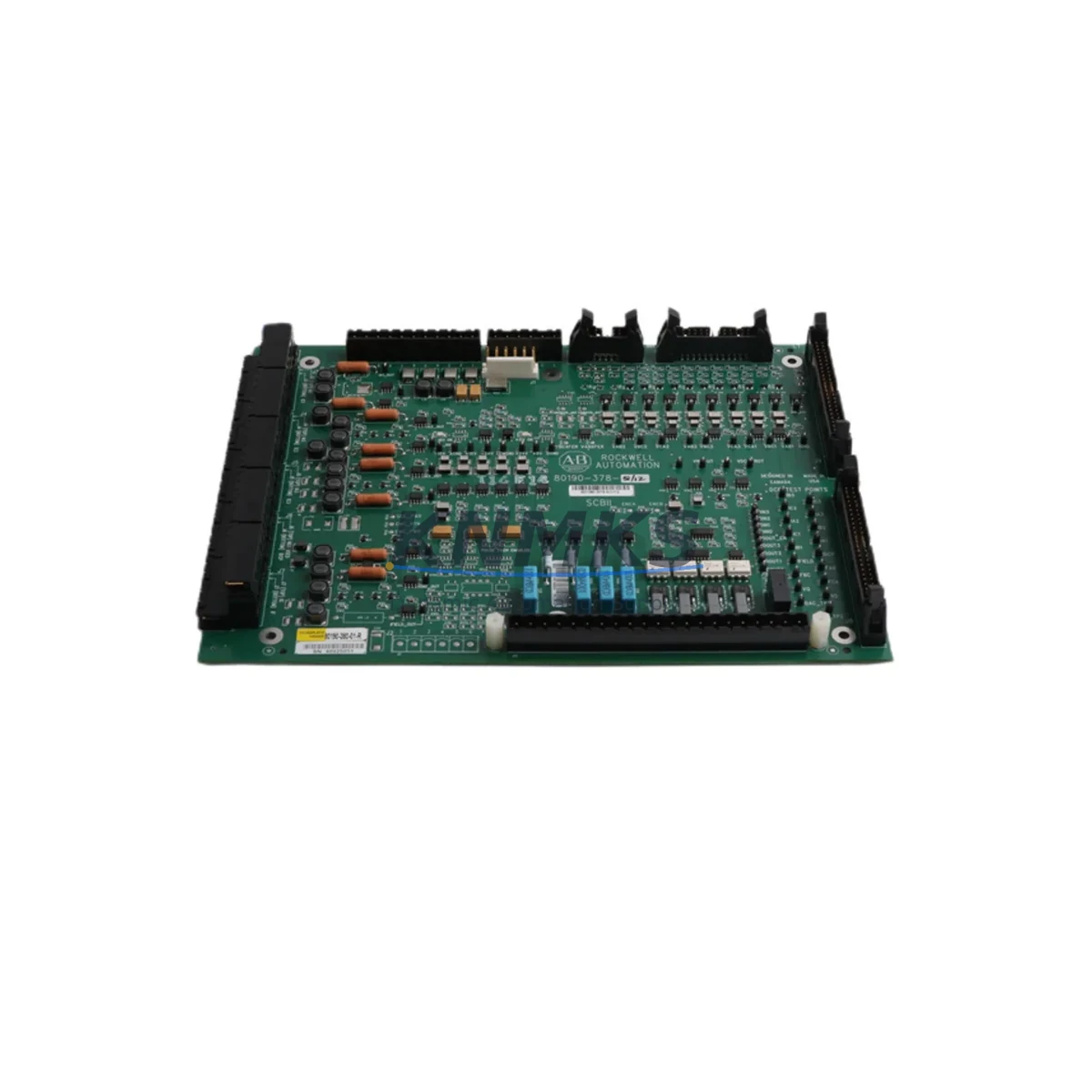
Allen-Bradley 80190-380-01-R Retrofit Rectifier Board: Migration-Ready Replacement for Legacy Drive Systems
The Allen-Bradley 80190-380-01-R is a rectifier board designed for use in the 1336 PLUS, 1336 IMPACT, and SCB-series AC drive platforms — systems that remain widely deployed across manufacturing, water treatment, material handling, and process control facilities worldwide. As these drive families approach or exceed their published end-of-life dates, sourcing verified replacement boards becomes a critical bottleneck in retrofit and modernization projects. The 80190-380-01-R addresses this gap directly: it is a migration-ready, drop-in rectifier board that restores drive functionality without requiring a full drive chassis replacement or PLC program rewrite.
In legacy drive retrofit scenarios, the rectifier board is one of the most failure-prone assemblies. It is responsible for converting incoming AC line voltage to the DC bus voltage that feeds the inverter section. When the rectifier board fails — typically due to SCR degradation, thermal cycling fatigue, or capacitor aging — the drive trips on DC bus undervoltage or overcurrent faults and cannot be restarted without board-level repair or replacement. The 80190-380-01-R provides a tested, ready-to-install solution that eliminates the need for field-level component rework on the original board.
Before installing the 80190-380-01-R, retrofit engineers should verify several system parameters. First, confirm the incoming AC supply voltage and phase configuration match the drive’s rated input — the 1336 PLUS and 1336 IMPACT families span multiple voltage classes (200–240V, 380–480V, 500–600V), and the rectifier board must correspond to the correct voltage frame. Second, inspect the drive’s power terminal block and DC bus bar connections for corrosion or mechanical damage before reinstalling the new board. Third, verify that the drive’s main control board — such as the 1336-BRF-SP2 or equivalent — is functioning correctly, as a failed rectifier board can sometimes mask upstream control faults that will resurface after the rectifier is replaced.
Backplane and chassis compatibility should also be confirmed. The 80190-380-01-R mounts within the drive’s internal power structure and interfaces with the gate driver board and snubber assembly. If the gate driver board — for example, a 1336-BRF-SP3 or equivalent gate firing card — shows signs of degradation, it is strongly recommended to replace it simultaneously to avoid a repeat failure within the same maintenance window. Similarly, the drive’s precharge resistor assembly and precharge relay should be inspected, as these components work in direct coordination with the rectifier section during power-up sequencing.
For facilities running 1336 PLUS or 1336 IMPACT drives integrated into a DeviceNet or DH+ communication network, the retrofit process must also account for communication module continuity. The 1336-GM1 or 1336-GM6 communication adapter cards mounted on the drive should be removed carefully before board replacement and reinstalled without disturbing their address switch settings. This preserves the drive’s node address on the network and avoids the need to reconfigure the PLC’s I/O tree or update the RSLogix 5000 / RSLogix 500 program. In systems where the drive’s speed reference and feedback signals are wired through an analog I/O module on a ControlLogix or SLC 500 rack, no program changes are required as long as the drive’s parameter settings are backed up prior to the repair using DriveExplorer or Connected Components Workbench.
HMI screens that display drive status, fault codes, or speed feedback via a PanelView terminal should be tested after the retrofit to confirm that all data tags are updating correctly. In most cases, because the 80190-380-01-R is a direct board-level replacement that does not alter the drive’s firmware or parameter structure, HMI communication resumes normally after the drive is powered up and faults are cleared. However, if the drive’s non-volatile memory was corrupted during the original failure event, parameters may need to be re-entered manually or restored from a previously saved parameter file.
Migration Compatibility Table
| Attribute | Details |
|---|---|
| Part Number | 80190-380-01-R |
| Manufacturer | Allen-Bradley (Rockwell Automation) |
| Compatible Drive Series | 1336 PLUS, 1336 IMPACT, SCB-series AC Drives |
| Board Function | AC-to-DC Rectifier (Power Conversion Stage) |
| Mounting Interface | Internal drive chassis, direct board replacement |
| Communication Compatibility | No communication interface on board; drive-level DeviceNet / DH+ / Analog unaffected |
| Installation Requirement | Verify voltage frame, DC bus connections, gate driver board condition |
| Replacement Recommendation | Simultaneous inspection of gate driver board and precharge assembly recommended |
| Commissioning Notes | Restore drive parameters from backup; clear faults; verify HMI tag updates |
| Support terms | 12 Months from date of shipment |
| Condition | Tested, inspected, ready to ship |
Retrofit Planning for Existing Automation Systems
A successful rectifier board retrofit requires more than a part swap. In a typical 1336 PLUS or 1336 IMPACT drive installation, the rectifier board sits within a power stack that also includes the DC bus capacitor bank, the IGBT inverter module, and the gate driver card. When planning the retrofit, engineers should assess the condition of the entire power section — not just the failed board. If the DC bus capacitors are original and the drive has been in service for more than 10 years, capacitor reformation or replacement should be scheduled as part of the same maintenance event.
For drives installed in MCC (Motor Control Center) lineups or standalone control cabinets, confirm that the cabinet’s ventilation and cooling system is functioning correctly before reinstalling the repaired drive. Blocked air filters or failed cooling fans are a common root cause of rectifier board failures and will cause a repeat failure if not addressed. The drive’s ambient temperature rating should also be verified against the actual installation environment, particularly in facilities where production loads have increased since the original drive installation.
In multi-drive systems where several 1336 PLUS or 1336 IMPACT drives share a common DC bus or are coordinated through a ControlLogix PLC with a 1756-ENBT or 1756-DNB communication module, the retrofit should be planned during a scheduled maintenance window to minimize impact on the production line. The PLC program’s drive fault handling logic should be reviewed to ensure that a single drive fault does not cascade into an unplanned line shutdown. If the facility uses a SCADA system connected via EtherNet/IP, the drive’s IP address and EDS file registration should be verified after the retrofit is complete.
Spare parts planning for 1336-series drive systems should also include inventory of the 1336-L6E power module, 1336-BRF-SP2 main control board, and relevant communication adapter cards. Maintaining a small buffer stock of these components alongside the 80190-380-01-R rectifier board significantly reduces mean time to repair (MTTR) for future failure events and extends the effective service life of the installed drive fleet.
Downtime Control During System Migration
Minimizing unplanned downtime is the primary driver behind proactive rectifier board replacement. When a 1336 PLUS or 1336 IMPACT drive fails in a production environment, the typical response sequence — fault diagnosis, part identification, sourcing, shipping, and installation — can consume 3 to 10 business days if replacement boards are not pre-positioned. By stocking the 80190-380-01-R in advance, maintenance teams can reduce drive-down time to a single shift.
Before beginning the board replacement, the original drive parameters should be saved using DriveExplorer, Connected Components Workbench, or a handheld HIM (Human Interface Module) parameter upload. This step is critical: if the drive’s parameter memory is intact, the saved file allows the replacement board to be commissioned with the correct acceleration/deceleration ramps, current limits, speed references, and fault response settings without requiring a full drive recommissioning from scratch.
During the physical replacement, the drive must be fully de-energized and locked out per LOTO procedures. The DC bus must be verified at zero volts using a calibrated meter before any internal components are touched — residual DC bus voltage in a 480V drive can remain above 50V for several minutes after power removal. After the 80190-380-01-R is installed and all connections are verified, the drive should be powered up in a controlled sequence: apply control power first, verify no fault codes are present, then apply main AC power and monitor the DC bus voltage rise during precharge. A successful precharge cycle confirms that the new rectifier board is functioning correctly before the motor is re-engaged.
Post-installation, a brief functional test under no-load conditions — verifying speed reference tracking, fault response, and communication link status — should be completed before returning the drive to production. This test sequence, combined with a parameter restore from the saved backup file, typically allows a 1336-series drive to be returned to service within 2 to 4 hours of receiving the replacement board.
Retrofit Support FAQ
Q: Is the 80190-380-01-R a direct replacement for the original Allen-Bradley rectifier board in 1336 PLUS and 1336 IMPACT drives?
A: Yes. The 80190-380-01-R is a board-level replacement for the rectifier assembly in compatible 1336-series drives. Verify the drive’s voltage frame and catalog number before ordering to confirm compatibility with your specific drive configuration.
Q: What testing is performed before shipment?
A: Each 80190-380-01-R unit is functionally tested and inspected prior to shipment. Testing covers rectifier output, SCR firing integrity, and board-level continuity. A support terms confirmed by quotation is included from the date of shipment.
Q: Do I need to update the PLC program or HMI screens after replacing the rectifier board?
A: In most cases, no. The 80190-380-01-R is a power-stage replacement that does not affect the drive’s firmware, parameter structure, or communication interface. Restore drive parameters from a saved backup and verify HMI tag updates after power-up. No PLC program changes are required.
Q: What is the lead time and do you maintain stock?
A: We maintain inventory of the 80190-380-01-R to support urgent retrofit and breakdown scenarios. Contact us directly to confirm current stock availability and shipping timeline for your location.
© 2026 KNMKS. All rights reserved.
Original Source: https://knmks.com
Contact: admin@knmks.com | +86 18359268345
Product Identification
- Brand / Ecosystem
-
Allen-Bradley
Allen-Bradley - Model / Series
- 80190-380-01-R
- Product Family
- PLCs & Controllers
- Availability Status
- Available on request after model and quantity confirmation
- Inquiry Type
- B2B RFQ, replacement inquiry and project spare-part request
- Pre-Quote Check
- Exact SKU, brand, series, quantity, nameplate photos and destination country are checked before quotation
System Path
Where this product fits in the KNMKS automation structure.
Specification & Inquiry Focus
- Control platform
- PLC, PAC and modular controllers
- Common needs
- CPU, rack, power and I/O expansion
- Project support
- Replacement, cabinet build and maintenance
Buyer Confirmation
Information KNMKS checks before replying.
- Exact model
- 80190-380-01-R
- Brand / ecosystem
- Allen-Bradley
- Product family
- PLCs & Controllers
- Application note
- Replacement, maintenance, project build or spare-part list
- Useful photos
- Nameplate, installed unit, cabinet layout or connector side
- Delivery details
- Quantity, destination country and target schedule
Document Support
Files and notes can be confirmed during quotation.
- Product photos or nameplate confirmation when available
- Packing and delivery notes before quotation confirmation
- Support scope and delivery terms confirmed per inquiry
- Export document coordination for qualified B2B requests
Inquiry Support
- Model cross-checking before quotation
- CPU, power, rack and expansion module matching
- Support for replacement and project inquiry
What to Send Us
- Brand and exact model number: Allen-Bradley 80190-380-01-R
- Quantity and required delivery time
- Application, replacement requirement or nameplate photo
- Destination country and shipping preference
RFQ Preparation
This is a product inquiry page built for RFQ communication.
Fast Model Check
Send this model to KNMKS for confirmation.
Include quantity, destination country and photos if this is a maintenance replacement. The inquiry will be saved with a reference number after submission.
Brand & Compatibility Note
KNMKS displays automation product information for well-known industrial brand ecosystems and compatible replacement references. Brand names are used for product identification and compatibility reference only; final availability and commercial terms are confirmed per quotation.
 Manufacturing
 Machine Tools
 Packaging
 Energy & Power



 HMI & Displays
 Servo Systems
 Variable Frequency Drives
 Sensors