
Overview
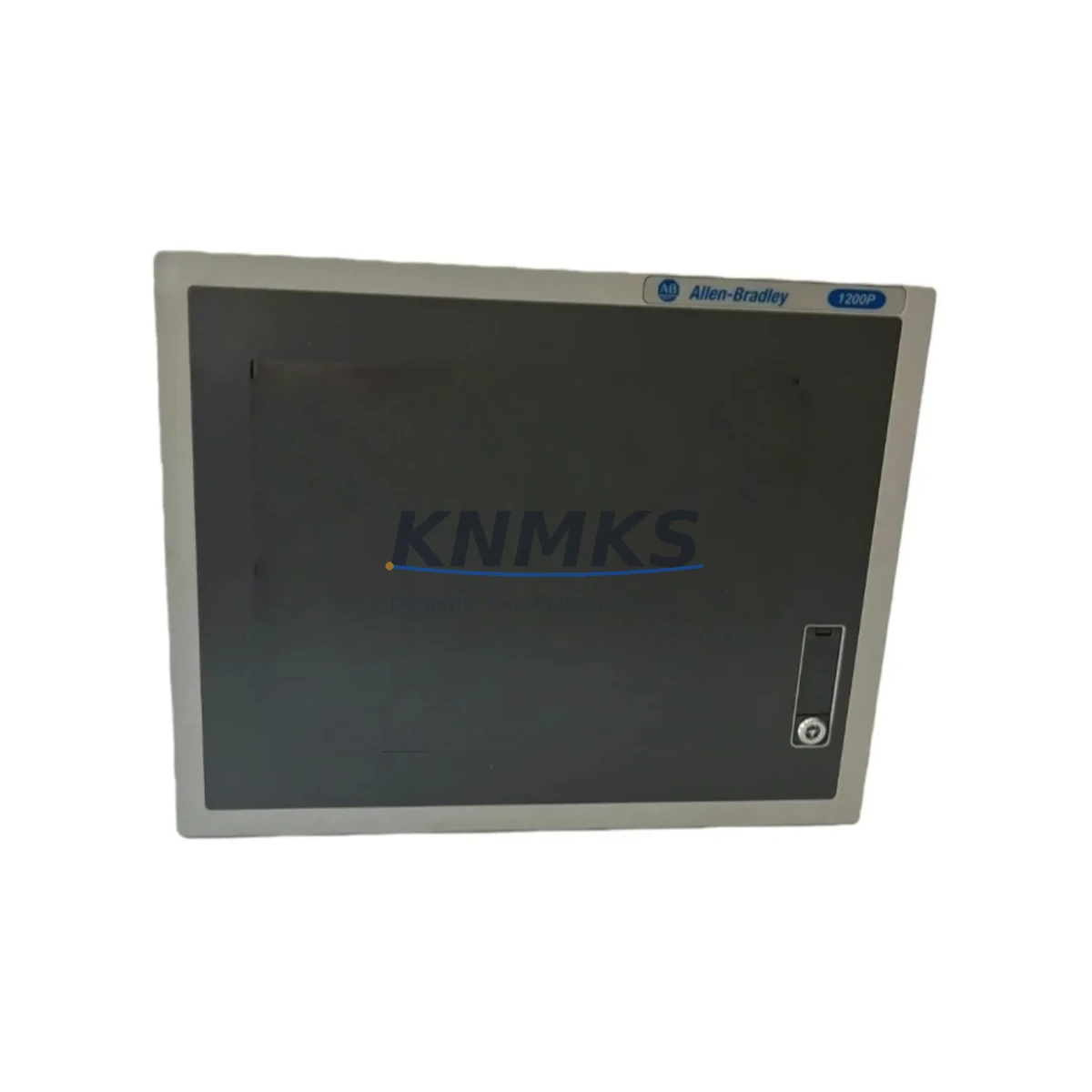
Allen-Bradley 6181P-12TPXPDC Migration-Ready Panel PC: Legacy System Modernization and Compatible Upgrade
The Allen-Bradley 6181P-12TPXPDC is a DC-powered industrial panel PC engineered for seamless integration into existing 6181P Series control architectures. As legacy Rockwell Automation panel PCs reach end-of-life and spare parts become increasingly scarce, the 6181P-12TPXPDC provides a validated migration path for plant engineers managing aging HMI and supervisory control stations across manufacturing, energy, petrochemical, and infrastructure sectors. Whether you are replacing a failed unit on a critical production line or executing a planned control system modernization, this panel PC is designed to minimize engineering rework and reduce commissioning time.
Sourced from authorized distribution channels and subject to full functional testing prior to shipment, each 6181P-12TPXPDC unit is backed by a support terms confirmed by quotation covering hardware defects and operational failures under normal industrial service conditions. Global logistics support ensures delivery to plant sites across Asia, Europe, the Middle East, and the Americas, with expedited options available for emergency breakdown situations.
Migration Compatibility Table
| Parameter | Details |
|---|---|
| Replacement Target | Allen-Bradley 6181P Series Panel PCs (discontinued / end-of-life) |
| Power Supply | DC input; verify existing cabinet DC rail voltage and current capacity before installation |
| Display Interface | Headless configuration; confirm HMI display connection type (VGA / DVI / DisplayPort) matches existing panel wiring |
| Communication Ports | Ethernet (EtherNet/IP compatible); verify IP addressing, subnet, and ControlLogix / CompactLogix controller routing tables |
| Backplane / Rack Interface | Standalone panel mount; no backplane dependency — confirm DIN rail or panel cutout dimensions match existing enclosure |
| OS / Software Compatibility | Confirm FactoryTalk View SE / ME version compatibility with existing application project files before firmware update |
| Installation Space | Verify panel cutout dimensions and depth clearance; check cable bend radius for existing I/O and communication harnesses |
| Commissioning Requirement | Restore HMI project, verify tag database, test all operator screens and alarm displays before returning to service |
| Support terms | 12 months from date of shipment; covers hardware defects under normal industrial operating conditions |
Retrofit Planning for Existing Automation Systems
A successful 6181P-12TPXPDC retrofit begins well before the physical swap. Engineers should audit the existing control cabinet to document all connected peripherals, communication links, and power distribution before ordering replacement hardware. In most 6181P Series installations, the panel PC operates as the primary HMI node for a ControlLogix or CompactLogix controller platform, communicating over EtherNet/IP. Before decommissioning the legacy unit, back up the complete FactoryTalk View application project, including all display pages, tag references, alarm configurations, and trend definitions.
Power supply integrity is a critical pre-check. The 6181P-12TPXPDC draws DC power from the cabinet rail; confirm that the existing Allen-Bradley 1606-XLP or equivalent DC power supply module has sufficient current headroom to support the replacement unit without triggering overload protection. If the cabinet power budget is marginal, this is an appropriate time to upgrade to a higher-capacity 1606-XLS series power supply before completing the panel PC swap.
Terminal wiring for USB peripherals, serial communication adapters, and discrete I/O signal cables should be labeled and photographed before disconnection. In installations where the legacy panel PC interfaces with a 1756-ENBT or 1756-EN2T EtherNet/IP communication module in a ControlLogix rack, verify that the replacement unit’s MAC address and IP configuration are updated in the controller’s I/O tree to prevent communication faults on startup. Similarly, if the system includes a 1747-UIC USB-to-DH485 programming cable for legacy SLC 500 integration, confirm driver compatibility with the replacement panel PC’s operating system before finalizing the migration plan.
For plants running mixed-generation control architectures — for example, a ControlLogix L7x controller alongside legacy PanelView Plus 6 terminals — the 6181P-12TPXPDC can serve as a centralized supervisory display node, consolidating operator interface functions and reducing the number of discrete HMI devices requiring individual maintenance. This consolidation approach is particularly effective in petrochemical and energy applications where panel real estate is limited and long-term spare parts availability is a procurement priority.
Signal isolation requirements should also be reviewed during retrofit planning. Where the legacy panel PC received analog or discrete signals directly from field instruments, consider installing signal isolators or marshalling terminals to protect the replacement unit’s I/O interfaces from ground loops and electrical noise common in heavy industrial environments.
Downtime Control During System Migration
Minimizing unplanned downtime is the primary operational constraint in any legacy panel PC replacement. A structured migration sequence — pre-staging, parallel verification, cutover, and post-commissioning validation — reduces the risk of extended outages and protects the integrity of the existing control program logic.
Begin by pre-staging the 6181P-12TPXPDC in a workshop environment. Load the backed-up FactoryTalk View application project onto the replacement unit and perform a full offline review of all display pages, tag bindings, and alarm setpoints before the unit reaches the plant floor. This offline validation step catches configuration errors that would otherwise consume valuable production downtime during the live cutover window.
During the physical cutover, work systematically through the terminal disconnection sequence: power first, then communication cables, then peripheral devices. Retain all original cable labels and connector documentation. Once the 6181P-12TPXPDC is physically installed and powered, restore the EtherNet/IP network connection and verify controller communication before enabling operator control functions. Confirm that all HMI display pages load correctly, all process values are updating in real time, and all alarm acknowledgment functions are operational before releasing the system to production operators.
Where process continuity requirements prevent a full shutdown, coordinate with the control system engineer to implement a temporary manual control bypass for critical process loops during the cutover window. Document the bypass configuration and ensure all field operators are briefed on manual operating procedures before beginning the panel PC swap. Post-commissioning, conduct a structured walkthrough of all operator screens with the responsible process engineer to confirm that no display elements, trend histories, or alarm priorities were lost during the migration.
Each 6181P-12TPXPDC unit shipped by KNMKS undergoes pre-shipment functional testing to verify power-on operation, communication port integrity, and display output before dispatch. This factory-level verification reduces the risk of receiving a non-functional unit and supports the goal of completing the site cutover within a single planned maintenance window.
Retrofit Support FAQ
Q1: Is the 6181P-12TPXPDC a direct drop-in replacement for all 6181P Series panel PCs?
The 6181P-12TPXPDC is compatible with the majority of 6181P Series installations sharing the same DC power input and panel mounting configuration. However, engineers should verify panel cutout dimensions, display interface type, and OS version compatibility with the existing FactoryTalk View application before confirming the replacement. KNMKS technical support can assist with compatibility verification based on your existing unit’s nameplate data.
Q2: What commissioning steps are required after installing the replacement unit?
After physical installation, restore the FactoryTalk View application project from backup, configure the network IP address to match the existing system topology, verify EtherNet/IP communication with the connected ControlLogix or CompactLogix controller, and perform a full functional test of all HMI display pages and alarm functions. Serial communication links to legacy devices should be tested individually before returning the system to automatic operation.
Q3: Does KNMKS perform pre-shipment testing on the 6181P-12TPXPDC?
Yes. Every unit undergoes functional testing covering power-on verification, communication port integrity, and display output before shipment. A test report is available upon request. Units are shipped with protective packaging suitable for international air and sea freight to minimize transit damage risk.
Q4: What support terms and after-sales support does KNMKS provide?
All 6181P-12TPXPDC units are covered by a support terms confirmed by quotation from the date of shipment. The support terms covers hardware defects and operational failures under normal industrial service conditions. KNMKS maintains inventory stock to support rapid replacement in the event of a support terms claim, minimizing the impact on plant operations. For technical support, commissioning guidance, or spare parts inquiries, contact the KNMKS team directly.
© 2026 KNMKS. All rights reserved.
Original Source: https://knmks.com
Contact: admin@knmks.com | +86 18359268345
Product Identification
- Brand / Ecosystem
-
Allen-Bradley
Allen-Bradley - Model / Series
- 6181P-12TPXPDC
- Product Family
- PLCs & Controllers
- Availability Status
- Available on request after model and quantity confirmation
- Inquiry Type
- B2B RFQ, replacement inquiry and project spare-part request
- Pre-Quote Check
- Exact SKU, brand, series, quantity, nameplate photos and destination country are checked before quotation
System Path
Where this product fits in the KNMKS automation structure.
Specification & Inquiry Focus
- Control platform
- PLC, PAC and modular controllers
- Common needs
- CPU, rack, power and I/O expansion
- Project support
- Replacement, cabinet build and maintenance
Buyer Confirmation
Information KNMKS checks before replying.
- Exact model
- 6181P-12TPXPDC
- Brand / ecosystem
- Allen-Bradley
- Product family
- PLCs & Controllers
- Application note
- Replacement, maintenance, project build or spare-part list
- Useful photos
- Nameplate, installed unit, cabinet layout or connector side
- Delivery details
- Quantity, destination country and target schedule
Document Support
Files and notes can be confirmed during quotation.
- Product photos or nameplate confirmation when available
- Packing and delivery notes before quotation confirmation
- Support scope and delivery terms confirmed per inquiry
- Export document coordination for qualified B2B requests
Inquiry Support
- Model cross-checking before quotation
- CPU, power, rack and expansion module matching
- Support for replacement and project inquiry
What to Send Us
- Brand and exact model number: Allen-Bradley 6181P-12TPXPDC
- Quantity and required delivery time
- Application, replacement requirement or nameplate photo
- Destination country and shipping preference
RFQ Preparation
This is a product inquiry page built for RFQ communication.
Fast Model Check
Send this model to KNMKS for confirmation.
Include quantity, destination country and photos if this is a maintenance replacement. The inquiry will be saved with a reference number after submission.
Brand & Compatibility Note
KNMKS displays automation product information for well-known industrial brand ecosystems and compatible replacement references. Brand names are used for product identification and compatibility reference only; final availability and commercial terms are confirmed per quotation.
 Manufacturing
 Machine Tools
 Packaging
 Energy & Power



 HMI & Displays
 Servo Systems
 Variable Frequency Drives
 Sensors