
Overview
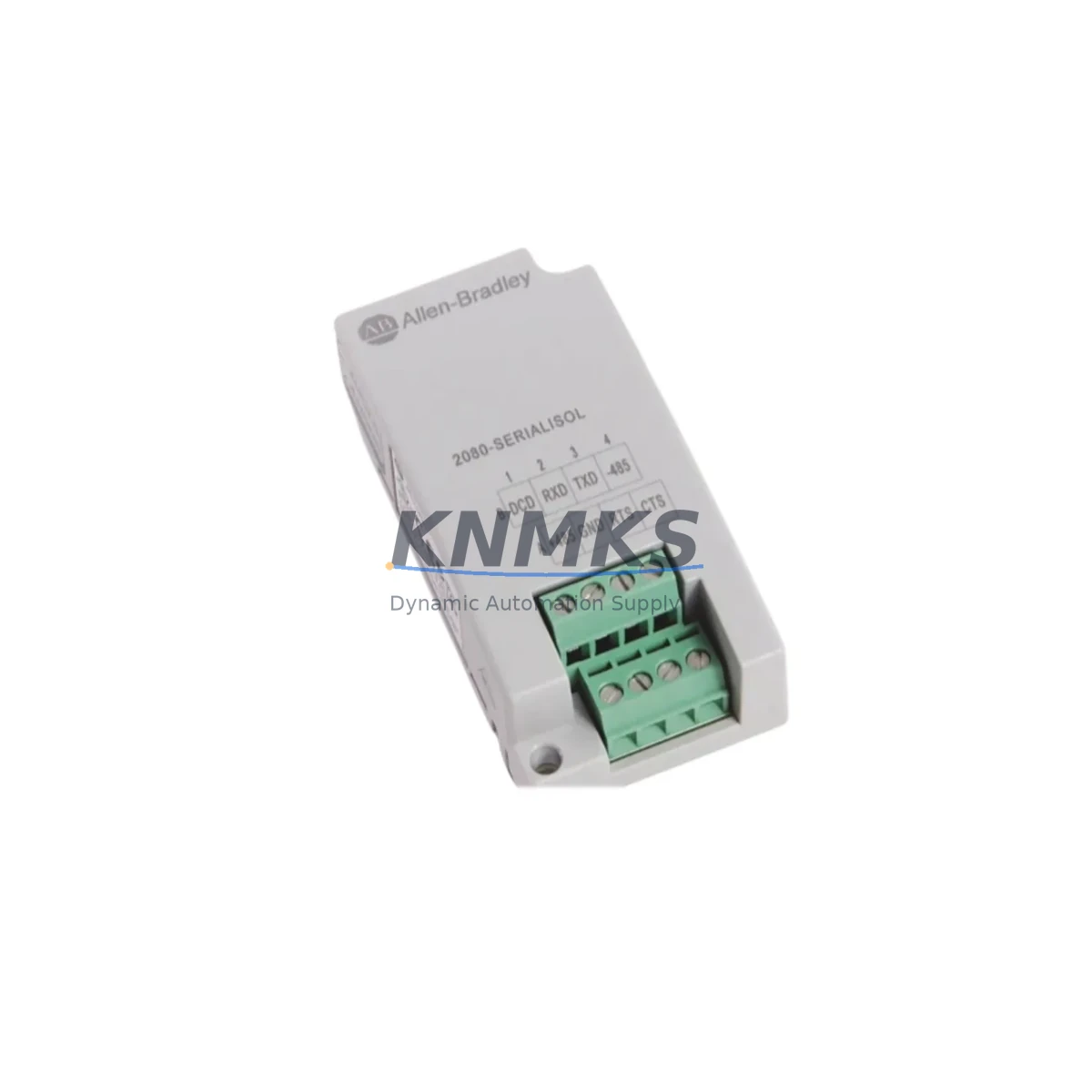
Allen-Bradley 2080-SERIALISOL Maintenance Spare for Factory Uptime
The Allen-Bradley 2080-SERIALISOL is a serial isolation plug-in module engineered for the Micro800 controller platform. Designed to provide galvanic isolation on RS-232 and RS-485 serial communication ports, this module is a critical spare for maintenance engineers managing legacy and active automation systems in manufacturing, process control, and discrete production environments. Sourced as an original Allen-Bradley component, each unit is tested before shipment and backed by a support terms confirmed by quotation, ensuring your replacement program carries zero compromise on reliability.
For facilities running Micro800-based control architectures — including the 2080-LC20, 2080-LC30, 2080-LC50, and 2080-LC10 controller families — the 2080-SERIALISOL is a non-negotiable line item on any serious spare parts list. Serial communication faults caused by ground loops, electrical noise, or aging isolation barriers are among the most disruptive and difficult-to-diagnose failures in a control cabinet. Stocking this module eliminates hours of diagnostic delay and enables same-shift restoration of serial-linked devices such as drives, HMIs, barcode readers, and weighing systems.
Spare Maintenance Table
| SKU / Part Number | 2080-SERIALISOL |
| Brand | Allen-Bradley (Rockwell Automation) |
| Series | Micro800 |
| Module Type | Serial Isolation Plug-In Module |
| Communication Ports | RS-232 / RS-485 (isolated) |
| Isolation Type | Galvanic (optical) isolation |
| Compatible Controllers | Micro820 (2080-LC20), Micro830 (2080-LC30), Micro850 (2080-LC50), Micro810 (2080-LC10) |
| Installation | Plug-in slot on Micro800 controller base unit |
| Operating Temperature | 0°C to 55°C (32°F to 131°F) |
| Storage Temperature | -40°C to 85°C |
| Power Supply | Powered via controller plug-in bus (no external supply required) |
| Origin | USA |
| Condition | Original, new or tested-serviceable |
| Pre-Shipment Test | Yes — functional and communication integrity verified |
| Support terms | 12 Months |
| Application Environment | Industrial automation, discrete manufacturing, process control, OEM machine control |
| Maintenance Recommendation | Inspect isolation integrity annually; replace immediately on serial communication fault or ground loop detection |
Maintenance Planning for Continuous Operation
When a 2080-SERIALISOL failure is identified during routine control cabinet inspection or fault diagnosis, the replacement workflow should extend beyond the module itself. Maintenance engineers should treat this event as a trigger for a broader serial communication circuit audit. Begin by verifying the integrity of the RS-232 or RS-485 cable runs connected to the module — shielded cable with proper grounding at a single point is essential to prevent recurrence of ground loop faults that often accelerate isolation barrier degradation.
Inspect the Micro800 controller’s power supply module, such as the 2080-PS120-240VAC or equivalent 24VDC rail supply, for output voltage stability. Voltage ripple or transient spikes on the controller bus are a common upstream cause of plug-in module stress. If the cabinet includes a 2080-MEMBAK-RTC memory backup and real-time clock module, verify its battery status and configuration integrity during the same maintenance window — a corrupted program backup can extend downtime significantly if the controller requires re-flashing after a module swap.
For systems where the 2080-SERIALISOL connects to a variable frequency drive or servo amplifier via RS-485, check the termination resistor at both ends of the bus and confirm the drive’s communication parameters (baud rate, parity, stop bits) match the controller’s port configuration. In multi-drop RS-485 networks, a single failed node can bring down the entire serial segment. Simultaneously, review the 2080-DNET20 DeviceNet or 2080-PROFIBUS plug-in modules if present in the same cabinet — communication module failures often occur in clusters during electrical stress events.
HMI connectivity should also be validated. If the serial port feeds a PanelView component or third-party operator panel, confirm the HMI’s serial driver settings and cable pinout after module replacement. For cabinets using signal isolators between the PLC serial port and field devices, inspect the isolator’s LED status indicators and verify loop power continuity. Terminal blocks on the serial wiring should be checked for corrosion, loose ferrules, or thermal cycling damage — particularly in high-vibration or high-humidity environments. Fuse protection on the 24VDC control circuit feeding the cabinet should be verified as part of any corrective maintenance event.
Site Replacement Workflow
Step 1 — Preparation: Before removing the 2080-SERIALISOL, export the current Micro800 controller program using Connected Components Workbench (CCW) software and save a verified backup. Note all serial port configuration parameters: baud rate, data bits, parity, stop bits, and flow control settings.
Step 2 — Safe Removal: Place the controller in Program mode and de-energize the cabinet following your site LOTO procedure. The plug-in module can be removed without removing the controller from the DIN rail. Press the release tab and slide the module out of its slot carefully.
Step 3 — Compatibility Confirmation: Verify the replacement 2080-SERIALISOL catalog number matches the original. Confirm the controller firmware version is compatible with the module revision. Rockwell Automation’s compatibility matrix in CCW or the Product Compatibility and Download Center (PCDC) should be consulted for any firmware delta.
Step 4 — Installation and Restoration: Seat the replacement module firmly into the plug-in slot until the latch clicks. Re-energize the cabinet, restore the controller to Run mode, and verify serial communication is re-established with all connected devices. Log the replacement in your maintenance management system with the date, technician ID, and module serial number.
Step 5 — Post-Replacement Verification: Monitor the serial communication link for a minimum of one production cycle. Confirm no fault codes related to communication timeout or port error appear in the controller’s fault log. Update your spare parts inventory to trigger a replenishment order for the consumed unit.
Spare Parts Support FAQ
Q1: Is the 2080-SERIALISOL compatible with all Micro800 controller models?
The 2080-SERIALISOL is designed for the Micro800 plug-in module slot and is compatible with the Micro810, Micro820, Micro830, and Micro850 controller families. Always verify the specific controller firmware version against Rockwell Automation’s PCDC to confirm module revision compatibility before installation.
Q2: What does the support terms confirmed by quotation cover?
The support terms confirmed by quotation cover manufacturing defects and functional failures under normal operating conditions. Each unit is tested for communication integrity and isolation performance before shipment. Support requests are supported with replacement or refund, subject to inspection of the returned unit.
Q3: How should I manage long-term supply for this module?
Given the Micro800 platform’s widespread deployment in OEM and process applications, we recommend maintaining a minimum of one spare 2080-SERIALISOL per controller cluster in your facility. For larger installations, a blanket order arrangement ensures priority allocation and price stability. Contact our sales team to discuss scheduled delivery programs aligned with your annual maintenance budget cycle.
Q4: Can I verify the module is functional before installing it in a live system?
Yes. Each 2080-SERIALISOL shipped from our inventory has been pre-tested for electrical continuity and communication port function. For additional on-site verification, a bench test using a Micro800 controller in a non-production environment with a known-good serial device is recommended before deploying the module in a critical production line.
© 2026 KNMKS. All rights reserved.
Original Source: https://knmks.com
Contact: admin@knmks.com | +86 18359268345
Product Identification
- Brand / Ecosystem
-
Allen-Bradley
Allen-Bradley - Model / Series
- 2080-SERIALISOL
- Product Family
- PLCs & Controllers
- Availability Status
- Available on request after model and quantity confirmation
- Inquiry Type
- B2B RFQ, replacement inquiry and project spare-part request
- Pre-Quote Check
- Exact SKU, brand, series, quantity, nameplate photos and destination country are checked before quotation
System Path
Where this product fits in the KNMKS automation structure.
Specification & Inquiry Focus
- Control platform
- PLC, PAC and modular controllers
- Common needs
- CPU, rack, power and I/O expansion
- Project support
- Replacement, cabinet build and maintenance
Buyer Confirmation
Information KNMKS checks before replying.
- Exact model
- 2080-SERIALISOL
- Brand / ecosystem
- Allen-Bradley
- Product family
- PLCs & Controllers
- Application note
- Replacement, maintenance, project build or spare-part list
- Useful photos
- Nameplate, installed unit, cabinet layout or connector side
- Delivery details
- Quantity, destination country and target schedule
Document Support
Files and notes can be confirmed during quotation.
- Product photos or nameplate confirmation when available
- Packing and delivery notes before quotation confirmation
- Support scope and delivery terms confirmed per inquiry
- Export document coordination for qualified B2B requests
Inquiry Support
- Model cross-checking before quotation
- CPU, power, rack and expansion module matching
- Support for replacement and project inquiry
What to Send Us
- Brand and exact model number: Allen-Bradley 2080-SERIALISOL
- Quantity and required delivery time
- Application, replacement requirement or nameplate photo
- Destination country and shipping preference
RFQ Preparation
This is a product inquiry page built for RFQ communication.
Fast Model Check
Send this model to KNMKS for confirmation.
Include quantity, destination country and photos if this is a maintenance replacement. The inquiry will be saved with a reference number after submission.
Brand & Compatibility Note
KNMKS displays automation product information for well-known industrial brand ecosystems and compatible replacement references. Brand names are used for product identification and compatibility reference only; final availability and commercial terms are confirmed per quotation.
 Manufacturing
 Machine Tools
 Packaging
 Energy & Power



 HMI & Displays
 Servo Systems
 Variable Frequency Drives
 Sensors