
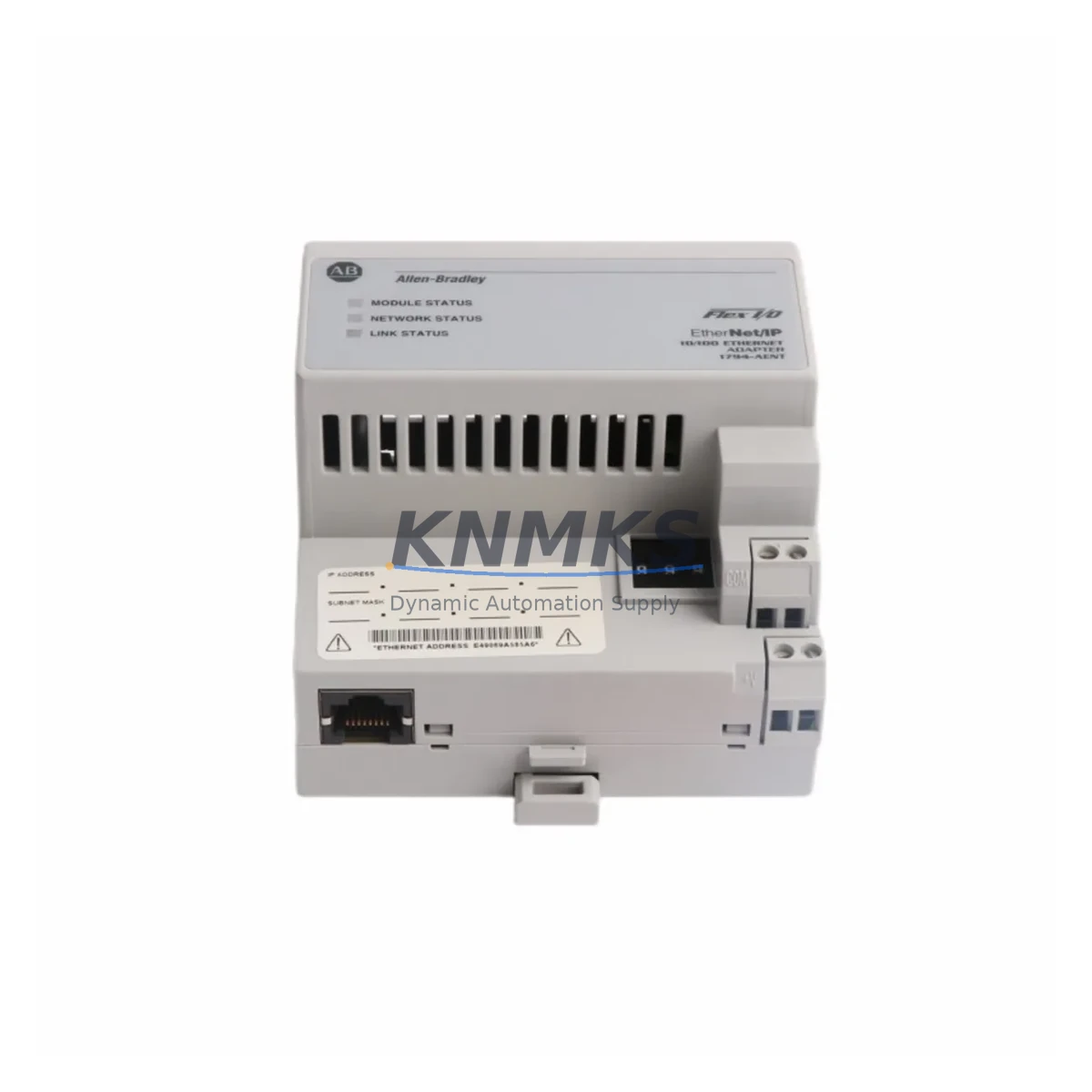
Overview
Allen-Bradley 1797-IE8NF Maintenance Spare for Factory Uptime
The Allen-Bradley 1797-IE8NF is an 8-channel non-fused analog input module designed for the FLEX I/O platform — one of Rockwell Automation’s most widely deployed distributed I/O systems in process and discrete manufacturing environments. For maintenance engineers managing aging control architectures, the 1797-IE8NF represents a critical spare: its failure directly interrupts analog signal acquisition from field instruments such as pressure transmitters, flow meters, and temperature sensors, triggering unplanned shutdowns and extended MTTR cycles.
Sourced as an original OEM component, each 1797-IE8NF unit supplied by KNMKS undergoes pre-shipment functional verification to confirm channel integrity, input range accuracy, and backplane communication before dispatch. This ensures that replacement units arrive ready for immediate installation — reducing the diagnostic burden on site engineers during emergency callouts.
For procurement engineers managing multi-site spare parts inventories, the 1797-IE8NF is a high-priority stocking item. Its role in analog signal conditioning within FLEX I/O racks means that a single failed module can render an entire process loop blind, affecting PID control, alarm thresholds, and historian data continuity. Maintaining at least one verified spare per active rack is a widely adopted practice in facilities with uptime SLAs above 99.5%.
Spare Maintenance Table
| Parameter | Specification |
|---|---|
| SKU / Part Number | 1797-IE8NF |
| Brand | Allen-Bradley (Rockwell Automation) |
| Series | FLEX I/O (1797 Series) |
| Module Type | 8-Channel Analog Input, Non-Fused |
| Input Signal Range | 0–20 mA / 4–20 mA / 0–10 VDC (configurable per channel) |
| Resolution | 12-bit (0–4095 counts) |
| Backplane Interface | FLEX I/O Adapter compatible (e.g., 1794-AENT, 1794-ADN) |
| Power Consumption | Supplied via FLEX I/O backplane (1797-BUS) |
| Operating Temperature | 0°C to 60°C (32°F to 140°F) |
| Mounting | DIN rail via FLEX I/O terminal base (1797-TB3) |
| Origin | United States |
| Compatibility | FLEX I/O 1797 Series racks; compatible with 1794 adapter family |
| Support terms | 12 Months from shipment date |
| Condition | Original OEM — pre-shipment tested |
Maintenance Planning for Continuous Operation
When replacing the 1797-IE8NF in a live FLEX I/O rack, a structured inspection of adjacent components is essential to prevent repeat failures and confirm system integrity before returning the loop to automatic control.
Begin with the 1797-TB3 terminal base — the mechanical and electrical interface between the module and field wiring. Inspect for corrosion on the terminal screws, loose conductors, and signs of moisture ingress, which are common causes of intermittent analog signal faults that are often misdiagnosed as module failures. Verify that field wiring shielding is properly grounded at a single point to prevent common-mode noise from corrupting 4–20 mA signals.
Next, inspect the 1797-BUS FLEX I/O power supply bus. Analog input modules are sensitive to backplane voltage fluctuations; a degraded bus can cause erratic readings across all channels even when the module itself is functional. Measure backplane voltage under load and compare against the rated specification.
The 1794-AENT or 1794-ADN adapter governing the rack should be checked for firmware currency and communication health. A rack adapter operating with outdated firmware may misreport module status or fail to correctly initialize a replacement 1797-IE8NF after hot-swap, requiring a rack power cycle to restore normal operation.
For facilities using 1756-IF16 or 1756-IF8 ControlLogix analog input modules in parallel architectures, cross-reference the engineering drawings to confirm whether the FLEX I/O rack feeds a remote I/O drop or a standalone process island. This affects the recovery sequence and the scope of loop testing required after module replacement.
Where field instruments connect via signal isolators or loop-powered barriers (common in hazardous area installations), verify isolator output integrity before concluding that the 1797-IE8NF was the root cause of the fault. A failed isolator presenting an open circuit will produce the same out-of-range reading as a failed analog input channel.
Finally, review the 1797-IE8NF channel configuration in RSLogix 5000 or Studio 5000. Confirm that input range, filter frequency, and alarm limits are correctly restored after module replacement — particularly in systems where configuration is stored in the adapter rather than the controller, as a factory-default module will not inherit the previous configuration automatically.
Site Replacement Workflow
Step 1 — Isolate and document: Before removal, capture the current channel readings, tag states, and any active alarms in the historian or SCADA. This baseline is essential for post-replacement loop verification.
Step 2 — Power down the terminal base: The 1797-IE8NF supports hot-swap at the module level, but field wiring should be de-energized at the loop isolator or field junction box before disconnecting the terminal base to prevent transient signals from triggering false alarms in the DCS or PLC.
Step 3 — Remove and inspect: Extract the module from the 1797-TB3 terminal base. Inspect the backplane connector pins for damage or contamination. If the terminal base shows signs of wear or corrosion, replace it simultaneously — a degraded terminal base will shorten the service life of the new module.
Step 4 — Install the replacement 1797-IE8NF: Seat the module firmly into the terminal base until the latch engages. Restore field wiring connections and verify conductor torque against the terminal base specification.
Step 5 — Restore power and verify: Power up the rack and confirm that the adapter recognizes the new module. In Studio 5000, verify that the module status indicator shows normal operation and that all 8 channels are reporting within expected engineering unit ranges. Perform a loop test on each active channel using a calibrated current source before returning the loop to automatic control.
Step 6 — Update maintenance records: Log the replacement date, module serial number, and post-replacement test results in the CMMS. Schedule the next inspection interval based on the facility’s preventive maintenance program — typically 12–24 months for analog I/O modules in climate-controlled panels.
Spare Parts Support FAQ
Q1: Is the 1797-IE8NF supplied by KNMKS an original OEM component?
Yes. All 1797-IE8NF units are sourced as original Allen-Bradley / Rockwell Automation components. Each unit undergoes pre-shipment functional testing covering channel continuity, input range accuracy, and backplane communication before dispatch. A support terms confirmed by quotation is provided from the shipment date.
Q2: How do I confirm compatibility between the 1797-IE8NF and my existing FLEX I/O rack?
The 1797-IE8NF is compatible with all standard FLEX I/O terminal bases in the 1797-TB3 family and communicates via any 1794-series adapter (EtherNet/IP, DeviceNet, ControlNet, or PROFIBUS). Confirm that your rack adapter firmware supports the module revision. If you are unsure, share your rack configuration or adapter catalog number with our technical team before ordering.
Q3: What is the recommended stocking quantity for the 1797-IE8NF?
For facilities with active FLEX I/O deployments, a minimum of one spare per rack is recommended. Sites with multiple racks or high-criticality process loops (e.g., reactor temperature, flow control) should maintain two units per site. Given the module’s role in analog signal acquisition, a stockout during an unplanned outage can extend downtime by days if the component is not locally available.
Q4: Can KNMKS support long-term supply of the 1797-IE8NF for multi-year maintenance contracts?
Yes. KNMKS maintains standing inventory of high-demand FLEX I/O components including the 1797-IE8NF and can support blanket purchase orders, annual supply agreements, and scheduled delivery programs. For facilities managing end-of-life Rockwell Automation systems, long-term supply commitments help protect against market scarcity and price volatility as OEM production winds down.
© 2026 KNMKS. All rights reserved.
Original Source: https://knmks.com
Contact: admin@knmks.com | +86 18359268345
Product Identification
- Brand / Ecosystem
-
Allen-Bradley
Allen-Bradley - Model / Series
- 1797-IE8NF
- Product Family
- PLCs & Controllers
- Availability Status
- Available on request after model and quantity confirmation
- Inquiry Type
- B2B RFQ, replacement inquiry and project spare-part request
- Pre-Quote Check
- Exact SKU, brand, series, quantity, nameplate photos and destination country are checked before quotation
System Path
Where this product fits in the KNMKS automation structure.
Specification & Inquiry Focus
- Control platform
- PLC, PAC and modular controllers
- Common needs
- CPU, rack, power and I/O expansion
- Project support
- Replacement, cabinet build and maintenance
Buyer Confirmation
Information KNMKS checks before replying.
- Exact model
- 1797-IE8NF
- Brand / ecosystem
- Allen-Bradley
- Product family
- PLCs & Controllers
- Application note
- Replacement, maintenance, project build or spare-part list
- Useful photos
- Nameplate, installed unit, cabinet layout or connector side
- Delivery details
- Quantity, destination country and target schedule
Document Support
Files and notes can be confirmed during quotation.
- Product photos or nameplate confirmation when available
- Packing and delivery notes before quotation confirmation
- Support scope and delivery terms confirmed per inquiry
- Export document coordination for qualified B2B requests
Inquiry Support
- Model cross-checking before quotation
- CPU, power, rack and expansion module matching
- Support for replacement and project inquiry
What to Send Us
- Brand and exact model number: Allen-Bradley 1797-IE8NF
- Quantity and required delivery time
- Application, replacement requirement or nameplate photo
- Destination country and shipping preference
RFQ Preparation
This is a product inquiry page built for RFQ communication.
Fast Model Check
Send this model to KNMKS for confirmation.
Include quantity, destination country and photos if this is a maintenance replacement. The inquiry will be saved with a reference number after submission.
Brand & Compatibility Note
KNMKS displays automation product information for well-known industrial brand ecosystems and compatible replacement references. Brand names are used for product identification and compatibility reference only; final availability and commercial terms are confirmed per quotation.
 Manufacturing
 Machine Tools
 Packaging
 Energy & Power



 HMI & Displays
 Servo Systems
 Variable Frequency Drives
 Sensors