
Overview
Allen-Bradley 1790D-TN4V0 Maintenance-Proven Spare Part for Factory Uptime
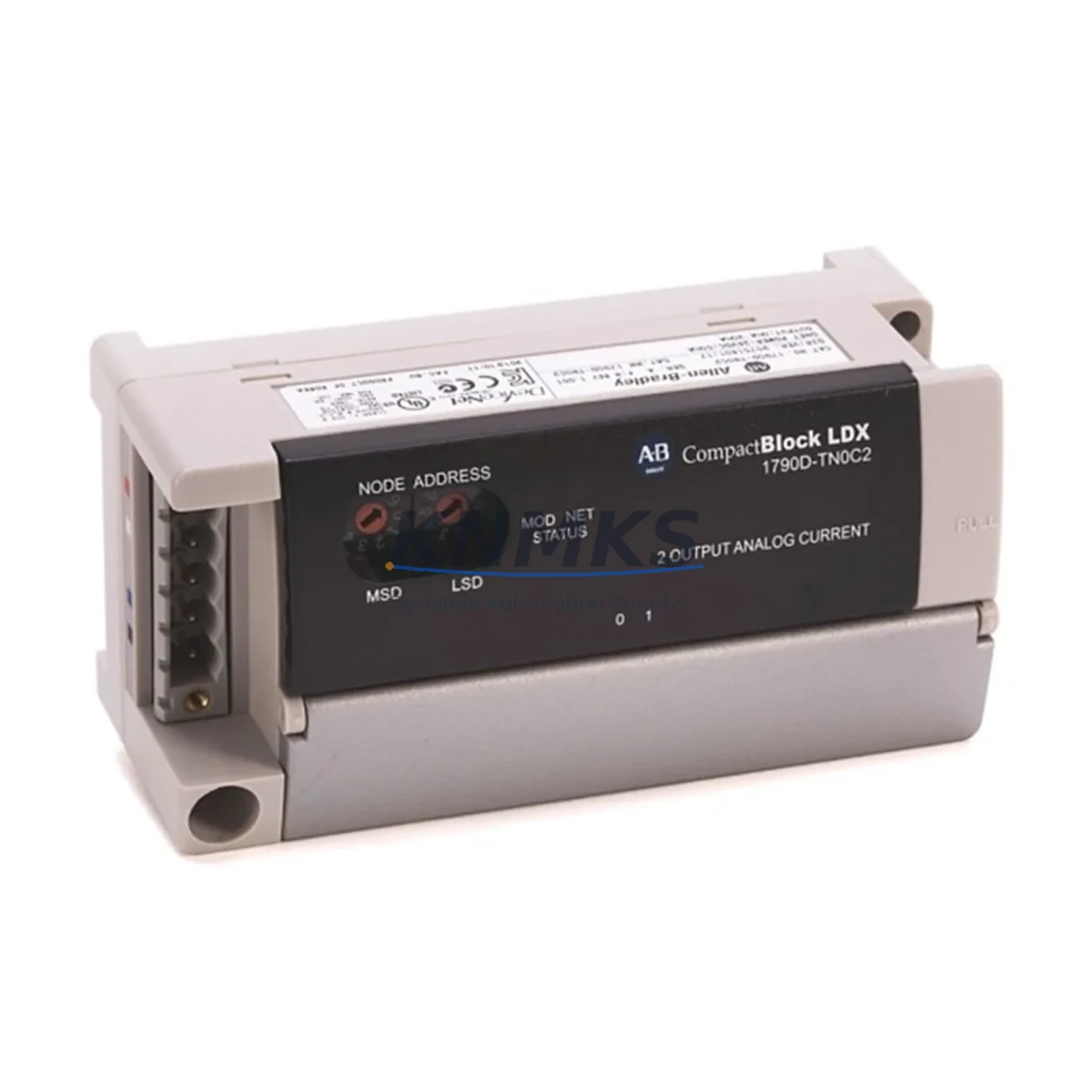
The Allen-Bradley 1790D-TN4V0 is a CompactBlock LDX series analog input module designed for distributed I/O applications in industrial automation environments. As a maintenance-proven spare part, the 1790D-TN4V0 supports continuous factory operation by enabling rapid field replacement without system reconfiguration. Whether you are managing a scheduled annual overhaul, responding to an unplanned line stoppage, or building a strategic MRO inventory, this module delivers the compatibility, reliability, and traceability that maintenance and procurement engineers require.
The 1790D-TN4V0 provides 4-channel analog voltage input capability within the CompactBlock LDX platform, interfacing directly with DeviceNet networks. Its compact form factor and plug-and-play compatibility with existing CompactBlock LDX backplanes make it a preferred choice for facilities running legacy Rockwell Automation control architectures. Original factory units are tested prior to shipment and backed by a support terms confirmed by quotation, giving procurement teams confidence in long-term supply continuity and quality assurance.
For maintenance engineers managing aging control systems, the 1790D-TN4V0 represents a low-risk, high-value spare that extends system service life without requiring costly platform migrations. Its availability as an original spare — not a counterfeit or refurbished substitute — is critical for facilities where signal accuracy, calibration integrity, and regulatory compliance are non-negotiable.
Spare Maintenance Table
| Parameter | Specification |
|---|---|
| Part Number | 1790D-TN4V0 |
| Brand | Allen-Bradley (Rockwell Automation) |
| Series | CompactBlock LDX |
| Module Type | Analog Input Module |
| Input Channels | 4-Channel Analog Voltage Input |
| Network Interface | DeviceNet |
| Input Voltage Range | 0–10 VDC (typical for TN4V0 variant) |
| Resolution | 12-bit |
| Operating Temperature | 0°C to 55°C (32°F to 131°F) |
| Mounting | CompactBlock LDX Backplane / DIN Rail |
| Compatibility | CompactBlock LDX I/O System, DeviceNet Scanner Modules |
| Country of Origin | United States |
| Unit Weight | Approx. 1,400 g (packaged) |
| Condition | Original, Factory-Tested |
| Support terms | 12 Months from Date of Shipment |
| Shipping | Global Express, Tested Before Dispatch |
Maintenance Planning for Continuous Operation
Effective maintenance planning for a CompactBlock LDX system goes beyond replacing the 1790D-TN4V0 analog input module in isolation. When this module is flagged during a fault isolation routine or scheduled inspection, maintenance engineers should simultaneously verify the condition of adjacent components to prevent repeat failures and minimize future downtime.
Begin with the DeviceNet communication cable and trunk line connectors serving the CompactBlock LDX node. Signal degradation or intermittent faults on the 1790D-TN4V0 are frequently caused by loose or corroded DeviceNet drop connectors rather than module failure itself. Inspect the 1790D-T4C0 or 1790D-T8C0 CompactBlock LDX digital I/O modules installed in the same block assembly — shared backplane power faults can affect analog input accuracy across the entire node.
Check the 1769-PB4 or 1769-PA2 CompactLogix power supply feeding the control cabinet. Voltage ripple or under-voltage conditions at the DeviceNet power supply (typically a 24 VDC regulated source) can cause analog input drift and false fault codes on the 1790D-TN4V0. A dedicated 1787-DNPS DeviceNet power supply or equivalent should be verified for output stability using a calibrated multimeter.
During cabinet inspection, audit the terminal blocks and field wiring connected to the analog input channels. Loose terminations on 0–10 V signal wires introduce noise that mimics module failure. If the control system includes a 1756-DNB or 1769-SDN DeviceNet Scanner, confirm that the node address and baud rate configuration for the 1790D-TN4V0 are correctly mapped in the scanner’s I/O configuration table before commissioning the replacement module.
For facilities running extended maintenance cycles, it is advisable to stock at least one spare 1790D-TN4V0 alongside a 1790D-T4C0 digital output module and a set of DeviceNet drop cables as a matched spare kit. This approach reduces mean time to repair (MTTR) and supports annual shutdown planning without emergency procurement lead times.
Site Replacement Workflow
Replacing the 1790D-TN4V0 on-site is a straightforward procedure when the correct spare is available and pre-tested. Follow this workflow to minimize downtime and ensure system compatibility:
Step 1 — Isolate and de-energize: Follow your facility’s lockout/tagout (LOTO) procedure. De-energize the DeviceNet segment serving the CompactBlock LDX node. Confirm zero voltage at the module’s power terminals before proceeding.
Step 2 — Document current configuration: Before removal, photograph or record the field wiring connections on the analog input terminals. Note the node address set on the module’s rotary switches (if applicable) and the channel scaling parameters configured in the DeviceNet scanner.
Step 3 — Remove the faulty module: Disconnect the DeviceNet drop connector and field wiring terminal block. Release the module from the CompactBlock LDX backplane by pressing the locking tab and sliding the module free.
Step 4 — Install the replacement 1790D-TN4V0: Seat the new module onto the backplane, ensuring the connector is fully engaged. Reconnect the field wiring terminal block and DeviceNet drop connector. Set the node address rotary switches to match the original configuration.
Step 5 — Re-energize and verify: Restore power to the DeviceNet segment. From the PLC or DeviceNet scanner (e.g., 1756-DNB), confirm that the 1790D-TN4V0 node is online and returning valid analog input values. Verify channel scaling against known reference signals before returning the line to production.
This replacement workflow is compatible with systems previously using older CompactBlock LDX analog input variants, allowing direct substitution without software changes in most standard configurations. Always confirm firmware compatibility with your Rockwell Automation system integrator if the host controller has been updated since the original installation.
Spare Parts Support FAQ
Q1: Is the 1790D-TN4V0 an original Allen-Bradley part or a third-party replacement?
All units supplied by KNMKS are original Allen-Bradley (Rockwell Automation) manufactured parts. Each unit undergoes functional testing prior to shipment. We do not supply counterfeit, cloned, or unauthorized substitute modules. Original part traceability is available upon request for quality audit purposes.
Q2: What support terms coverage applies to the 1790D-TN4V0?
A support terms confirmed by quotation is provided from the date of shipment. This covers manufacturing defects and functional failures under normal operating conditions. Support requests are supported with replacement or refund, subject to inspection. The support terms does not cover damage resulting from incorrect installation, overvoltage, or environmental conditions outside the module’s rated specifications.
Q3: How do I confirm compatibility before ordering if my system uses an older CompactBlock LDX configuration?
Provide your existing module part number, DeviceNet scanner model (e.g., 1756-DNB, 1769-SDN), and host controller firmware version to our technical team at admin@knmks.com. We will confirm direct compatibility or identify any configuration adjustments required before shipment. For most standard CompactBlock LDX installations, the 1790D-TN4V0 is a direct plug-in replacement.
Q4: Can KNMKS support long-term or blanket purchase orders for MRO inventory programs?
Yes. KNMKS supports long-term supply agreements, blanket purchase orders, and scheduled delivery programs for maintenance and procurement teams managing multi-site or multi-year MRO strategies. Contact admin@knmks.com or call +86 18359268345 to discuss volume pricing, lead time commitments, and inventory reservation options.
© 2026 KNMKS. All rights reserved.
Original Source: https://knmks.com
Contact: admin@knmks.com | +86 18359268345
Product Identification
- Brand / Ecosystem
-
Allen-Bradley
Allen-Bradley - Model / Series
- 1790D-TN4V0
- Product Family
- PLCs & Controllers
- Availability Status
- Available on request after model and quantity confirmation
- Inquiry Type
- B2B RFQ, replacement inquiry and project spare-part request
- Pre-Quote Check
- Exact SKU, brand, series, quantity, nameplate photos and destination country are checked before quotation
System Path
Where this product fits in the KNMKS automation structure.
Specification & Inquiry Focus
- Control platform
- PLC, PAC and modular controllers
- Common needs
- CPU, rack, power and I/O expansion
- Project support
- Replacement, cabinet build and maintenance
Buyer Confirmation
Information KNMKS checks before replying.
- Exact model
- 1790D-TN4V0
- Brand / ecosystem
- Allen-Bradley
- Product family
- PLCs & Controllers
- Application note
- Replacement, maintenance, project build or spare-part list
- Useful photos
- Nameplate, installed unit, cabinet layout or connector side
- Delivery details
- Quantity, destination country and target schedule
Document Support
Files and notes can be confirmed during quotation.
- Product photos or nameplate confirmation when available
- Packing and delivery notes before quotation confirmation
- Support scope and delivery terms confirmed per inquiry
- Export document coordination for qualified B2B requests
Inquiry Support
- Model cross-checking before quotation
- CPU, power, rack and expansion module matching
- Support for replacement and project inquiry
What to Send Us
- Brand and exact model number: Allen-Bradley 1790D-TN4V0
- Quantity and required delivery time
- Application, replacement requirement or nameplate photo
- Destination country and shipping preference
RFQ Preparation
This is a product inquiry page built for RFQ communication.
Fast Model Check
Send this model to KNMKS for confirmation.
Include quantity, destination country and photos if this is a maintenance replacement. The inquiry will be saved with a reference number after submission.
Brand & Compatibility Note
KNMKS displays automation product information for well-known industrial brand ecosystems and compatible replacement references. Brand names are used for product identification and compatibility reference only; final availability and commercial terms are confirmed per quotation.
 Manufacturing
 Machine Tools
 Packaging
 Energy & Power



 HMI & Displays
 Servo Systems
 Variable Frequency Drives
 Sensors