
Overview
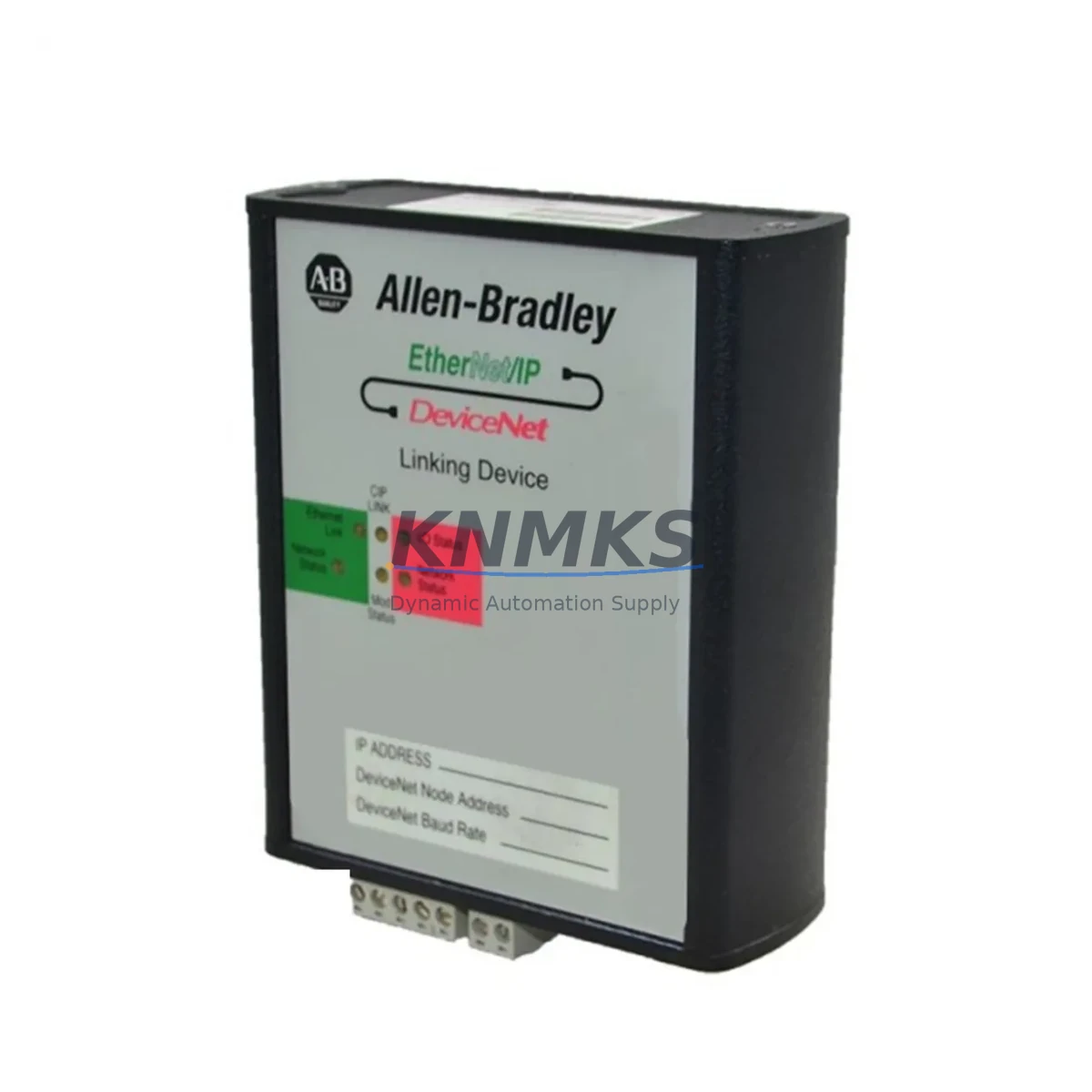
Allen-Bradley 1788-EN2DN Maintenance-Proven Spare Part for Factory Uptime
The Allen-Bradley 1788-EN2DN is a critical EtherNet/IP-to-DeviceNet linking device within the Rockwell Automation 1788 Series communication gateway family. Designed for seamless protocol bridging between EtherNet/IP upper-level networks and DeviceNet field-device networks, this module is a cornerstone component in distributed control architectures across automotive assembly, food and beverage processing, oil and gas facilities, and discrete manufacturing plants. When this gateway fails or reaches end-of-service life, the entire DeviceNet segment it manages goes offline — halting I/O communication, disabling field devices, and triggering unplanned downtime that can cost thousands of dollars per hour.
Sourced as an original Allen-Bradley spare, the 1788-EN2DN supplied by KNMKS is fully tested prior to shipment, verified for firmware compatibility, and backed by a support terms confirmed by quotation. Whether you are executing a planned annual overhaul, responding to an emergency fault, or building a strategic MRO inventory buffer, this spare part is ready for immediate deployment into your existing 1788 Series control cabinet infrastructure.
Spare Maintenance Table
| Parameter | Specification |
|---|---|
| Part Number | 1788-EN2DN |
| Brand | Allen-Bradley (Rockwell Automation) |
| Series | 1788 |
| Product Type | Communication Gateway Module — EtherNet/IP to DeviceNet |
| Network Interface (Upper) | EtherNet/IP (10/100 Mbps) |
| Network Interface (Lower) | DeviceNet (125 / 250 / 500 Kbps) |
| DeviceNet Node Capacity | Up to 63 nodes |
| Power Supply | 24V DC (supplied via DeviceNet network power) |
| Operating Temperature | 0°C to 60°C (32°F to 140°F) |
| Storage Temperature | -40°C to 85°C |
| Relative Humidity | 5% to 95% non-condensing |
| Enclosure Rating | IP20 (panel-mount installation) |
| Compatibility | ControlLogix, CompactLogix, SLC 500, MicroLogix via EtherNet/IP |
| Configuration Tool | RSNetWorx for DeviceNet, Studio 5000 Logix Designer |
| Certifications | UL, CE, cUL (industry standard industrial approvals) |
| Condition | Original spare, pre-shipment tested |
| Support terms | 12 Months from date of shipment |
| Lead Time | In-stock, ships within 1–3 business days |
Maintenance Planning for Continuous Operation
When a maintenance or procurement engineer schedules replacement of the 1788-EN2DN, the gateway itself is rarely the only component requiring attention. A thorough control cabinet inspection during the same maintenance window significantly reduces the risk of repeat downtime events and maximizes the return on each planned outage.
Begin by auditing the 24V DC DeviceNet network power supply — typically a 1788-DNPS or equivalent panel-mount power supply — since gateway faults are frequently preceded by marginal or fluctuating bus voltage. Simultaneously inspect the DeviceNet trunk cable and drop cable terminations: corroded or loose 5-pin Micro or Mini connectors are a leading cause of intermittent node dropouts that are often misdiagnosed as gateway failures. Verify that both ends of the DeviceNet trunk are properly terminated with 121-ohm resistors.
On the EtherNet/IP side, check the managed Ethernet switch port to which the 1788-EN2DN connects. Ports operating at half-duplex or with excessive CRC errors will degrade gateway performance even after a hardware swap. If the facility uses a 1783-series Stratix managed switch, review port diagnostics in Studio 5000 before closing out the work order.
For plants running mixed DeviceNet field devices — including 1769-SDN Scanner modules in CompactLogix systems or 1756-DNB DeviceNet Bridge modules in ControlLogix racks — confirm that node address assignments and EDS files remain consistent after the 1788-EN2DN replacement. A node address conflict introduced during re-commissioning can prevent the entire DeviceNet segment from initializing.
Procurement engineers building annual MRO budgets should also consider stocking a spare 1788-CN2DN ControlNet-to-DeviceNet linking device if the facility operates hybrid ControlNet/DeviceNet topologies, as well as a spare 1788-DNBO DeviceNet Bus-Off module for fault isolation in high-noise environments. Maintaining at least one cold-spare 1788-EN2DN per production line is a widely adopted best practice in facilities where DeviceNet controls safety-critical or high-throughput processes.
Site Replacement Workflow
Step 1 — Pre-Replacement Documentation: Before powering down, export the current 1788-EN2DN configuration using RSNetWorx for DeviceNet. Save the .dnt project file and record all node addresses, I/O sizes, and connection parameters. This file is essential for rapid re-commissioning and eliminates the need to re-scan the DeviceNet network from scratch.
Step 2 — Safe Isolation: Place the associated ControlLogix or CompactLogix controller in Program mode via Studio 5000 or the keyswitch. Confirm that all DeviceNet field devices (drives, sensors, valve manifolds) are in a safe state before removing network power. Isolate the 24V DC DeviceNet bus power supply using the appropriate circuit breaker or fused disconnect.
Step 3 — Physical Swap: Remove the failed 1788-EN2DN by disconnecting the EtherNet/IP RJ45 cable and the DeviceNet 5-pin connector. Note the rotary switch positions for MAC ID (node address) before removal — the replacement unit must be set to the identical address. Mount the new unit on the DIN rail, reconnect cables, and restore DeviceNet bus power.
Step 4 — Re-commissioning: Open RSNetWorx for DeviceNet and upload the saved .dnt configuration to the replacement module. Verify that all previously configured nodes appear online and that I/O data sizes match the controller’s I/O tree. Return the controller to Run mode and monitor the DeviceNet diagnostic LEDs (Module Status and Network Status) for solid green indication.
Step 5 — Functional Verification: Confirm that all downstream DeviceNet devices — including variable frequency drives, photoelectric sensors, and pneumatic valve islands — are communicating correctly. Log the replacement date, firmware version, and MAC ID in the plant’s CMMS for future reference. This documentation supports support requests and simplifies the next planned replacement cycle.
Spare Parts Support FAQ
Q1: Is the 1788-EN2DN supplied by KNMKS an original Allen-Bradley component?
Yes. All 1788-EN2DN units are sourced as original Allen-Bradley (Rockwell Automation) spare parts. Each unit undergoes pre-shipment functional testing to verify EtherNet/IP and DeviceNet communication integrity before dispatch. A support terms confirmed by quotation is provided from the date of shipment.
Q2: What is the recommended spare inventory strategy for the 1788-EN2DN?
For production lines where DeviceNet controls critical process equipment, maintaining one cold spare per line is standard practice. Facilities with multiple DeviceNet segments managed by separate 1788-EN2DN gateways should hold a minimum of two units in bonded MRO inventory. KNMKS supports blanket purchase orders and scheduled delivery programs for customers with multi-site inventory requirements.
Q3: Can the 1788-EN2DN replace older or discontinued Allen-Bradley DeviceNet gateway models?
The 1788-EN2DN is compatible with ControlLogix, CompactLogix, SLC 500, and MicroLogix platforms via EtherNet/IP. It can serve as a functional replacement for legacy DeviceNet scanner configurations where the upper network has been migrated from DH+ or ControlNet to EtherNet/IP. Compatibility verification against your specific firmware revision and RSNetWorx version is recommended prior to installation.
Q4: What shipping and long-term supply options does KNMKS offer for the 1788-EN2DN?
In-stock units ship within 1–3 business days via DHL, FedEx, or UPS Express to global destinations. For customers requiring long-term supply assurance, KNMKS offers reserved inventory agreements and multi-year procurement contracts. Contact admin@knmks.com or call +86 18359268345 to discuss volume pricing, lead time guarantees, and consignment stocking arrangements.
© 2026 KNMKS. All rights reserved.
Original Source: https://knmks.com
Contact: admin@knmks.com | +86 18359268345
Product Identification
- Brand / Ecosystem
-
Allen-Bradley
Allen-Bradley - Model / Series
- 1788-EN2DN
- Product Family
- PLCs & Controllers
- Availability Status
- Available on request after model and quantity confirmation
- Inquiry Type
- B2B RFQ, replacement inquiry and project spare-part request
- Pre-Quote Check
- Exact SKU, brand, series, quantity, nameplate photos and destination country are checked before quotation
System Path
Where this product fits in the KNMKS automation structure.
Specification & Inquiry Focus
- Control platform
- PLC, PAC and modular controllers
- Common needs
- CPU, rack, power and I/O expansion
- Project support
- Replacement, cabinet build and maintenance
Buyer Confirmation
Information KNMKS checks before replying.
- Exact model
- 1788-EN2DN
- Brand / ecosystem
- Allen-Bradley
- Product family
- PLCs & Controllers
- Application note
- Replacement, maintenance, project build or spare-part list
- Useful photos
- Nameplate, installed unit, cabinet layout or connector side
- Delivery details
- Quantity, destination country and target schedule
Document Support
Files and notes can be confirmed during quotation.
- Product photos or nameplate confirmation when available
- Packing and delivery notes before quotation confirmation
- Support scope and delivery terms confirmed per inquiry
- Export document coordination for qualified B2B requests
Inquiry Support
- Model cross-checking before quotation
- CPU, power, rack and expansion module matching
- Support for replacement and project inquiry
What to Send Us
- Brand and exact model number: Allen-Bradley 1788-EN2DN
- Quantity and required delivery time
- Application, replacement requirement or nameplate photo
- Destination country and shipping preference
RFQ Preparation
This is a product inquiry page built for RFQ communication.
Fast Model Check
Send this model to KNMKS for confirmation.
Include quantity, destination country and photos if this is a maintenance replacement. The inquiry will be saved with a reference number after submission.
Brand & Compatibility Note
KNMKS displays automation product information for well-known industrial brand ecosystems and compatible replacement references. Brand names are used for product identification and compatibility reference only; final availability and commercial terms are confirmed per quotation.
 Manufacturing
 Machine Tools
 Packaging
 Energy & Power



 HMI & Displays
 Servo Systems
 Variable Frequency Drives
 Sensors