
Overview
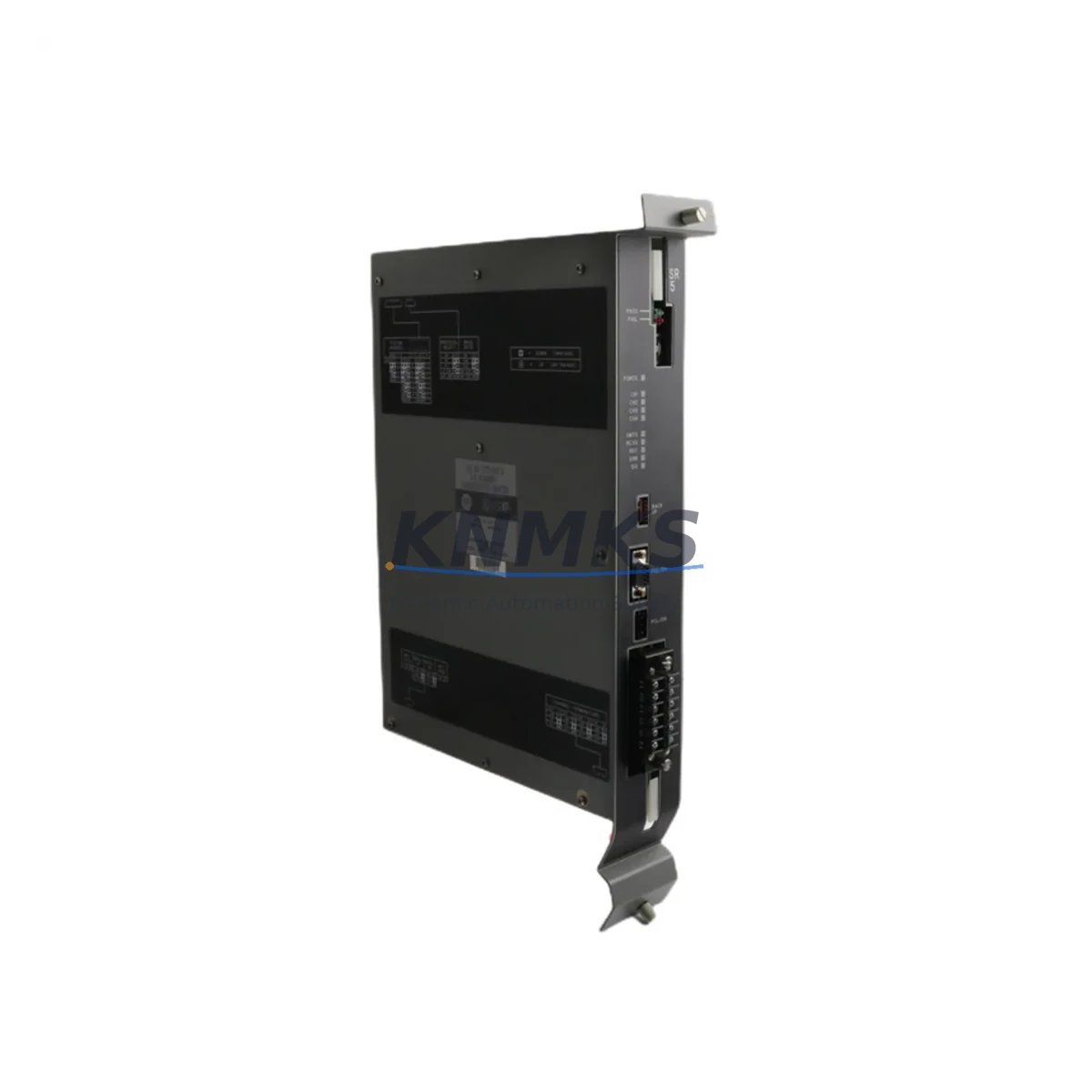
Allen-Bradley 1775-SR Maintenance Spare for Factory Uptime
The Allen-Bradley 1775-SR is a Remote I/O Scanner Module engineered for the PLC-3 automation platform — one of Rockwell Automation’s most enduring control architectures deployed across heavy manufacturing, automotive assembly, chemical processing, and utilities infrastructure. As legacy PLC-3 systems continue to operate well beyond their original design life, maintaining a verified stock of the 1775-SR is a critical element of any responsible maintenance strategy. Unplanned downtime caused by a failed scanner module can halt an entire production line within seconds. Sourcing a tested, original-specification replacement from a reliable supplier is the fastest path to restoring control system integrity and resuming safe operation.
At KNMKS, every 1775-SR unit is inspected, function-tested, and shipped with full documentation. Our supply chain is built around long-lifecycle industrial components, and we maintain stock specifically to support maintenance engineers and procurement teams managing aging PLC-3 installations. Whether you are responding to an emergency fault, building a preventive spare parts kit, or planning an annual shutdown overhaul, the 1775-SR we supply meets original Allen-Bradley specifications and is backed by a support terms confirmed by quotation.
Spare Maintenance Table
| Parameter | Specification |
|---|---|
| Part Number | 1775-SR |
| Brand / Manufacturer | Allen-Bradley (Rockwell Automation) |
| Series / Platform | PLC-3 |
| Module Function | Remote I/O Scanner |
| Compatible Chassis | PLC-3 I/O Chassis (1775 Series) |
| Communication Protocol | Allen-Bradley Remote I/O (RIO) Link |
| Backplane Interface | PLC-3 Backplane |
| Installation Environment | Industrial Control Cabinet, NEMA-rated enclosure |
| Operating Temperature | 0°C to 60°C (32°F to 140°F) |
| Power Supply Compatibility | PLC-3 Series Power Supply Module |
| Origin | USA |
| Condition | Original, Tested Before Shipment |
| Support terms | 12 Months |
| Maintenance Recommendation | Replace at first sign of RIO link fault, scanner timeout, or I/O rack communication loss |
Maintenance Planning for Continuous Operation
The 1775-SR does not operate in isolation. It is the communication backbone between the PLC-3 processor and distributed I/O racks across the plant floor. When performing a scheduled replacement or responding to a scanner fault, maintenance engineers should treat the event as an opportunity to inspect the entire RIO communication chain and associated power infrastructure.
Begin with the PLC-3 Power Supply Module (1775-P series). A degraded or undersized power supply is a common root cause of intermittent scanner resets and RIO link dropouts. Verify output voltage stability under load before reinstalling the replacement 1775-SR. Next, inspect the Remote I/O Adapter Modules installed in each remote rack — these are the counterpart devices that the 1775-SR communicates with, and a faulty adapter can cause the scanner to report false faults even after replacement.
Check all RIO coaxial trunk cables and terminators. Damaged shielding, loose BNC connectors, or missing 82-ohm terminators at the end of the RIO trunk are frequent causes of communication instability that can be misdiagnosed as a scanner module failure. While the cabinet is open, inspect the 1775-series backplane for corrosion, bent connector pins, or heat damage — a compromised backplane will cause recurring module failures regardless of replacement quality.
For systems that include 1775-KA or 1775-KA2 Communication Adapter Modules for DH+ or DH-485 network connectivity, verify that these modules are seated correctly and that network termination resistors are intact. In facilities where the PLC-3 system interfaces with SCADA or HMI stations via a 1784-series Data Highway Plus interface card, confirm that the host communication path remains stable after the scanner replacement to avoid false alarms at the operator workstation.
Finally, review the I/O wiring terminal blocks in the remote racks. Loose field wiring at terminal strips is a leading cause of I/O signal errors that are often attributed to scanner or adapter faults. A thorough torque check of all terminal connections during the maintenance window will reduce the likelihood of repeat callouts and extend the service interval of the newly installed 1775-SR.
Site Replacement Workflow
Step 1 — Fault Isolation: Before removing the 1775-SR, document all active fault codes from the PLC-3 processor. Use the programming terminal or RSLogix 3 software to capture the scanner status word and identify which I/O racks have lost communication. This baseline record is essential for post-replacement verification.
Step 2 — Safe De-energization: Follow your site’s lockout/tagout (LOTO) procedure. Isolate the PLC-3 chassis from its power supply. Do not attempt a hot-swap of the 1775-SR — this module is not designed for live insertion and doing so risks damaging the backplane and adjacent modules.
Step 3 — Module Removal and Inspection: Remove the faulty 1775-SR and inspect the backplane connector for damage. Clean the slot with compressed air if contamination is present. Compare the replacement unit’s DIP switch and jumper settings against the original module configuration before installation — RIO rack address, baud rate (57.6K, 115.2K, or 230.4K), and last rack designation must match the original settings exactly.
Step 4 — Installation and Re-energization: Seat the replacement 1775-SR firmly into the backplane slot. Restore power and observe the module status indicators. A solid green RUN LED with no fault indicators confirms successful initialization. Monitor the RIO link status for a minimum of 10 minutes under normal production load before releasing the system to operations.
Step 5 — Documentation: Record the replacement date, module serial number, and post-installation test results in your maintenance management system (CMMS). Update your spare parts inventory to trigger reorder of a replacement 1775-SR unit, ensuring continuous coverage for future events.
Spare Parts Support FAQ
Q: Is the 1775-SR still available as a new original part, or is it only available as refurbished?
The Allen-Bradley 1775-SR has been discontinued by Rockwell Automation as part of the PLC-3 platform end-of-life. KNMKS supplies original Allen-Bradley units sourced from verified industrial channels. Each unit is tested before shipment and covered by our support terms confirmed by quotation. We recommend customers maintain at least one spare unit on-site given the limited availability of new stock in the market.
Q: How do I confirm compatibility before ordering?
The 1775-SR is compatible with PLC-3 chassis configurations using the 1775-series backplane. Confirm your chassis model, current scanner slot assignment, and RIO baud rate setting before ordering. If you can share your existing module’s catalog label or configuration sheet, our technical team at admin@knmks.com can verify compatibility before shipment.
Q: What testing is performed before the unit is shipped?
Every 1775-SR unit undergoes functional verification including backplane interface continuity, RIO link initialization, and status indicator response testing. Units that do not pass all test criteria are not offered for sale. A test report summary is available upon request for customers with quality assurance documentation requirements.
Q: What is your long-term supply commitment for PLC-3 spare parts?
KNMKS specializes in long-lifecycle industrial automation components. We actively source and stock PLC-3 series spare parts to support facilities that are extending the operational life of their existing control systems. Our procurement team monitors global industrial surplus channels to maintain availability. Customers managing large PLC-3 installations are encouraged to contact us to discuss blanket order arrangements and reserved stock agreements for critical spare parts.
© 2026 KNMKS. All rights reserved.
Original Source: https://knmks.com
Contact: admin@knmks.com | +86 18359268345
Product Identification
- Brand / Ecosystem
-
Allen-Bradley
Allen-Bradley - Model / Series
- 1775-SR
- Product Family
- PLCs & Controllers
- Availability Status
- Available on request after model and quantity confirmation
- Inquiry Type
- B2B RFQ, replacement inquiry and project spare-part request
- Pre-Quote Check
- Exact SKU, brand, series, quantity, nameplate photos and destination country are checked before quotation
System Path
Where this product fits in the KNMKS automation structure.
Specification & Inquiry Focus
- Control platform
- PLC, PAC and modular controllers
- Common needs
- CPU, rack, power and I/O expansion
- Project support
- Replacement, cabinet build and maintenance
Buyer Confirmation
Information KNMKS checks before replying.
- Exact model
- 1775-SR
- Brand / ecosystem
- Allen-Bradley
- Product family
- PLCs & Controllers
- Application note
- Replacement, maintenance, project build or spare-part list
- Useful photos
- Nameplate, installed unit, cabinet layout or connector side
- Delivery details
- Quantity, destination country and target schedule
Document Support
Files and notes can be confirmed during quotation.
- Product photos or nameplate confirmation when available
- Packing and delivery notes before quotation confirmation
- Support scope and delivery terms confirmed per inquiry
- Export document coordination for qualified B2B requests
Inquiry Support
- Model cross-checking before quotation
- CPU, power, rack and expansion module matching
- Support for replacement and project inquiry
What to Send Us
- Brand and exact model number: Allen-Bradley 1775-SR
- Quantity and required delivery time
- Application, replacement requirement or nameplate photo
- Destination country and shipping preference
RFQ Preparation
This is a product inquiry page built for RFQ communication.
Fast Model Check
Send this model to KNMKS for confirmation.
Include quantity, destination country and photos if this is a maintenance replacement. The inquiry will be saved with a reference number after submission.
Brand & Compatibility Note
KNMKS displays automation product information for well-known industrial brand ecosystems and compatible replacement references. Brand names are used for product identification and compatibility reference only; final availability and commercial terms are confirmed per quotation.
 Manufacturing
 Machine Tools
 Packaging
 Energy & Power



 HMI & Displays
 Servo Systems
 Variable Frequency Drives
 Sensors