
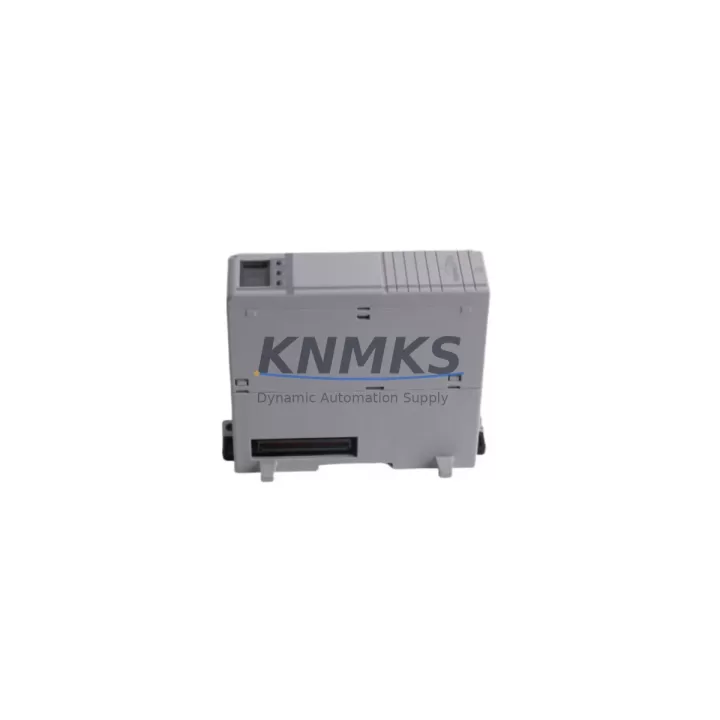
Overview
Allen-Bradley 1768-ENBT Migration-Ready EtherNet/IP Bridge: Legacy System Migration and Compatible Upgrade
The Allen-Bradley 1768-ENBT is a dedicated EtherNet/IP communication bridge module designed for the CompactLogix 1768 platform. As legacy Rockwell Automation control architectures approach end-of-life or require expansion, the 1768-ENBT serves as a critical link between existing CompactLogix backplanes and modern EtherNet/IP network infrastructure. Whether you are replacing a failed unit in an active production line, upgrading a legacy ControlLogix-to-CompactLogix migration path, or extending I/O capacity across distributed control nodes, the 1768-ENBT provides the protocol compatibility and physical form factor required for a controlled, low-risk retrofit.
This module supports full EtherNet/IP Class 1 and Class 3 messaging, enabling seamless integration with upstream SCADA systems, HMI panels, and peer PLC nodes without requiring program logic rewrites. Its dual-port Ethernet topology supports linear, ring, and star network configurations, making it adaptable to both legacy plant wiring layouts and modern DLR (Device Level Ring) architectures. For facilities transitioning from legacy DeviceNet or ControlNet backbones, the 1768-ENBT provides a validated migration path that preserves existing tag structures and I/O mapping while enabling Ethernet-based supervisory control.
During retrofit planning, engineers must verify several critical parameters before commissioning the 1768-ENBT as a replacement unit. Power budget confirmation on the 1768 backplane is essential — the module draws from the local backplane supply, and total slot power consumption must remain within the chassis rating when combined with co-installed modules such as the 1768-L43 or 1768-L45 CompactLogix controllers, 1769-IQ16 digital input modules, and 1769-OB16 digital output modules. Terminal wiring for the Ethernet ports follows standard RJ-45 pinout, but shielded cabling is strongly recommended in high-EMI environments typical of motor drive cabinets and servo control panels.
Module slot addressing must be reconfigured in RSLogix 5000 or Studio 5000 Logix Designer following physical installation. The I/O tree path for any downstream 1769 Compact I/O modules connected via the 1768-ENBT bridge must be re-established, and connection parameters including RPI (Requested Packet Interval) values should be validated against the original program to prevent nuisance faults. If the original system used a 1768-EWEB web server module in the same chassis, slot reassignment may affect existing HMI screen tag bindings — a full tag cross-reference audit is recommended before going live.
For systems where the 1768-ENBT is being used to replace a failed 1768-CNB ControlNet bridge, the migration requires a protocol conversion step. ControlNet-based I/O connections must be remapped to EtherNet/IP equivalents, and any scheduled ControlNet connections (NUT-based) must be converted to cyclic EtherNet/IP connections with equivalent RPI settings. Communication cables between the 1768 chassis and remote 1734 POINT I/O adapters or 1756 ControlLogix chassis must be replaced with Cat5e or Cat6 Ethernet runs, and IP addressing must be assigned and documented prior to commissioning.
HMI integration is another key checkpoint. FactoryTalk View SE or ME applications connected to the original system via ControlNet or serial links must be reconfigured to use EtherNet/IP data server connections. Tag paths referencing the old CNB module slot must be updated to reflect the 1768-ENBT slot assignment. Where 2711P PanelView Plus terminals are in use, the communication driver configuration within FactoryTalk Linx must be updated to point to the new Ethernet IP address of the 1768-ENBT module.
Migration Compatibility Table
| Parameter | Detail |
|---|---|
| SKU / Part Number | 1768-ENBT |
| Compatible Platform | CompactLogix 1768 Series |
| Communication Protocol | EtherNet/IP (Class 1 & Class 3) |
| Network Topology | Linear, Star, DLR Ring |
| Replaces / Upgrades From | 1768-CNB (ControlNet), 1768-ENBT/A (earlier firmware) |
| Backplane Interface | 1768 CompactLogix local backplane |
| Slot Power Draw | Verify against 1768 chassis power budget |
| Programming Software | RSLogix 5000 / Studio 5000 Logix Designer |
| IP Address Configuration | BOOTP, DHCP, or static via RSLinx Classic |
| Firmware Compatibility | Verify revision against controller firmware level |
| Installation Space | Single slot, 1768 chassis only |
| Pre-Shipment Testing | Yes — functional communication test performed |
| Support terms | 12 Months |
| Origin | USA |
| Stock Status | availability confirmed by RFQ — Ready for Immediate Dispatch |
Retrofit Planning for Existing Automation Systems
A successful 1768-ENBT retrofit begins with a complete audit of the existing 1768 chassis configuration. Document all installed modules — including the 1768-L43 or 1768-L45 controller, any co-resident 1768-EWEB web server modules, and the downstream 1769 Compact I/O expansion modules connected via the local bus. Confirm that the chassis power supply (typically a 1768-PA3 or 1768-PB3) has sufficient headroom to support the 1768-ENBT alongside existing modules without triggering an over-current fault.
For systems with remote I/O nodes connected via 1734-AENT POINT I/O Ethernet adapters, verify that the EtherNet/IP connection count on the 1768-ENBT does not exceed the module’s supported connection limit. Each remote adapter consumes one or more connections, and exceeding the limit will result in connection refused faults that can halt production. Where 1756-EN2T or 1756-EN3TR ControlLogix Ethernet modules are used as upstream bridge nodes, ensure that the routing table in RSLinx Classic is updated to reflect the new 1768-ENBT IP address and slot path.
Signal isolation requirements should also be reviewed during retrofit planning. In mixed-signal environments where analog I/O modules such as the 1769-IF4 or 1769-OF4 are present in the same chassis, ensure that Ethernet cable routing does not introduce ground loop interference. Use shielded Cat6 cabling and maintain physical separation from high-voltage power conductors. Where 1492-CABLE wiring systems are in use for terminal block connections, verify that the existing wiring harness is compatible with the replacement module’s terminal layout before finalizing the installation plan.
Downtime Control During System Migration
Minimizing unplanned downtime during a 1768-ENBT replacement requires a structured pre-commissioning checklist executed before the maintenance window begins. Export the full RSLogix 5000 project file and create a verified backup on an offline engineering workstation. Document all existing I/O connection paths, RPI values, and network configuration parameters using RSLinx Classic’s network browser before powering down the chassis.
During the physical swap, note the original module’s firmware revision label. If the replacement 1768-ENBT carries a different firmware revision, a firmware update via ControlFLASH may be required to match the controller’s expected module revision. Mismatched firmware revisions are a common cause of post-replacement communication faults that extend downtime beyond the planned maintenance window.
After installation, use RSLinx Classic to verify that the module appears on the Ethernet network with the correct IP address before downloading the controller program. Perform a go-online operation in Studio 5000 and verify that all I/O connections reach the Running state before transferring control back to automatic mode. Where redundant control paths exist — such as a parallel 1756 ControlLogix chassis acting as a hot-standby — confirm that the redundancy synchronization completes successfully before releasing the system to production.
Retrofit Support FAQ
Q: Is the 1768-ENBT a direct drop-in replacement for the 1768-CNB ControlNet bridge?
A: No — the 1768-ENBT uses EtherNet/IP while the 1768-CNB uses ControlNet. A protocol migration is required, including remapping I/O connections, replacing communication cabling, and updating HMI and SCADA data server configurations. Our technical team can provide a migration checklist upon request.
Q: What firmware version should the 1768-ENBT be running for compatibility with Studio 5000 v32 and later?
A: Firmware revision 4.003 or later is recommended for Studio 5000 v32+ compatibility. Units supplied by KNMKS are tested for communication functionality prior to shipment. If a specific firmware revision is required, please specify at the time of order.
Q: How is IP addressing configured on the 1768-ENBT after installation?
A: IP address assignment can be performed via BOOTP/DHCP using Rockwell’s BOOTP-DHCP Server utility, or set to a static address using RSLinx Classic after the module is detected on the network. The module ships with DHCP enabled by default.
Q: What support terms and testing does KNMKS provide with the 1768-ENBT?
A: Every 1768-ENBT unit supplied by KNMKS undergoes pre-shipment functional testing to verify EtherNet/IP communication capability. A support terms confirmed by quotation is included from the date of shipment, covering manufacturing defects and functional failures under normal operating conditions. In-stock units are available for same-day or next-business-day dispatch.
© 2026 KNMKS. All rights reserved.
Original Source: https://knmks.com
Contact: admin@knmks.com | +86 18359268345
Product Identification
- Brand / Ecosystem
-
Allen-Bradley
Allen-Bradley - Model / Series
-
1768-ENBT
Assorted Series - Product Family
- PLCs & Controllers
- Availability Status
- Available on request after model and quantity confirmation
- Inquiry Type
- B2B RFQ, replacement inquiry and project spare-part request
- Pre-Quote Check
- Exact SKU, brand, series, quantity, nameplate photos and destination country are checked before quotation
System Path
Where this product fits in the KNMKS automation structure.
Specification & Inquiry Focus
- Control platform
- PLC, PAC and modular controllers
- Common needs
- CPU, rack, power and I/O expansion
- Project support
- Replacement, cabinet build and maintenance
Buyer Confirmation
Information KNMKS checks before replying.
- Exact model
- 1768-ENBT
- Brand / ecosystem
- Allen-Bradley
- Product family
- PLCs & Controllers
- Application note
- Replacement, maintenance, project build or spare-part list
- Useful photos
- Nameplate, installed unit, cabinet layout or connector side
- Delivery details
- Quantity, destination country and target schedule
Document Support
Files and notes can be confirmed during quotation.
- Product photos or nameplate confirmation when available
- Packing and delivery notes before quotation confirmation
- Support scope and delivery terms confirmed per inquiry
- Export document coordination for qualified B2B requests
Inquiry Support
- Model cross-checking before quotation
- CPU, power, rack and expansion module matching
- Support for replacement and project inquiry
What to Send Us
- Brand and exact model number: Allen-Bradley 1768-ENBT
- Quantity and required delivery time
- Application, replacement requirement or nameplate photo
- Destination country and shipping preference
RFQ Preparation
This is a product inquiry page built for RFQ communication.
Fast Model Check
Send this model to KNMKS for confirmation.
Include quantity, destination country and photos if this is a maintenance replacement. The inquiry will be saved with a reference number after submission.
Brand & Compatibility Note
KNMKS displays automation product information for well-known industrial brand ecosystems and compatible replacement references. Brand names are used for product identification and compatibility reference only; final availability and commercial terms are confirmed per quotation.
 Manufacturing
 Machine Tools
 Packaging
 Energy & Power



 HMI & Displays
 Servo Systems
 Variable Frequency Drives
 Sensors