
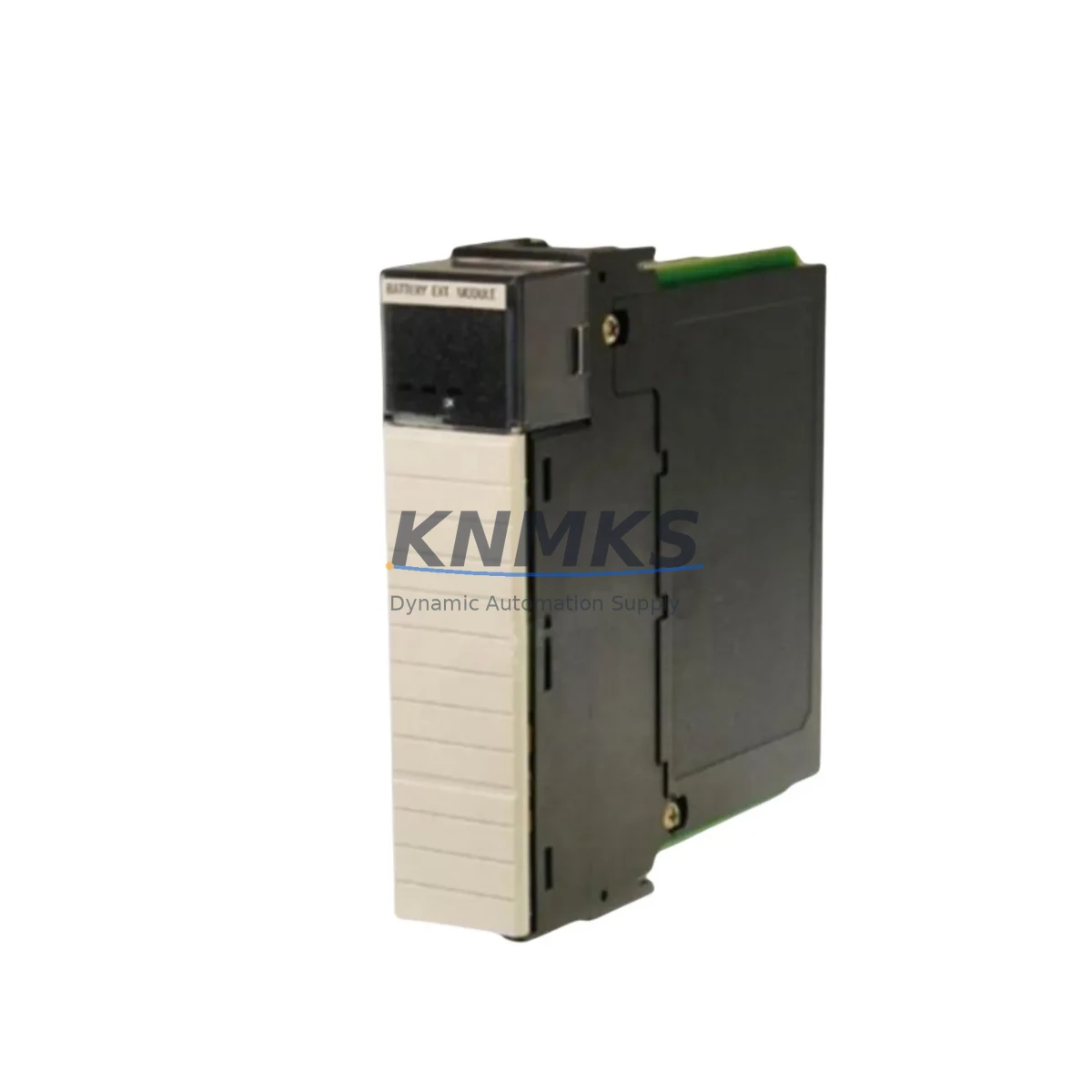
Overview
Allen-Bradley 1757-BEM Migration-Ready Battery Extension Module: Legacy System Migration and Compatible Upgrade
The Allen-Bradley 1757-BEM is a Battery Extension Module designed for the ProcessLogix 1757 control platform — a distributed process control system widely deployed in petrochemical, power generation, water treatment, and continuous manufacturing facilities. As the ProcessLogix platform approaches end-of-life and Rockwell Automation transitions customers toward the PlantPAx 4.x and ControlLogix 5580 ecosystems, the 1757-BEM remains a critical spare for facilities that must sustain existing control architectures during phased migration or extended lifecycle support periods.
For maintenance engineers managing legacy control cabinets, the 1757-BEM provides battery backup continuity for the 1757-SRM (System Redundancy Module) and associated memory retention circuits within the 1757 rack assembly. Replacing a failed or degraded 1757-BEM requires careful attention to rack slot assignment, backplane connector alignment, and the battery charge state reported through the RSLogix 7000 or RSLogix 5000 diagnostic interface. Before installation, engineers should verify that the 1757-ABKT battery kit is compatible with the replacement module and that the existing 1757-SRM firmware version supports the module revision being installed.
Migration Compatibility Table
| Parameter | Details |
|---|---|
| Compatible Platform | Allen-Bradley ProcessLogix 1757 Series |
| Replaces / Supersedes | 1757-BEM (all revisions); compatible with 1757-SRM redundancy configurations |
| Backplane Interface | 1757 series proprietary backplane; verify slot position per rack layout drawing |
| Communication Compatibility | No direct communication protocol; supports memory retention for ControlNet and DH+ linked controllers in the 1757 rack |
| Installation Requirement | DIN rail or rack-mount per 1757 chassis; confirm available slot width and depth clearance |
| Firmware Dependency | Verify 1757-SRM firmware revision before replacement; mismatched revisions may trigger redundancy faults |
| Retrofit Recommendation | Suitable for direct drop-in replacement; no program changes required for battery module swap |
| Commissioning Focus | Confirm battery charge status via RSLogix 7000 diagnostics post-installation; clear any latched battery fault bits |
| Support terms | support terms confirmed by quotation — covers manufacturing defects and functional failure under normal operating conditions |
Retrofit Planning for Existing Automation Systems
When planning a retrofit or lifecycle extension for a ProcessLogix 1757 installation, the 1757-BEM is rarely replaced in isolation. A comprehensive spare parts review typically includes the 1757-SRM System Redundancy Module, which works in tandem with the battery extension to maintain controller state during primary power interruptions. Facilities running redundant controller pairs should also audit the 1757-CHASSIS rack assembly for physical wear, backplane connector corrosion, and slot integrity before committing to a module-level replacement strategy.
In control cabinets where the 1757 platform coexists with newer ControlLogix 5570 or 5580 controllers during a phased migration, power budget calculations become critical. The 1757 rack’s internal power supply — often a 1757-PS1 or equivalent — must be verified to support the combined load of all installed modules including the 1757-BEM. If the power supply is operating near capacity, adding or replacing modules without a load audit risks nuisance trips or premature power supply failure.
For facilities that have already migrated their primary control logic to a ControlLogix platform but retain the 1757 rack for legacy I/O marshalling or ControlNet segment termination, the 1757-BEM continues to serve a protective role. In these hybrid architectures, the 1757-CNBR ControlNet Bridge module and associated 1757-SRM must remain operational to preserve communication continuity between the legacy rack and the new ControlLogix backplane. Replacing the 1757-BEM in this context requires coordination with the ControlNet network administrator to schedule a brief communication interruption window, typically under five minutes, during the module swap.
Signal isolation between the legacy 1757 I/O modules and the new control platform is another consideration during retrofit planning. Where analog signals are being re-terminated from 1757-series analog input modules to new 1756-IF16 or 1756-IF8 ControlLogix analog input cards, signal isolators or loop-powered transmitter barriers may be required to prevent ground loop interference. Documenting the existing terminal block wiring against the original I/O list before any physical changes is a non-negotiable step in minimizing retrofit risk.
Downtime Control During System Migration
Replacing the 1757-BEM in an active ProcessLogix installation requires a structured approach to minimize process disruption. The recommended sequence begins with a full backup of the controller program using RSLogix 7000, exported to a secure engineering workstation and verified against the last known-good revision. Before pulling the module, the operator should confirm that the redundant controller pair — if configured — has successfully transferred primary control to the secondary unit, as indicated by the 1757-SRM status LEDs and the RSLogix 7000 redundancy status display.
With the primary controller in secondary mode and the battery extension module de-energized, the physical swap can typically be completed in under ten minutes. After re-seating the replacement 1757-BEM, the system should be allowed to complete its battery charge cycle — which may take up to four hours for a fully depleted cell — before returning the redundant pair to normal primary/secondary operation. During this window, the HMI screens connected via the existing FactoryTalk View SE or RSView32 interface should be monitored for any battery fault alarms or redundancy status changes that would indicate an incomplete installation.
For non-redundant 1757 installations, the replacement window requires a planned process hold. Coordinating with production scheduling to align the swap with a natural break in the process cycle — such as a batch transition or a scheduled cleaning-in-place sequence — reduces the risk of an uncontrolled process interruption. All field instruments connected to the 1757 I/O rack should be placed in manual or hold mode at the DCS level before the module is removed, and the control narrative should be reviewed to confirm that no critical interlocks depend on the battery-backed memory state during the swap interval.
Retrofit Support FAQ
Q: Is the 1757-BEM a direct replacement for all revisions of the original module?
A: The 1757-BEM is designed as a form-fit-function replacement across the ProcessLogix 1757 series. However, customers should confirm the hardware revision of the existing module against the replacement unit’s revision label before installation. Revision mismatches are rare but can occur in early-production racks. Our team performs pre-shipment functional testing on every unit to verify basic electrical integrity before dispatch.
Q: What wiring or terminal changes are required when replacing the 1757-BEM?
A: The 1757-BEM connects exclusively via the 1757 backplane — there are no field-wiring terminals on this module. No terminal block changes, cable re-terminations, or wiring modifications are required. The replacement is a pure backplane-interface swap, which significantly reduces installation risk and commissioning time.
Q: How do I verify compatibility with my existing 1757-SRM firmware?
A: Open RSLogix 7000 and navigate to the Controller Properties > Redundancy tab. The firmware revision of the 1757-SRM is displayed in the module properties dialog. Cross-reference this revision against the 1757-BEM product compatibility matrix in Rockwell publication 1757-IN001. If you require assistance interpreting the compatibility data, our technical support team can review your system configuration prior to order confirmation.
Q: What does the support terms confirmed by quotation cover, and what is the lead time for replacement units?
A: Our support terms confirmed by quotation cover manufacturing defects and functional failure under normal operating conditions, including backplane interface faults and battery cell defects identified within the confirmed support period. Support requests are processed within 5 business days of receipt of the returned unit. For lead time inquiries and current stock availability, contact our sales team directly at admin@knmks.com or +86 18359268345. We maintain buffer stock of high-demand ProcessLogix spare parts to support urgent maintenance requirements.
© 2026 KNMKS. All rights reserved.
Original Source: https://knmks.com
Contact: admin@knmks.com | +86 18359268345
Product Identification
- Brand / Ecosystem
-
Allen-Bradley
Allen-Bradley - Model / Series
- 1757-BEM
- Product Family
- PLCs & Controllers
- Availability Status
- Available on request after model and quantity confirmation
- Inquiry Type
- B2B RFQ, replacement inquiry and project spare-part request
- Pre-Quote Check
- Exact SKU, brand, series, quantity, nameplate photos and destination country are checked before quotation
System Path
Where this product fits in the KNMKS automation structure.
Specification & Inquiry Focus
- Control platform
- PLC, PAC and modular controllers
- Common needs
- CPU, rack, power and I/O expansion
- Project support
- Replacement, cabinet build and maintenance
Buyer Confirmation
Information KNMKS checks before replying.
- Exact model
- 1757-BEM
- Brand / ecosystem
- Allen-Bradley
- Product family
- PLCs & Controllers
- Application note
- Replacement, maintenance, project build or spare-part list
- Useful photos
- Nameplate, installed unit, cabinet layout or connector side
- Delivery details
- Quantity, destination country and target schedule
Document Support
Files and notes can be confirmed during quotation.
- Product photos or nameplate confirmation when available
- Packing and delivery notes before quotation confirmation
- Support scope and delivery terms confirmed per inquiry
- Export document coordination for qualified B2B requests
Inquiry Support
- Model cross-checking before quotation
- CPU, power, rack and expansion module matching
- Support for replacement and project inquiry
What to Send Us
- Brand and exact model number: Allen-Bradley 1757-BEM
- Quantity and required delivery time
- Application, replacement requirement or nameplate photo
- Destination country and shipping preference
RFQ Preparation
This is a product inquiry page built for RFQ communication.
Fast Model Check
Send this model to KNMKS for confirmation.
Include quantity, destination country and photos if this is a maintenance replacement. The inquiry will be saved with a reference number after submission.
Brand & Compatibility Note
KNMKS displays automation product information for well-known industrial brand ecosystems and compatible replacement references. Brand names are used for product identification and compatibility reference only; final availability and commercial terms are confirmed per quotation.
 Manufacturing
 Machine Tools
 Packaging
 Energy & Power



 HMI & Displays
 Servo Systems
 Variable Frequency Drives
 Sensors