
Overview
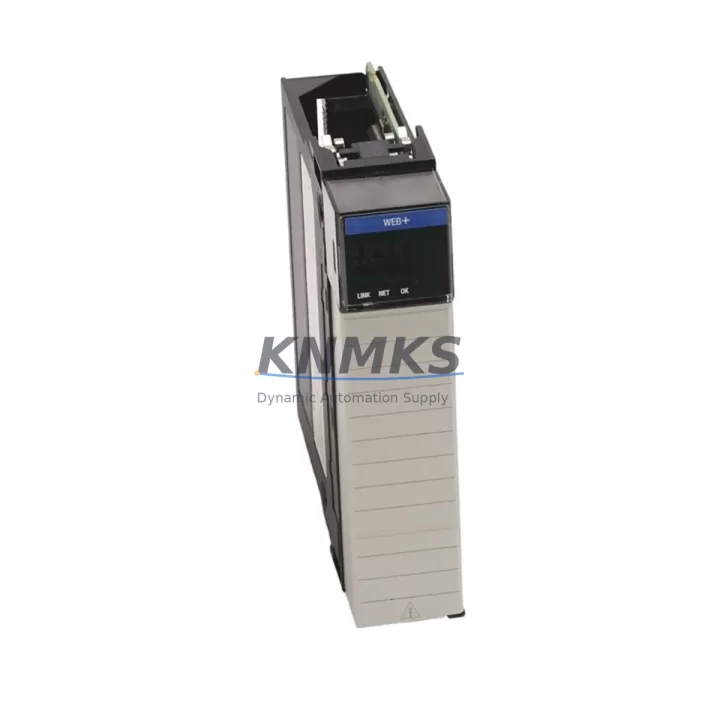
Allen-Bradley 1756-EWEB Maintenance-Proven Spare Part for Factory Uptime
The Allen-Bradley 1756-EWEB is an EtherNet/IP web server communication module designed for the ControlLogix 1756 platform. As a critical network interface component, it enables real-time data access, remote diagnostics, and web-based HMI connectivity within Rockwell Automation control architectures. For maintenance engineers managing aging ControlLogix systems, holding a verified spare of the 1756-EWEB is a fundamental element of any uptime-focused spare parts strategy.
In industrial environments where unplanned downtime translates directly to production loss, the 1756-EWEB occupies a high-criticality position in the control cabinet. Its failure can sever Ethernet-based communication between the PLC backplane and supervisory systems, disabling remote monitoring, data logging, and web-based operator interfaces simultaneously. Rapid replacement with a pre-tested, original spare is the only reliable path to restoring full system visibility without extended troubleshooting delays.
Spare Maintenance Table
| Parameter | Specification |
|---|---|
| SKU / Part Number | 1756-EWEB |
| Brand | Allen-Bradley (Rockwell Automation) |
| Series | ControlLogix 1756 |
| Module Type | EtherNet/IP Web Server Communication Module |
| Communication Protocol | EtherNet/IP, HTTP, FTP, SMTP |
| Network Interface | 10/100 Mbps Ethernet (RJ-45) |
| Backplane Compatibility | 1756 ControlLogix Chassis (any slot) |
| Power Consumption | Supplied via ControlLogix backplane |
| Operating Temperature | 0°C to 60°C (32°F to 140°F) |
| Mounting | ControlLogix 1756 chassis slot insertion |
| Origin | United States |
| Condition | Original, factory-sourced spare |
| Pre-shipment Testing | Functional test performed before dispatch |
| Support terms | 12 Months |
| Application | Industrial automation, process control, SCADA integration |
| Maintenance Recommendation | Inspect Ethernet port, verify firmware version, confirm IP configuration after installation |
Maintenance Planning for Continuous Operation
When a 1756-EWEB failure is identified during routine control cabinet inspection or fault diagnostics, the replacement workflow should extend beyond the module itself. Maintenance engineers should simultaneously verify the integrity of the associated 1756-L series ControlLogix CPU — particularly the processor’s Ethernet port configuration and task scheduling — since communication disruptions can sometimes originate at the controller level rather than the communication module.
The 1756-EN2T or 1756-EN2TR EtherNet/IP bridge modules installed in the same chassis should be inspected for firmware compatibility with the replacement 1756-EWEB, as mismatched firmware revisions can cause intermittent communication faults after module swap. Similarly, the 1756-PA72 or 1756-PB72 power supply modules feeding the chassis should be load-checked; a degraded power supply can cause erratic module behavior that mimics communication faults.
At the network infrastructure level, the managed industrial Ethernet switch connecting the 1756-EWEB to the supervisory network should be verified for port configuration, VLAN assignment, and QoS settings. Patch cables and RJ-45 connectors are a common and overlooked failure point — replacing the cable between the module and the switch as part of the maintenance event is low-cost insurance. If the system uses a 1756-DNB DeviceNet bridge or 1756-DHRIO Data Highway Plus module in the same chassis for legacy device integration, their status should be confirmed as part of the same inspection cycle to avoid secondary faults after the primary repair.
For facilities running PanelView Plus HMI terminals connected via EtherNet/IP to the ControlLogix system, the HMI communication path should be re-validated after 1756-EWEB replacement, as the web server module often serves as the data source for operator display pages. Procurement engineers should note that maintaining one spare 1756-EWEB per ControlLogix chassis cluster is the recommended inventory posture for facilities with uptime SLAs exceeding 99%.
Site Replacement Workflow
Step 1 — Pre-replacement verification: Document the existing module’s IP address, subnet mask, gateway, and any custom web page configurations stored on the module. Export or photograph the RSLogix 5000 / Studio 5000 I/O tree configuration for reference.
Step 2 — Safe removal: The 1756-EWEB is hot-swappable within a powered ControlLogix chassis. However, confirm with your site safety procedure whether a controlled shutdown is required. Remove the module by pressing the top and bottom locking tabs and sliding it out of the chassis slot.
Step 3 — Replacement module preparation: Verify the firmware revision of the replacement 1756-EWEB matches or is compatible with the existing chassis firmware baseline. Update firmware via ControlFLASH if required before installation.
Step 4 — Installation and configuration: Insert the replacement module into the same chassis slot. Reconnect the Ethernet cable. Reconfigure the IP address and network parameters using RSLinx Classic or the module’s built-in web interface. Confirm the module appears correctly in the RSLogix 5000 I/O tree.
Step 5 — Functional validation: Verify web server access from the engineering workstation, confirm data tag browsing via RSLinx, and validate HMI communication restoration. Log the replacement event in the site maintenance record with the new module serial number and firmware version.
This workflow minimizes mean time to repair (MTTR) and ensures system compatibility is maintained without requiring a full PLC program download or chassis reconfiguration.
Spare Parts Support FAQ
Q1: Is the 1756-EWEB compatible with all ControlLogix 1756 chassis sizes?
Yes. The 1756-EWEB is compatible with all standard ControlLogix 1756 chassis configurations, including 4-slot, 7-slot, 10-slot, 13-slot, and 17-slot variants. It occupies a single chassis slot and draws power from the backplane, with no external power connection required.
Q2: What is the recommended spare parts inventory strategy for the 1756-EWEB?
For facilities with multiple ControlLogix chassis, the recommended posture is one 1756-EWEB spare per three to five chassis, stored in a climate-controlled cabinet with firmware documentation. For single-chassis critical systems, a dedicated one-for-one spare is advisable. Annual functional testing of stored spares is recommended to confirm readiness.
Q3: How is the replacement unit tested before shipment?
Each 1756-EWEB unit undergoes functional verification prior to dispatch, including power-on self-test confirmation, Ethernet port integrity check, and firmware version documentation. Units are shipped with anti-static packaging and include a test record. The support terms confirmed by quotation cover functional defects identified after installation under normal operating conditions.
Q4: Can the 1756-EWEB replace older EtherNet/IP modules in legacy ControlLogix systems?
The 1756-EWEB is designed specifically as a web server and EtherNet/IP communication module and is not a direct functional replacement for standard EtherNet/IP bridge modules such as the 1756-ENBT or 1756-EN2T. However, it can coexist in the same chassis and supplement legacy communication infrastructure. Compatibility should be verified against the specific system firmware revision and Rockwell Automation compatibility matrices before procurement.
© 2026 KNMKS. All rights reserved.
Original Source: https://knmks.com
Contact: admin@knmks.com | +86 18359268345
Product Identification
- Brand / Ecosystem
-
Allen-Bradley
Allen-Bradley - Model / Series
-
1756-EWEB
ControlLogix Series - Product Family
- Communication Modules
- Availability Status
- Available on request after model and quantity confirmation
- Inquiry Type
- B2B RFQ, replacement inquiry and project spare-part request
- Pre-Quote Check
- Exact SKU, brand, series, quantity, nameplate photos and destination country are checked before quotation
System Path
Where this product fits in the KNMKS automation structure.
Specification & Inquiry Focus
- Network range
- Ethernet, fieldbus and gateway modules
- Common needs
- Protocol, port and controller family
- Project support
- Machine networking and data integration
Buyer Confirmation
Information KNMKS checks before replying.
- Exact model
- 1756-EWEB
- Brand / ecosystem
- Allen-Bradley
- Product family
- Communication Modules
- Application note
- Replacement, maintenance, project build or spare-part list
- Useful photos
- Nameplate, installed unit, cabinet layout or connector side
- Delivery details
- Quantity, destination country and target schedule
Document Support
Files and notes can be confirmed during quotation.
- Product photos or nameplate confirmation when available
- Packing and delivery notes before quotation confirmation
- Support scope and delivery terms confirmed per inquiry
- Export document coordination for qualified B2B requests
Inquiry Support
- Industrial Ethernet and fieldbus module inquiry
- Protocol compatibility review
- Integration project inquiry support
What to Send Us
- Brand and exact model number: Allen-Bradley 1756-EWEB
- Quantity and required delivery time
- Application, replacement requirement or nameplate photo
- Destination country and shipping preference
RFQ Preparation
This is a product inquiry page built for RFQ communication.
Fast Model Check
Send this model to KNMKS for confirmation.
Include quantity, destination country and photos if this is a maintenance replacement. The inquiry will be saved with a reference number after submission.
Brand & Compatibility Note
KNMKS displays automation product information for well-known industrial brand ecosystems and compatible replacement references. Brand names are used for product identification and compatibility reference only; final availability and commercial terms are confirmed per quotation.
 Manufacturing
 Machine Tools
 Packaging
 Energy & Power
 PLCs & Controllers
 HMI & Displays
 Servo Systems
 Variable Frequency Drives