
Overview
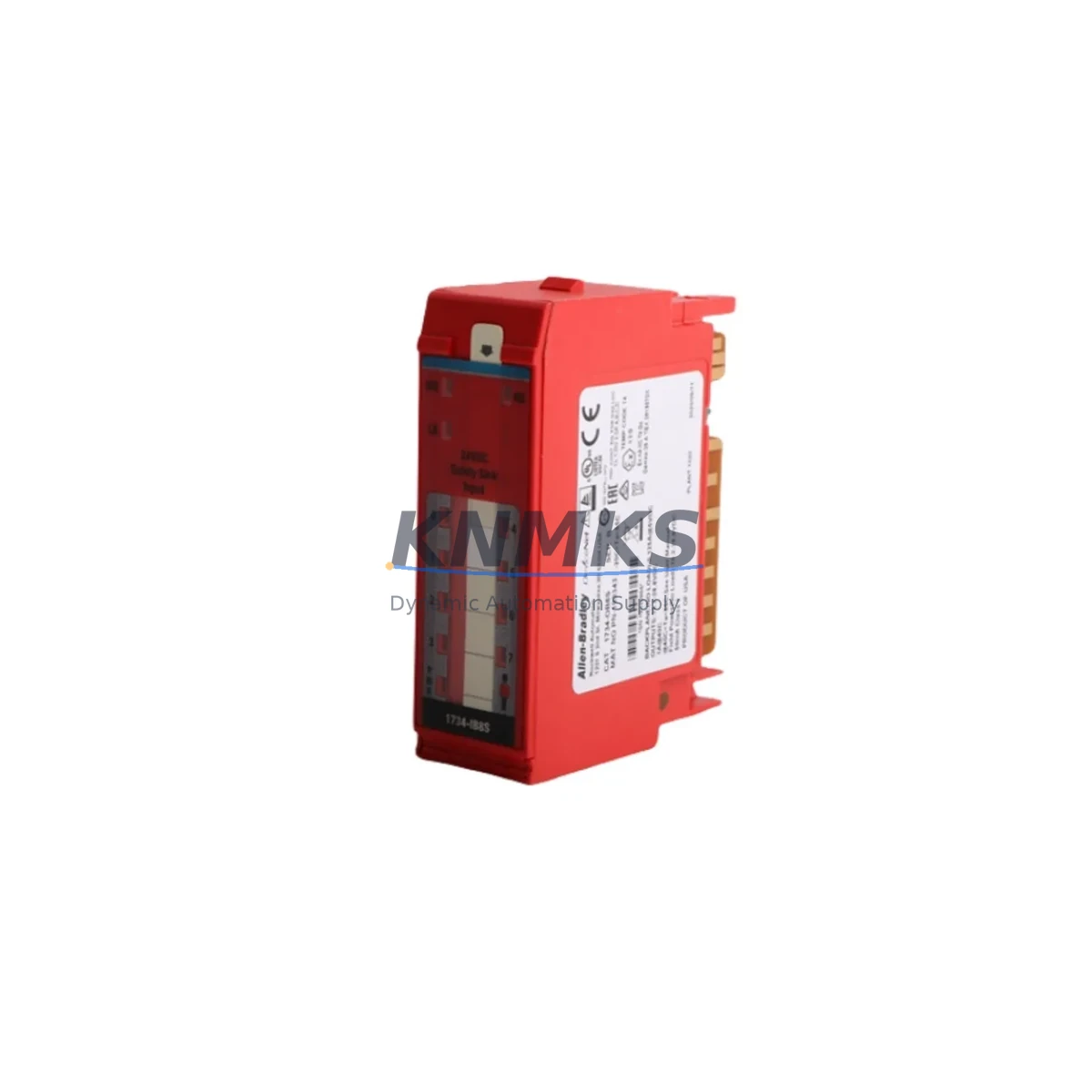
Allen-Bradley 1734-OB8S Safety Output Module Spare: Reliable Spare for Factory Uptime
The Allen-Bradley 1734-OB8S is an 8-channel SIL 2-rated digital safety output module designed for the Rockwell Automation POINT I/O platform. In safety-critical manufacturing environments — from automotive assembly lines to chemical processing plants — this module serves as the final control element between the safety PLC and field actuators such as safety relays, solenoid valves, and motor contactors. When a 1734-OB8S fails or reaches end-of-life, every minute of unplanned downtime translates directly into production loss. Maintaining a verified spare in your control cabinet inventory is the most effective strategy for rapid recovery and sustained factory uptime.
The 1734-OB8S integrates directly into the 1734 POINT I/O backplane, communicating with the safety controller — typically a GuardLogix or Compact GuardLogix processor — via the EtherNet/IP safety protocol. Each of its eight solid-state output channels is independently monitored for short-circuit and open-load faults, providing the diagnostic coverage required for SIL 2 applications under IEC 61508 and IEC 62061. The module’s 24 VDC output voltage and 0.5 A per-channel current rating make it compatible with a wide range of safety-rated field devices, and its compact POINT I/O form factor allows installation in space-constrained control cabinets without modification to the existing backplane or terminal base.
For maintenance engineers managing aging safety systems, the 1734-OB8S is a direct replacement for earlier POINT I/O safety output variants. Before swapping the module, it is essential to verify the firmware revision of the GuardLogix controller and confirm that the replacement module’s firmware is compatible. The safety task configuration — including output tag mapping, reaction time limits, and safety connection parameters — must be reviewed in Studio 5000 Logix Designer before the new module is commissioned. If the safety program uses produced/consumed safety tags shared with other controllers on the EtherNet/IP network, those connections must be re-established and verified after replacement.
Spare Maintenance Table
| Parameter | Specification / Recommendation |
|---|---|
| SKU / Part Number | 1734-OB8S |
| Series | Allen-Bradley POINT I/O |
| Module Type | 8-Channel SIL 2 Digital Safety Output |
| Output Voltage | 24 VDC |
| Output Current | 0.5 A per channel |
| Safety Rating | SIL 2 (IEC 61508 / IEC 62061) |
| Communication | EtherNet/IP Safety (via POINT I/O adapter) |
| Compatible Controllers | GuardLogix, Compact GuardLogix |
| Compatible Adapters | 1734-AENTR, 1734-AENT |
| Installation | POINT I/O backplane, 1734-TB terminal base required |
| Operating Temperature | 0 °C to 55 °C |
| Diagnostic Coverage | Short-circuit, open-load per channel |
| Replacement Scope | Direct drop-in for 1734-OB8S; verify firmware revision |
| Commissioning Tool | Studio 5000 Logix Designer |
| Support terms | support terms confirmed by quotation — pre-shipment tested |
Maintenance Planning for Continuous Operation
A structured maintenance plan for the 1734-OB8S must account for the full safety I/O chain, not just the output module itself. During annual cabinet inspections, maintenance engineers should simultaneously inspect the 1734-AENTR EtherNet/IP adapter that hosts the POINT I/O node — a degraded adapter can cause intermittent safety connection faults that are difficult to distinguish from output module failures. The 1734-TB terminal base, which provides the wiring interface between the 1734-OB8S and field devices, should be checked for terminal torque, corrosion, and mechanical wear; a damaged terminal base can cause nuisance trips even when the module itself is healthy.
On the input side of the safety circuit, the paired 1734-IB8S 8-channel safety input module should be inspected at the same interval. Safety systems are only as reliable as their weakest link, and input module degradation is a common root cause of spurious safety trips that are incorrectly attributed to output faults. The 24 VDC safety power supply feeding the POINT I/O rack — often a dedicated 1606-XLS or equivalent safety-rated power supply — should be load-tested annually to confirm it can sustain full output current under worst-case channel loading.
For facilities running GuardLogix-based safety systems, the 1756-EN2TR EtherNet/IP communication module in the ControlLogix chassis is part of the same safety network as the 1734-OB8S. Any firmware update to the communication module or the GuardLogix processor requires re-verification of the safety connection to the POINT I/O adapter. Maintenance teams should document the exact firmware versions of all components in the safety chain — including the 1734-AENTR adapter, the 1734-OB8S module, and the GuardLogix controller — and store this record alongside the spare module to eliminate ambiguity during emergency replacements.
Field wiring connected to the 1734-OB8S output channels — typically routed through safety relay modules such as the MSR127RP or equivalent — should be inspected for insulation integrity and terminal seating. A loose wire on a safety output channel can trigger a diagnostic fault that mimics module failure, leading to unnecessary module replacement and extended downtime. Including a set of spare 1734-TB terminal bases and a roll of appropriately rated control cable in the cabinet spare kit is a low-cost measure that significantly reduces mean time to repair.
Site Replacement Workflow
When a 1734-OB8S requires field replacement, the following workflow minimizes downtime and ensures safety system integrity is maintained throughout the process:
Step 1 — Safety Isolation: Follow the site’s lockout/tagout (LOTO) procedure for the affected safety zone. Do not rely solely on the software safety command; physically isolate the 24 VDC supply to the POINT I/O rack using the dedicated safety power disconnect.
Step 2 — Record Current Configuration: Before removing the module, use Studio 5000 Logix Designer to export the current safety task configuration and record the module’s slot number, node address, and safety network number (SNN). Photograph the terminal wiring on the 1734-TB terminal base for reference during reinstallation.
Step 3 — Module Removal: Release the 1734-OB8S from the terminal base by pressing the module release tab. The terminal base remains wired and mounted; only the module body is removed. This design eliminates the need to rewire field connections during replacement, significantly reducing replacement time.
Step 4 — Firmware Verification: Before installing the replacement 1734-OB8S, confirm its firmware revision matches or is compatible with the GuardLogix controller firmware. If a firmware update is required, perform it using ControlFLASH or ControlFLASH Plus before installation.
Step 5 — Module Installation and Commissioning: Seat the replacement module onto the existing 1734-TB terminal base. Power up the rack and verify that the module establishes a safety connection with the GuardLogix controller. In Studio 5000, confirm that all output tags are mapped correctly and that the safety task executes without faults. Perform a functional test of each output channel before returning the safety zone to production.
Step 6 — Documentation Update: Record the replacement in the site maintenance log, including the date, replaced module serial number, new module serial number, firmware version, and the name of the technician who performed the replacement. Update the spare parts inventory to trigger reorder of a replacement spare.
Spare Parts Support FAQ
Q1: Is the 1734-OB8S a direct drop-in replacement for an existing installed unit?
Yes. The 1734-OB8S uses the POINT I/O modular architecture, where the terminal base remains wired and only the module body is replaced. No rewiring is required. However, you must verify firmware compatibility with your GuardLogix controller and re-establish the safety connection in Studio 5000 after installation. Pre-shipment functional testing is performed on every unit we supply.
Q2: How do I confirm compatibility with my existing POINT I/O safety system?
Compatibility depends on three factors: the firmware revision of the 1734-AENTR or 1734-AENT adapter, the GuardLogix controller firmware, and the Studio 5000 project version. Provide your controller catalog number and firmware revision when ordering, and our technical team will confirm compatibility before shipment. We maintain stock of multiple firmware-revision variants to match your installed base.
Q3: What is your lead time and long-term supply commitment for the 1734-OB8S?
We maintain dedicated inventory of the 1734-OB8S to support emergency replacement and planned maintenance schedules. Standard lead time is 3–7 business days for in-stock units. For facilities requiring long-term supply agreements covering 12–36 months of planned consumption, we offer reserved inventory programs. Contact our sales team to discuss volume commitments and pricing.
Q4: What support terms and pre-shipment testing do you provide?
Every 1734-OB8S supplied by KNMKS is covered by a support terms confirmed by quotation from the date of shipment. Each unit undergoes pre-shipment functional testing to verify output channel operation, diagnostic fault detection, and communication integrity before dispatch. Test records are available upon request. In the event of a support terms claim, we provide advance replacement to minimize your production downtime.
© 2026 KNMKS. All rights reserved.
Original Source: https://knmks.com
Contact: admin@knmks.com | +86 18359268345
Product Identification
- Brand / Ecosystem
-
Allen-Bradley
Allen-Bradley - Model / Series
- 1734-OB8S
- Product Family
- PLCs & Controllers
- Availability Status
- Available on request after model and quantity confirmation
- Inquiry Type
- B2B RFQ, replacement inquiry and project spare-part request
- Pre-Quote Check
- Exact SKU, brand, series, quantity, nameplate photos and destination country are checked before quotation
System Path
Where this product fits in the KNMKS automation structure.
Specification & Inquiry Focus
- Control platform
- PLC, PAC and modular controllers
- Common needs
- CPU, rack, power and I/O expansion
- Project support
- Replacement, cabinet build and maintenance
Buyer Confirmation
Information KNMKS checks before replying.
- Exact model
- 1734-OB8S
- Brand / ecosystem
- Allen-Bradley
- Product family
- PLCs & Controllers
- Application note
- Replacement, maintenance, project build or spare-part list
- Useful photos
- Nameplate, installed unit, cabinet layout or connector side
- Delivery details
- Quantity, destination country and target schedule
Document Support
Files and notes can be confirmed during quotation.
- Product photos or nameplate confirmation when available
- Packing and delivery notes before quotation confirmation
- Support scope and delivery terms confirmed per inquiry
- Export document coordination for qualified B2B requests
Inquiry Support
- Model cross-checking before quotation
- CPU, power, rack and expansion module matching
- Support for replacement and project inquiry
What to Send Us
- Brand and exact model number: Allen-Bradley 1734-OB8S
- Quantity and required delivery time
- Application, replacement requirement or nameplate photo
- Destination country and shipping preference
RFQ Preparation
This is a product inquiry page built for RFQ communication.
Fast Model Check
Send this model to KNMKS for confirmation.
Include quantity, destination country and photos if this is a maintenance replacement. The inquiry will be saved with a reference number after submission.
Brand & Compatibility Note
KNMKS displays automation product information for well-known industrial brand ecosystems and compatible replacement references. Brand names are used for product identification and compatibility reference only; final availability and commercial terms are confirmed per quotation.
 Manufacturing
 Machine Tools
 Packaging
 Energy & Power



 HMI & Displays
 Servo Systems
 Variable Frequency Drives
 Sensors