
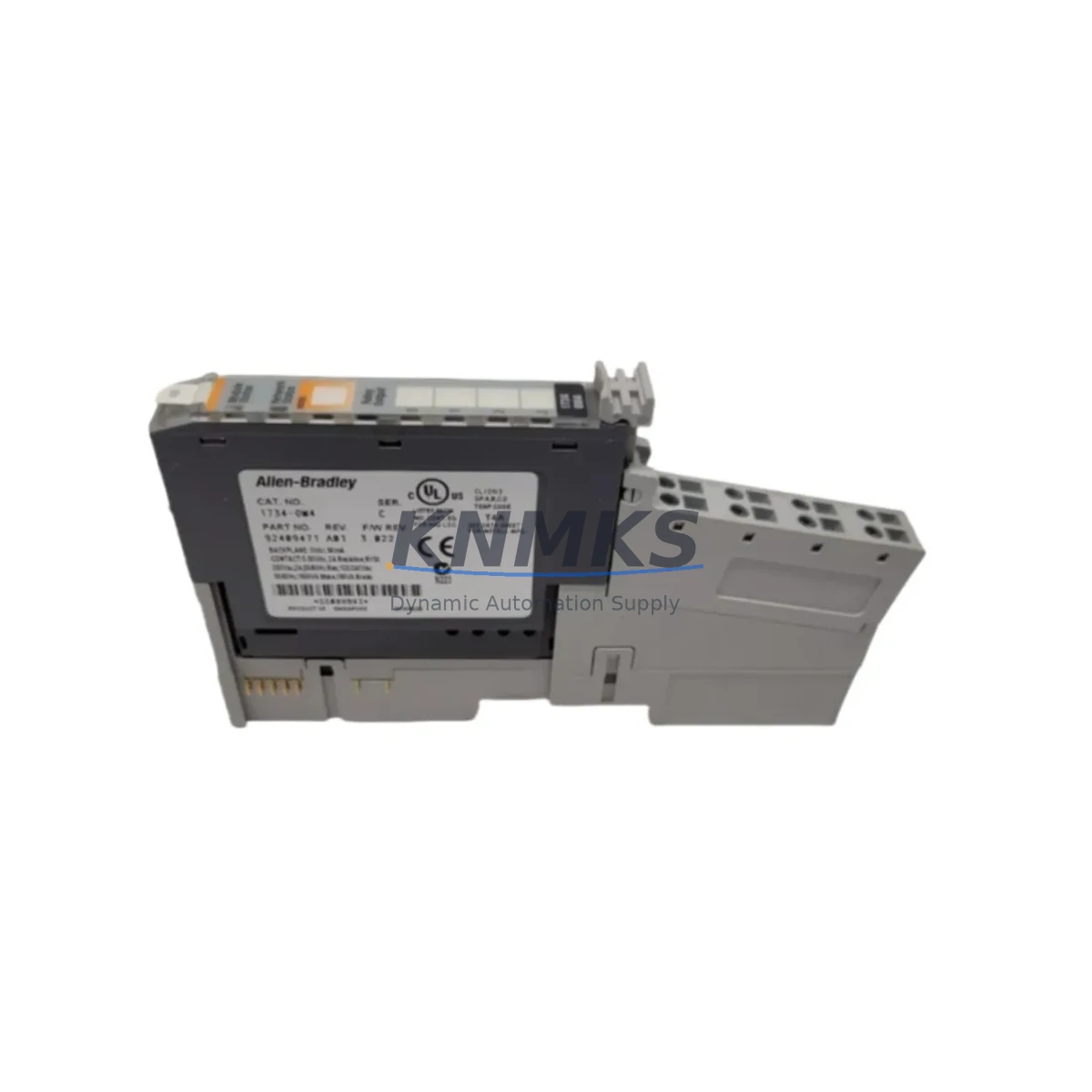
Overview
Allen-Bradley 1734-IF4U-1 Maintenance-Proven Spare Part for Factory Uptime
The Allen-Bradley 1734-IF4U-1 is a 4-channel universal analog input module designed for the POINT I/O platform — one of Rockwell Automation’s most widely deployed distributed I/O systems in process and discrete manufacturing environments. Whether you are managing a scheduled annual overhaul, responding to an unplanned shutdown, or building a proactive spare parts inventory for a critical production line, the 1734-IF4U-1 is a high-priority replacement component that maintenance and procurement engineers should keep on hand. This original spare is tested before shipment and backed by a support terms confirmed by quotation, ensuring your facility can restore analog signal acquisition quickly and with confidence.
Spare Maintenance Table
| SKU / Part Number | 1734-IF4U-1 |
| Brand | Allen-Bradley (Rockwell Automation) |
| Series | POINT I/O |
| Module Type | 4-Channel Universal Analog Input |
| Input Signal Types | Voltage (±10 V), Current (0–20 mA / 4–20 mA), RTD, Thermocouple (per channel configurable) |
| Resolution | 16-bit |
| Supply Voltage | 24 V DC (via POINT I/O adapter / power supply) |
| Communication | Via POINT I/O adapter (EtherNet/IP, DeviceNet, PROFIBUS, ControlNet) |
| Mounting | DIN rail, POINT I/O backplane slot |
| Operating Temperature | 0 °C to 55 °C |
| Certifications | UL, CE, cUL |
| Origin | United States |
| Compatibility | Drop-in replacement for 1734-IF4U; compatible with all POINT I/O adapter families |
| Maintenance Recommendation | Inspect wiring terminals and channel calibration annually; replace if drift exceeds ±0.5% full scale |
| Support terms | 12 Months — tested before shipment |
Maintenance Planning for Continuous Operation
When a 1734-IF4U-1 analog input module fails or degrades in a POINT I/O node, the impact extends well beyond the module itself. Maintenance engineers performing fault isolation or a planned replacement should simultaneously inspect the surrounding system components to prevent repeat failures and minimize total downtime.
Begin with the 1734-AENTR EtherNet/IP adapter — the communication backbone of the POINT I/O node. A degraded adapter can cause intermittent analog data loss that mimics a faulty input module, leading to misdiagnosis. Verify adapter firmware version and check for CIP communication errors in the controller log before condemning the 1734-IF4U-1.
Next, inspect the 1734-EP24DC POINT I/O power supply expander. Insufficient or noisy 24 V DC supply voltage is a leading cause of analog input drift and channel-level faults. Use a calibrated multimeter to confirm supply voltage is within ±1% of nominal at the module terminals. If the node draws close to the expander’s rated current, consider adding a dedicated 1734-EPAC power supply to isolate analog I/O from digital output loads.
The field wiring side deserves equal attention. Inspect the 1734-TB3 or 1734-TB3S removable terminal blocks for corrosion, loose crimps, and shield continuity. In environments with variable-frequency drives or high-current switching loads nearby, signal integrity on 4–20 mA loops can be compromised. Installing signal isolators (such as DIN-rail-mounted loop-powered isolators rated for the applicable signal range) between field transmitters and the 1734-IF4U-1 inputs is a best practice for long-term reliability in electrically noisy panels.
For temperature measurement channels using RTD or thermocouple inputs, verify that the correct sensor type is configured in the module’s channel parameters via Studio 5000 or RSLogix 5000. Mismatched configuration is a common source of out-of-range alarms after a module swap. Also confirm that fuse protection on the 24 V DC rail feeding the POINT I/O node is correctly rated — typically 2 A fast-blow per segment — and replace any discolored or suspect fuses during the maintenance window.
Finally, if the POINT I/O node communicates over DeviceNet or ControlNet via adapters such as the 1734-ADN or 1734-ACNR, verify network termination resistors and cable integrity. Communication faults at the network layer can cause the controller to report stale analog values, which may be misinterpreted as a module hardware failure. A systematic check of the full signal chain — from field sensor through terminal block, module, adapter, and network — ensures that replacing the 1734-IF4U-1 resolves the root cause rather than masking a deeper infrastructure issue.
Site Replacement Workflow
The 1734-IF4U-1 is a direct drop-in replacement for the earlier 1734-IF4U revision, sharing the same form factor, terminal block pinout, and EDS file structure. This backward compatibility significantly reduces replacement risk in legacy POINT I/O installations that may have been in service for 10 or more years.
Step 1 — Pre-replacement preparation: Export the current module configuration from Studio 5000 or RSLogix 5000. Document channel assignments, engineering unit scaling, filter settings, and alarm thresholds for all four channels. This record serves as the restoration baseline and reduces re-commissioning time.
Step 2 — Safe removal: Place the controller in Program mode to inhibit outputs. Remove the terminal block (1734-TB3/TB3S) from the module — the removable terminal block design allows field wiring to remain intact during module swap, eliminating re-wiring errors. Slide the module out of the POINT I/O backplane slot.
Step 3 — Installation: Insert the replacement 1734-IF4U-1 into the same slot. Re-attach the terminal block. The module will inherit its configuration from the controller’s I/O tree automatically upon going online, provided the slot assignment and module type match the project file.
Step 4 — Verification: Place the controller back in Run mode. Monitor all four analog input channels in the controller tag browser for expected engineering unit values. Compare live readings against known process references (e.g., calibrated pressure transmitter output) to confirm channel accuracy. Log the replacement date, module serial number, and post-swap calibration check results in your CMMS for traceability.
This workflow typically achieves full signal restoration in under 30 minutes for a prepared maintenance team, making the 1734-IF4U-1 one of the most field-serviceable modules in the POINT I/O family.
Spare Parts Support FAQ
Q1: Is the 1734-IF4U-1 a direct replacement for the 1734-IF4U?
Yes. The 1734-IF4U-1 is the current catalog revision of the 1734-IF4U and is fully backward compatible in terms of form factor, terminal block interface, and software configuration. No changes to the Studio 5000 project file are required when replacing 1734-IF4U with 1734-IF4U-1 in the same slot.
Q2: How is the module tested before shipment?
Each 1734-IF4U-1 unit undergoes functional verification prior to dispatch, including power-on self-test and channel continuity checks. Units that do not pass inspection are not shipped. A support terms confirmed by quotation cover defects in materials and workmanship from the date of shipment.
Q3: What is the recommended spare inventory strategy for POINT I/O analog input modules?
For production lines with more than four POINT I/O nodes, maintaining a minimum of one 1734-IF4U-1 per control cabinet is recommended. For critical process applications (e.g., temperature or pressure control loops), a 1:4 spare ratio (one spare per four installed modules) provides adequate coverage for both emergency replacement and scheduled maintenance cycles without excessive carrying cost.
Q4: Can long-term supply be arranged for the 1734-IF4U-1?
Yes. Blanket orders and long-term supply agreements are available for facilities managing aging POINT I/O installations or planning multi-year maintenance contracts. Contact our team to discuss volume pricing, lead time commitments, and consignment stock options tailored to your maintenance schedule.
© 2026 KNMKS. All rights reserved.
Original Source: https://knmks.com
Contact: admin@knmks.com | +86 18359268345
Product Identification
- Brand / Ecosystem
-
Allen-Bradley
Allen-Bradley - Model / Series
- 1734-IF4U-1
- Product Family
- PLCs & Controllers
- Availability Status
- Available on request after model and quantity confirmation
- Inquiry Type
- B2B RFQ, replacement inquiry and project spare-part request
- Pre-Quote Check
- Exact SKU, brand, series, quantity, nameplate photos and destination country are checked before quotation
System Path
Where this product fits in the KNMKS automation structure.
Specification & Inquiry Focus
- Control platform
- PLC, PAC and modular controllers
- Common needs
- CPU, rack, power and I/O expansion
- Project support
- Replacement, cabinet build and maintenance
Buyer Confirmation
Information KNMKS checks before replying.
- Exact model
- 1734-IF4U-1
- Brand / ecosystem
- Allen-Bradley
- Product family
- PLCs & Controllers
- Application note
- Replacement, maintenance, project build or spare-part list
- Useful photos
- Nameplate, installed unit, cabinet layout or connector side
- Delivery details
- Quantity, destination country and target schedule
Document Support
Files and notes can be confirmed during quotation.
- Product photos or nameplate confirmation when available
- Packing and delivery notes before quotation confirmation
- Support scope and delivery terms confirmed per inquiry
- Export document coordination for qualified B2B requests
Inquiry Support
- Model cross-checking before quotation
- CPU, power, rack and expansion module matching
- Support for replacement and project inquiry
What to Send Us
- Brand and exact model number: Allen-Bradley 1734-IF4U-1
- Quantity and required delivery time
- Application, replacement requirement or nameplate photo
- Destination country and shipping preference
RFQ Preparation
This is a product inquiry page built for RFQ communication.
Fast Model Check
Send this model to KNMKS for confirmation.
Include quantity, destination country and photos if this is a maintenance replacement. The inquiry will be saved with a reference number after submission.
Brand & Compatibility Note
KNMKS displays automation product information for well-known industrial brand ecosystems and compatible replacement references. Brand names are used for product identification and compatibility reference only; final availability and commercial terms are confirmed per quotation.
 Manufacturing
 Machine Tools
 Packaging
 Energy & Power



 HMI & Displays
 Servo Systems
 Variable Frequency Drives
 Sensors