
Overview
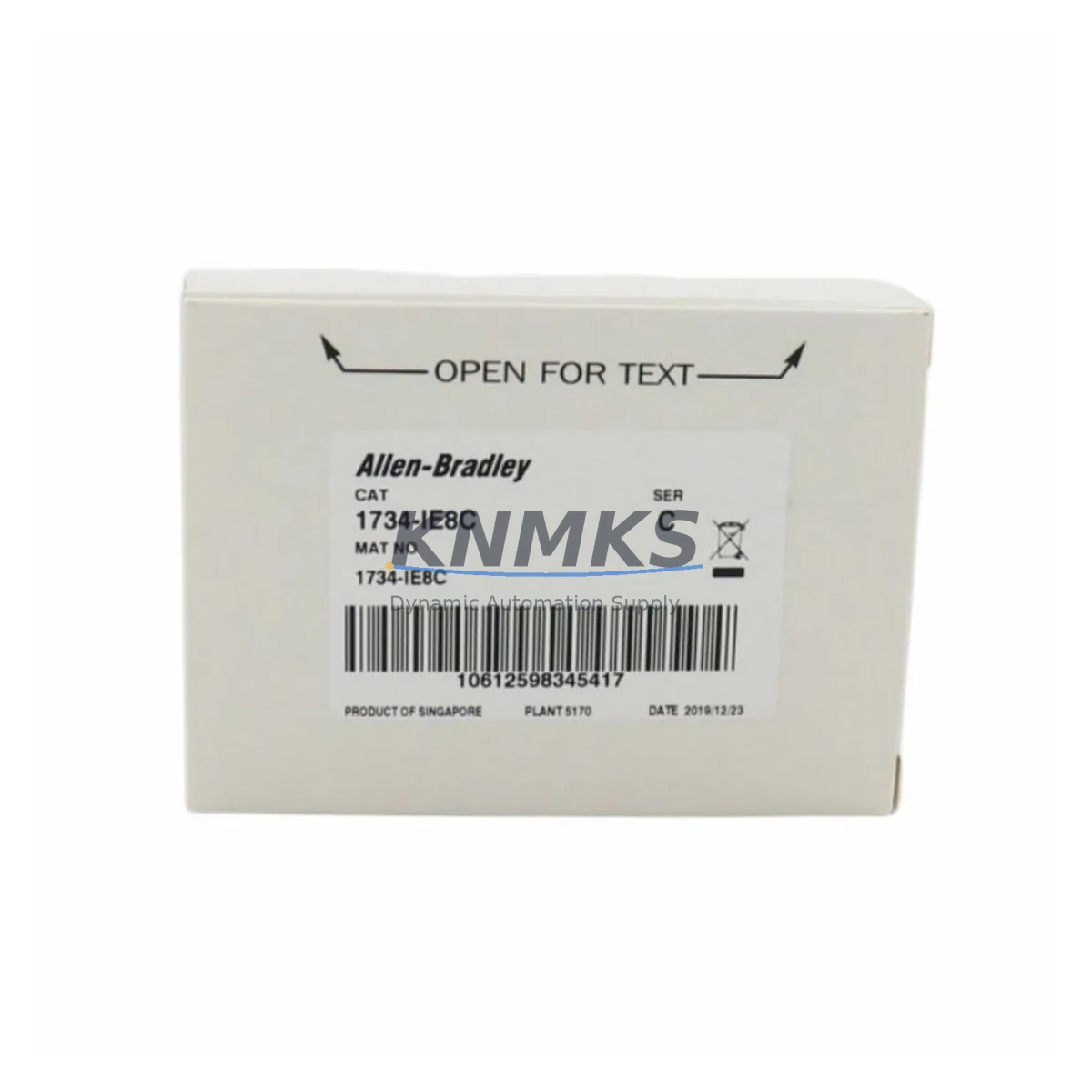
Allen-Bradley 1734-IE8C Migration-Ready Analog Input for Legacy Control Systems
The Allen-Bradley 1734-IE8C is an 8-channel analog current input module designed for the POINT I/O 1734 platform, accepting 4–20 mA signals from field transmitters including pressure sensors, flow meters, level transducers, and temperature transmitters. As legacy distributed I/O systems age and original modules reach end-of-life, the 1734-IE8C has become one of the most frequently requested retrofit components for facilities seeking to extend the operational life of their existing POINT I/O infrastructure without committing to a full control system replacement.
For automation engineers managing aging production lines, the 1734-IE8C offers a direct migration path that preserves existing field wiring, terminal assignments, and controller program logic. Whether you are replacing a failed module in an emergency shutdown scenario, upgrading a degraded analog input bank during a planned outage, or building a strategic retrofit inventory for a multi-site facility, the 1734-IE8C is a high-priority component in any POINT I/O spare parts program.
Migration Compatibility Table
| Parameter | Specification |
|---|---|
| SKU / Part Number | 1734-IE8C |
| Brand / Manufacturer | Allen-Bradley (Rockwell Automation) |
| Series | POINT I/O 1734 |
| Module Type | Analog Current Input Module |
| Input Channels | 8-Channel |
| Input Signal Range | 4–20 mA (current loop) |
| Resolution | 16-bit |
| Backplane Interface | POINT I/O 1734 adapter backplane (single-wide slot) |
| Communication | Via 1734 adapter (EtherNet/IP, DeviceNet, PROFIBUS, ControlNet) |
| Wiring Interface | Removable terminal block (RTB) — 1734-RTB or 1734-RTBS |
| Compatibility | CompactLogix, ControlLogix, MicroLogix (via adapter) |
| Replacement Scope | Direct drop-in for existing 1734-IE8C installations; compatible with all 1734 adapter types |
| Installation Environment | DIN rail-mounted, industrial control cabinet |
| Operating Temperature | 0°C to 55°C |
| Country of Origin | United States |
| Pre-shipment Testing | Functional analog channel verification performed before dispatch |
| Support terms | support terms confirmed by quotation |
Retrofit Planning for Existing Automation Systems
A successful 1734-IE8C retrofit requires more than a module swap. Maintenance and automation engineers should conduct a systematic review of the surrounding POINT I/O infrastructure to ensure the replacement module integrates cleanly into the existing system without introducing new failure points or requiring unplanned program modifications.
Begin with the 1734 adapter module — whether a 1734-AENT EtherNet/IP adapter, a 1734-ADN DeviceNet adapter, or a 1734-ACNR ControlNet adapter — and verify that the adapter’s firmware version is compatible with the 1734-IE8C. Older adapter firmware revisions may not correctly enumerate the module’s full 8-channel configuration, resulting in partial data or connection faults. Updating adapter firmware during the retrofit window is strongly recommended if the current version is more than two major releases behind the module’s supported range.
Inspect the 1734-RTB or 1734-RTBS removable terminal block before transferring it to the new module. Terminal blocks on aging POINT I/O systems frequently show signs of wire ferrule loosening, insulation cracking, and contact oxidation — particularly in humid or chemically aggressive environments. Replacing the RTB alongside the 1734-IE8C eliminates a common source of intermittent analog signal errors that are difficult to distinguish from module-level faults.
Verify the 1734-EP24DC or equivalent POINT I/O power supply module has sufficient current capacity to support the full module complement after the retrofit. Adding or replacing analog input modules can shift the backplane current budget, and an undersized power supply may cause nuisance resets or degraded analog accuracy under full load. Measure actual backplane current draw and compare against the power supply’s rated output before commissioning.
For systems communicating over EtherNet/IP, confirm that the CompactLogix L3x or L2x controller — or the ControlLogix system managing the remote POINT I/O bank — has the correct I/O configuration in Studio 5000 Logix Designer. The 1734-IE8C must be configured with the correct module definition, including data format (integer or floating point), filter frequency, and channel enable settings. Mismatched module definitions are the most common cause of connection faults following a like-for-like module replacement.
If the system includes a PanelView Plus 7 or PanelView 800 HMI, review the analog trend displays and alarm setpoints associated with the replaced input channels. Scaling parameters embedded in the HMI application may reference specific tag addresses that need to be verified after the module is re-commissioned. A brief functional walkthrough of all affected HMI screens before returning the line to automatic mode prevents operator confusion and reduces the risk of process upsets during the post-retrofit startup period.
Downtime Control During System Migration
Minimizing downtime during a 1734-IE8C replacement requires advance preparation, a clear task sequence, and a verified spare module ready for immediate installation. The following approach reflects field-proven practices for POINT I/O analog input module replacements in live production environments.
Pre-outage preparation: Before scheduling the replacement window, document the existing module’s channel configuration, scaling parameters, and filter settings using Studio 5000 Logix Designer. Export the controller program to a backup file and record the adapter’s IP address and node configuration. Photograph the terminal block wiring layout to provide a reference during reinstallation.
Module inhibit and safe state: In the controller’s I/O configuration tree, inhibit the 1734-IE8C module before physical removal. This prevents the controller from generating a major fault or triggering safety interlocks when the module is extracted. Place any associated process control loops in manual mode at the DCS or HMI level to maintain safe process conditions during the swap.
Physical replacement: Remove the terminal block, extract the faulty module from the DIN rail, insert the replacement 1734-IE8C, and reattach the terminal block. Verify that the module is fully seated on the backplane connector and that the DIN rail locking tab is engaged.
Re-commissioning and verification: Un-inhibit the module in Studio 5000, confirm that all 8 channels report valid process values within expected engineering unit ranges, and return the associated control loops to automatic mode. Perform a channel-by-channel signal verification using a calibrated 4–20 mA loop calibrator before releasing the line to production. This step confirms that field wiring connections are correct and that the new module’s analog accuracy meets process requirements.
With a pre-staged replacement module and a prepared task checklist, experienced automation teams consistently complete 1734-IE8C replacements within 45 to 90 minutes, keeping unplanned production losses to a minimum.
Retrofit Support FAQ
Q1: Is the 1734-IE8C a direct replacement for my existing module without program changes?
Yes, in most cases. The 1734-IE8C is a standard POINT I/O module and is fully compatible with all 1734 adapter types and all controller platforms that support POINT I/O. If the replacement module matches the original module definition in Studio 5000 — including data format and channel configuration — no program changes are required. We recommend verifying the module definition before installation to confirm compatibility.
Q2: Is the module tested before shipment?
Yes. Every 1734-IE8C unit undergoes functional analog channel verification prior to dispatch, including signal accuracy checks across the 4–20 mA input range. Test records are available upon request. This pre-shipment testing process ensures the module arrives ready for immediate installation without additional bench testing on your end.
Q3: What support terms coverage is provided, and what does it include?
All units are covered by a support terms confirmed by quotation from the date of shipment. The support terms covers manufacturing defects and functional failures under normal operating conditions. Our technical support team is available to assist with compatibility verification, Studio 5000 configuration guidance, and fault diagnosis throughout the confirmed support period.
Q4: Can you support ongoing or emergency spare parts orders for the 1734-IE8C?
Yes. We maintain standing inventory of the 1734-IE8C and can support scheduled procurement programs, blanket orders, and emergency replenishment requests. For facilities managing multiple POINT I/O systems across several production lines or plant locations, we recommend establishing a standing spare parts agreement to ensure consistent availability and price stability over a multi-year retrofit and maintenance horizon.
© 2026 KNMKS. All rights reserved.
Original Source: https://knmks.com
Contact: admin@knmks.com | +86 18359268345
Product Identification
- Brand / Ecosystem
-
Allen-Bradley
Allen-Bradley - Model / Series
- 1734-IE8C
- Product Family
- PLCs & Controllers
- Availability Status
- Available on request after model and quantity confirmation
- Inquiry Type
- B2B RFQ, replacement inquiry and project spare-part request
- Pre-Quote Check
- Exact SKU, brand, series, quantity, nameplate photos and destination country are checked before quotation
System Path
Where this product fits in the KNMKS automation structure.
Specification & Inquiry Focus
- Control platform
- PLC, PAC and modular controllers
- Common needs
- CPU, rack, power and I/O expansion
- Project support
- Replacement, cabinet build and maintenance
Buyer Confirmation
Information KNMKS checks before replying.
- Exact model
- 1734-IE8C
- Brand / ecosystem
- Allen-Bradley
- Product family
- PLCs & Controllers
- Application note
- Replacement, maintenance, project build or spare-part list
- Useful photos
- Nameplate, installed unit, cabinet layout or connector side
- Delivery details
- Quantity, destination country and target schedule
Document Support
Files and notes can be confirmed during quotation.
- Product photos or nameplate confirmation when available
- Packing and delivery notes before quotation confirmation
- Support scope and delivery terms confirmed per inquiry
- Export document coordination for qualified B2B requests
Inquiry Support
- Model cross-checking before quotation
- CPU, power, rack and expansion module matching
- Support for replacement and project inquiry
What to Send Us
- Brand and exact model number: Allen-Bradley 1734-IE8C
- Quantity and required delivery time
- Application, replacement requirement or nameplate photo
- Destination country and shipping preference
RFQ Preparation
This is a product inquiry page built for RFQ communication.
Fast Model Check
Send this model to KNMKS for confirmation.
Include quantity, destination country and photos if this is a maintenance replacement. The inquiry will be saved with a reference number after submission.
Brand & Compatibility Note
KNMKS displays automation product information for well-known industrial brand ecosystems and compatible replacement references. Brand names are used for product identification and compatibility reference only; final availability and commercial terms are confirmed per quotation.
 Manufacturing
 Machine Tools
 Packaging
 Energy & Power



 HMI & Displays
 Servo Systems
 Variable Frequency Drives
 Sensors