
Overview
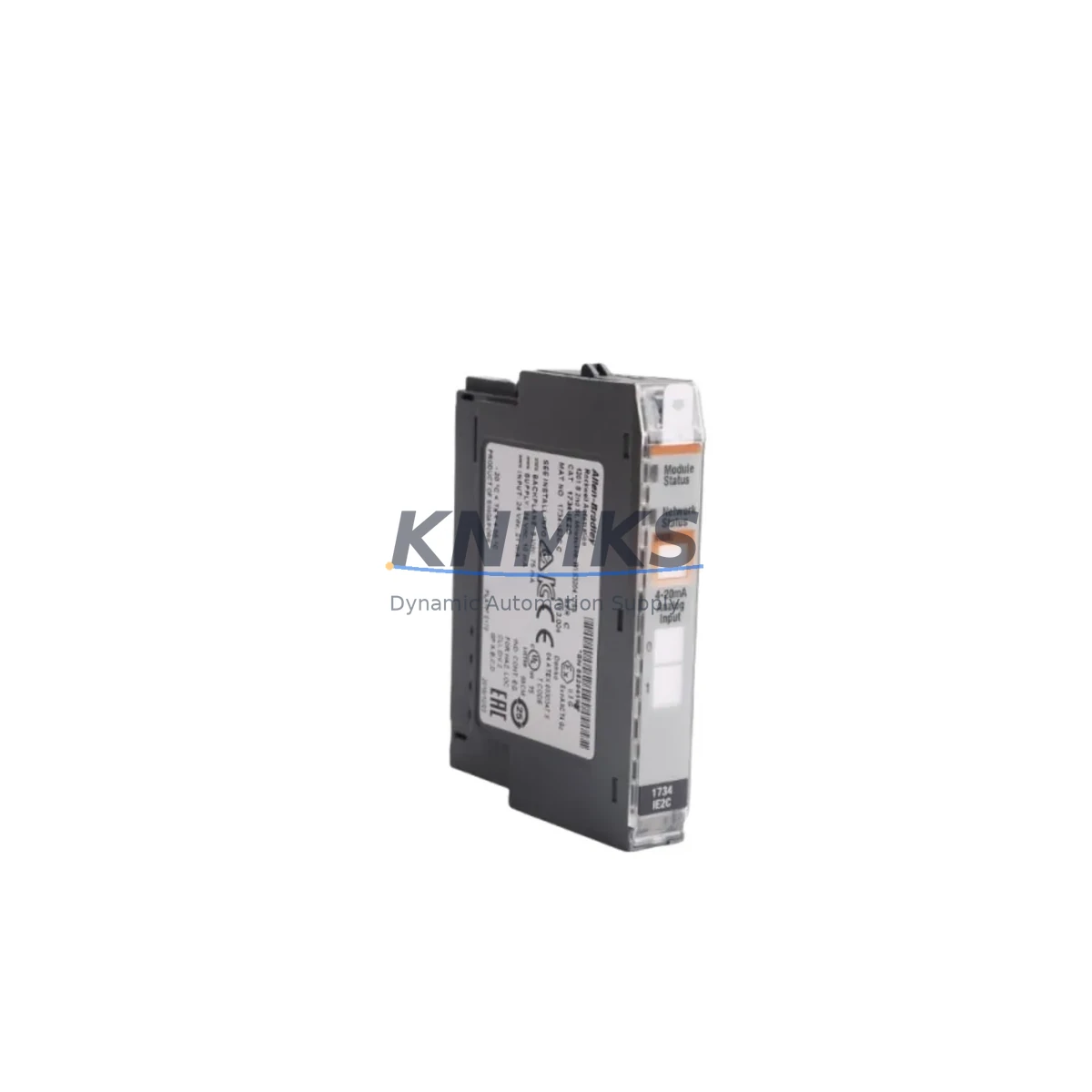
Allen-Bradley 1734-IE2C Maintenance-Proven Spare Part for Factory Uptime
The Allen-Bradley 1734-IE2C is a 2-channel current analog input module designed for the POINT I/O platform — one of the most widely deployed distributed I/O architectures in discrete and process manufacturing. As a direct original spare, the 1734-IE2C supports 4–20 mA current loop signals and integrates seamlessly into ControlLogix, CompactLogix, and FlexLogix control systems via the POINT I/O backplane. For maintenance engineers managing aging control cabinets or executing planned shutdowns, having a verified 1734-IE2C on the shelf is a critical element of any uptime-first spare parts strategy.
At KNMKS, every 1734-IE2C unit is sourced as an original Allen-Bradley component, subjected to pre-shipment functional testing, and backed by a support terms confirmed by quotation. We support long-term supply agreements for multi-site operations requiring consistent availability of POINT I/O modules across 12 to 36-month maintenance cycles.
Spare Maintenance Table
| Parameter | Specification |
|---|---|
| SKU / Part Number | 1734-IE2C |
| Brand | Allen-Bradley (Rockwell Automation) |
| Series | POINT I/O |
| Module Type | 2-Channel Current Analog Input |
| Input Signal Range | 4–20 mA (current loop) |
| Resolution | 13-bit (including sign) |
| Backplane Compatibility | 1734-TB, 1734-TBS, 1734-TBCJC terminal bases |
| Communication | POINT I/O backplane (ControlNet, DeviceNet, EtherNet/IP via adapter) |
| Operating Temperature | 0°C to 55°C (32°F to 131°F) |
| Power Consumption | 75 mA @ 5 VDC (backplane) |
| Dimensions (H×W×D) | Approx. 94 × 12 × 54 mm |
| Origin | USA |
| Support terms | 12 Months (KNMKS) |
| Pre-Shipment Test | Yes — functional verification before dispatch |
| Condition | Original / New Surplus |
Maintenance Planning for Continuous Operation
When replacing a 1734-IE2C in a live POINT I/O rack, a disciplined maintenance engineer will not stop at the module itself. The 4–20 mA current loop circuit that feeds the 1734-IE2C involves multiple upstream and downstream components, each of which should be inspected or tested during the same maintenance window to prevent repeat failures and unplanned downtime.
Begin with the 1734-TB or 1734-TBS terminal base — the mechanical and electrical interface between the module and field wiring. Terminal bases accumulate oxidation and micro-arcing over years of service; a worn base can cause intermittent signal errors that are misdiagnosed as module faults. Inspect the base connector pins and replace if contact resistance is elevated.
Next, verify the 1734-AENT or 1734-AENTR EtherNet/IP adapter that bridges the POINT I/O rack to the ControlLogix or CompactLogix backplane. Adapter firmware should be current, and the EtherNet/IP connection status should be confirmed in RSLogix 5000 or Studio 5000 before and after module swap. A degraded adapter can mask analog input faults or cause rack-wide communication dropouts.
For the field-side circuit, inspect the 24 VDC loop power supply feeding the current transmitters connected to the 1734-IE2C. Loop power instability — even within nominal voltage range — introduces offset errors in 4–20 mA readings. A dedicated 1606-XLP or equivalent 24 VDC DIN-rail power supply with tight output regulation is recommended for analog I/O circuits in precision process applications.
Check the signal cable shielding and grounding at the terminal base. Ungrounded or improperly grounded shields on analog signal cables are a leading cause of noise-induced measurement drift in POINT I/O installations. Confirm that shield drain wires are terminated at a single point — typically at the control cabinet ground bus — and not at both ends.
If the process involves hazardous area transmitters or long cable runs, inspect any signal isolators or loop-powered barriers in the circuit. Zener barriers and galvanic isolators degrade over time and can introduce loop resistance that shifts the 4–20 mA span. Replace isolators that show increased leakage or reduced isolation resistance.
Finally, review the 1734-OW4 or 1734-OA4 output modules in the same POINT I/O rack if the analog input is part of a closed-loop control strategy. Output module faults during a control loop failure can compound the diagnostic complexity; confirming output module health during the same shutdown window reduces the risk of a second unplanned outage.
Site Replacement Workflow
Step 1 — Pre-Replacement Verification: Before removing the 1734-IE2C, document the current channel configuration (input range, filter frequency, fault mode) from the Studio 5000 module properties. Export the I/O tree configuration as a backup. Confirm the replacement unit’s catalog number and firmware revision match the installed module to avoid automatic reconfiguration prompts on controller reconnect.
Step 2 — Safe Removal: Place the ControlLogix or CompactLogix controller in Program mode to inhibit I/O faults during module removal. The 1734-IE2C can be removed and inserted under power (hot-swap capable within the POINT I/O platform), but inhibiting the module in software first prevents nuisance fault alarms in the SCADA or DCS historian.
Step 3 — Module Installation: Seat the replacement 1734-IE2C firmly onto the terminal base until the locking tab engages. The module will auto-configure from the controller’s stored configuration if the catalog number matches. Verify the green RUN LED illuminates and the channel status bits clear in the controller tag database within 5 seconds of insertion.
Step 4 — Loop Verification: Apply a calibrated 4 mA and 20 mA source to each channel and confirm the raw input values in Studio 5000 match expected engineering unit conversions. Document the as-found and as-left readings in the maintenance log. This step is mandatory for SIL-rated loops and recommended for all process-critical analog inputs.
Step 5 — Return to Service: Return the controller to Run mode, confirm process variable readings are stable, and update the spare parts inventory record to reflect the consumed unit. Initiate a replenishment order to maintain minimum stock levels — a single 1734-IE2C on the shelf is the minimum recommended buffer for any facility running more than two POINT I/O racks.
Spare Parts Support FAQ
Q1: Is the 1734-IE2C compatible with all POINT I/O adapter types?
The 1734-IE2C is compatible with all standard POINT I/O communication adapters, including the 1734-AENT (EtherNet/IP), 1734-ADN (DeviceNet), and 1734-ACNR (ControlNet). Compatibility is determined by the POINT I/O backplane architecture, not the adapter protocol. Confirm the adapter firmware supports the module revision if integrating into an existing rack with mixed module generations.
Q2: What is the recommended spare parts holding quantity for a multi-line facility?
For facilities operating 3 or more POINT I/O racks with analog input requirements, a minimum of 2–3 units of the 1734-IE2C is recommended as on-site buffer stock. For critical process lines where analog input failure triggers a full line stop, a dedicated hot-spare in the control cabinet is justified. KNMKS supports long-term supply agreements (12–36 months) to lock in pricing and availability for multi-site procurement programs.
Q3: How is each unit tested before shipment?
Every 1734-IE2C shipped by KNMKS undergoes functional verification prior to dispatch. Testing confirms backplane communication, channel signal integrity across the 4–20 mA range, and LED status indication. Units that fail any test parameter are quarantined and not shipped. A support terms confirmed by quotation cover all units against defects in materials and workmanship from the date of shipment.
Q4: Can the 1734-IE2C replace older POINT I/O analog input revisions without reprogramming?
In most cases, yes. The 1734-IE2C maintains backward compatibility with earlier hardware revisions within the POINT I/O platform. If the catalog number is identical, Studio 5000 will apply the stored module configuration automatically on insertion. If the firmware revision differs, a minor configuration update may be required in the module properties dialog — this is a non-destructive operation that does not require changes to the application program logic.
© 2026 KNMKS. All rights reserved.
Original Source: https://knmks.com
Contact: admin@knmks.com | +86 18359268345
Product Identification
- Brand / Ecosystem
-
Allen-Bradley
Allen-Bradley - Model / Series
- 1734-IE2C
- Product Family
- PLCs & Controllers
- Availability Status
- Available on request after model and quantity confirmation
- Inquiry Type
- B2B RFQ, replacement inquiry and project spare-part request
- Pre-Quote Check
- Exact SKU, brand, series, quantity, nameplate photos and destination country are checked before quotation
System Path
Where this product fits in the KNMKS automation structure.
Specification & Inquiry Focus
- Control platform
- PLC, PAC and modular controllers
- Common needs
- CPU, rack, power and I/O expansion
- Project support
- Replacement, cabinet build and maintenance
Buyer Confirmation
Information KNMKS checks before replying.
- Exact model
- 1734-IE2C
- Brand / ecosystem
- Allen-Bradley
- Product family
- PLCs & Controllers
- Application note
- Replacement, maintenance, project build or spare-part list
- Useful photos
- Nameplate, installed unit, cabinet layout or connector side
- Delivery details
- Quantity, destination country and target schedule
Document Support
Files and notes can be confirmed during quotation.
- Product photos or nameplate confirmation when available
- Packing and delivery notes before quotation confirmation
- Support scope and delivery terms confirmed per inquiry
- Export document coordination for qualified B2B requests
Inquiry Support
- Model cross-checking before quotation
- CPU, power, rack and expansion module matching
- Support for replacement and project inquiry
What to Send Us
- Brand and exact model number: Allen-Bradley 1734-IE2C
- Quantity and required delivery time
- Application, replacement requirement or nameplate photo
- Destination country and shipping preference
RFQ Preparation
This is a product inquiry page built for RFQ communication.
Fast Model Check
Send this model to KNMKS for confirmation.
Include quantity, destination country and photos if this is a maintenance replacement. The inquiry will be saved with a reference number after submission.
Brand & Compatibility Note
KNMKS displays automation product information for well-known industrial brand ecosystems and compatible replacement references. Brand names are used for product identification and compatibility reference only; final availability and commercial terms are confirmed per quotation.
 Manufacturing
 Machine Tools
 Packaging
 Energy & Power



 HMI & Displays
 Servo Systems
 Variable Frequency Drives
 Sensors